
If your site isn’t climbing, technical SEO foundations are often the quiet reason – not your content quality, not your industry, not “Google being random.” When crawl, indexation, speed, or site structure are slightly off, you can publish more… and still hit a ceiling.
Table of Contents
Why technical SEO foundations matter (even if your content is good)
Most small business websites don’t fail SEO because they’re “bad.” They fail because the basics aren’t consistent.
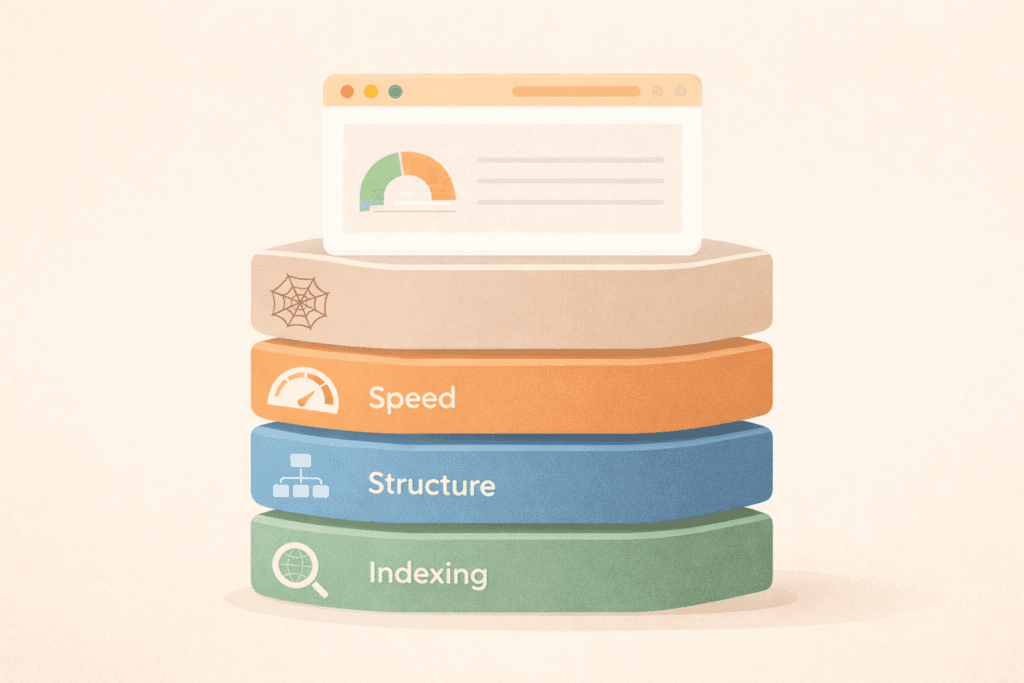
Technical SEO foundations are the parts of your site that help search engines:
- Find your pages (crawling)
- Understand your pages (rendering + structure)
- Store your pages (indexing)
- Trust your site enough to rank it (site quality signals + user experience)
When those foundations are solid, your on-page work and content marketing can actually compound. When they’re shaky, SEO becomes a treadmill.
If you’re not sure where to start, VVRapid’s SEO services are built around fixing the foundations first, then scaling what works:
The “ranking ceiling” symptoms (quick self-diagnosis)
You’ll usually feel a technical ceiling when you see patterns like these:
- You publish new pages/posts but they don’t get indexed (or take weeks).
- Rankings move… then stall at page 2.
- Some pages rank, but similar pages don’t (inconsistent templates, internal linking, or canonicals).
- Your traffic is okay, but leads/sales are low (slow pages, confusing UX, weak intent match).
- Google Search Console shows “Crawled – currently not indexed” or weird duplication.
If 2–3 of those are happening, a technical SEO foundations checklist is the fastest way to get unstuck.
Technical SEO foundations checklist: do these in order
Use this as a practical sequence. Don’t jump ahead to “advanced” tactics until the earlier steps are stable.
1) Confirm your site is crawlable and indexable (the non-negotiables)
DIY checks (15 minutes):
- Make sure your site isn’t accidentally set to “discourage search engines” (common in WordPress after a redesign).
- Check that you’re not blocking key areas in
robots.txt.
Important nuance: robots.txt is not a way to keep a page out of Google – it’s mainly about controlling crawler access. If you need something not indexed, you typically use noindex (or protect it).
Action steps:
- Check
yourdomain.com/robots.txt - Confirm it doesn’t block important folders like
/services/,/blog/, product categories, etc. - Make sure your XML sitemap exists and is submitted in Search Console
If Search Console isn’t set up yet, do that immediately: Google Search Console (About)
2) Use Search Console to see what Google really sees
Search Console isn’t optional if you want measurable SEO.
Use the URL Inspection tool to:
- See if a page is indexed
- Test a live URL for indexability
- Request indexing when you’ve fixed something important
Practical routine:
- Inspect your homepage + top service/product page
- Inspect a new blog post
- Inspect a page you expect to rank but it doesn’t
If Google can’t fetch, render, or index these reliably, your technical SEO foundations need attention before content strategy.
3) Fix duplicate and “confusing” URLs (canonicals, parameters, and thin variants)
Small sites often create accidental duplicates:
- HTTP vs HTTPS
- www vs non-www
/page/and/pagevariations- Tag archives or filtered URLs that generate thin pages
- Printer-friendly pages or tracking parameters
Goal: one “best” version of each page.
DIY checks:
- Pick a page and try 3–5 URL variations (with/without trailing slash, www, etc.).
- If multiple versions load, you may need redirects + canonical cleanup.
This is one of the most underrated technical SEO foundations fixes because it stops your authority being split across copies.
4) Get your site structure and internal architecture “obvious”
Search engines follow links like people do, except they’re less patient.

Simple structure that works for most businesses:
- Homepage
→ Core service/category pages
→ Supporting pages (FAQs, case-study style proof pages if you have them, guides)
→ Blog posts that internally link back to service/category pages
DIY checks:
- Can you reach every important page in 3 clicks or fewer?
- Do your service pages link to each other naturally?
- Do blog posts link to the relevant service page (not just “Contact”)?
If internal linking is weak, you can have great content and still struggle. This is why VVRapid’s SEO work includes on-page optimisation and internal link structure as part of the process:
5) Speed and Core Web Vitals: aim for “good enough,” not perfection
Core Web Vitals are real-user experience metrics for loading, interactivity, and visual stability. The current Core Web Vitals metrics include LCP, INP, and CLS.
For small businesses, the goal is:
- A site that feels fast on mobile
- Key pages that pass “good” thresholds most of the time
- No obvious bottlenecks (giant images, heavy sliders, bloated plugins, too many scripts)
DIY checks (20 minutes):
- Run your homepage + a key service/product page through PageSpeed Insights
High-impact fixes:
- Compress + resize images (especially hero images)
- Reduce plugin bloat (WordPress)
- Enable caching + good hosting configuration
If you’re on WordPress, hosting can make this dramatically easier. LiteSpeed stacks are commonly used to improve speed and caching performance: LiteSpeed WebServer Hosting
6) Mobile usability and layout stability (the conversion multiplier)
Even if your rankings are okay, slow or jumpy pages can quietly kill leads/sales.
Check:
- Are buttons easy to tap?
- Are forms usable on mobile?
- Do elements shift while loading (CLS issues)?
- Do popups block content?
This is where technical SEO foundations overlap with revenue. Your best SEO page is useless if it’s frustrating to use.
7) Keep redirects and 404s under control (especially after changes)
Redesigns, URL changes, and “quick fixes” often leave behind:
- Broken internal links
- Redirect chains (A → B → C)
- Old pages with backlinks that now 404
DIY checks:
- In Search Console, look for crawl errors and 404s.
- Fix internal links first (they’re the easiest wins).
- Use clean 301 redirects when you intentionally retire or move content.
8) Structured data basics (only where it makes sense)
You don’t need schema everywhere. But you do want clarity.
Common structured data that can help:
- Organisation/LocalBusiness (if relevant)
- FAQ schema on genuine FAQ sections
- Product schema for ecommerce product pages
Don’t spam schema. Add it where it reflects real content on the page.
9) International note (since VVRapid is international)
If you target multiple countries or languages, technical SEO foundations should include:
- Clear country targeting (separate pages or sections where needed)
- Avoiding duplicate “same page, different currency” issues
- Proper canonical strategy for similar pages
You don’t have to over-engineer this early, just don’t accidentally publish 10 near-identical variants.
A quick “what to do next” decision guide (by business goal)
If your goal is more leads/enquiries
Prioritise:
- Fast service pages (mobile)
- Clear internal linking from blogs → services
- Indexation consistency (new pages should appear quickly)
- Form usability + trust signals
If your goal is ecommerce sales
Prioritise:
- Product/category crawlability (filters can create crawl traps)
- Duplicate control (variants, sorting, parameters)
- Speed on product pages
- Clean structured data (Product)
Either way, the same technical SEO foundations apply – the “order of operations” is what changes.
Common mistakes that break technical SEO foundations
- Blocking the wrong things in robots.txt and assuming that “blocked” = “not indexed.”
- Publishing duplicates (URL variants, tag pages, parameter pages) without a canonical plan.
- Chasing perfect PageSpeed scores instead of fixing the obvious bottlenecks that affect real users.
- Leaving internal linking to chance (no intentional paths from content to money pages).
- “Set and forget” SEO – technical health drifts over time (plugins, scripts, theme updates, content sprawl).
- Redesigning without redirect mapping (traffic falls, then everyone blames SEO).
Your simple monthly maintenance routine (30–60 minutes)
This is the lightweight routine that keeps technical SEO foundations stable:
- Check Search Console for indexing/crawl issues (10 min)
- Inspect 1–2 key pages in URL Inspection (5–10 min)
- Run PageSpeed Insights on one important page (5–10 min)
- Fix obvious internal link gaps from new content → core pages (10–20 min)
- Note what changed on the site that month (plugin updates, new pages, new scripts)
Do this consistently and you’ll prevent most “mystery” ranking drops.
Where VVRapid’s SEO plans typically fit (without overcomplicating it)
You don’t need a “big SEO plan” to start, you need the right level of support for your goal and competition.
- Foundation stage: tighten technical SEO foundations + optimise a small set of key pages.
- Growth stage: ongoing technical + on-page + content guidance, expanding keyword coverage.
- Competitive stage: deeper technical work, content-heavy strategy, broader keyword targets, and outreach where needed.
(If you’re international or in a competitive niche, the “right” stage depends on scope, market, and how fast you need momentum. Pricing varies by scope and region.)
How VVRapid can help (without turning this into a pitch)
If you want this handled end-to-end, VVRapid can audit and fix the technical SEO foundations first (crawl/index, structure, speed), then move into on-page improvements, internal linking, and measurement. You’ll get clear reporting, practical next actions, and ongoing tweaks so SEO improves month by month – not just once-off.
FAQ: Technical SEO foundations for small businesses
How long do technical SEO foundations take to fix?
Small fixes can be same-week. Structural issues (templates, speed, duplication) can take a few weeks depending on your platform and access.
Will technical SEO foundations improve rankings by themselves?
They can remove blockers and unlock growth, but most sites then need on-page improvements and content targeting to fully capitalise.
Do I need to be technical to do this?
No. A DIY owner can complete the first 60–70% of this checklist. A developer helps when you need template-level changes, redirects, or deeper performance work.
What’s the first thing I should check?
Set up Search Console and use URL Inspection on your most important page(s). If indexing and rendering aren’t clean, start there.
Does hosting matter for technical SEO foundations?
It can. Good hosting + caching can reduce load times and stability issues, especially for WordPress sites.
If you want a clear, prioritised action list (what to fix first, what can wait, and what will actually move the needle), start here: Request a Search Engine Optimisation Quote
Or explore the full SEO service overview: Search Engine Optimisation