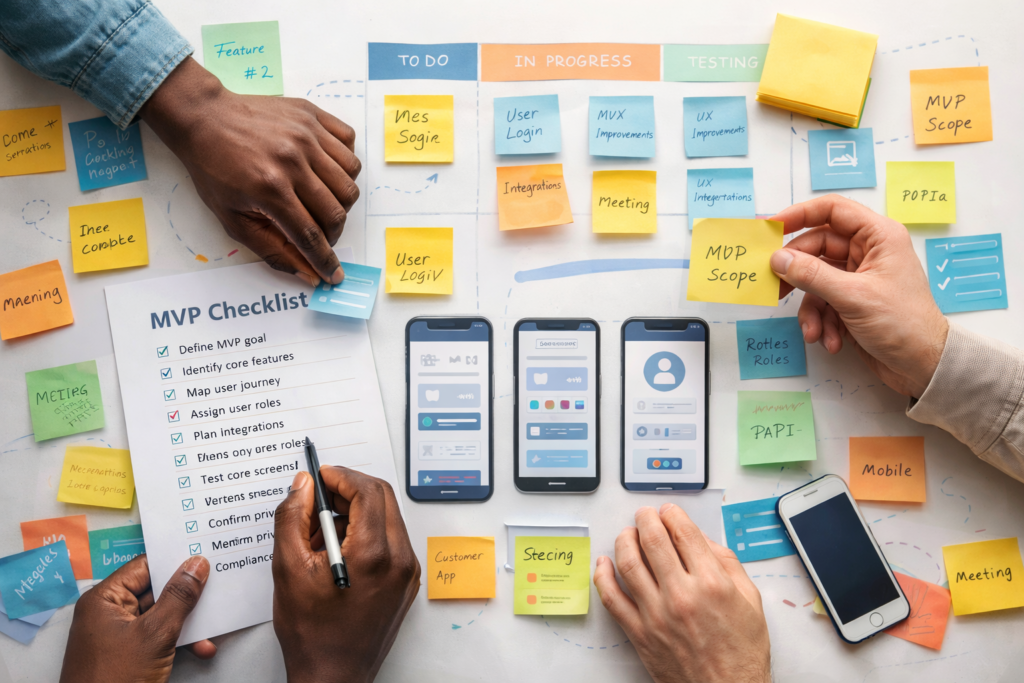
If you’re planning an MVP, this app design & development checklist is designed to help you move from idea to launch without burning months on unclear scope, redesign loops, or features nobody uses.
It’s written for busy founders and product owners who want momentum, clarity, and a realistic path to launch – not a bloated roadmap.
Table of Contents
What This App Design & Development Checklist Is (And Isn’t)
This checklist is:
- practical, not theoretical
- focused on launching, not “perfecting”
- designed to reduce unknowns early
It is not:
- a full product roadmap
- a technical spec
- a replacement for user feedback
The goal of an MVP is simple: prove that a real user can complete a real job, end to end.
Step 1: Define the MVP Outcome (Not the Feature List)
Before screens, tools, or tech stacks, define the outcome.
Ask:
- What job should the user complete?
- What should be better after the app exists?
Examples:
- “Customers can book and pay without staff involvement.”
- “Staff can complete approvals without spreadsheets.”
- “Users can view and update their data without emailing support.”
Write one sentence:
“Users can ___ in under ___ minutes, and we can measure ___.”
If you can’t write this sentence, the scope will drift.
Step 2: Choose the MVP Type (So You Don’t Build the Wrong Thing)
Most MVPs fall into one of these patterns:
- Customer Portal MVP
Login, view/update personal data, see transactions or documents. - Booking & Scheduling MVP
Availability → booking → reschedule/cancel → payment/confirmation. - Internal Tool or Dashboard MVP
Replace spreadsheets, reduce manual steps, surface key metrics. - SaaS MVP
Onboarding + one core workflow. Billing and advanced features can wait.
Reality check:
If your “MVP” requires many roles, many integrations, and complex permissions on day one, it’s probably a V1 – not an MVP.
Step 3: Map the Happy Path (And the Top Failure Points)
Do this quickly. No tools needed.
Happy Path
- How the user starts
- The 3–7 key steps
- The completion moment
- What confirmation looks like
- What the user should do next
Then list the top failure points:
- wrong password
- no availability
- payment fails
- integration is offline
- user doesn’t have permission
Many MVP delays come from ignoring failure paths until late.
Step 4: Lock Scope With Screens and Roles
This step prevents months of scope creep.
4.1 List Core Screens
Write them out as bullets.
Example (booking MVP):
- Login
- Select service
- Select date/time
- Details form
- Payment
- Confirmation
- My bookings
- Admin: availability
- Admin: bookings
If it’s not on the list, it’s not in scope.
4.2 Define User Roles Early
Common roles:
- customer
- staff
- admin
Every new role multiplies:
- permissions
- UI states
- testing effort
If a role can be handled as an admin permission instead, do that.
Step 5: Decide What Data You Store (And What You Don’t)
MVP data decisions should answer:
- What must we remember?
- What must we audit?
- What must we export?
Define:
- key records (bookings, invoices, profiles, tickets)
- mandatory fields
- what needs history
- what can be deleted or anonymised
- what needs export (CSV, accounting, reporting)
Avoid “we’ll figure it out later.” Data decisions are expensive to undo.
Step 6: Be Honest About Integrations
Integrations are one of the biggest timeline risks.
For each integration, write:
- system name
- data in / data out
- real-time or scheduled
- what happens if it’s unavailable
MVP rule:
If an integration is uncertain, start with a manual step and automate later.
Step 7: Set Minimum Security Baselines
Even MVPs need basic protection.
Minimum expectations:
- role-based access control
- secure authentication and password reset
- least-privilege admin access
- secure storage for sensitive data
- logging of key actions (especially admin actions)
You don’t need enterprise security on day one, but you do need to avoid obvious risks.
Step 8: Don’t Ignore Accessibility and UX
Accessibility improves usability for everyone.
Low-effort, high-impact MVP wins:
- clear labels and form errors
- keyboard navigation
- sufficient colour contrast
- predictable focus states
- simple, consistent layouts
If your users include public audiences or regulated industries, accessibility expectations rise quickly.
Step 9: Match Privacy and Policies to User Location
Compliance depends on where your users are, not just where your team is.

Start with:
- Where are users located?
- What personal data is collected?
- Is consent required?
- Are export or deletion rights required?
- Are retention rules needed?
Depending on location, this may include:
- POPIA (South Africa)
- GDPR (EU)
- UK GDPR
- US state-level privacy laws
Translate “compliance” into features:
- consent capture
- privacy settings
- audit logs
- data export/delete workflows
- policy links inside the app
Late compliance decisions are a common source of rework.
Step 10: Plan the Launch (So It Actually Launches)
Many MVPs “finish” but never ship.
MVP Launch Checklist
- ☐ staging mirrors production
- ☐ test accounts for each role
- ☐ basic performance checks
- ☐ user-friendly error handling
- ☐ logging is enabled
- ☐ backups and rollback plan
- ☐ analytics events (5–10)
- ☐ handover notes for admin tasks
If launch feels like a second project, something was missed earlier.
The One-Page MVP Brief
Use this to keep everyone aligned:
- MVP Outcome:
- Primary Users:
- Roles:
- Core Screens:
- Happy Path:
- Top Failure Points:
- Key Data Records:
- Integrations:
- Notifications:
- Analytics Events:
- Regions / Compliance:
- Target Launch Date:
- Final Approver:
This single page prevents weeks of misalignment.
Common Mistakes That Waste Months
Mistake 1: Designing UI before locking the workflow
Fix: define happy path first.
Mistake 2: Adding roles late
Fix: decide permissions early.
Mistake 3: Treating integrations as trivial
Fix: document data flows and failure behaviour.
Mistake 4: Skipping admin tools
Fix: include minimum admin actions you’ll need weekly.
Mistake 5: Discovering compliance needs mid-build
Fix: decide policies by location up front.
How VVRapid Can Help (Optional)
If you want help applying this app design & development checklist to a real project, VVRapid works with teams to turn ideas into clearly scoped MVPs – defining screens, roles, workflows, integrations, and location-based policy needs before development starts. That upfront clarity helps reduce rework, shorten timelines, and get to a usable launch faster. Request a App Design and Development Quote
FAQ
How long should an MVP take to build?
It depends on scope, but MVPs move fastest when screens, roles, and integrations are locked early.
What’s the most common MVP scope trap?
Adding “just one more role” or “just one more integration.”
Do I need native mobile apps for an MVP?
Often no. Many MVPs validate well as responsive web apps or PWAs.
What’s the biggest cause of MVP delays?
Unclear scope and late decisions – not technology.
How Do I Handle Different Privacy Laws For Different Regions?
Decide user locations early and scope concrete features: consent, audit logs, retention, export/delete workflows, and policy links. POPIA (SA) and GDPR (EU) are common examples.
What’s A “Good Enough” Security Baseline For An MVP?
Role-based access control, secure authentication, least-privilege admin access, and basic logging. OWASP Top 10 is a useful risk reference.
External References
- OWASP Top 10 (Web App Security Risks) ↗
- WCAG 2.2 (W3C Accessibility Standard) ↗
- POPIA (South African Government) ↗
- GDPR (EUR-Lex Legal Text) ↗
- [EXTERNAL LINK: UK GDPR Guidance (ICO) ↗