A WooCommerce custom plugin can be the difference between a store that constantly fights its tools and one that runs smoothly. If you are patching together multiple extensions, adding snippets you found online, or manually fixing orders every day, a WooCommerce custom plugin can turn those recurring headaches into a stable workflow.
Table of Contents
When a WooCommerce custom plugin is worth it
A WooCommerce custom plugin is usually worth considering when at least one of these is true:
- You are paying for 3 to 6 plugins to achieve one business outcome.
- Your checkout or admin workflow is slowed down by manual steps.
- Your shipping, pricing, or tax rules are unique enough that extensions only get you halfway.
- You need data captured and structured in a specific way for reporting or fulfilment.
- Updates keep breaking something, because your setup relies on fragile hooks and snippets.
Think: if the “cost” is showing up as time, refunds, support tickets, and lost conversions, it is already costing you.
WooCommerce custom plugin feature ideas that usually pay back first
Below are the common “high ROI” areas where a WooCommerce custom plugin often delivers value quickly, because they reduce friction at checkout or reduce admin effort after purchase.
1) Checkout simplification and validation rules
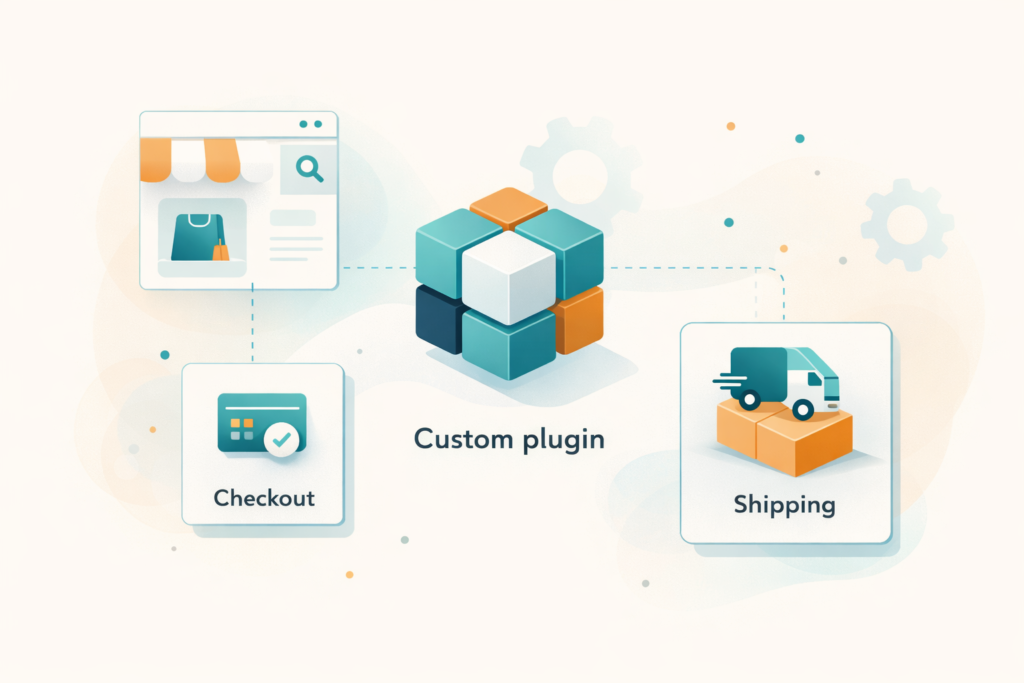
Checkout is where profit leaks. A WooCommerce custom plugin can:
- Hide unnecessary fields based on product type or shipping method
- Add required validations (VAT number formats, delivery notes, ID numbers)
- Enforce minimum order values by region, category, or shipping class
- Show the right payment methods based on order risk signals or basket rules
What to build first: anything that reduces abandonment or prevents invalid orders from getting through.
2) Shipping logic that matches how you actually deliver
Shipping is one of the most common reasons store owners move to a WooCommerce custom plugin. Examples:
- Complex rate tables by suburb, distance, weight, or carton count
- Free shipping thresholds that differ by category or brand
- Delivery days and cut-off times based on warehouse capacity
- Automatically splitting orders into multiple consignments
If you are in South Africa, you might also need rules that reflect local courier constraints, outlying area surcharges, or region-specific lead times. A WooCommerce custom plugin can make those rules predictable and easy for staff to manage.
3) Pricing rules and promotions that extensions cannot do cleanly
Discount plugins are often powerful, but stores quickly hit edge cases. A WooCommerce custom plugin can handle:
- Tiered pricing that depends on customer role and quantity
- Bundles or “buy X from category A, get Y from category B” rules
- Contract pricing for trade customers
- Exclusions that prevent margin-killing combinations
This is a great “first build” because it directly affects revenue and margins, and it reduces the chaos of overlapping promo plugins.
4) Custom product fields that flow through to fulfilment
If you sell items that need choices beyond standard variations, a WooCommerce custom plugin can add structured product options that:
- Validate inputs (file uploads, text lengths, allowed formats)
- Affect price based on choices
- Store the data cleanly on the order for picking, packing, and production
- Export correctly to couriers, ERPs, or spreadsheets
Key point: do not store critical data in messy free-text order notes if you can structure it properly.
5) Order management automation in wp-admin
A WooCommerce custom plugin can save hours by automating repetitive admin work:
- Auto-assign order statuses based on payment and stock rules
- Generate packing slips with the exact fields your team needs
- Add one-click actions like “send to courier” or “create return”
- Create internal alerts when orders match certain conditions
This is usually one of the fastest ways to feel the impact of a WooCommerce custom plugin, because it reduces daily operational load.
6) Stock and backorder logic for real-world inventory
If your inventory reality does not match standard WooCommerce stock handling, a WooCommerce custom plugin can help:
- Stock reservations for a time window (useful during high demand)
- Partial fulfilment logic with split shipments
- Supplier lead-time messaging based on SKU rules
- Prevent oversells on bundles where components share stock
If you have ever manually cancelled orders because a bundle oversold, this is a good candidate.
What to avoid building first
Not everything is a smart first move. These commonly become expensive, brittle, or unnecessary early on.
Avoid 1) Rebuilding things that solid plugins already do well
Payments, taxes, and basic shipping integrations often have solid official or reputable options. A WooCommerce custom plugin should not replace a stable integration unless there is a clear business requirement.
Start by writing down what is missing and why. If the issue is “settings are confusing”, that is not a good reason to custom build.
Avoid 2) Huge multi-module builds before proving value
A WooCommerce custom plugin project becomes risky when it tries to do everything at once. Instead:
- Build the smallest module that removes the biggest recurring pain
- Ship it
- Measure the impact
- Expand with the next module
Avoid 3) Front-end “wow” features that do not change outcomes
Fancy configurators, animations, and custom UI can be valuable, but they are rarely the first thing to build unless conversion data proves the need.
If your checkout is messy and your ops team is drowning, start there.
Avoid 4) Hard-coding business rules that will change next quarter
If your rules change often, design the WooCommerce custom plugin to be configurable in wp-admin. Otherwise, you will pay for development every time marketing changes a promo or operations changes a delivery zone.
Custom plugin vs off-the-shelf extension vs snippets
Most store owners are not choosing between “custom or not”. They are choosing between three approaches.
Off-the-shelf extension
Best when:
- Your needs match what most stores need
- You can configure it without hacks
- It is maintained and compatible with your setup
Risks:
- Stacking multiple plugins creates conflicts and performance cost
- You might end up paying for features you never use
Code snippets (functions.php or a snippets plugin)
Best when:
- The change is tiny and low-risk
- You understand the source and can maintain it
- You have a staging site and rollback plan
Risks:
- Snippets grow into an untracked mini-codebase
- Updates can break them, and debugging becomes slow
WooCommerce custom plugin
Best when:
- The logic is core to your business
- You want one controlled codebase instead of many overlapping plugins
- You need reliability, logging, and clear ownership
A WooCommerce custom plugin is not automatically “better”. It is better when it reduces complexity, reduces manual work, and makes the store more stable.
A practical “build first” prioritisation framework
Use this quick scoring method to choose your first WooCommerce custom plugin feature.
Score each idea from 1 to 5:
- Frequency: how often does this problem happen?
- Cost: how much time or money does it cost when it happens?
- Risk: does it cause refunds, compliance issues, or reputational damage?
- Complexity: how hard is it to build and maintain?
- Measurability: can you measure the impact after release?
Start with ideas that have high frequency, high cost or risk, and low to medium complexity.
Checklist: your WooCommerce custom plugin brief

Here is a scoping checklist you can use before getting quotes for a WooCommerce custom plugin.
- Goal: what outcome are we targeting (fewer refunds, faster fulfilment, higher conversion)?
- Where the problem happens: product page, cart, checkout, wp-admin, fulfilment
- Rules in plain language: “If customer is X and basket contains Y, then do Z”
- Edge cases: out-of-stock, partial shipments, coupons combined, guest checkout
- Data fields: what needs to be stored on the order, and where it should display
- Admin controls: what settings should staff be able to change without a developer?
- User roles and permissions: who can view, edit, export, or override?
- Integrations: courier, CRM, accounting, payments, inventory, marketing tools
- Reporting: what exports or dashboards do you need, and at what cadence?
- Performance needs: expected order volume and traffic peaks
- Testing plan: staging site, test orders, acceptance criteria
- Rollout plan: backups, rollback steps, monitoring after launch
- Ownership: who maintains the plugin long term?
If you can answer those items, building a WooCommerce custom plugin becomes far more predictable.
Performance and update safety basics (non-negotiables)
A WooCommerce custom plugin should be designed to survive real life: updates, traffic spikes, and new plugins.
Minimum best practices to ask for:
- Built to WordPress coding standards and WooCommerce hooks
- No direct edits to WooCommerce core files or theme files for core logic
- Staging environment testing before production changes
- Logging for key events (API failures, shipping rule matches, validation failures)
- Version control and release notes
- Compatibility plan for major WordPress and WooCommerce updates
Helpful references:
Common mistakes with WooCommerce custom plugins
Mistake 1: Building without a measurable goal
If the aim is “make it better”, it will drift. Tie the WooCommerce custom plugin to a metric like reduced support tickets, faster fulfilment time, or improved conversion rate.
Mistake 2: Under-scoping the admin experience
Owners often focus on front-end behaviour but forget staff workflows. A WooCommerce custom plugin that saves customers 10 seconds but costs staff 2 hours a day is not a win.
Mistake 3: Ignoring edge cases
Returns, partial shipments, failed payments, and backorders are where logic breaks. Your WooCommerce custom plugin should explicitly handle them.
Mistake 4: No plan for updates and maintenance
WooCommerce evolves. If there is no maintenance plan, the plugin becomes tomorrow’s risk.
Mistake 5: Trying to replace everything
The best WooCommerce custom plugin reduces plugin sprawl, but it should not reinvent stable foundations like payment gateways unless there is a clear reason.
FAQ
How long does a WooCommerce custom plugin take to build?
It depends on scope. A small module like checkout validation might be relatively quick, while shipping rate engines and complex integrations take longer. Pricing varies by scope and region.
Can a WooCommerce custom plugin slow down my store?
It can, if built poorly. A well-built WooCommerce custom plugin can also speed things up by replacing multiple heavy plugins and reducing duplicate logic.
Will it break during WooCommerce updates?
Not if it is developed to WooCommerce standards and tested on staging before updates. Maintenance is still important.
Do I need a custom plugin if I only need one small change?
Not always. A small, low-risk change might be handled with a snippet, but once snippets grow, a WooCommerce custom plugin becomes easier to maintain.
What should I prepare before requesting a quote?
Use the scoping checklist above. The clearer your rules and edge cases, the more accurate the estimate.
How VVRapid can help
If you are planning a WooCommerce custom plugin, VVRapid can help you scope the feature set, build it cleanly, and keep it stable over time. The goal is a plugin that matches your workflows, reduces plugin clutter, and is maintainable through updates.
Next step: if you want to sanity-check whether a WooCommerce custom plugin is the right approach, review the service page and send your requirements checklist for feedback.: Request a Custom Plugin Development Quote