A WordPress API integration plugin is often the cleanest way to connect your website to a CRM without relying on brittle “glue” tools, theme edits, or a tangle of overlapping plugins. If leads are not syncing, fields are inconsistent, or your team is copying data between systems, a WordPress API integration plugin can make the integration reliable, auditable, and easier to maintain.
Table of Contents
What a WordPress API integration plugin actually does
At a simple level, a WordPress API integration plugin moves data between WordPress and another platform, usually a CRM like HubSpot, Salesforce, Zoho, Pipedrive, Dynamics, or a local system. The “API” part means it uses a supported interface provided by that platform, rather than scraping pages or relying on brittle automation.
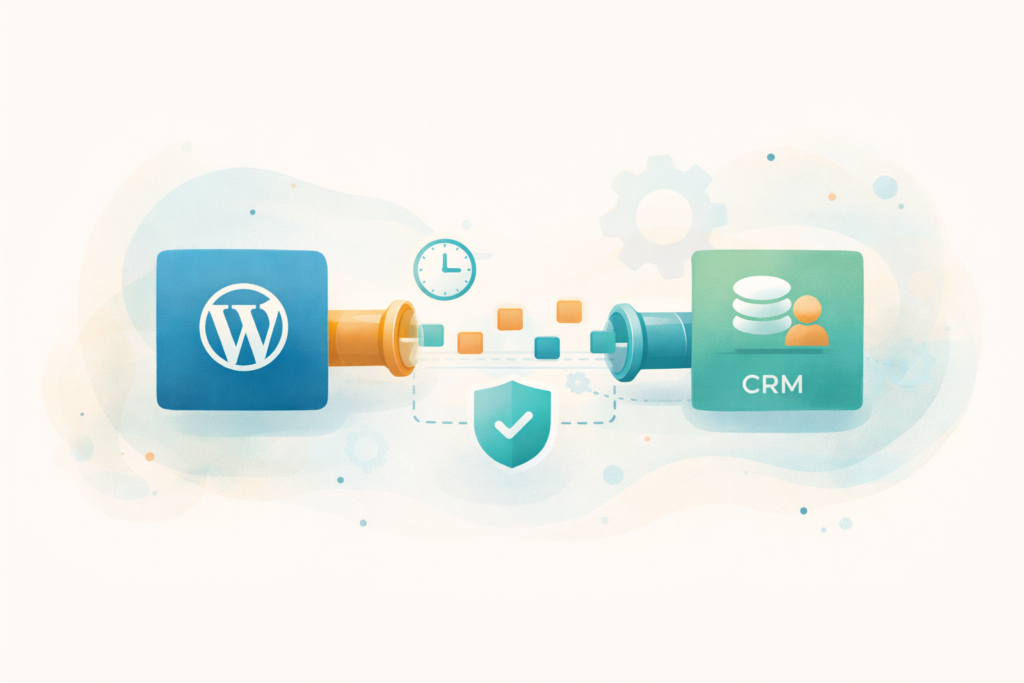
Most integrations need to handle:
- Capture: forms, checkouts, bookings, user registrations, support requests
- Transform: convert WordPress fields into CRM fields, apply rules, standardise formats
- Sync: create or update contacts, deals, tickets, companies, or custom objects
- Confirm: logging, status tracking, and error handling so you can trust the data
If any of those steps are missing, the integration will feel unreliable even if it “works sometimes”.
If you are evaluating build options, it helps to see how plugin work differs from general site work: Custom Plugin Development
Signs your current CRM connection is fragile
You may not need a full rebuild. But if you see these patterns repeatedly, it is usually time to consider a WordPress API integration plugin:
- Leads go missing during peak traffic times or campaign launches
- You see duplicate contacts because matching rules are inconsistent
- A single change, like adding a form field, breaks the whole pipeline
- You cannot answer “did this lead sync?” without checking multiple tools
- Sync delays are unpredictable, or staff export CSVs “just in case”
- Integrations rely on theme functions, random snippets, or untracked webhooks
Think: if your CRM is meant to be your source of truth, you should not have to “hope” the data arrived.
Common use cases worth building for
A WordPress API integration plugin is most useful when the integration is part of your daily workflow, not just a one-off.
Lead capture to CRM with clean field mapping
- Contact forms, quote forms, multi-step lead forms
- UTM capture and campaign attribution
- Consent fields and preferences
Ecommerce events from WooCommerce to CRM
- Customer created, order paid, order refunded
- Product purchased, lifetime value, abandoned checkout signals
- Post-purchase automations that depend on accurate order metadata
Booking systems and service businesses
- New booking, reschedule, cancellation
- Deposits paid and invoice events
- Staff assignment and internal notifications
Two-way sync for operational teams
- CRM updates a customer record and WordPress reflects it (membership tiers, entitlements)
- CRM creates a ticket and WordPress shows status updates
- Customer portal style workflows
Local compliance and recordkeeping
Especially where consent, opt-outs, and audit trails matter, a WordPress API integration plugin with logging is safer than silent automation.
Architecture options for a WordPress API integration plugin
Most integrations fall into three patterns. The best choice depends on how real-time you need to be, and how much volume you handle.
Option 1: Direct API calls on events
Example: when a user submits a form, WordPress immediately calls the CRM API.
Pros:
- Real-time sync
- Easy mental model
Cons:
- If the CRM API is slow or down, it can affect user experience
- Timeouts can cause “it submitted but did it sync?” confusion
Best for:
- Low to moderate volume
- Critical “must be immediate” events, like lead submission confirmations
Option 2: Queue and process asynchronously (recommended for reliability)
Example: store the event in WordPress (custom table or post type), then process in the background via WP-Cron or a server queue.

Pros:
- Better user experience, no waiting at submission time
- Safer retries and rate-limit handling
- Clear audit trail and reprocessing
Cons:
- More engineering effort
- “Real-time” becomes near-real-time
Best for:
- Most business integrations
- Any site where CRM downtime should not break checkout or forms
Option 3: Webhooks from the CRM to WordPress
Example: the CRM triggers a webhook to WordPress when a record changes.
Pros:
- Useful for two-way sync
- CRM controls the outbound triggers
Cons:
- Requires secure endpoints and validation
- Can be noisy and needs deduplication
Best for:
- Membership, portals, or two-way workflows
- Scenarios where CRM is the main source of truth
If you have performance concerns, hosting and caching matter too. A queue-based WordPress API integration plugin performs best when the server is tuned for WordPress workloads. Learn about LiteSpeed WebServer Hosting
Data mapping: the part that quietly makes or breaks integrations
Most CRM problems are data problems. A WordPress API integration plugin should define a clear mapping layer so your team does not fight field chaos later.
1) Decide the “source of truth”
For each piece of data, decide where truth lives:
- Email address: usually CRM
- Phone number: depends on business
- Address: ecommerce often uses WooCommerce order data
- Consent: must be consistent and logged
When source of truth is unclear, duplicates and overwrites happen.
2) Normalise formats before syncing
Examples:
- Country and province codes (ZA, ZAF, or “South Africa”)
- Phone numbers (E.164 standard format is often best)
- Dates and time zones
- Multi-select fields
3) Use stable identifiers, not just emails
Email is helpful, but not always stable. A robust WordPress API integration plugin often stores:
- CRM record ID (contact ID, company ID, deal ID)
- WordPress user ID
- WooCommerce customer ID
- A hashed key for matching
This reduces duplicates and makes updates safer.
4) Plan for custom objects or custom fields
If your CRM uses custom objects, custom properties, or pipelines, define that early. Retrofitting later usually costs more.
Reliability: retries, rate limits, and failure handling
The difference between a hacky integration and a professional WordPress API integration plugin is how it behaves when things go wrong.
What “good” looks like
- Retries with backoff: if the CRM API fails, retry after increasing delays
- Rate-limit awareness: respect API limits and slow down when required
- Dead-letter queue: after N failures, flag the record for manual review
- Idempotency: repeated events do not create duplicates
- Visibility: a simple admin screen showing success, pending, failed
Practical examples
- If a lead form is submitted during a CRM outage, the plugin queues it and sends later.
- If the CRM returns “duplicate record”, the plugin attempts a match and updates instead.
- If a field value is invalid, the plugin logs the error and preserves the original payload.
Helpful references for implementation standards:
Security essentials for CRM integrations
A WordPress API integration plugin touches sensitive business data, so treat it like infrastructure.
1) Protect API keys and secrets
- Store secrets securely (environment variables or protected settings)
- Never expose keys in front-end scripts
- Rotate keys periodically
2) Use least-privilege access
Use CRM API credentials that only have the permissions needed. Avoid “super admin” tokens if possible.
3) Validate inbound webhooks
If the CRM calls WordPress, validate:
- Signature headers or shared secrets
- IP allowlists (where possible)
- Nonce or timestamp checks to prevent replay attacks
4) Log safely
Logs should help you debug, but not leak sensitive personal data. A WordPress API integration plugin can store masked values where appropriate.
If you handle ongoing operations for a business site, security and monitoring are easier when maintenance is planned, not reactive.: Website Maintenance & Care
What to ask for in a WordPress API integration plugin (decision checklist)
Use this checklist when you are comparing plugin options, agencies, or internal dev work.
- Which events sync? form submit, checkout, user register, booking, refunds
- How are records matched? email only, CRM ID stored, deduplication rules
- Is there a queue? can the plugin store events when the CRM is down?
- How does it retry? backoff, max attempts, manual reprocess
- What is logged? per-event logs, error details, and timestamps
- Can non-devs view status? an admin screen with pending and failed items
- How are custom fields handled? mapping UI or config file
- How are consent and preferences handled? stored, synced, and auditable
- How are rate limits handled? throttling and batching
- Is it update-safe? WordPress standards, no theme hacks, versioning
If you can check most of these boxes, you are on track for a reliable WordPress API integration plugin.
Integration brief template you can copy and paste
If you want accurate quotes and fewer surprises, write your brief like this.
Business goal
- Example: “All quote requests must create a CRM contact and deal within 2 minutes, with correct UTM attribution.”
Events to capture
- Which forms or pages?
- What triggers a sync?
- What happens on edits, cancellations, refunds?
Data fields and mapping
- Field name in WordPress
- Field name in CRM
- Field type (text, dropdown, multi-select)
- Validation rules
Matching and duplicates
- Match by email plus phone?
- If duplicate exists, update or create a new record?
- What wins on conflict?
Two-way needs (optional)
- Which CRM changes should update WordPress?
- Which fields should never be overwritten?
Error handling
- Retry policy
- Who gets alerted on failures?
- Where can staff reprocess?
Compliance and consent
- Consent checkboxes and language
- Opt-out behaviour
- Data retention expectations
This format helps everyone build a WordPress API integration plugin that aligns with your actual operations.
Common mistakes with WordPress CRM integrations
Mistake 1: Treating field mapping as an afterthought
If field names and formats are inconsistent, the CRM becomes messy quickly. A WordPress API integration plugin should normalise data before it hits the CRM.
Mistake 2: No visibility when something fails
Silent failures create operational risk. Insist on logs, status views, and a clear retry process.
Mistake 3: Relying on front-end scripts for syncing
Browser-based syncing can fail due to ad blockers, network drops, and blocked scripts. Server-side syncing in a WordPress API integration plugin is usually more reliable.
Mistake 4: Not accounting for rate limits
CRMs often limit requests. Without batching and throttling, the integration works in testing but fails during campaigns.
Mistake 5: Building a one-off that nobody can maintain
If the integration logic lives in theme files or undocumented snippets, future updates become risky. Packaging it as a WordPress API integration plugin improves ownership and update safety.
FAQ
Do I need a custom plugin if my CRM already has a WordPress connector?
Not always. If the connector covers your required fields, handles errors well, and stays stable through updates, it can be enough. You typically need a WordPress API integration plugin when requirements are specific, data quality matters, or you need a queue and audit trail.
How close to real-time can syncing be?
With event-based calls it can be immediate, but queues often sync within seconds to a few minutes. The right approach depends on your volume and tolerance for delays.
Will this slow down my forms or checkout?
A queue-based WordPress API integration plugin usually avoids slowing down the user experience because the heavy lifting happens after the submission.
Can it sync WooCommerce orders too?
Yes. Many businesses use a WordPress API integration plugin to send customer, order, and product signals into CRM workflows, as long as the mapping is designed properly.
What should I prepare before requesting a quote?
List your events, field mapping, matching rules, and error handling expectations. The brief template above is a good start.
How VVRapid can help
If you need a WordPress API integration plugin that is stable, secure, and easy to operate, VVRapid can help you scope the workflow, map the data correctly, and build the integration with retries, logging, and update-safe structure. We can also support performance and ongoing maintenance so the integration stays reliable as your site and CRM evolve.
Next step: review the custom plugin service page and share your integration brief so you can confirm scope before building.: Request a Custom Plugin Development Quote