
If you are juggling approvals, job tracking, stock, or reporting in ten different tabs, internal tools web app development can be the cleanest way to get your time back without rebuilding your whole business. The goal is not “a big system”. The goal is a simple dashboard that makes daily work faster and more reliable.
Table of Contents
Why spreadsheets start to break (and what replaces them)
Spreadsheets are great until they are not.
They start failing when:
- Two people edit the same sheet and nobody knows which version is “right”.
- You need approvals and audit trails, but all you have is “who last saved”.
- Your team needs role-based access, but the file is either shared or not shared.
- You keep building complicated formulas and macros that only one person understands.
- Reporting takes hours because data lives in multiple files.
This is the moment internal tools web app development becomes a practical next step. A lightweight internal app centralises your workflow so the business can run on process, not memory.
Think: if a task happens every day, it should not depend on a spreadsheet wizard.
Internal tools web app development: what it actually means
Internal tools web app development is building a private, secure web application that your team uses to run operations. It is not a public marketing site and it is not a consumer app.
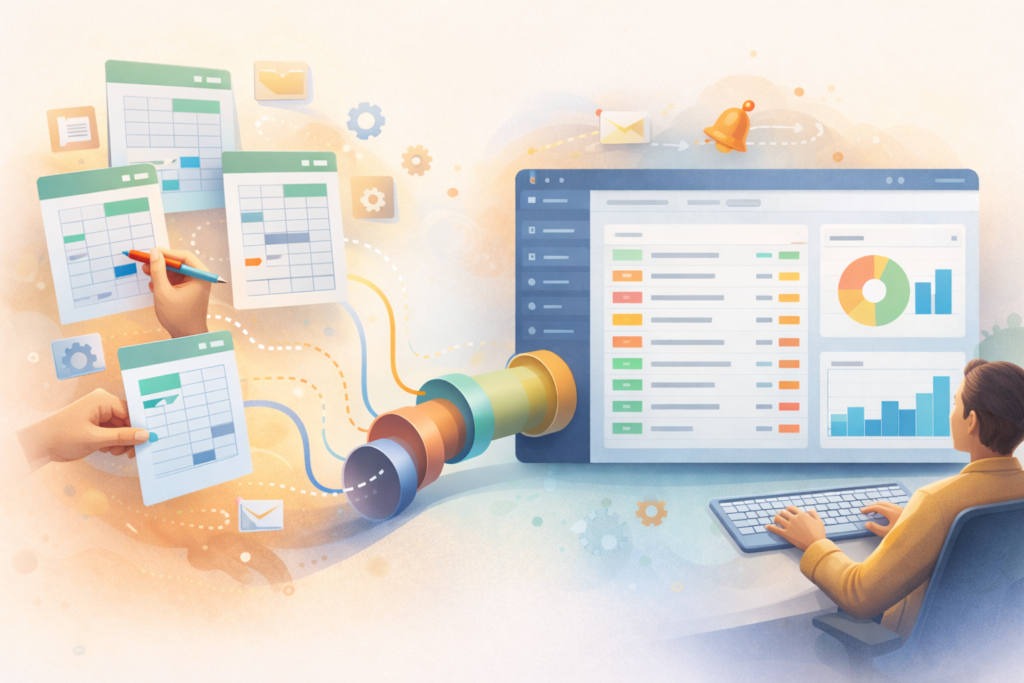
It is a tool like:
- An admin dashboard for jobs, orders, or projects
- A workflow system for approvals and handovers
- A simple CRM for enquiries and follow-ups
- A stock and purchasing view tied to real-time sales
- A reporting hub that pulls numbers from multiple systems
The difference from “yet another spreadsheet” is that a web app can enforce rules:
- Required fields
- Status changes in the right order
- Role permissions
- Automated notifications
- Clean reporting from a single source of truth
If you are already planning broader product work, you can explore VVRapid’s App Design & Development service here (App Design & Development).
The “spreadsheet ceiling” checklist
Use this quick checklist. If you tick 3 or more, you are probably past the spreadsheet ceiling.
- We have duplicate sheets for the same process
- We constantly copy-paste between documents
- We do approvals in email or WhatsApp
- We cannot reliably answer “what is the latest status”
- Errors are common and expensive (missed invoices, wrong stock, wrong dates)
- We need different access levels for different staff
- Reporting is manual and takes longer than it should
- When one person is away, the process breaks
At this point, internal tools web app development is less about “tech” and more about risk reduction and predictability.
The best first internal tools to build (high ROI, low drama)
If you want a fast win, start where you have repetition, handovers, or delays.
1) Approvals and sign-offs
Examples:
- Quote approvals
- Discount approvals
- Supplier purchase approvals
- Content approvals
A simple flow with timestamps, comments, and who approved what can remove hours of back-and-forth.
2) Job tracking and ops boards
If your team runs on a whiteboard, Trello, and spreadsheets at the same time, a single job board with statuses can cut chaos quickly.
3) Centralised customer or enquiry tracking
Not every business needs a full CRM. Many just need:
- A single place for customer details
- Notes and follow-ups
- Simple pipeline stages
- Reminders
4) Stock, purchasing, and reorder triggers
Spreadsheets struggle when stock is moving. Even a basic internal dashboard that tracks “minimum stock” and purchase status is a major upgrade.
5) Reporting dashboards
If your monthly report requires manual work across systems, a dashboard that refreshes daily is often the easiest business case for internal tools web app development.
MVP scope for an internal dashboard (what to include first)
The biggest mistake is trying to build “the final system” in version one.
A strong MVP for internal tools web app development usually includes:
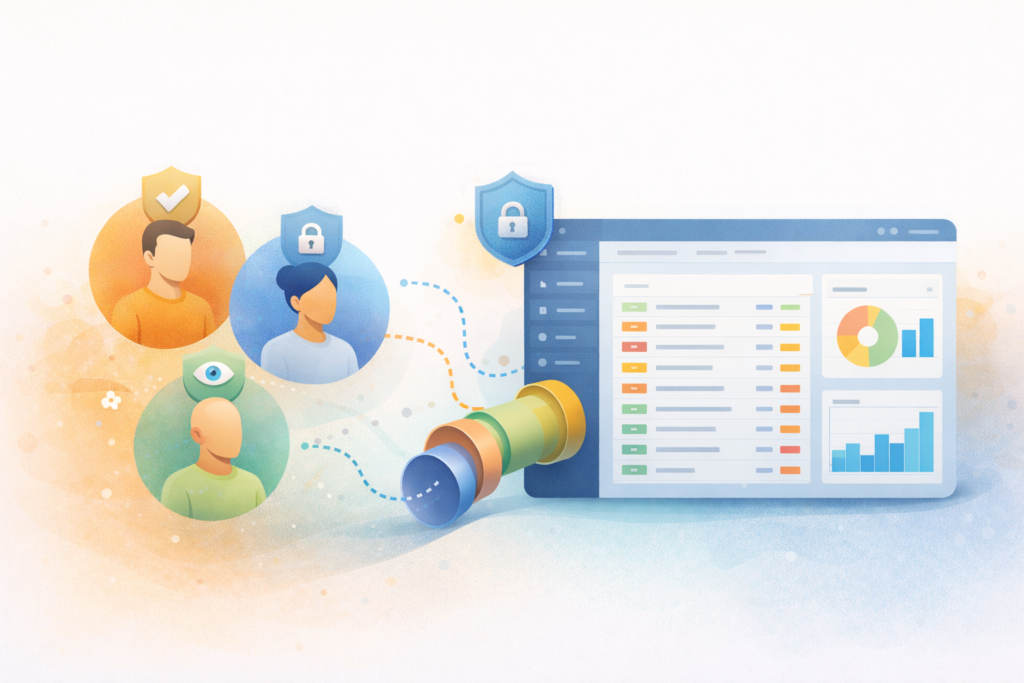
- Users and roles: admin, manager, staff
- Core records: jobs, orders, customers, stock, tasks (pick 1 to 3)
- Statuses: clear stages that match your real workflow
- Search and filters: find what you need in seconds
- Audit trail: who changed what and when
- Exports: CSV or PDF where needed (keep it simple)
- Basic reports: 3 to 6 numbers that matter weekly
Leave advanced features for later:
- Complex automation rules
- Full BI reporting suites
- Over-customised dashboards
- Rare edge cases
If you want help turning “we need a dashboard” into a focused plan, a Digital Strategy Roadmap is a useful starting point.
Build vs buy vs adapt: the practical decision guide
Before you commit to internal tools web app development, compare your options:
Option A: Improve the spreadsheet system
Good when:
- You have a small team
- Processes change weekly
- Risk is low
Not great when:
- You need access control, audit trails, and reliability
Option B: Off-the-shelf SaaS tool
Good when:
- Your process matches common patterns
- You are fine adapting how you work
Not great when:
- You need custom workflows
- Costs scale quickly with users or add-ons
Option C: Automation tools (low-code integrations)
Good when:
- You mainly need “when X happens, do Y”
- Your data sources are already clean
Not great when:
- Your core data lives in spreadsheets
- You need a real UI, permissions, and audit trail
Option D: Custom internal web app
Best when:
- Your workflow is a competitive advantage
- You need one source of truth
- You want the tool to fit the business, not the other way around
That is where internal tools web app development shines. It is tailored, but it should still be lean.
Data and integrations: what to connect first
Most internal tools fail because data is messy, not because code is bad.
Start with:
- One system of record for each key dataset (customers, jobs, stock)
- Clear naming rules and required fields
- A plan for imports (from spreadsheets) and ongoing updates
Then choose integrations that reduce duplication:
- Accounting (invoices, payments)
- Email or messaging (notifications)
- Website forms (new leads)
- Inventory or POS (stock movements)
If your internal tool needs to live alongside WordPress, custom plugin work can be a neat approach for specific admin features (Custom Plugin Development).
Security basics for internal tools (simple, non-negotiable)
Internal does not mean “safe by default”. Basic security is part of good internal tools web app development.
Minimum security checklist:
- Unique user accounts (no shared logins)
- Strong password policy and ideally MFA
- Role-based access control (RBAC)
- Logs for key actions (create, edit, delete)
- Regular backups with restore testing
- Secure hosting, updates, and patching
Helpful external references:
A scoping worksheet you can copy
Use this worksheet to keep internal tools web app development focused.
Process
- What is the process called?
- How often does it happen?
- Who uses it?
Pain
- What goes wrong today?
- What is the cost of errors (time, money, reputation)?
- What delays the process?
Data
- What records exist (customer, job, stock)?
- Where does the data currently live?
- What fields are required?
Workflow
- What are the stages (status names)?
- Who can move an item to the next stage?
- What is the approval rule (if any)?
Outputs
- What reports do you need weekly?
- What exports are necessary (CSV, PDF)?
- What notifications matter (and to whom)?
Bring this to a dev partner and you will get better estimates and fewer surprises.
Common mistakes (and how to avoid them)
Mistake 1: Building every feature people mention
Fix: Choose a single “north star” outcome, like faster job turnaround or fewer stock-outs. Keep internal tools web app development tight around that.
Mistake 2: Skipping user roles and permissions
Fix: Define roles early. It affects everything from screens to security.
Mistake 3: Not planning for reporting
Fix: Decide your key metrics at the start. If reporting is a goal, design the data model for it.
Mistake 4: Migrating messy data without rules
Fix: Clean the data and set required fields. A new tool with old chaos is still chaos.
Mistake 5: Launching with no maintenance plan
Fix: Internal tools need updates, backups, monitoring, and support. Plan it from day one. VVRapid’s Website Maintenance & Care is built for ongoing stability.
What a simple internal dashboard can look like (example structure)
A practical internal tools web app development dashboard often has:
- Home: today’s priorities, overdue items, quick actions
- Work queue: filtered list by status and owner
- Record view: all details, notes, attachments, history
- Reports: weekly numbers, trends, export buttons
- Admin: users, roles, settings, integrations
If you keep it simple, adoption is easier and training is faster.
Budget expectations (illustrative, not a quote)
Costs vary a lot by scope and region. For small businesses, internal tools web app development often starts as a focused MVP and grows in phases.
Illustrative factors that move cost up or down:
- Number of user roles and permissions
- Complexity of workflows and approvals
- Integrations with third-party systems
- Data migration effort
- Reporting depth
If you want performance-focused hosting for web apps and dashboards, LiteSpeed hosting can help with speed and reliability. Pricing varies by scope and region.
FAQ
How long does internal tools web app development usually take?
A lean MVP can be delivered in phases. The timeline depends on scope, data readiness, and integrations. The fastest projects start with one workflow and expand after feedback.
Can we start with one department and expand later?
Yes. That is often the best approach. Internal tools web app development works well when you prove value in one area before scaling across the business.
Do we need a mobile app?
Often, no. A responsive web app works well for most internal tools. Mobile apps make sense when offline access, device features, or field workflows are critical.
What if our process changes all the time?
That is normal. The trick is to build flexible stages and configurable rules, not hard-code every exception.
Who owns the code and access?
You should. Make sure you have access to hosting, repositories, databases, and third-party tools. This should be clear in your agreement.
External usability reference if accessibility matters for staff: W3C WCAG Overview ↗
How VVRapid can help
If you are considering internal tools web app development, VVRapid can help you scope a lean MVP, design a dashboard your team will actually use, and build it in a way that is maintainable. You can also combine app work with a Digital Strategy Roadmap to clarify priorities, and Website Maintenance & Care to keep the tool stable after launch. See the App Design & Development service page for the full offering.
Next step: make the spreadsheet ceiling visible
Pick one process that causes daily friction. List the steps, the handovers, and the errors. If it is taking real time and creating real risk, internal tools web app development can turn that mess into a simple dashboard with rules, permissions, and reporting.
If you want support scoping the first version, start here: App Design & Development