A WordPress plugin submission checklist helps you avoid the most common reasons first-time plugins get delayed or rejected in the WordPress Plugin Directory, especially around security checks, readme formatting, and release workflow.
Table of Contents
If you are publishing a plugin publicly for the first time, the goal is not “perfect code.” The goal is “reviewable, safe, and predictable.” That is what the checklist below is for.
If you are deciding whether to publish publicly or keep the plugin private for a business workflow, see Custom Plugin Development.
WordPress plugin submission checklist: what reviewers are protecting

The Plugin Directory is a trust environment. Reviewers are trying to reduce risk for users and protect the ecosystem. In practical terms, they focus on:
- Security: safe handling of input and output, permission checks, no risky patterns
- Transparency: no hidden behavior, no obfuscated code, clear licensing
- Compatibility: predictable updates, clear versioning, sane defaults
- Directory standards: correct readme format, correct repository layout
There are also process requirements that can block submission before a human even reviews your plugin. For example, the Plugins Team announced 2FA is mandatory for new plugin submissions, and Plugin Check became a requirement for new submissions and some relisting situations.
This is why a WordPress plugin submission checklist is useful. It reduces guesswork and stops small issues from costing you days.
Before you submit: should this plugin be public or private?
First-time developers often start public when a private plugin is a better fit.
A public plugin can be a good choice when:
- The feature benefits a wide audience
- You can commit to updates and support
- You want public discovery and adoption
A private plugin is usually better when:
- The logic is specific to one business
- The plugin connects to sensitive internal systems
- You want total control over roadmap and support load
You can still build “public quality” in a private plugin. The difference is packaging and review requirements. If you are unsure, treat this as a product decision, not just a technical one.
For bigger projects, mapping phases first can reduce rework. See Digital Strategy Roadmaps.
The complete WordPress plugin submission checklist (copy and use)
Use this as your master WordPress plugin submission checklist. It is designed for first-time directory submissions.
1) Submission gate requirements (do this first)
These are the items that can block you before review starts.
- □ Enable 2FA on the WordPress.org account that will submit the plugin (and any owners or committers).
- □ Run Plugin Check and fix issues that are treated as blockers for new submissions and some relisting scenarios.
If you do nothing else today, do this. It prevents the most frustrating kind of delay: being blocked before a human sees your plugin.
2) Licensing and third-party dependencies
This section is a frequent source of review back and forth.
- □ Confirm your plugin is compatible with WordPress licensing expectations (and that included code and assets are compatible too).
- □ If you bundle libraries, confirm the license is compatible and documented.
- □ Remove anything you cannot legally redistribute.
Helpful reference for common review issues and expectations: Common Issues (Plugin Review Team) ↗
3) Security baseline (the big three)
If you want the shortest path through review, start here. Most first-time problems cluster around these patterns:
- □ Sanitize all input at the boundary (when data comes in).
- □ Escape all output (especially anything printed into HTML).
- □ Add nonces to every state-changing action (admin forms, settings saves, AJAX actions).
Nonces are a core WordPress security pattern. The official WordPress developer article explains how WordPress nonces work and their lifespan.
Practical examples to check:
- Settings pages saving options
- Admin bulk actions
- AJAX endpoints
- Shortcodes that render user-controlled content
- URL actions like “delete,” “resend,” “retry,” “approve”
4) Permissions and capability checks
Many plugins fail review because they assume “only admins will see this.”
- □ Check capabilities before doing privileged actions.
- □ Avoid using only
is_admin()as a security gate. - □ Ensure that only the right roles can view or edit sensitive settings.
5) Plugin structure and headers
Basic, but easy to get wrong.
- □ Your main plugin file has a valid plugin header.
- □ Your text domain is consistent.
- □ Your version number is clear and matches your release tags later.
- □ Your code is readable and not obfuscated.
6) readme.txt that follows the standard format
Your directory listing is driven by readme.txt. A small mismatch can cause confusion or update issues.
- □
readme.txtuses the expected format and sections. - □ “Requires at least”, “Tested up to”, and “Requires PHP” are accurate.
- □ “Stable tag” is correct and matches a tag you will create in SVN.
- □ Changelog exists and matches real changes.
The Plugin Handbook notes that your Stable Tag needs to be correct, and the plugin directory uses the readme from the tagged release.
Reference: How your readme.txt works ↗
7) Repository workflow: trunk and tags (SVN)
Even if you develop on GitHub, you will release through SVN for the directory.
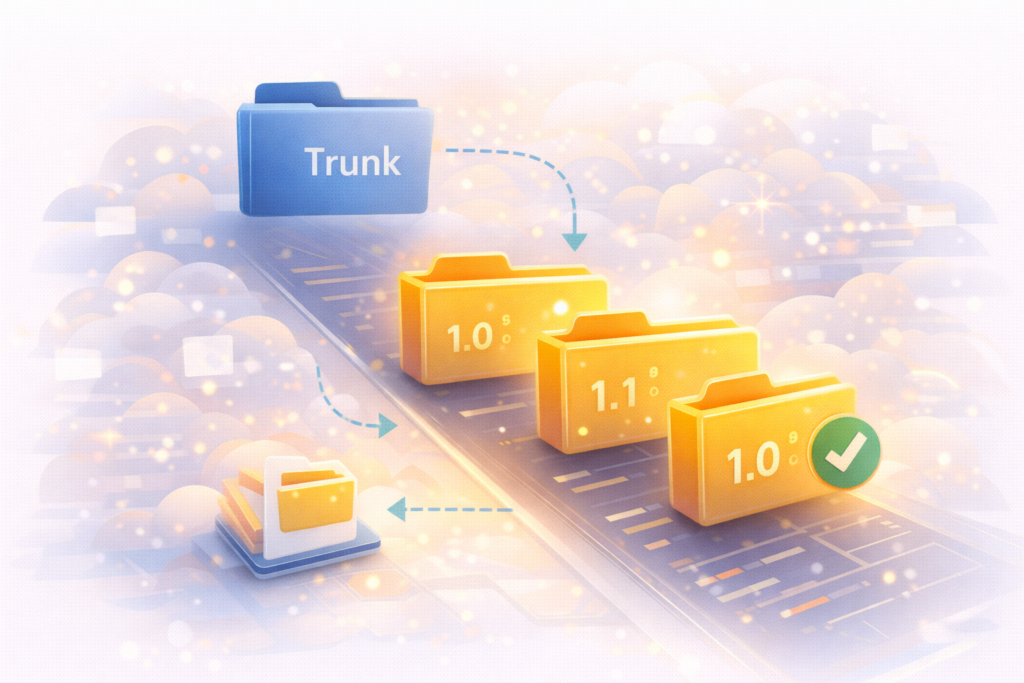
Use this as a clean workflow:
- □ Develop and prepare release in
/trunk - □ Copy trunk to a versioned tag (for example
/tags/1.2.3) - □ Ensure the tag matches your plugin header version and Stable Tag
- □ Commit the changes
The official handbook includes the svn copy pattern for tagging releases.
Reference: Using Subversion for plugins ↗
8) Testing basics for first-time submitters
A submission-ready plugin should behave predictably.
- □ Activate, run key features, and deactivate without fatal errors
- □ Confirm clean uninstall behavior if you provide uninstall logic
- □ Check multisite compatibility if you claim it
- □ Test on a supported PHP version range and current WordPress versions
- □ Confirm your plugin does not break when another common plugin is installed
If you do not have a formal test suite, at least create a “manual test script” you can repeat.
9) Privacy and data handling
Public plugins must be careful with user data.
- □ Do not collect data you do not need
- □ Do not send data off-site without clear user intent and documentation
- □ Do not log sensitive data in plain text
10) Packaging and final cleanup
These last checks prevent silly mistakes.
- □ No secrets committed (API keys, credentials, private endpoints)
- □ No debugging output left on
- □ No unused files, old builds, or huge vendor folders you do not need
- □ Clear documentation for setup and usage
This closes the “full” WordPress plugin submission checklist. Next, you will apply it as a workflow.
A simple first-time submission workflow (low stress, repeatable)
This section is how to use the checklist in practice.
Step 1: Freeze scope, then run Plugin Check early
A common mistake is leaving compliance checks until the end.
Do this instead:
- Freeze phase 1 features
- Run Plugin Check
- Fix blockers
- Repeat until your results are clean
Plugin Check became a submission requirement for new plugins and is also used in relisting contexts.
Step 2: Do the security pass before polishing marketing copy
Security issues are the biggest time sink in review cycles. This is why the “big three” are in the checklist.
If your plugin:
- Saves settings
- Accepts input
- Provides admin actions
- Uses AJAX
then do the security pass early.
Use the nonce reference if you are unsure how nonce lifetime works.
Step 3: Build the directory listing from the readme standard
Treat readme.txt like product packaging:
- It should explain what the plugin does in plain language
- It should include setup steps and an FAQ
- It should include accurate version compatibility fields
Stable Tag mistakes can cause update problems, so do not skip this.
Step 4: Prepare your release tag in SVN
For first-time submitters, SVN is where uncertainty spikes. Keep it simple:
- Update trunk with release-ready code
- Copy trunk to a new versioned tag
- Confirm version alignment (plugin header, Stable Tag, tag folder)
- Commit
The official SVN guide shows the tag copy workflow.
Step 5: Submit, then respond quickly and clearly
Once submitted, you may get feedback that asks you to change patterns or clarify behavior. Responding clearly and promptly reduces overall cycle time.
A useful mindset:
- Treat reviewer feedback like a safety checklist, not a judgment
- Fix what is asked, then re-test and re-run checks
The “day-of submission” mini checklist
This is the short version of the WordPress plugin submission checklist you can run right before you submit.
- □ 2FA enabled for the submitting account and committers
- □ Plugin Check run and blockers resolved
- □ readme.txt Stable Tag matches a real tag folder
- □ Plugin header version matches Stable Tag and SVN tag
- □ Nonces in place for all state-changing actions
- □ All output escaped, all input sanitized
- □ No secrets or debug output in the codebase
- □ SVN trunk updated and tag created properly
Common mistakes that slow down first-time submissions
1) Treating “admin only” as “safe”
It is not. Admin screens still need capability checks, sanitization, escaping, and nonces.
2) Missing nonces on actions
If your plugin changes state, add a nonce. Settings saves, retries, deletes, approvals, bulk actions, AJAX actions.
3) Escaping only sometimes
Escape consistently. Even admin notices.
4) Stable Tag and version mismatch
If your plugin header is 1.2.3 but Stable Tag points to 1.2.2, you will create confusion. The plugin directory relies on Stable Tag for what it displays and updates.
5) Using SVN incorrectly
Tag your releases properly. Do not push “random in-progress” snapshots as if they are releases. Follow the trunk to tags workflow.
6) Bundling libraries without clear licensing
If you cannot explain licensing and compatibility, do not bundle it.
7) No maintenance plan
Public plugins need updates. Compatibility changes in WordPress core and PHP are normal. If nobody owns maintenance, users will feel it fast.
If you want help keeping a public plugin stable after launch, see Website Maintenance & Care .
FAQ
Do I have to enable 2FA to submit a new plugin?
Yes. The Plugins Team announced 2FA is required for plugin owner and committer accounts for new plugin submissions.
Can Plugin Check block my submission?
Yes. Plugin Check became a requirement for new submissions and is also used in relisting contexts, depending on the category of checks.
Do I need SVN if I develop on GitHub?
For the directory release workflow, yes. You can develop elsewhere, but the WordPress.org plugin repository uses SVN for trunk and tags.
What is the biggest thing reviewers flag in first-time plugins?
Security patterns and unsafe handling of input and output are common themes, especially missing nonces and inconsistent sanitization and escaping.
What happens if my Stable Tag is wrong?
Your directory listing and update behavior can break or become inconsistent. The plugin directory relies on the Stable Tag field to determine the stable release.
How VVRapid can help
If you are preparing a first public release, VVRapid can help you apply a practical WordPress plugin submission checklist to your plugin before you submit. That typically includes a security pass, readme cleanup, version alignment, and a clean SVN tagging workflow. We can also advise whether a private plugin is the better business choice, and set up ongoing maintenance so the plugin stays compatible over time.
If you want a steady path from idea to launch with fewer surprises, start with Custom Plugin Development.
Next step
Copy the checklist into your project doc and run it top to bottom once on staging. Fix what you find, then run it again. First-time submissions are rarely blocked by “hard problems.” They are blocked by repeatable basics you can prevent with a clean WordPress plugin submission checklist.