An app development handover checklist is your insurance policy at the end of a build. It helps you make sure you truly own what you paid for, can run the app without a single person holding the keys, and can fix issues quickly after launch.
Table of Contents
Why an app development handover checklist matters
Most handover problems are not “bad dev” problems. They are “nobody wrote it down” problems.
If you do not have access to the right accounts, environments, and documentation, a small bug can become a full stop. Or you find out later that:
- The domain is registered to a personal email you cannot access.
- The code is in a repo you cannot see.
- Deployments only work on one person’s laptop.
- Nobody knows how backups run, or if they run at all.
A solid app development handover checklist avoids that. It also makes future upgrades cheaper because the next team is not reverse engineering everything.
If you want a reliable build partner and a clean handover process, the service page is here: App Design & Development
What “handover” actually includes
Handover is not just “sending files”.

A complete app development handover checklist covers:
- Ownership and access (accounts, domains, repositories)
- Source code and build artefacts
- Environments (dev, staging, production)
- Hosting and infrastructure
- CI/CD and deployment
- Security and privacy basics
- Backups, monitoring, and incident response
- Documentation and training
- Maintenance plan and support boundaries
You do not need a 60-page document. You do need the right keys and enough clarity to operate the app.
App development handover checklist: ownership and access
This is the section that prevents future headaches.
Accounts you should control
Make sure the business owns and can access:
- Domain registrar account (and DNS provider if separate)
- Hosting account and billing
- Cloud services (AWS, Azure, Google Cloud, etc.)
- Email sending service (if used)
- SMS or WhatsApp provider (if used)
- Analytics tools (product analytics, error tracking)
- App store accounts (if mobile apps are involved)
- Payment processors (Stripe, PayPal, PayFast, etc.) where applicable
Practical rule: use a company email for ownership, and add at least one backup admin user.
Repository access and code ownership
Your app development handover checklist should confirm:
- You have admin access to the source code repository
- The repository is under an organisation account, not a personal account
- You have access to all branches needed to build and deploy
- The project licence and IP assignment are clear in your agreement
If the project includes WordPress components or internal tooling that lives inside WordPress, a clean plugin repository and ownership matters too (Custom Plugin Development).
Credentials and secrets
Do not ask for secrets in a plain text email.
Instead, request:
- A secure password manager share (or encrypted secrets vault access)
- A list of what each secret is for (without exposing the secret publicly)
- Clear instructions for rotating secrets if an employee leaves
Environments: dev, staging, production (and why you need all three)
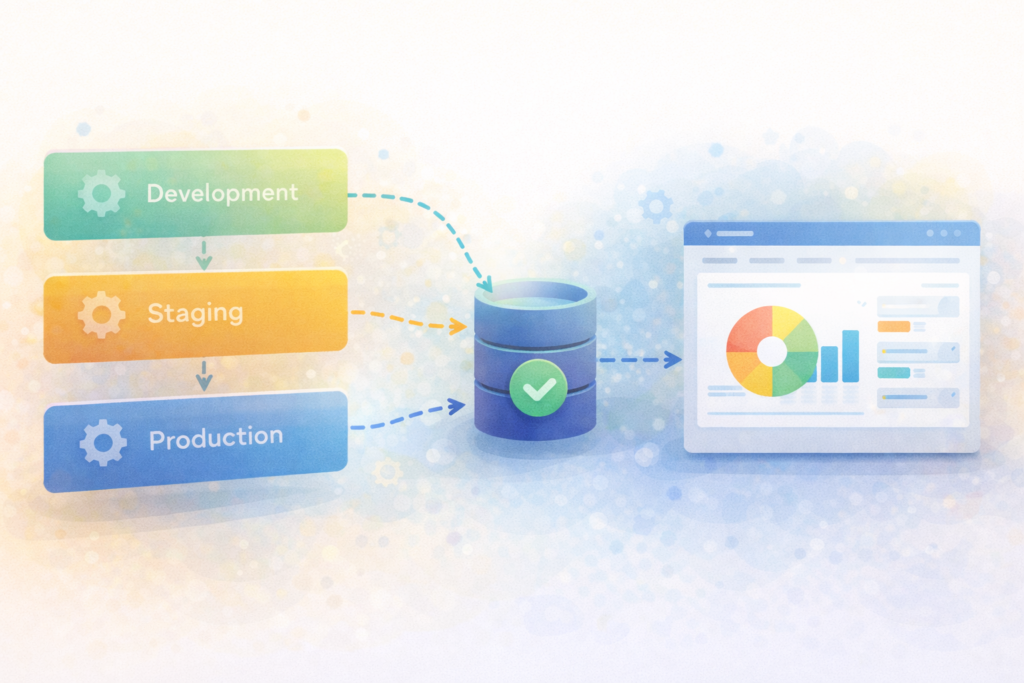
A proper app development handover checklist includes clarity on environments.
- Development: where new work happens
- Staging: where you test a release with production-like settings
- Production: what customers use
If you only have production, every change is risky. If you have staging but it is not production-like, bugs will still surprise you.
Checklist items:
- URLs for each environment
- Which environment uses which database
- How environment variables differ
- Who can deploy to production
- How rollbacks work
Deployment: how the app ships without heroics
If deployments require one specific person, that is a risk.
Your app development handover checklist should include:
CI/CD access
- CI/CD tool access (GitHub Actions, GitLab CI, Bitbucket Pipelines, etc.)
- Where pipeline configs live in the repo
- Which branches trigger builds and releases
- How to run the pipeline manually
Build instructions
- How to install dependencies
- Build commands and versions
- How to run tests
- How to create a production build
Release and rollback process
- Step-by-step release procedure
- How to rollback to the previous stable version
- Where release notes are captured
If you are hosting the web layer on performance-focused infrastructure, confirm the hosting setup and access clearly (Litespeed WebServer Hosting).
Documentation that is actually useful
Most teams over-document the wrong things. Good handover documentation is short and operational.
Include these in your app development handover checklist:
- Architecture overview: what major components exist and how they talk
- Key workflows: the few flows that drive most value
- Data model overview: core tables or collections and relationships
- Integration list: what third-party services are connected, and why
- Runbook: what to do when something breaks
- Known limitations: what is intentionally not built yet
A one-page “how to deploy” doc is often worth more than a long technical spec.
Security and privacy basics to confirm
Even small apps can hold sensitive data.
Minimum items for your app development handover checklist:
- Role-based access control and admin permissions
- MFA enabled on critical accounts (domain, hosting, repo, cloud)
- Logging for key actions (auth, permission changes, data exports)
- Secure storage for secrets (not hard-coded)
- Patch and update responsibilities defined
- Data retention and deletion approach if relevant
Useful external references:
Backups, monitoring, and incident response
Ask the blunt questions:
- Are backups automated?
- How often?
- Where are they stored?
- Have restores been tested?
- Who gets alerted when something fails?
A complete app development handover checklist includes:
- Backup schedule and retention period
- Restore instructions and a last-tested restore date
- Monitoring tools used (uptime, errors, performance)
- Alert channels (email, Slack, etc.)
- Severity levels and response expectations
If you want ongoing stability after launch, plan for maintenance from day one (Essential Website Maintenance & Care).
The practical app development handover checklist (copy and use)
Paste this into your project doc and tick it off.
1) Ownership and admin access
- □ Domain registrar login owned by business
- □ DNS access confirmed
- □ Hosting and cloud accounts owned by business
- □ Payment and messaging provider access confirmed (if used)
- □ Analytics and error tracking access confirmed
- □ [ debugger ] At least two admin users on critical accounts
2) Source code and assets
- □ Repo access granted with admin permissions
- □ Repo under organisation account
- □ All relevant repos included (frontend, backend, infra)
- □ Build scripts and config files included
- □ Design assets shared (Figma, design system, icons)
- □ Licence and IP assignment confirmed
3) Environments
- □ Dev, staging, production URLs documented
- □ Environment variables documented per environment
- □ Database locations and access documented
- □ Test data approach documented (what is safe to use)
4) Deployment and CI/CD
- □ CI/CD tool access granted
- □ Pipeline triggers and branches documented
- □ Manual deploy steps documented (if any)
- □ Rollback steps documented and tested
- □ Release notes process documented
5) Security and compliance basics
- □ MFA enabled on critical accounts
- □ Secrets stored securely and share method agreed
- □ Roles and permissions documented
- □ Logging and audit trail in place
- □ Data export and deletion controls confirmed (if needed)
6) Operations
- □ Backups automated and retention defined
- □ Restore tested and documented
- □ Monitoring tools set up with alerts
- □ Incident response contacts listed
- □ SLA expectations agreed (if any)
7) Handover session
- □ Live walkthrough completed (recorded if possible)
- □ Q&A and “known issues” captured
- □ Next-step backlog agreed
If you are short on internal capacity, a fractional team can help you operate and evolve the product after handover (Fractional Digital Team).
Common mistakes at handover (and how to avoid them)
Mistake 1: “We will sort access later”
Access later becomes “access never”.
Fix: Treat access as a deliverable in your app development handover checklist.
Mistake 2: No staging environment
Without staging, every change is stressful.
Fix: Add staging even if it is minimal.
Mistake 3: Secrets shared insecurely
Plain text secrets leak.
Fix: Use a password manager share or encrypted vault.
Mistake 4: No rollback plan
If an update breaks production, you need a fast way back.
Fix: Document and test rollbacks.
Mistake 5: No maintenance plan
Apps need updates, monitoring, and support.
Fix: Agree ownership for maintenance, or outsource it (Essential Website Maintenance & Care).
FAQ
What should I receive at the end of an app project?
At minimum: admin access to the repo, hosting, domains, CI/CD, documentation for deployment, and a tested backup and restore plan. A good app development handover checklist makes this explicit.
Who should own the domain and hosting accounts?
The business should own them, using a company email and at least two admin users. Vendors can have access, but they should not be the only owners.
Do I need staging for a small MVP?
If you plan to update the app, staging is worth it. It reduces production risk and makes testing predictable.
How do I know if backups are real?
Ask for a restore test. A timestamped restore result is better than “yes we back up”.
What if I plan to change dev teams later?
That is exactly when an app development handover checklist pays off. It reduces switching costs and downtime.
How VVRapid can help
If you want handover done properly, VVRapid can build with clean ownership from day one, document the essentials, and set up deployment, monitoring, and backups in a way that is easy to maintain. Start with App Design & Development and add Essential Website Maintenance & Care for ongoing stability.
Next step
Before you pay the final invoice, run this app development handover checklist and tick every box you can control. If anything is unclear, ask while the project team is still engaged. It is far easier to fix handover gaps now than during a production incident later.
View the service page here: App Design & Development