An SEO audit checklist is the fastest way to stop guessing and start improving the pages that actually drive enquiries. If you are a small business owner, you do not need a 60-page report to see progress. You need a simple, prioritised plan.
Table of Contents
The point of an SEO audit checklist (and why most audits feel useless)
A good SEO audit checklist does two things:
- It finds what is blocking search engines from crawling, understanding, and indexing your site.
- It turns findings into a short list of fixes that improve visibility and conversions.
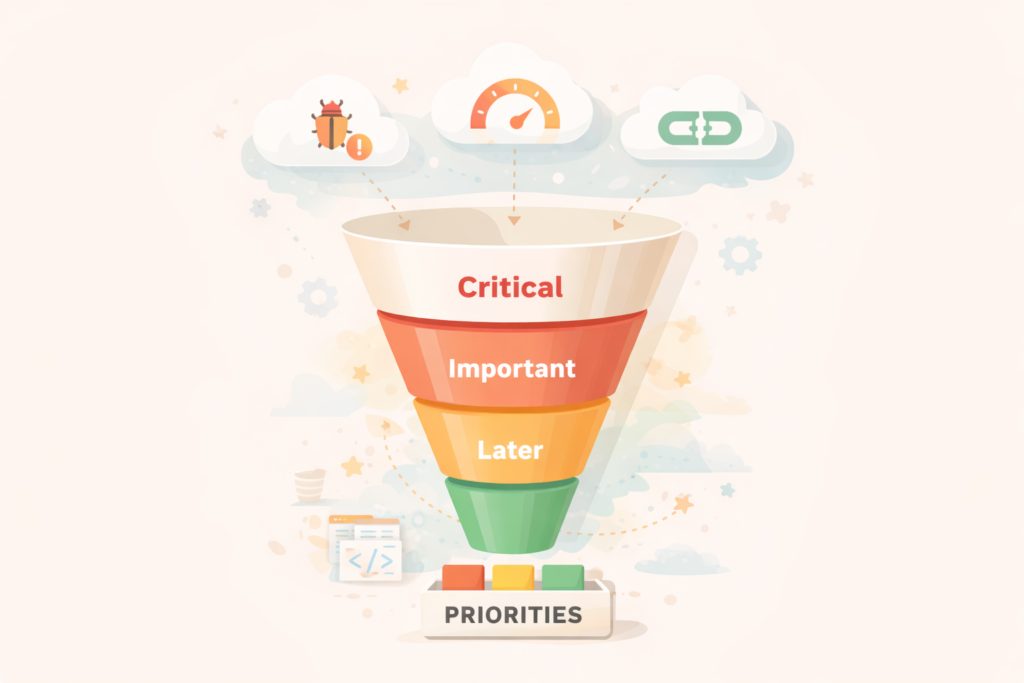
Most audits fail because they dump everything into one bucket. They treat a missing meta description like it is equal to broken indexing. It is not.
Think: your first goal is to make sure your best pages can be found, understood, and trusted.
If you want the official baseline of what search engines care about, start with Google Search Central’s guidance on crawling, indexing, and site appearance.
The small business triage rule: fix these first, ignore the rest for now

Use this order when working through your SEO audit checklist:
- Indexing and crawlability (can Google see your pages?)
- Technical blockers (are you accidentally hiding or breaking content?)
- Search intent and content gaps (do you have the right pages?)
- On-page clarity (can Google and humans tell what each page is about?)
- Authority signals (are you building trust over time?)
Everything else is usually “nice to have” until these are solid.
SEO audit checklist: the 20-minute triage
This is the fastest version of an SEO audit checklist. It tells you whether you have a real problem, and where to focus next.
1) Confirm you have Google Search Console set up
If you do not have Search Console, you are effectively blind.
- Check you have a verified property
- Confirm your sitemap is submitted
- Confirm you can use URL Inspection
Google’s own overview shows what Search Console is for, including URL Inspection and indexing diagnostics.
Quick decision: If Search Console is not set up, do that before anything else.
If you would like any assistance with this please see: Search Engine Optimisation services
2) Check Page indexing for obvious indexing issues
In Search Console, look at the Page indexing report:
- Are important pages “Not indexed”?
- Are there spikes in errors or excluded pages?
- Are canonical issues showing up?
Google documents how the Page indexing report works and how to interpret indexing status.
What to fix first:
- Pages that should rank (service pages, key category pages, lead gen pages)
- Homepage and primary navigation pages
- Location pages (if you have them)
3) Inspect one key URL
Pick your main service page and run URL Inspection.
You are looking for:
- “URL is on Google” (or not)
- Canonical selected by Google (is it correct?)
- Last crawl date and any crawl issues
If your best page is not indexed, everything else is secondary.
4) Spot-check your site’s “shape”
Open your site and answer these quickly:
- Is there one clear page per core service?
- Can you find the contact path within 1–2 clicks?
- Do important pages have internal links pointing to them from other pages?
If the structure is messy, your content will struggle even if it is well written.
The full SEO audit checklist (small business edition)
Below is a practical SEO audit checklist you can run quarterly, or monthly if you publish content regularly. Keep it simple: collect findings, then prioritise.
1) Crawl and indexation checks
Checklist
- In Search Console, review Page indexing and focus on key pages first
- Make sure your sitemap is submitted and is not full of junk URLs
- Confirm your robots.txt is not blocking important sections
- Check for accidental “noindex” on important pages
- Confirm canonical tags make sense (no self-conflicts, no pointing to the wrong page)
- Identify duplicates created by parameters, filters, or thin tag pages
What “good” looks like
- Important pages are indexed
- Excluded pages are mostly intentional (admin pages, duplicates you do not want indexed)
2) Technical blockers that cost you rankings
This part of the SEO audit checklist is about removing friction.
Checklist
- Broken pages (404s) on important internal links
- Redirect chains (A → B → C) on important pages
- Server errors and timeouts
- Mobile usability problems that make content hard to use
- Rendering issues (key content not visible to bots or users)
If you are short on tooling, start with Search Console coverage issues and URL Inspection, then expand.
Google’s “How to use Search Console” documentation covers using it for indexing and diagnostics.
3) Performance and page experience checks (keep this realistic)
Speed matters, but you do not need perfection. You need “fast enough” for users and stable enough to avoid frustration.
Checklist
- Run Lighthouse on your homepage and 1 key service page
- Look for the biggest issues: heavy images, unused JS, render-blocking assets
- Check Search Console’s Core Web Vitals report for field data (real users)
Lighthouse is an automated auditing tool with performance, accessibility, and SEO checks.
Google explains Core Web Vitals and why it matters for search and user experience.
Important: Lighthouse is lab data. Search Console Core Web Vitals is field data. Use both, but trust field data more for prioritisation.
After fixing all issues we often see, poor performance can also be related to substandard hosting setup.: LiteSpeed WebServer Hosting
4) On-page clarity checks (the basics that still move the needle)
This is the part of the SEO audit checklist most people jump to first, but it only works well once indexing and structure are stable.
Checklist
- One primary topic per page (avoid mixing multiple services on one page)
- Clear H1 that matches what the page is about
- A short intro that confirms the offer and who it is for
- Headings that break up the page and include natural topic language
- Images with descriptive alt text where it helps users
- Internal links to related pages (not just the menu)
- Title tags that are descriptive and not stuffed
Quick test
Ask: “If a stranger landed here, would they know what this page does in 10 seconds?”
5) Content gaps and intent alignment
A strong SEO audit checklist includes the uncomfortable question: do you actually have the right pages?
Checklist
- List your top services and match each one to a dedicated page
- Identify “supporting pages” that build trust: pricing approach, process, FAQs, case examples (if you have them)
- Add pages for high-intent variations you genuinely serve (for example, “emergency plumbing” vs “bathroom renovations”)
- For local services, ensure location targeting is accurate and not spammy
Simple mapping method
- People searching “how” want guidance pages
- People searching “near me” want local pages
- People searching “cost” want pricing context
- People searching “best” want comparisons and proof
If your site only has one generic “Services” page, you are likely leaving money on the table.
If you find you are short on time and would like this taken of your plate.: Socials, Blogs & Article Writing
6) Authority and trust signals
Small businesses often win by being clearer and more trustworthy, not by being “more SEO”.
Checklist
- Clear business details, contact info, and about information
- Testimonials only if real and verifiable (do not invent)
- Strong internal linking across relevant pages
- Consistent brand information across key profiles
- Earned mentions and backlinks over time (quality over quantity)
Also consider Bing. It is often overlooked, especially for certain demographics and devices. Bing’s Webmaster Guidelines explain how Bing finds, indexes, and ranks sites.
How to turn your SEO audit checklist into a 30-day plan
Here is a simple way to go from audit to action without losing momentum.
Week 1: Fix visibility blockers
- Resolve any “noindex” on key pages
- Fix robots.txt mistakes
- Submit sitemap
- Request indexing for key URLs if needed
- Fix the worst crawl errors and server issues
Week 2: Fix structural issues that dilute relevance
- Create or improve core service pages
- Add internal links from relevant pages to your key pages
- Clean up duplicate or thin pages you do not want indexed
Week 3: Improve on-page clarity and conversion
- Rewrite intros to match search intent
- Improve headings and sections
- Add FAQs to key pages
- Add clear calls to action and trust elements
Week 4: Publish one strong supporting piece
- Write one high-intent supporting page (for example: pricing guide, “how it works”, “what to expect”)
- Link it to your main service page and vice versa
If you want this to stick long term, schedule one recurring monthly maintenance check. Small fixes compound.
Common mistakes to avoid
These are the traps that make an SEO audit checklist feel like it “did nothing”.
- Fixing meta tags while key pages are not indexed
Start with indexing and crawlability. - Auditing everything, acting on nothing
Limit yourself to the top 10 findings by impact. - Chasing perfect scores in tools
Use Lighthouse and Core Web Vitals for direction, not as a vanity metric. - Publishing lots of thin pages
More pages are not better if they are unclear, duplicate, or low value. - Ignoring internal linking
Your own site structure is one of the easiest ranking levers you control. - Changing too many things at once
Fix, measure, then move to the next batch.
Quick checklist you can copy into your notes
Use this condensed SEO audit checklist when you need a repeatable process.
- □ Search Console access confirmed
- □ Page indexing checked for key pages
- □ One key URL inspected (indexing, canonical, crawl status)
- □ Sitemap submitted and clean
- □ Robots and noindex rules verified
- □ Broken links and 404s fixed
- □ Redirect chains removed on important URLs
- □ Core Web Vitals reviewed (field data)
- □ Lighthouse run on key templates
- □ Service pages mapped to real search intent
- □ On-page headings and copy clarified
- □ Internal links added to money pages
- □ One supporting content piece planned or published
FAQ
How often should I run an SEO audit checklist?
For most small businesses, quarterly is enough. If you publish content weekly or you recently redesigned your site, run a lighter check monthly.
What is the fastest way to tell if SEO is broken?
Check Search Console Page indexing and inspect your top service page. If it is not indexed, fix that first.
Do I need paid tools to run an SEO audit checklist?
Not at first. Search Console plus Lighthouse gets you a long way.
Should I care about Bing?
Yes, especially if your audience uses Windows devices or Microsoft Edge heavily. Bing provides webmaster guidelines and tools that can help diagnose issues.
Will fixing technical SEO guarantee rankings?
No. It removes friction and makes ranking possible, but content quality, intent match, and trust signals still matter.
How VVRapid can help
If you want someone to run this SEO audit checklist and turn it into a practical action plan, VVRapid can help with Search Engine Optimisation (technical checks, on-page improvements, and prioritised fixes). If performance or stability is part of the issue, we can also support with LiteSpeed hosting and Website Maintenance & Care so improvements stick over time.
Start here: Search Engine Optimisation