Your website might look “finished” after launch, but the work doesn’t stop there. Just like a car, a business website needs regular maintenance to stay fast, secure and reliable. That’s why small business website maintenance packages exist – they bundle all the boring technical work into a predictable monthly service so you don’t have to worry about it.
In this guide, we’ll break down what proper website maintenance looks like, typical pricing for small business website maintenance packages, how to compare different levels of care, and how to choose the right plan for your site.
Table of Contents
Why small business websites need ongoing maintenance
It’s easy to think “my site is small, it’ll be fine.” But the internet doesn’t care how big your business is. The same problems that hit large sites can hit small sites too:
- Security risks: Outdated plugins and themes are a common way for hackers and bots to get in.
- Performance issues: As content grows and software ages, sites can slow down. Slow sites cost you leads and sales.
- Broken features: Contact forms, payment gateways or embeds can quietly fail after updates.
- SEO impact: Search engines prefer fast, secure, mobile-friendly sites. Poor maintenance can hurt rankings.
- Trust and brand perception: A broken, slow or hacked site makes your business look unreliable.
Good small business website maintenance packages exist to quietly handle all of this in the background, so your site keeps working while you run the business.
What’s usually included in small business website maintenance packages
Every provider names things differently, but most small business website maintenance packages fall into a few common areas.
1. Core updates (WordPress, plugins, themes)
Keeping your CMS, plugins and themes updated is one of the most important jobs:
- Protects against known vulnerabilities
- Keeps compatibility with modern PHP and hosting environments
- Ensures you can use new features and improvements
Entry-level plans often run updates monthly. Stronger business plans run them weekly, often using a staging site for bigger changes.
2. Backups
If something goes wrong, backups are what save you.
Typical patterns:
- Basic plans: Monthly or weekly backups
- Better plans: Daily backups
- Premium plans: Daily backups plus extra backups before big updates
Make sure your chosen small business website maintenance packages keep backups off-site or in a separate location where they’re safe.
3. Security monitoring and malware scans
Security features can include:
- Firewall rules to block common attacks
- Malware scans to detect infected files
- Monitoring for suspicious logins or brute-force attempts
Basic plans usually include simple scans and a basic firewall. Higher plans add hardened or advanced security and support if malware is found.
4. Performance checks and optimisation
Over time, even simple sites can slow down. Maintenance plans often include:
- Checking page load speeds
- Basic performance tweaks (cache, images, database)
- Deeper optimisation on higher tiers
Fast sites convert better and are easier to rank in search.
5. Uptime monitoring
If your site goes down and you don’t know, you can lose leads or sales without realising.
- Basic plans may not include uptime checks or only offer them as an option
- Business and premium small business website maintenance packages typically include uptime monitoring and alerts
6. Content changes and small tweaks
Most small business owners want help with small site changes as part of their plan. For example:
- Updating business hours
- Adding a new team member
- Changing copy, prices or images
Plans usually define this in hours per month (e.g. 30 minutes, 1 hour, 3 hours). More time gives you more flexibility without extra invoices.
7. Staging site
A staging site is a safe copy of your site where changes can be tested before they go live.
- Basic plans often don’t include staging
- Business and premium small business website maintenance packages usually do
Staging is important for busier sites or sites with complex plugins, e-commerce or custom code.
8. Reports and review calls
Good maintenance is proactive, not invisible forever. Packages often include:
- Monthly summaries of updates, backups, security checks and issues
- Regular review calls (e.g. every 3 months, 6 weeks or monthly) to discuss priorities and improvements
This lets you make informed decisions about your site instead of guessing.
How much do small business website maintenance packages cost in 2026?
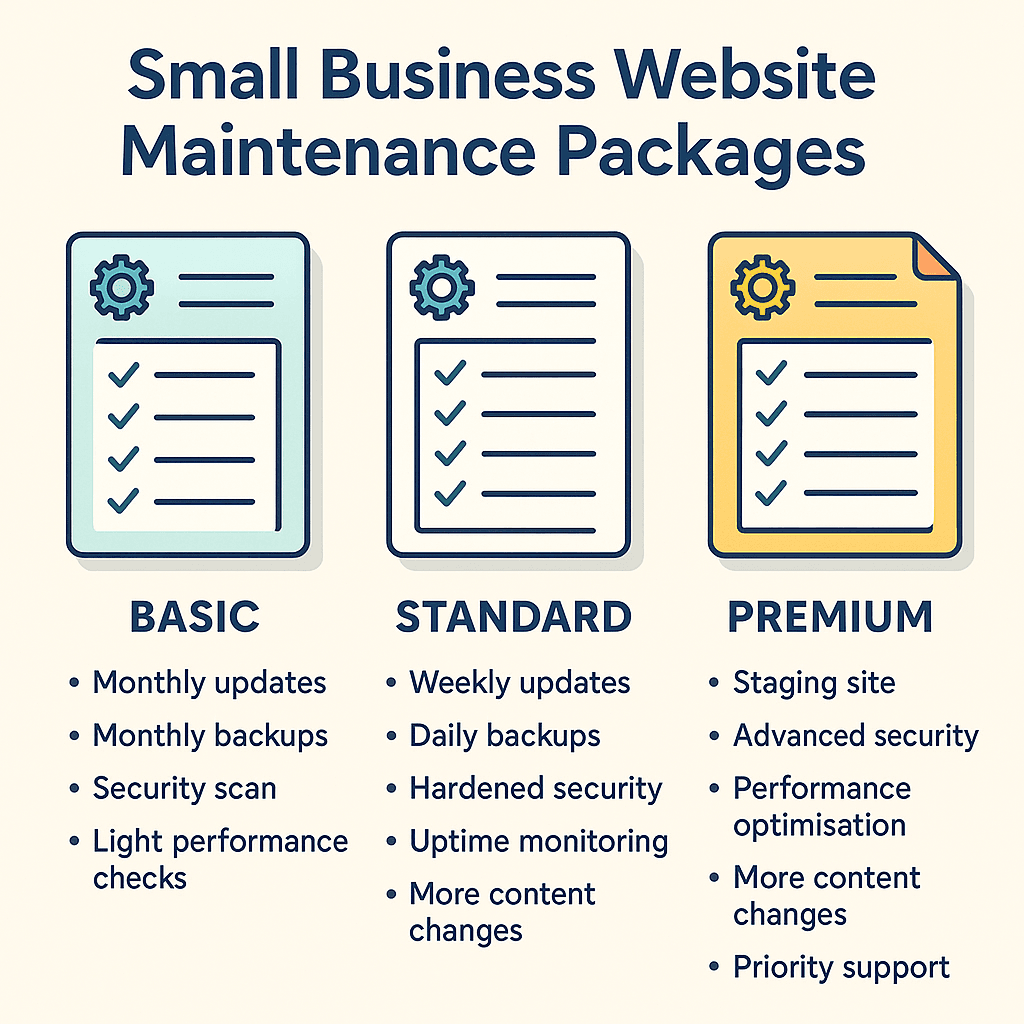
Pricing for small business website maintenance packages varies by country, complexity and provider, but you’ll usually see something like this:
- Basic / essential packages:
Around $30–$80 per month for smaller brochure sites with simple needs. - Business / standard packages:
Around $80–$200 per month for active lead-generation sites that are important to daily operations. - Premium / advanced packages:
Around $200–$500+ per month for high-traffic, revenue-critical or complex sites that need deeper optimisation and faster support.
Within those typical ranges, VVRapid’s Website Maintenance & Care plans are intentionally priced for small businesses:
- BASIC M&C – $39/month for essential care on smaller sites.
- STANDARD M&C – $89/month for business sites that drive regular enquiries.
- PREMIUM M&C – $189/month for critical, high-traffic sites that need premium website maintenance and managed website care.
The exact price you pay will depend on your site size and needs, but as a rule of thumb, if your website directly generates leads or sales, under-investing in small business website maintenance packages is riskier than the monthly fee. One serious hack or prolonged downtime can cost far more than a solid maintenance plan.
Things that affect price:
- How often updates and backups run
- Whether a staging site is used
- Level of security and performance work
- How much content change time is included
- Experience and responsiveness of the provider
A key point: if your website directly generates leads or sales, under-investing in small business website maintenance packages is riskier than the monthly fee. One serious hack or prolonged downtime can cost far more than a solid maintenance plan.
Comparing different levels of website maintenance packages
Let’s frame the typical tiers and map them to the kind of small business website maintenance packages you might choose.
Basic website maintenance (for small brochure sites)
Good for:
- One small brochure or info site
- Simple contact form, a few pages, low to moderate traffic
Usually includes:
- Monthly core updates
- Monthly backups
- Basic security monitoring and malware scan
- Light performance checks
- A small amount of content change time (e.g. up to 30 minutes)
- Email-based support
This is the kind of small business website maintenance package that works for simple sites that change rarely.
Business website maintenance (for active business sites)
Good for:
- Sites that bring in regular leads, bookings or enquiries
- Businesses that update content more often
Usually includes:
- Weekly updates
- Daily backups
- Hardened security monitoring
- Uptime monitoring included
- Performance optimisation rather than just checks
- More content change time (e.g. up to 1 hour per month)
- Staging site included
- Monthly reports and priority email support
This level of small business website maintenance package suits growing business sites where uptime and user experience really matter.
Premium website maintenance (for high-traffic / mission-critical sites)
Good for:
- E-commerce stores, membership sites and high-traffic blogs
- Businesses where downtime or slow speeds are a serious problem
Usually includes:
- Weekly or more frequent updates on staging first
- Daily backups plus extra backups before major changes
- Advanced security monitoring and firewall setups
- Uptime monitoring with alerts and incident response
- Deep performance optimisation
- More content time (e.g. up to 3 hours per month)
- Staging and testing built into the process
- Strategic monthly reports with recommendations
- Priority support or higher SLAs
This is the most advanced type of small business website maintenance package, aimed at sites that can’t afford to go down.
DIY vs managed website maintenance: which is better for your business?
You can maintain your website yourself, but it comes with trade-offs.
DIY website maintenance
Pros:
- Lower direct cost
- You stay close to your technology
Cons:
- Takes time away from running the business
- Easy to miss important updates or warning signs
- No one to call when something breaks
- You’re responsible for backups, restores and fixes
Managed website maintenance package
Pros:
- Experts handle updates, security and backups
- Clear processes, schedules and reports
- You know who to call when there’s a problem
- Better performance and uptime in the long term
Cons:
- Monthly cost (though usually predictable and fixed)
For many small businesses, the opportunity cost of DIY is higher than the fee for small business website maintenance packages. If you’re not comfortable handling updates, rollbacks and security issues, a managed plan is almost always safer.
How to choose the right website maintenance package (checklist)
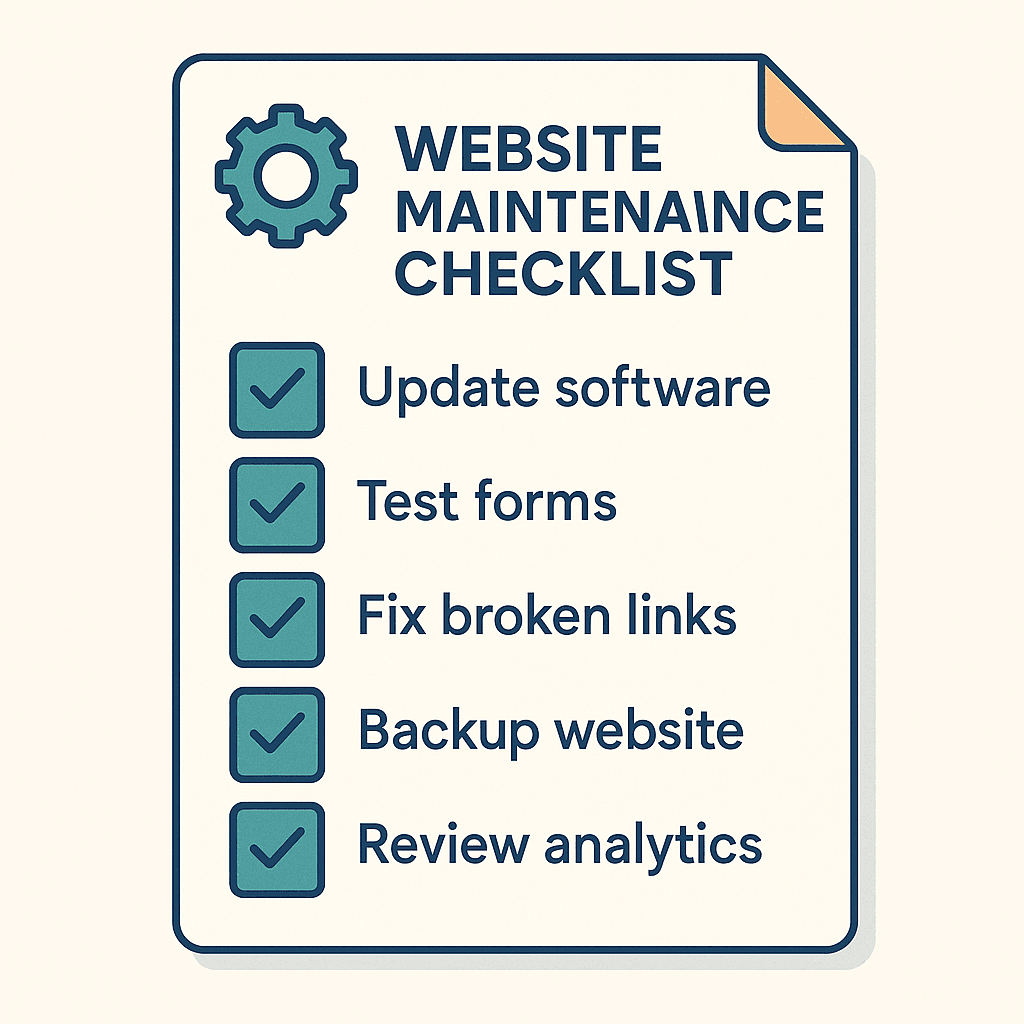
When comparing small business website maintenance packages, use this checklist:
- How important is your website to revenue?
- Just a digital business card → basic plan might be enough
- Main lead or sales channel → business or premium plan
- How much traffic do you get?
- Low traffic, simple use → basic
- Growing, regular visitors → business
- High-traffic, campaigns, e-commerce → premium
- How complex is your site?
- Simple pages and a contact form → basic
- Forms, blog, simple e-commerce → business
- Heavy e-commerce, memberships, custom code → premium
- How often do you change content?
- Rarely → basic
- Monthly updates → business
- Weekly or more → premium
- Do you have in-house technical skills?
- No in-house skills → lean towards business or premium
- Some skills, but limited time → at least basic
- Do you need staging and proactive support?
- If “yes” → business or premium
Ticking these boxes will usually point you towards the right small business website maintenance packages for your current stage.
When it’s time to upgrade your maintenance plan
You might start on a lower tier and move up later. Signs you should upgrade include:
- Your site is getting more traffic and enquiries than before
- You’re launching new features, products or a blog
- You’ve had one or more security scares or downtime issues
- You’re asking for more changes each month than your current plan covers
- You’re planning campaigns and can’t risk downtime
Growing sites often move from a basic small business website maintenance package to a business plan first, and later to a premium plan when traffic and revenue justify extra protection.
Next steps: protect your website with the right package
Your website doesn’t need a complicated, custom maintenance contract. It needs a clear, predictable plan that matches its role in your business. The right small business website maintenance packages give you that structure.
To recap:
- Basic plans work for small brochure sites that change rarely.
- Business plans suit growing sites that drive leads and enquiries.
- Premium plans are best for high-traffic, revenue-critical sites.
If you want a simple way to get started, compare your options on your Website Maintenance & Care page and choose the plan closest to where your business is today:
- Link “essential care for small sites” → BASIC M&C
- Link “ongoing care for business websites” → STANDARD M&C
- Link “proactive care for critical, high-traffic sites” → PREMIUM M&C
With the right small business website maintenance packages, you can focus on running your business while your site stays secure, up to date and ready to convert visitors into customers.
FAQs: Small Business Website Maintenance Packages (2026)
What is “website maintenance” (really)?
It’s the ongoing work that keeps your site secure, fast, and functioning: updates, backups, security monitoring, performance checks, uptime monitoring, and small fixes/changes.
Why do small business sites need maintenance if they’re “not famous”?
Because most attacks are automated and target known plugin/theme weaknesses, not big brands. Keeping software updated and monitored is basic risk management.
How often should WordPress, plugins, and themes be updated?
At least monthly for simple brochure sites, and typically weekly (or faster) for active lead-gen, ecommerce, or sites with lots of plugins. Updates include bug fixes and security patches, so delaying them increases risk.
Can updates break my website?
Yes, especially if your site has many plugins, ecommerce, or custom code. That’s why better maintenance includes testing on staging (or controlled update processes) before pushing changes live.
What backup schedule should I expect?
A solid baseline is daily backups for business-critical sites, with extra backups before major changes. WordPress’s own guidance covers backup/restore fundamentals (database + files) and typical restore order.
Backups included” – what should I confirm?
Ask:
– Are backups off-site (not only on the same server)?
– How long are backups retained?
– Is restore help included, and how quickly can they restore?
What’s the difference between security monitoring and a “security plugin”?
A plugin helps, but maintenance should include ongoing attention: malware scanning, monitoring login abuse, firewall rules, patching, and incident handling if something goes wrong. OWASP’s Top 10 is a useful reference for why web security is more than “one plugin.”
If my site gets hacked, will maintenance fix it?
Depends on the plan. Some providers include cleanup, others charge separately. Also remember: a compromised site can trigger browser warnings (which can crush trust and leads).
What is uptime monitoring, and do I actually need it?
Uptime monitoring alerts you when the site goes down so you can react fast (instead of finding out days later). If your site generates leads/sales, it’s worth having.
What kind of performance work should be included?
At minimum: performance checks and basic optimisation (caching/images/database hygiene). Performance matters because faster sites reduce user friction and improve outcomes.
Does “maintenance” improve SEO?
Indirectly, yes: Google recommends good page experience (secure connection, avoiding intrusive interstitials, and strong Core Web Vitals). Maintenance helps you stay technically healthy so SEO work isn’t fighting a broken foundation.
Are content edits included in maintenance packages?
Often yes, but usually limited by time per month (e.g., 30 minutes, 1 hour, 3 hours). Confirm what counts as an edit (copy, images, uploading blogs, layout changes).
What’s typically not included?
Most maintenance plans exclude:
– New pages, redesigns, new features
– Custom development
– Marketing/SEO campaigns
(Those are separate projects or retainers.)
How much should small business website maintenance cost in 2026?
Typical pricing depends on complexity, risk, and responsiveness. Many guides place small business maintenance anywhere from tens to a few hundred dollars per month, with higher tiers for ecommerce/mission-critical sites.
How do I choose between BASIC, STANDARD, and PREMIUM maintenance?
A practical rule:
BASIC: small brochure site, low change rate, low risk
STANDARD: your site drives regular enquiries; you need tighter security, monitoring, and faster help
PREMIUM: ecommerce/high traffic/you can’t afford downtime; you need deeper performance + priority response
Helpful external references (optional deeper reading)
- WordPress Documentation – Updating WordPress ↗ (core update basics and safe processes).
- WordPress Developer Handbook – Backups ↗ (recommended backup + restore order; what to back up).
- OWASP Top 10 (2025) ↗ (plain-language overview of the biggest web security risks).
- Google Safe Browsing / Transparency Report ↗ (why compromised sites can trigger warnings and how Google treats unsafe sites).
- Google Search Central – Page Experience & Core Web Vitals ↗ (how performance/usability factors relate to Search systems).
- Looker Studio Documentation ↗ (how to build simple reporting dashboards you can reuse monthly).
- Nielsen Norman Group – Speed & Response Times ↗ (research-backed guidance on why performance affects user behaviour).