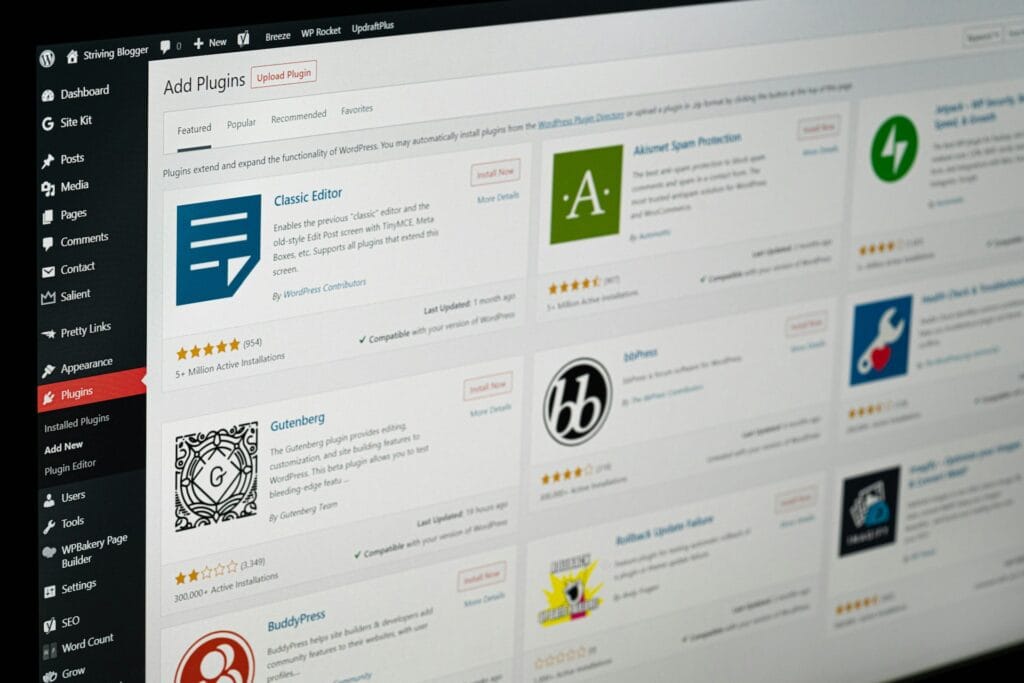
If you’re comparing WordPress page builders vs Block Editor, you’re not picking a “design style.” You’re picking what it will feel like to own your website for the next few years: how fast it loads on mobile, how reliably it handles updates, and how much it costs (in time and money) to keep it running well.
Table of Contents
The uncomfortable truth: a beautiful site can still be a bad buy
A lot of people call themselves a “web developer” because they can assemble a site with a visual builder. Builders make it easy to create attractive pages quickly and that’s not inherently a problem.
The issue is when a business pays premium money for a site that looks professional, but the underlying build is heavy, slow, and expensive to maintain. That typically happens when the site relies on too many widgets, add-ons, and “one more plugin” solutions, without performance checks or a long-term maintenance plan.
For most small business websites, the best default is the WordPress Block Editor (core WordPress) with a lean theme and a disciplined plugin stack. It’s also straightforward for you (the business owner) to edit once the site is built with consistent patterns and reusable sections. Builders like Elementor can still be a good fit, but they should be a deliberate choice based on your workflow needs, not the automatic default.
What “speed” actually means (for real customers)
When someone says “our website is slow,” they usually mean:

- It takes too long to load on mobile data
- It feels laggy (menus, buttons, forms don’t respond quickly)
- People bounce before they read or enquire
- Google struggles to see it as a quality experience
- Updates keep breaking things, so the site never feels “finished”
This is why WordPress page builders vs Block Editor matters. Speed isn’t a vanity metric, it affects enquiries, bookings, and sales.
And yes: the foundation matters too. Great hosting won’t fix a messy build, but poor hosting can make any site feel slow, which you can read more about: LiteSpeed WordPress hosting checklist
WordPress page builders vs Block Editor in plain English
Here’s the simplest way to think about it:
- Page builders (Elementor, Divi, etc.) are often faster to build with.
- The WordPress Block Editor is often faster to run and easier to maintain long-term.
Think: speed to build vs speed to use.
If you run a small business, you usually care more about the second one.
Why builder sites often get heavy (even when they “look clean”)
Most slow sites aren’t slow because someone made a bad decision on purpose. They become slow because the tool makes it easy to add more and more “extras.”
1) More “stuff” loads on every page
Builders and add-ons often load scripts and styles globally. That means your contact page might load the same assets as your homepage, even if it doesn’t need them.
2) Designs become “widget soup”
A slider here, an animation there, a popup, a fancy menu… individually they seem small. Together they add weight.
3) Add-ons multiply the risk
Many builder sites rely on additional packs (and paid “Pro” features). More moving parts means more:
- update conflicts
- performance overhead
- long-term maintenance cost
This is where WordPress page builders vs Block Editor becomes a business decision: do you want a site that stays lean by default, or one that needs strict rules to stay lean?
A fair look at popular options (Elementor, Divi, Flatsome)
You don’t need to hate builders to make a smart choice. You just need to know what you’re buying.
Elementor
Elementor is popular because it helps non-technical people build good-looking pages quickly. If you run campaigns and need landing pages often, that convenience can be worth it.
The downside: Elementor sites often get heavy when:
- lots of widgets are used per page
- multiple add-on packs are installed
- animations, sliders and popups become “standard”
- pages are all custom, instead of using consistent patterns
Divi
Divi is a powerful ecosystem (theme + builder workflow). It can be a good fit for teams that want visual control and are comfortable staying inside that system.
The trade-off is similar: the more complex the pages become, the more careful you have to be about performance and long-term maintainability.
Flatsome (WooCommerce stores)
If you’re running WooCommerce, Flatsome is common and the naming matters:
- UX Builder is Flatsome’s builder/editor.
- UX Blocks are reusable sections you create and reuse across the site (built with UX Builder).
Flatsome can be a practical middle ground for stores, but speed still depends on plugin discipline, images, and sensible layout complexity.
What makes the Block Editor different (and why it’s often the best default)
The WordPress Block Editor (many people still casually call it “Gutenberg,” the project name) tends to be a safer default for small businesses because:
- It’s built into WordPress core
- It typically produces cleaner, simpler page output
- It reduces dependence on extra frameworks and add-ons
- It’s easier to keep a site lean and stable over time
Most importantly: it can still look great when the site is built with a consistent design system (patterns, reusable sections, and good templates). You’re not choosing “boring.” You’re choosing “sustainable.”
WordPress page builders vs Block Editor: quick comparison table
| Factor | Visual builders (Elementor/Divi) | Theme builder (Flatsome UX Builder) | WordPress Block Editor |
|---|---|---|---|
| Easy to make pretty fast | Yes | Yes | Yes (with patterns) |
| Speed potential | Medium–High (with discipline) | Medium–High | High |
| Risk of bloat | High | Medium | Low–Medium (depends on block add-ons) |
| Update stability | Medium | Medium | High (often simplest) |
| Lock-in risk | Medium–High | High | Low |
| Best for | Rapid campaign pages | WooCommerce stores | Speed-first, long-term stability |
If your goal is “fast, stable, easy to own,” WordPress page builders vs Block Editor often ends with the Block Editor.
The hidden cost many clients only discover later: licenses
Here’s a scenario we see too often:
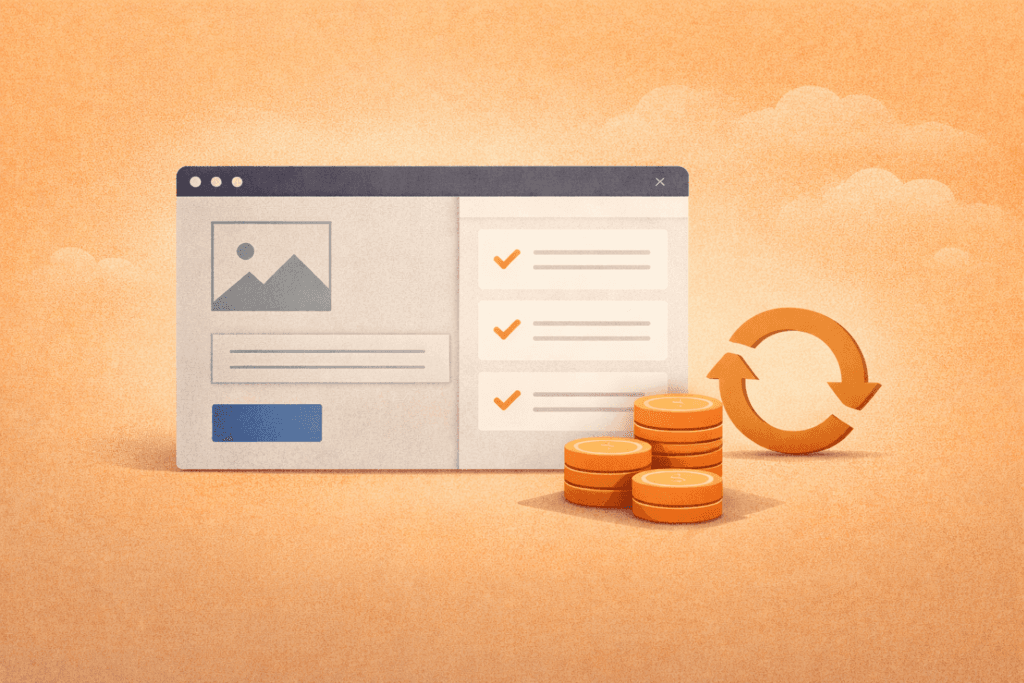
You pay for a site. It looks great. Months later:
- you see license warnings
- updates are blocked
- features stop working
- you’re told you must pay annual renewals to keep things running
Paid tools aren’t bad. The problem is surprise costs.
A professional should tell you upfront:
- which parts are paid (theme, builder, add-ons)
- what renewals cost and how often
- what happens if you don’t renew
- whether the license sits in your account or theirs
In many cases, choosing the Block Editor reduces how many paid dependencies you need.
How to choose what’s right for your business
Use this decision framework (no jargon required).
Choose a visual builder (Elementor/Divi) if…
- you (or staff) need to build/change landing pages often
- you’re happy trading a bit of speed for editing convenience
- you understand there may be licensing costs
- the build is kept disciplined (consistent layouts, minimal add-ons)
Choose Flatsome (UX Builder + UX Blocks) if…
- you’re WooCommerce-first
- you want a store-friendly theme ecosystem
- you’re comfortable being tied to that theme long-term
Choose the WordPress Block Editor if…
- speed is a priority (especially mobile)
- you want fewer conflicts and smoother updates
- you want less lock-in and fewer surprise costs
- you want a site your team can edit safely using patterns
That’s the heart of WordPress page builders vs Block Editor: match the tool to your workflow and your tolerance for ongoing complexity.
Checklist: how to avoid paying for a “pretty but slow” site
Use this section in your buying process.
Website performance buying checklist
- ✅ What will the site be built with: Block Editor or a builder? Why?
- ✅ How will the site stay fast on mobile (images, fonts, scripts, caching)?
- ✅ How many plugins will be installed — and what does each one do?
- ✅ Which tools require paid licenses (theme/builder/add-ons)?
- ✅ What are the yearly renewal costs, and who owns the licenses?
- ✅ Will I be able to edit pages without breaking layouts?
- ✅ Is there a staging site + backup/restore plan for updates?
If someone can’t answer these clearly, that’s a warning sign – regardless of how pretty the demo looks.
Common mistakes that cause slow, fragile WordPress sites
- Choosing the tool based on a demo site
Demos are curated. Real sites grow and collect extras. - Custom designing every page
Consistent templates usually load faster and convert better. - Stacking ecosystems
Builder + multiple add-on packs + heavy theme + multiple “optimisers” = conflicts and bloat. - Ignoring images
Oversized images are one of the most common speed killers. - Not planning for updates
Without staging and backups, every update becomes stressful. - Weak hosting foundation
Slow server response makes everything feel slow.
What if you already have a builder site?
You don’t have to rebuild tomorrow.
A sensible approach is:
- keep the builder for legacy pages
- build new pages using the Block Editor (blog + simpler service pages first)
- rebuild only the pages that drive enquiries/sales
- remove unused add-ons as you reduce dependency
This reduces risk and protects SEO.
FAQ: WordPress page builders vs Block Editor
Is the Block Editor easy for business owners to edit?
Yes, especially when the site is built with consistent patterns and reusable sections. It’s often safer because the editing experience is more structured.
Are builders always slow?
Not always. A disciplined builder site can be “fast enough.” The issue is that builder sites are easier to overbuild as time goes on.
Will switching to the Block Editor improve SEO?
Indirectly. Faster load times and better stability improve user experience, which supports SEO over time.
What about WooCommerce?
WooCommerce adds complexity regardless. A lean extension stack, staging updates, and performance-focused hosting matter more than the editor choice.
When does custom development make sense?
When you need one specific feature and plugins are creating bloat, conflicts, or ongoing costs.
How VVRapid can help
If you’re deciding between WordPress page builders vs Block Editor, VVRapid can review your current site and show you what’s actually slowing it down (builder output, plugin bloat, images, scripts, hosting, caching). We can rebuild only the high-impact pages, keep the site easy for your team to edit, and simplify the stack so updates are less stressful. If a plugin is doing too much, we can replace it with a lean custom solution.
You can always feel free to contact VVRapid, even if its just for a little advice.