
Website design and development packages are only helpful when they make scoping clearer, not fuzzier. This guide breaks down Basic vs Standard vs Premium using the actual included limits (pages, plugins, ecommerce, product setup, delivery) so you can pick a tier confidently and avoid paying for the wrong shape of website.
Table of Contents
A quick note before we start: a “package” is not a promise that everything is included forever. It is a defined scope for launch. The goal is a clean baseline you can grow from.
Website design and development packages: what you are really buying
When you compare website design and development packages, you are usually comparing five things:
- How much core content can be designed as “unique pages” (your main pages)
- How many plugins/extensions are included (feature flexibility)
- Whether ecommerce and marketing capture are included (payments, opt-ins, email integration)
- How much setup is included (products loaded, hosting connection, QA)
- Delivery time (and whether you need a rush option)
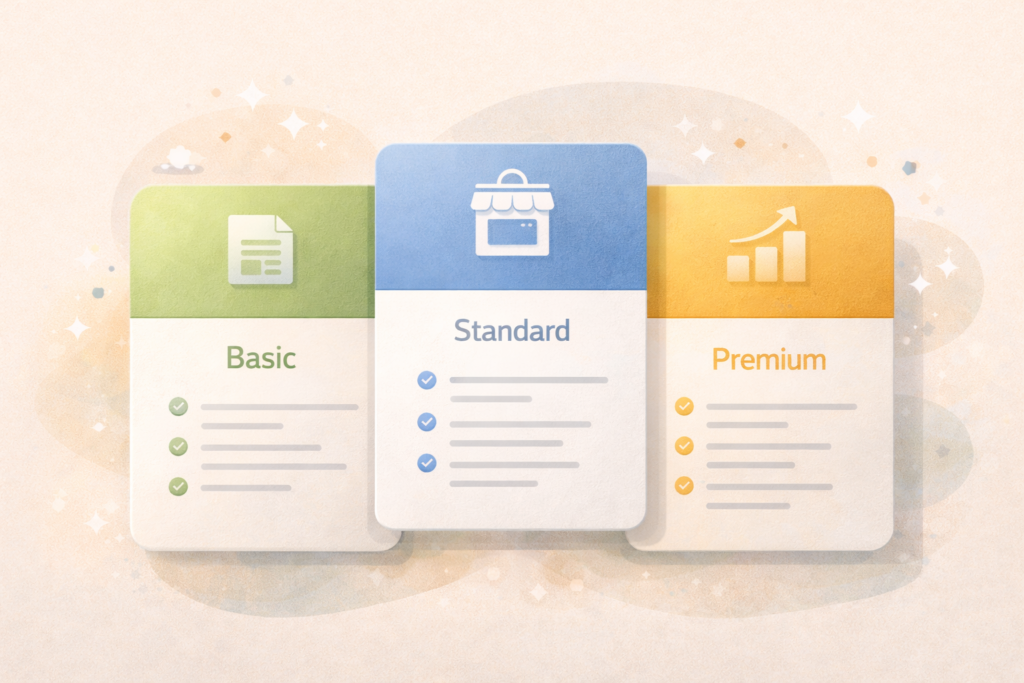
VVRapid defines the core difference mainly by unique pages and plugin count: Basic includes up to 3 unique pages and 3 plugins, Standard includes up to 6 unique pages and 5 plugins, and Premium includes up to 12 unique pages and 8 plugins.
Quick comparison: Basic vs Standard vs Premium
Here is the most practical view for decision-making, based on what is listed in VVRapid’s packages and product pages.
| Package | Best for | Unique pages | Plugins | Ecommerce | Products set up | Opt-in + autoresponder | Delivery | Price range (USD) |
|---|---|---|---|---|---|---|---|---|
| Basic WEB | Lean brochure site | 3 | 3 | No | 0 | No | 14 days | $250–$350 |
| Standard WEB | Business site with ecommerce | 6 | 5 | Yes | Up to 20 | Yes | 14 days | $500–$700 |
| Premium WEB | Full online presence, more custom polish | 12 | 8 | Yes | Up to 50 | Yes | 21 days | $900–$1,200 |
All packages also list inclusions like responsive design, content upload, hosting setup, and an Ahrefs technical QA handover (98+ score) plus unlimited revisions within the agreed scope before launch.
What is a “unique page” and why it matters
If you only remember one concept from this article, make it this.
A unique page is a page with a manually designed layout (Home, About, Contact, Services). A non-unique page is generated automatically from templates, like blog post pages or product pages in a store.
So when a package says “up to 3 unique pages,” it does not mean the website can only ever have 3 pages total. It means you get up to 3 pages that are designed as distinct layouts.
This is exactly why packages can still work for ecommerce. Your shop pages and product pages are often template-driven, while your core “brand pages” are your unique pages.
What is included in all packages (the shared baseline)
A common frustration with website design and development packages is feeling like you are paying extra for basics. In VVRapid’s listings, the baseline includes:
- Responsive design
- Content upload (your text and images)
- Hosting setup (connecting your site to hosting)
- Social icons and basic linking
- Plugin/extension installation (count depends on tier)
- Unlimited revisions within agreed scope before launch
- Ahrefs technical QA handover (98+ score)
That baseline matters because it makes “Basic” a legitimate launch option, not a half-site.
If you want the build and those inclusions, start here: Website Design and Development
Choosing a tier without guessing: the 6-question decision tool
Use this section like a checklist. It helps you pick a tier based on your requirements, not on vibes.
1) How many core pages need custom layouts at launch?
- If you can launch with Home, About, Contact (and maybe Services), you are in Basic territory.
- If you need multiple service pages, team, blog hub, or a clearer structure, you are in Standard or Premium territory.
2) Do you need ecommerce now, or later?
- No ecommerce at launch: Basic fits.
- Ecommerce at launch: Standard or Premium.
3) How many products need to be set up for launch?
- If you want ecommerce but only need up to 20 products set up initially, Standard aligns.
- If you want up to 50 products set up, Premium aligns.
- If you have hundreds of products, treat that as a separate scope item (phased upload or add-on). Premium explicitly mentions staging or quoting a product upload add-on beyond its included limit.
4) Do you need lead capture and email automation at launch?
- If you do not need opt-ins or autoresponder integration, Basic is fine.
- If you want opt-in forms and autoresponder integration included, Standard or Premium includes it.
5) How many “moving parts” will the site need?
A useful proxy is plugin count.
- Basic includes up to 3 plugins.
- Standard includes up to 5 plugins.
- Premium includes up to 8 plugins and explicitly leans into more custom design and overall polish.
If your site needs booking rules, special checkout logic, complex forms, or multiple integrations, you might outgrow a package quickly. That is when custom work matters, and it often lives in custom plugin development: Custom Plugin Development
6) How fast do you need it?
Listed delivery times are:
- Basic: 14 days
- Standard: 14 days
- Premium: 21 days
There is also a 7-day delivery upgrade add-on with a fixed extra cost per tier ($100 Basic, $200 Standard, $300 Premium).
Which package should you choose?
Here is the simplest way to decide.
Choose Basic if you want a clean, credible “starter site”
Basic is a good fit when:
- You only need up to 3 unique pages
- You do not need ecommerce
- You do not need opt-ins or autoresponder setup
- You want a professional online presence fast, without complexity
Typical Basic launch structure:
- Home (what you do, proof, CTA)
- About (trust, story, team)
- Services or Contact (offer clarity + enquiry path)
Choose Standard if you want ecommerce plus a bit more structure
Standard is a good fit when:
- You want up to 6 unique pages
- You want ecommerce and payments set up
- You want an opt-in form and autoresponder integration
- Up to 20 products set up covers your initial catalog
This tier is often the “sweet spot” for small businesses that need to sell or take payments, without building a large content site on day one.
Choose Premium if the website is a core sales and marketing system
Premium is a good fit when:
- You need up to 12 unique pages and a fuller content structure
- You want more custom design and overall polish
- You need ecommerce, payments, opt-ins, autoresponder integration
- You want up to 50 products set up for launch
Premium is the safest choice when you already know you will need multiple service pages, campaigns, lead capture, and a store that feels fully integrated.
The “what if I need more” section (how packages usually expand)
This is where people get stuck. They pick Basic, then two weeks in they want ecommerce, opt-ins, extra pages, and two integrations.
Packages work best when you treat them as a launch baseline, then expand intentionally.
Common “expansion” needs:
- More unique pages than the package includes
- More products than the setup includes
- More integrations (CRM, booking, memberships, automations)
- Custom checkout logic or bespoke ecommerce rules (often custom plugin territory): Custom Plugin Development
- Ongoing SEO work once the foundation is live: Search Engine Optimisation
- Ongoing maintenance, updates, and security: Essential Website Maintenance & Care
If you dont think any of VVRapids standard packages are the right fit: Request a Website Design & Development Quote.
If your main risk is “we do not know what we actually need yet,” a short roadmap can help you avoid choosing the wrong tier: Digital Strategy Roadmaps
Checklist: what to prepare before you choose a package
Use this before you buy any website package anywhere.
- ☐ List your launch pages (and mark which ones must be “unique pages”)
- ☐ Decide if ecommerce is in phase 1 or phase 2
- ☐ Count your initial products if ecommerce is phase 1
- ☐ Decide if you need opt-ins and email marketing integration at launch
- ☐ Gather your brand assets (logo, colours, fonts)
- ☐ Gather content (text and images) or decide who will create it
- ☐ Decide your target launch date and whether rush delivery is needed
- ☐ Decide who approves feedback (fast feedback keeps timelines real)
If content is the bottleneck, plan it up front. VVRapid can help with writing as an add-on: Socials, Blogs & Article Writing
Common mistakes when choosing website design and development packages
1) Choosing by price, not by scope
If you need ecommerce, opt-ins, and more pages, Basic will not magically stretch. You will spend more by changing direction mid-build.
2) Underestimating content work
A package can include content upload, but you still need content. Missing text and images is one of the most common delay causes.
3) Treating “number of pages” as the only lever
Plugin count, ecommerce setup, and marketing integration often drive complexity more than page count.
4) Launching ecommerce without a plan for products
If you need 200 products uploaded and you pick a package that includes 20 or 50, plan a phased upload, or scope an add-on.
5) Forgetting the “after launch” basics
Websites need updates, backups, and upkeep. If you want the site to stay fast and stable, plan maintenance. Essential Website Maintenance & Care
FAQ: website design and development packages
Are the package prices fixed?
VVRapid lists price ranges for Basic, Standard, and Premium on the package product pages.
Can Basic include ecommerce if I ask nicely?
Basic explicitly lists no ecommerce and no payment integration. If ecommerce is a launch requirement, Standard or Premium is the right starting point.
What if I need more than 20 or 50 products?
Standard includes up to 20 products set up and Premium includes up to 50. If you need more, plan a staged approach or Request a Website Design & Development Quote.
How do rush options work?
VVRapid lists a 7-day delivery upgrade add-on with an extra cost per tier. Timelines are confirmed before starting.
What platform are these built on?
VVRapid notes Premium is typically built on WordPress with WooCommerce (or a similar ecommerce setup), and Standard also references WordPress with WooCommerce (or equivalent).
How VVRapid can help
If you want to choose the right tier quickly, VVRapid can sanity-check your scope, recommend the simplest package that fits, and build it cleanly on WordPress (including WooCommerce when you need ecommerce). If your requirements go beyond the package limits, you can add custom functionality through Custom Plugin Development and support growth with Search Engine Optimisation. For long-term stability, ongoing care is available at https://vvrapid.com/website-maintenance-care/.
Next step
Review the packages and request a quote here: Website Design & Development
Helpful external references (optional deeper reading)
If you want to go a level deeper before choosing between website design and development packages, these are solid, non-salesy resources:
- Core Web Vitals and real-world performance basics ↗
Helps you understand what “fast” actually means and what to prioritise. - Google SEO Starter Guide ↗
A practical baseline for site structure, content, and how to avoid common SEO mistakes during builds or upgrades. - WooCommerce documentation ↗
Useful if you are choosing ecommerce and want to understand product setup, payments, shipping, and store structure. - WordPress Learn (site basics and editing) ↗
Great for understanding how you will manage pages and content after launch. - Nielsen Norman Group (UX research and patterns) ↗
Helpful when you are comparing “looks good” versus “works well” decisions, especially for trust and usability.