A website design and development brief is the simplest way to reduce confusion, tighten your quote, and end up with a website that feels credible from day one. Even if you never write a “formal” document, having these answers in one place prevents scope creep, revision chaos, and last-minute content panic.
Table of Contents
A good brief works for service sites, ecommerce (including WooCommerce), portfolios, landing pages, and member portals. The structure stays the same. The details change based on what you are building.
What a website design and development brief actually does
A website design and development brief is not corporate paperwork. It is a decision tool.

It helps you and your developer agree on:
- Goal: what the website must achieve
- User: who it is for and what they need to believe
- Scope: which pages and features are included now versus later
- Content: what exists, what is missing, and who owns it
- Proof: what trust signals must be included
- Measurement: how you will know the site is working
Without this, quoting becomes guesswork. Guesswork usually turns into change requests later, and change requests usually cost time and money.
When you need a brief (and when you can skip it)
You can often skip a full website design and development brief if your site is very small and you are happy to answer questions in a call.
You should strongly consider a brief if any of these are true:
- You are redesigning and do not want to lose SEO value
- You want the site to feel trustworthy and you do not want to “add proof later”
- You have multiple stakeholders who will approve the work
- You need ecommerce, booking, membership, or integrations
- You are getting more than one quote and want apples-to-apples scope
- Your content is not ready and you want a plan instead of delays
If you only have 10 minutes, use the short version further down. That still counts as a website design and development brief.
The 10-minute brief (for busy owners)
Answer these 10 questions and paste them into a doc or email. This is a lightweight website design and development brief that prevents most misunderstandings.
- What is the website for? (one sentence)
- Who is it for? (one sentence)
- What should visitors do next? (contact, book, buy, sign up)
- What pages must exist at launch? (list them)
- What proof do you have? (reviews, credentials, case studies, photos)
- Is content ready? (yes, partly, no)
- Is this a redesign? If yes, which pages must keep their URLs?
- Must-have features? (forms, booking, ecommerce, membership, integrations)
- Preferred platform? (WordPress, WooCommerce for ecommerce, other)
- Who approves and how quickly can they review?
If you answer nothing else, answer #4, #6, and #10. Those are the most common project bottlenecks.
Website design and development brief template (copy and paste)
This longer template is still meant to be short. Most strong briefs are 1 to 3 pages.
1) Business snapshot
- Business name:
- Existing website URL (if any):
- What you do (one sentence):
- Primary products or services:
- Primary countries or regions served:
- One sentence value proposition:
- What makes you different (2 to 3 bullets):
2) Goal, conversion action, and success
- Primary goal of the website:
- Secondary goals:
- Primary action visitors should take: contact, request a quote, book, buy, sign up
- Backup action: newsletter, download, WhatsApp, call
- Success metrics (choose 1 to 3): leads, conversion rate, bookings, sales, enquiries quality, reduced support tickets
If credibility is the goal, define it in plain language:
- “Visitors should feel we are legitimate and experienced.”
- “They should understand our process and what happens next.”
- “They should see proof that we do what we say.”
3) Audience and trust barriers
- Ideal customer or user:
- What problem are they trying to solve right now?
- What objections make them hesitate?
- What do they compare you against?
- What would make them trust you within 60 seconds?
This section drives messaging, layout, and calls to action.
4) Website type and scope
- Website type: service site, ecommerce store, portfolio, landing page, membership portal, web app
- New build or redesign:
- Phase 1 must-haves (launch scope):
- Phase 2 later (nice-to-haves):
If redesigning, also include:
- Top pages today (traffic or leads)
- Must-keep URLs
- Content that must be migrated
5) Pages and what each page must do
List your pages and add one line per page about its job.
Common pages:
- Home: what it must communicate quickly
- About: story plus proof
- Services or Products: structure and depth
- Case studies or Portfolio: evidence available
- Reviews or Testimonials: where they come from, permission to publish
- FAQ: top objections
- Blog or Insights: optional
- Contact: preferred contact method and response expectation
- Legal pages: privacy, cookies, terms
For ecommerce add:
- Category structure
- Product template requirements (images, variations, specs)
- Shipping, returns, payments
- Any subscription or bundle requirements
6) Content readiness and ownership
This is where projects slip. Be honest here.
- Who writes the copy?
- Who supplies images?
- Who approves content?
- Review turnaround time (example: 48 hours)
- What exists now and can be reused?
- What must be created from scratch?
If you want help with copywriting, service pages, or ongoing content, include that in scope early so it can be planned properly. VVRapid’s content services are here: Socials, Blogs and Article Writing
7) Trust signals to include (do not leave this for later)
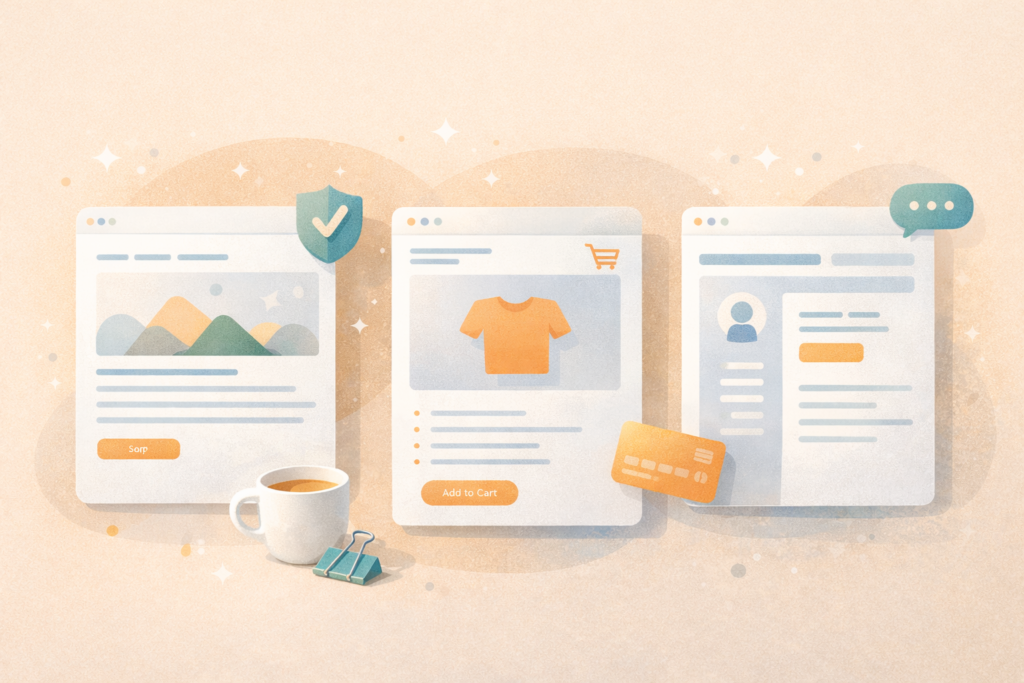
List what proof you can publish now:
- Reviews and ratings
- Case studies or results you can share
- Certifications, memberships, awards
- Team photos and brand photos
- Clear process and timelines
- Policies that reduce risk (returns, warranties, service terms) if true
- Transparent contact options
If proof is light, include a plan:
- Collect reviews
- Schedule a simple photoshoot
- Create a “how we work” section
- Write an FAQ that handles objections
A reliable UX reference for credibility patterns is Nielsen Norman Group ↗
8) Features and integrations
List only what matters for phase 1.
Common:
- Contact form (fields, spam protection)
- Booking and scheduling
- Live chat
- Newsletter signup
- CRM integration
- Analytics and tracking (GA4, Meta, LinkedIn)
- Multilingual needs
- Accessibility needs
Ecommerce:
- Payment methods and currencies
- Shipping rules and regions
- Taxes
- Inventory or fulfilment tools
- Variations, bundles, subscriptions
Membership or portal:
- User roles and permissions
- Paid tiers and access rules
- Onboarding flow
- Support workflow
9) SEO and measurement basics
Even if you are not doing “SEO,” include these.
- Topics or services you want to be found for
- Target locations if relevant
- Competitors you want to beat (optional)
- Current best pages (if redesigning)
- URLs that must not change
Google’s SEO starter guide is a practical baseline: SEO starter guide ↗
If SEO is part of your growth plan, it is usually easier to build it in from the start. VVRapid’s SEO service is here: Search Engine Optimisation
10) Platform preference (WordPress first, WooCommerce for ecommerce)
State preference. Do not overthink it.
- Preferred platform:
- If ecommerce and you want WordPress: WooCommerce
- If a client insists on Shopify: note it as “allowed,” not “recommended”
- Who will update the site after launch?
- Any plugins or builders you want to avoid?
- Any non-negotiables like payment gateways?
This keeps the brief useful without becoming a platform debate.
11) Performance, hosting, and security
A credible site must feel fast and stable.
- Where most visitors are located:
- Performance expectation: fast on mobile
- Security needs: backups, updates, spam protection
- Compliance: privacy and cookies
Core Web Vitals is a useful performance reference: Core Web Vitals ↗
Hosting can influence speed and stability. If you want a performance-oriented stack, VVRapid’s LiteSpeed hosting is here: Litespeed WebServer Hosting
12) Timeline and approvals
- Desired launch date:
- Key dates (campaigns, seasonality):
- Decision maker:
- Review turnaround:
- Communication preference:
One decision maker and fast feedback are the simplest way to move quickly.
13) Definition of done
This is what stops scope creep.
- Must-have outcomes (3 bullets)
- Nice-to-have outcomes (3 bullets)
- What would make you unhappy:
- Success metrics:
This is the part of the website design and development brief that makes “nice website” measurable.
Checklist: before you request quotes
Use this to sanity-check your website design and development brief.
- ☐ Goal in one sentence
- ☐ Primary conversion action is clear
- ☐ Audience and objections are included
- ☐ Phase 1 pages are listed
- ☐ Content ownership is assigned
- ☐ Trust signals are listed (or a plan to create them)
- ☐ Must-have features and integrations are listed
- ☐ Platform preference is stated
- ☐ Timeline and decision maker are clear
- ☐ Definition of done is written
If you can complete this, you will get more accurate quotes and fewer surprises.
Common mistakes in a website design and development brief
1) Vague words like “modern” without examples
Fix: add two or three reference sites and explain what you like, such as layout, spacing, navigation, or tone.
2) Trust is the goal but proof is missing
Fix: list the proof you can publish now and plan what must be created.
3) Trying to launch everything in phase 1
Fix: separate phase 1 must-haves from phase 2 nice-to-haves.
4) Content is not owned by anyone
Fix: assign who writes and who approves. Content delays are the most common cause of missed launch dates.
5) Redesigning without protecting SEO
Fix: list must-keep URLs and top pages, then plan redirects and content migration early.
6) Too many decision makers
Fix: one approver. Clear sign-off.
FAQ: website design and development brief
Is a website design and development brief only for service sites?
No. The same website design and development brief works for ecommerce, landing pages, portfolios, and portals. You just add the relevant sections.
How long should a website design and development brief be?
One to three pages is normal. Short and specific beats long and vague.
Do I need to choose WordPress or WooCommerce before writing the brief?
No. State a preference and refine during discovery. The brief is mainly about goals, scope, and content.
What if I do not have photos or testimonials yet?
Include a plan. Even a small photoshoot and a clear process section can lift credibility quickly.
What if I am redesigning and worried about losing rankings?
List must-keep URLs and top pages, and plan redirects. If SEO matters, include it from the start.
How VVRapid can help
If you already have a website design and development brief, VVRapid can use it to scope and build a WordPress site with clean UX and strong foundations. If you do not have a brief, that is fine too. You can start with the Website Design & Development page and a quote request, and the team will guide discovery and scope. For content support, use Socials, Blogs and Article Writing and for SEO foundations, see Search Engine Optimisation.
Next step
If you want a quote, start here: Request a Website Design & Development Quote
If you want to speed up the process, paste the 10-minute answers from this website design and development brief into your request.