This website redesign checklist helps you decide whether you should redesign, rebuild, or simply fix what you already have. If you pick the right option early, you avoid paying twice, you protect your SEO, and you get a site that actually supports growth instead of becoming a slow, stressful project.
Table of Contents
A calm reminder before we start: “redesign” is often used as a catch-all. In reality, there are three different paths, and they come with very different costs, timelines, and risks.
What counts as a redesign vs a rebuild vs an optimisation
Redesign
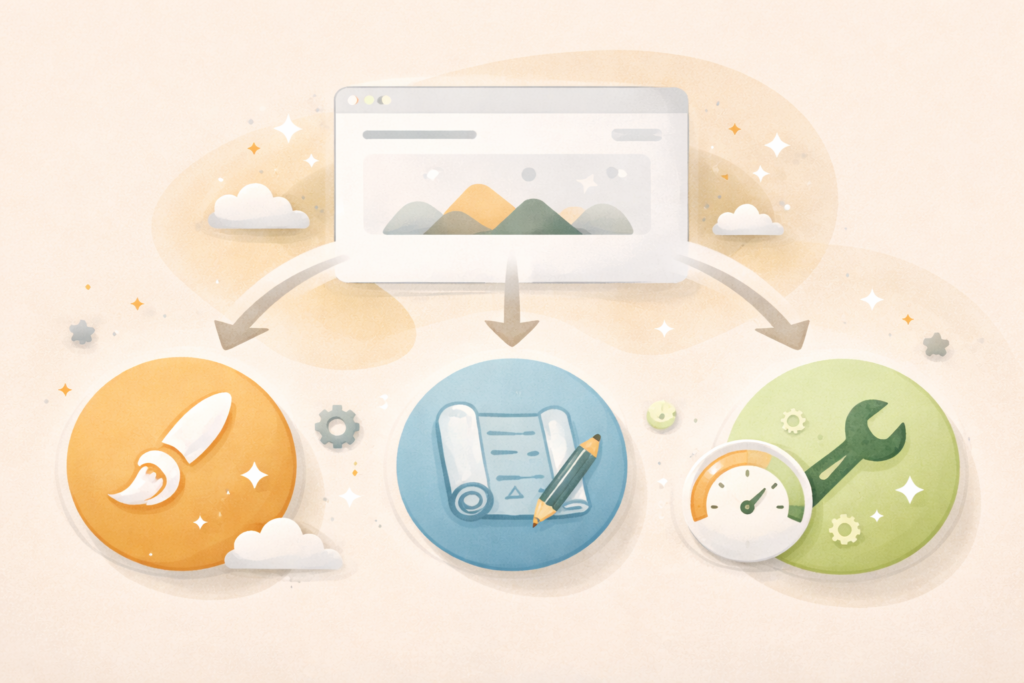
A redesign updates how the site looks and how people move through it (UX), without replacing the underlying system completely. You might keep the same CMS and much of the structure, but improve templates, navigation, page layouts, and messaging.
Rebuild
A rebuild replaces the underlying structure and code. This is what you do when the site’s foundation is the problem: outdated theme, fragile plugins, poor performance, security issues, or a setup that blocks the features you need.
Fix what you have (optimisation)
This means you keep the site, but address specific bottlenecks: speed, conversions, SEO problems, broken tracking, messy content, or a confusing user flow. Often this delivers the best ROI when the core site is “fine” but neglected.
If you are on WordPress, “fix what you have” can be surprisingly powerful when paired with proper maintenance and performance improvements (Essential Website Maintenance & Care) and better hosting where needed (Litespeed WebServer Hosting).
Website redesign checklist: the 10-question decision framework
Use this website redesign checklist like a scorecard. The more “yes” answers you have in each section, the clearer your path becomes.
A) Choose “fix what you have” if most of these are true
- The site is structurally fine, but feels slow, outdated, or unclear.
- Your pages exist, but messaging needs improvement.
- Conversions are low, but you have traffic.
- Tracking is broken or incomplete.
- You suspect a few specific issues (speed, forms, CTAs, mobile layout) rather than “everything.”
B) Choose “redesign” if most of these are true
- Your site works, but it no longer reflects your brand quality.
- The navigation and page layouts feel confusing.
- Your services or offers have changed and the site structure no longer matches.
- You need better trust signals, clearer proof, and a smoother user journey.
- The current platform is still a good fit (for many businesses, that is WordPress).
C) Choose “rebuild” if most of these are true
- The site is fragile, breaks often, or has security issues.
- It is hard to update without something going wrong.
- Performance is consistently poor and you cannot fix it without major change.
- The theme or builder locks you in and blocks what you need.
- You need new functionality that would be risky to bolt onto the existing setup.
If you are unsure, a short technical and UX audit will usually show you where the real problem lives. VVRapid can help with the build side through Website Design & Development , and with growth foundations through SEO (Search Engine Optimisation).
The fastest way to decide: what is your real constraint?
This is the part most people skip. Your decision is usually driven by one constraint:
- Trust: the site does not feel credible
- Speed: the site feels slow or unstable
- Clarity: people do not understand what you do
- Conversion: visitors do not take action
- Maintainability: you cannot safely update the site
- Growth: SEO and content are hard to scale
If the constraint is trust or clarity, a redesign can often solve it without a full rebuild.
If the constraint is maintainability or performance and it is systemic, rebuild becomes more likely.
What to check before you touch anything
Before you start changing pages, run this mini audit. It keeps your website redesign checklist grounded in evidence.
1) Analytics and tracking
- Is GA4 installed and collecting data?
- Are conversion events tracked (form submits, calls, purchases, bookings)?
- Are you seeing meaningful traffic to key pages?
If tracking is missing, you cannot judge what is broken. Fix measurement first.
2) Speed and Core Web Vitals
If the site is slow on mobile, users bounce and trust drops.
A useful reference for performance is Core Web Vitals ↗ . You do not need perfect scores, but you do need a site that feels fast and stable.
3) SEO risk (especially for redesigns)
If you are redesigning or rebuilding, SEO can drop if URLs change without redirects, if key content disappears, or if internal linking gets disrupted.
Google’s SEO starter guide is a sensible baseline for what search engines expect from structure and content: Google’s SEO starter guide ↗
4) Content reality
- Do you have updated service descriptions?
- Do you have proof, case studies, reviews, photos?
- Are you relying on vague claims with no evidence?
If content is weak, a rebuild will not help. You need content work and trust assets. If you want help with that, VVRapid offers content services here: Socials, Blogs & Article Writing
Redesign vs rebuild: practical signs you can trust
Signs you should fix what you have
- Your site is only 2 to 4 years old and still updateable
- The theme is not heavily locked to a brittle builder
- The main issue is messaging, layout, and conversion flow
- Performance issues are caused by fixable factors (oversized images, too many plugins, poor hosting)
- You can make changes without the site breaking
Signs you should redesign
- The site feels inconsistent or outdated compared to your current brand
- Navigation is confusing and users struggle to find key information
- Your offers evolved but the structure did not
- You need a stronger trust journey (proof, process, FAQs, clear next step)
- The platform still makes sense (WordPress is common here)
Signs you should rebuild
- You are stuck on an outdated theme, outdated PHP, or unsupported plugins
- Security is a recurring problem
- The admin experience is painful, so updates do not happen
- Performance is poor even after reasonable optimisation attempts
- You need a major change like replatforming, multi-language, membership rules, or complex ecommerce
Note on ecommerce: many businesses rebuilding an online store want better control and flexibility. If you are on WordPress, WooCommerce is often the natural route. If you are on Shopify because a prior vendor chose it, you can still succeed, but your decision should be based on requirements, not trends.
Website redesign checklist: decision outcomes and what each path includes
If you choose “fix what you have”
Typical scope:
- Speed improvements (image optimisation, plugin cleanup, caching)
- UX tweaks to the highest-traffic pages
- Form improvements and conversion improvements
- Basic technical SEO fixes (metadata, broken links, redirects where needed)
- Maintenance setup so it stays healthy
This is often the best choice when you have traffic but poor results.
If you choose “redesign”

Typical scope:
- New page templates and improved layout system
- Navigation restructure and clearer service architecture
- Trust signals built into key pages
- Copy and messaging improvements
- Mobile-first UX refinement
- Performance checks and cleanup
This is often the best choice when the foundation is fine but the experience is not.
If you choose “rebuild”
Typical scope:
- Fresh theme or component system
- Clean technical setup with fewer moving parts
- Rebuilt templates and content migration
- Full QA, performance testing, and security hygiene
- SEO migration plan (redirects, sitemap, internal links)
- Strong launch plan with rollback readiness
This is often the best choice when the current system is fighting you.
The SEO migration basics you should not ignore
If your website redesign checklist points you to a redesign or rebuild, do not skip this. SEO drops often happen because of preventable mistakes.
Minimum safe steps:
- Export a list of current URLs (especially top pages)
- Decide which URLs stay and which change
- Map redirects for any changed URLs
- Keep important content that currently ranks
- Preserve internal linking patterns where possible
- Verify analytics and Search Console after launch
If you need help with SEO foundations during a redesign, this is where a specialist earns their keep (Search Engine Optimisation).
Checklist: your one-page website redesign checklist
Use this as the summary you can share with your team.
- ☐ We defined the main constraint (trust, speed, clarity, conversion, maintainability, growth)
- ☐ Tracking is working (GA4 and key conversion events)
- ☐ We checked speed and mobile experience
- ☐ We know whether the issue is content, UX, or platform
- ☐ We listed what must stay (URLs, key pages, proof content)
- ☐ We decided phase 1 vs phase 2 scope
- ☐ We chose the path:
- ☐ Fix what we have
- ☐ Redesign
- ☐ Rebuild
- ☐ We have a content plan (who writes, who approves, what is missing)
- ☐ We have an SEO migration plan if URLs or structure will change
- ☐ We have a launch plan and post-launch monitoring plan
That is the core website redesign checklist. If you do those things, you are already ahead of most projects.
Common mistakes people make during a redesign or rebuild
1) Rebuilding when the real problem is content
If your services are unclear, proof is weak, or messaging does not match customer intent, a rebuild just repackages the same problem.
2) Changing URLs without redirects
This is one of the fastest ways to lose rankings.
3) Designing without real user questions
A credible website answers objections: pricing approach, process, timelines, results, support, and what happens next.
4) Launching without tracking
If you cannot measure, you cannot improve.
5) Overbuilding phase 1
Launch the smallest version that delivers the goal, then improve.
6) Ignoring ongoing maintenance
WordPress sites need updates, backups, and security hygiene. If that is not planned, performance and stability drift over time (Essential Website Maintenance & Care).
FAQ: website redesign checklist
How often should a business website be redesigned?
There is no universal rule. Many sites need meaningful UX and content updates every 2 to 4 years, but “fix what you have” can extend life significantly if the foundation is strong.
Can I redesign without losing SEO?
Yes, if you protect URLs, keep important content, and implement redirects properly when changes happen. Plan SEO migration before design work begins.
What is the difference between a redesign and a rebuild on WordPress?
A redesign typically improves templates, UX, and content while keeping the same underlying installation. A rebuild replaces the foundation, often including a new theme architecture and a cleaner plugin stack.
What if my site is slow?
Start with diagnosis. It could be hosting, images, plugins, theme bloat, or scripts. Optimisation can fix many cases without a rebuild. Core Web Vitals is a good reference point (Core Web Vitals ↗).
What if I do not know which option is right?
Run a short audit. A good audit will tell you whether the problem is content and UX, or whether the platform is the bottleneck.
How VVRapid can help
If your website redesign checklist points to a redesign or rebuild, VVRapid can help you scope the simplest option that solves the real problem, then design and build it properly on WordPress, including WooCommerce when ecommerce is required. If you want the project to support growth, you can bring SEO planning into the build (Search Engine Optimisation), and if content is the bottleneck, you can get writing support (Socials, Blogs & Article Writing). For performance, LiteSpeed hosting is available (Litespeed WebServer Hosting).
Next step
Review VVRapid Website Design & Development and request a quote with your goals and constraints: Website Design & Development