In 2026, small business website design isn’t just about having something online. The real question is:
Does your website make it easy for visitors to understand what you do, trust you, and take the next step?
A site that looks good but feels confusing, slow or clunky will quietly lose you leads every day. A clear, simple website with strong UX (user experience) can do a lot of heavy lifting for a small business, even if it’s only a few pages.
This guide will walk you through:
- What “good” small business website design really means
- Which pages and features you actually need (and which you can skip)
- How UX influences what you should pay in 2026
- How basic, standard and premium website packages fit into the picture
- Where hosting, maintenance and SEO sit alongside your core website
By the end, you’ll have a realistic picture of what to invest in, and what to look for when choosing a web design package.
Table of Contents
What “good” small business website design really means
Good small business website design isn’t about cramming in as many tricks and animations as possible. It’s about making it easy for the right people to:
- Understand what you offer
- See whether it’s for them
- Trust you enough to enquire, book or buy
For most small businesses, good UX comes down to a few simple questions:
- Can visitors see what you do in seconds, not minutes?
- Can they find key information in one or two clicks?
- Is it obvious what they should do next (call, enquire, book, buy)?
- Does the website feel fast, modern and trustworthy, especially on mobile?
If you can answer “yes” to those questions, your small business website design is already ahead of many competitors.
Core building blocks of small business website design
Let’s break down the foundations of UX-focused small business website design. Before you think about fancy features, you want these basics in place.
Clear message above the fold
When someone lands on your homepage, the top section (“above the fold”) should answer:
- What do you do?
- Who is it for?
- What’s the next step?
A strong small business homepage might say something like:
“Conversion-focused websites and UX for small businesses.
We design fast, clear websites that turn visitors into enquiries and sales.
[View website packages] [Request a quote]”
That’s much stronger than a vague “Welcome to our website”.
Simple, logical navigation
Your navigation is a big part of user experience:
- Keep your main menu short and obvious: Home, Services, About, Blog, Contact
- Avoid clever but confusing labels like “Solutions” or “Experience” if they’re not crystal clear
- On mobile, make sure the menu is easy to open, close and tap
The goal of good small business website design is to reduce thinking, not increase it.
Mobile-first layouts
Most small businesses get a big chunk of traffic from phones. UX basics:
- Buttons and links big enough to tap
- Text large enough to read without zooming
- Forms that don’t ask for unnecessary information
- No hover-only elements that don’t work on touchscreens
If your site feels awkward on mobile, your small business web design needs a rethink.
Visual hierarchy and readability
Simple design choices make content easier to digest:
- Use clear headings and subheadings to break sections
- Keep paragraphs short and scannable
- Use bullet points for key details
- Make important actions stand out with clear buttons
Good UX isn’t just about colour and layout. It’s about guiding the eye and making decisions easy.
The essential pages for small business website design
Before worrying about dozens of sub-pages, get the core structure right. Most small business website design projects start with:
- Home
Summarises what you do, who it’s for, key benefits, social proof and clear calls to action. - Services / Products
Either one overview page or separate pages for your main services. The goal is to explain what’s included, who it helps and what happens next. - About
Tells your story, experience and why people should trust your business. - Contact / Enquiry
Makes it incredibly easy to get in touch: forms, phone number, email, location (if relevant).
From there, you can add:
- FAQ – reduces uncertainty, especially around pricing, process and timelines
- Blog / Resources – useful for SEO and answering pre-sales questions
- Case studies / Portfolio – proof that you can deliver
This is why many providers structure their small business website design packages around page counts:
- A starter website might include up to 3 unique pages
- A standard website might include up to 6 pages
- A premium website might include up to 12 pages or more
At VVRapid, for example:
- Starter Web includes up to 3 pages – ideal for a simple, professional online presence
- Standard Web includes up to 6 pages – better for businesses with multiple services and light ecommerce
- Premium Web includes up to 12 pages – for businesses that need more depth and flexibility from day one
You don’t always need a huge site. You need the right pages done well.
UX first, features second: what to prioritise
When planning small business website design, it’s easy to fall in love with features:
- Sliders
- Pop-ups
- Live chat
- Video backgrounds
- Fancy effects
But for most small businesses, the biggest UX wins come from a few simple priorities.
Make enquiry and purchase paths frictionless
Whether your goal is leads or sales:
- Keep forms short—name, email, message/brief is often enough to start
- Use clear labels and error messages
- Make “Request a quote”, “Book a call” or “Add to cart” visually distinct
- Avoid forcing people to create accounts if it’s not essential
Use speed as a design feature
Slow websites kill conversions. UX-aware small business website design takes speed into account from the start:
- Lightweight themes or custom builds
- Compressed images
- Caching and sensible use of plugins
- Avoiding heavy scripts you don’t really need
A smaller, faster site will often outperform a bloated one with “all the things”.
Build trust into the design
People are more likely to get in touch or buy when they feel safe:
- Show real testimonials, reviews or case studies
- Include clear contact details and an About page
- Display secure payment badges if you sell online
- Make your policies (returns, privacy, terms) easy to find
Good UX is also about emotional reassurance.
How much should small business website design cost in 2026?
There’s a huge range in pricing, but we can outline sensible bands for small business website design in 2026.
DIY website builders
Using tools like Wix, Squarespace or similar:
- Cost: often around $100–$500/year including hosting
- Pros: cheap in money, lots of templates
- Cons: you do the design, UX and setup yourself, which can be time-consuming and hit-and-miss
Lean professional small business website design
For a professionally designed and built small business site:
- Basic brochure site (3–5 pages): commonly in the $500–$3,000 range depending on who and where
- Small ecommerce or more complex site: often $1,000–$5,000+ depending on features, products and integrations
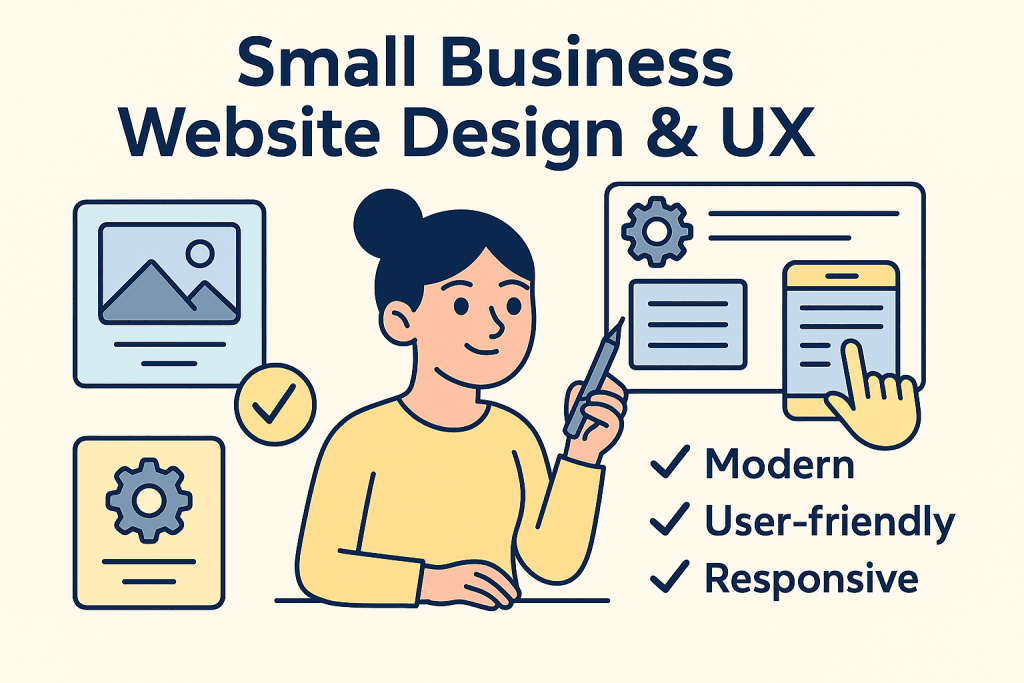
Productised packages like VVRapid’s sit on the accessible end of professional pricing:
- Starter Web – $250
- Up to 3 pages
- Responsive design, speed optimisation, hosting setup, social media icons, content upload
- Standard Web – $500
- Up to 6 pages
- All of Basic plus autoresponder integration, opt-in forms, ecommerce functionality, payment integration and up to 20 products
- Premium Web – $900
- Up to 12 pages
- All of Standard plus more products (up to 50), more plugins and more room for content and UX refinement
You don’t have to choose these exact numbers, but they give you realistic anchors for modern small business website design that includes proper UX thinking, not just theme installation.
Where hosting, maintenance and SEO fit into your website
Your website build is one piece of the puzzle. Good UX over time also depends on:
Hosting
Slow or unreliable hosting ruins user experience, no matter how good your design is.
You’ll usually pay:
- Monthly or yearly for hosting
- Yearly for your domain name
VVRapid’s LiteSpeed hosting packages are one way to handle this; many other providers offer comparable services. The key is choosing a host that’s fast and stable enough for your audience.
Website maintenance & care
After launch, your site needs:
- CMS, theme and plugin updates
- Backups and restore support
- Security monitoring and malware checks
- Occasional fixes when something breaks
This is where website maintenance packages come in. Even a small brochure site benefits from a basic care plan so your investment doesn’t quietly rot in the background.
SEO and content
Finally, you need people to actually find and use your website:
- SEO packages help your site rank for relevant searches
- Content writing packages (blogs, landing pages, social content) help you attract, educate and convert visitors over time
Think of your small business website design as the foundation—and hosting, maintenance, SEO and content as the ongoing work that keeps it performing.
How to choose the right website package from a UX point of view
When you’re comparing website packages—whether VVRapid’s or anyone else’s, look beyond the buzzwords.
Ask:
- Does this package give me the pages I really need?
- Simple local service? A basic 3-page small business website design might be enough.
- Multiple services, FAQs and some ecommerce? You’re closer to a standard or premium package.
- Is UX clearly considered?
- Do they talk about navigation, mobile, speed and clarity?
- Or just “stunning design” and “modern look”?
- Is enquiry or checkout obviously easy?
- Do they mention optimised forms and clear calls to action?
- What happens after launch?
- Is there a clear path to hosting, support and maintenance?
- Are SEO and content services available when you’re ready?
If a provider can’t answer those questions, it’s a sign the small business website design process might be more about visuals than results.
Final thoughts: design your small business website around real people
In 2026, almost every business has a website. Far fewer have a website that:
- Explains their value in seconds
- Works beautifully on mobile
- Feels fast, safe and easy to use
- Guides visitors naturally toward enquiry or purchase
That’s the edge that UX-focused small business website design gives you.
Whether you start with a basic three-page site or a more premium setup with ecommerce and integrations, the principles stay the same:
- Make it clear
- Make it fast
- Make it easy
- Make it trustworthy
Do that, and your website stops being “just online” and starts becoming a real part of how your small business wins customers.