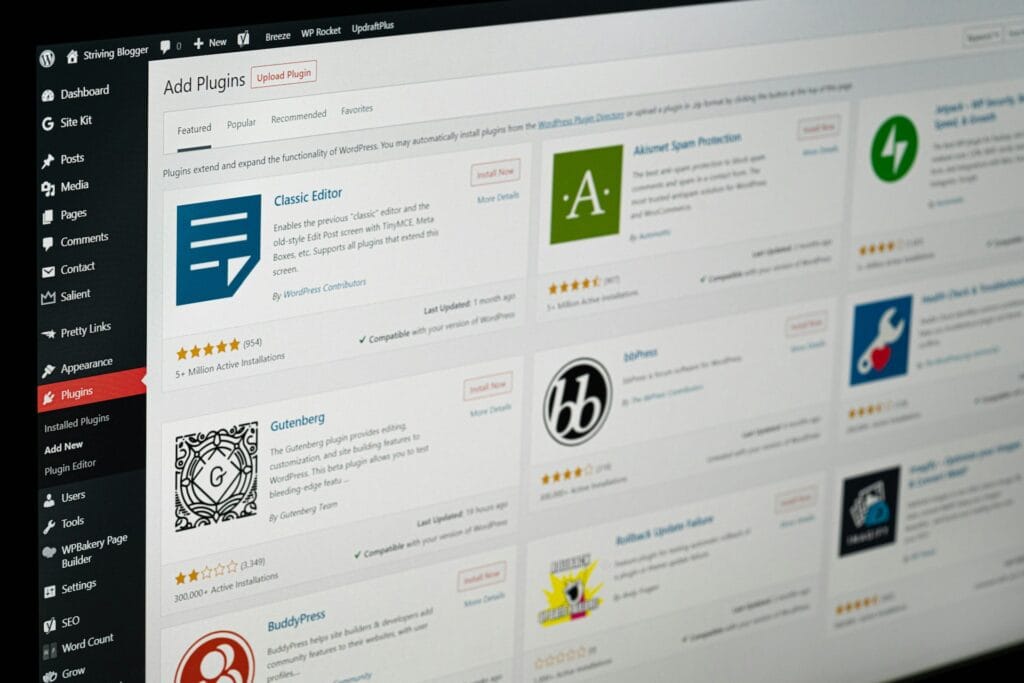
Custom WordPress plugin development is often the cleanest way to add the one feature your business actually needs – without stacking three bloated plugins and hoping they behave. If your site is starting to feel slow, fragile, or overly manual, this guide will help you decide whether a custom plugin is the right next step.
Think: Your website should reduce work, not create it.
Table of Contents
What custom WordPress plugin development actually is (in plain English)
A WordPress plugin is a package of code that adds features to WordPress without changing WordPress core. Custom WordPress plugin development simply means building a plugin specifically for your workflow. For example:
- a WooCommerce shipping rule that matches your real delivery zones,
- a “sync orders to CRM” button that replaces manual exports,
- a simple admin dashboard for staff to manage data without touching messy menus,
- an integration that talks to a third-party API.
If you’re unsure what’s “normal” in plugin land, the WordPress Plugin Handbook is a solid reference point for how plugins are structured and maintained.
The big decision: custom plugin vs off-the-shelf plugin

Off-the-shelf plugins are great when:
- your need is common,
- the plugin is reputable, actively maintained, and lightweight,
- and you can accept how it works (not force it).
Custom WordPress plugin development is usually a better fit when:
- your requirement is specific (not “popular plugin feature #37”),
- you need reliable integrations (CRM, payments, bookings, internal tools),
- you want to reduce plugin bloat,
- and you care about stability + long-term maintenance.
A useful way to think about it:
- Off-the-shelf: quick to install, may include extras you’ll never use.
- Custom: built only for what you need, but requires proper scoping, testing, and ongoing care.
How to decide on custom WordPress plugin development
Use this quick framework. If you hit 3 or more YES answers, custom WordPress plugin development is usually worth serious consideration.
1) Is the problem tied to your unique process?
YES examples:
- “We need discount rules based on our own customer tiers.”
- “We must route orders to different warehouses based on SKUs.”
- “We need approvals before content goes live.”
If you’re bending a generic plugin into a weird shape—custom is often cleaner.
2) Are you integrating with another system?
When you’re connecting WordPress to tools like CRMs, inventory systems, payment providers, or booking software, reliability matters. Many integrations end up using the WordPress REST API (or external APIs) to send/receive data as JSON.
If your business depends on this flow, custom WordPress plugin development can reduce “random breakage” caused by plugin updates and mismatched versions.
3) Are multiple plugins doing one job badly?
If you’ve got:
- one plugin adding fields,
- another plugin automating emails,
- another plugin exporting data,
- and a fourth plugin “fixing” conflicts…
…you’re paying a stability tax. Replacing that stack with one lean plugin is a common win.
4) Is performance or admin usability a real pain?
A custom plugin can keep admin screens simple and focused (the work your team actually does), rather than adding 20 menu items and settings pages.
5) Do you have security or compliance sensitivity?
If your plugin touches payments, personal data, or privileged actions, you want careful access control, validation, and secure coding practices aligned to common web app risks. A practical starting point is the OWASP Top 10 awareness list.
What you should prepare before requesting a quote
Custom WordPress plugin development goes faster (and cheaper) when the brief is clear. Here’s what to gather.
The “good brief” checklist
- Problem statement: what’s broken or too manual today?
- Success outcome: what should happen after the plugin is installed?
- Users & roles: who uses it? admin, editor, shop manager, staff?
- Data involved: what fields are stored, where they come from, where they go
- Integrations needed: CRM, payments, bookings, internal tools, etc.
- Rules & edge cases: the “but what if…” scenarios (refunds, failed payments, partial shipments)
- Screens needed: simple admin page, dashboard, WooCommerce settings, or none?
- Must-not-break list: key plugins/theme and any critical site features
- Hosting notes: caching, object cache, PHP version, traffic spikes
- Maintenance plan: who updates it, and how often?
If you want a starting point for the service conversation, VVRapid’s Custom Plugin Development page is here: Custom Plugin Development
What “done properly” includes (so your plugin doesn’t become the next problem)
Good custom WordPress plugin development isn’t just “it works on my computer.” It should include:
Clean architecture + WordPress conventions
- predictable structure, hooks, and admin UI patterns
- minimal “magic”
- clear separation of concerns
The WordPress Plugin Handbook is a reliable baseline for these conventions.
Security best practices

- capability checks and permissions
- input validation and output escaping
- safe storage of secrets (no hard-coded API keys)
- protection against common web risks (auth, access control, injection)
(OWASP’s Top 10 is the common awareness reference.) OWASP Foundation
Performance considerations
- avoid heavy queries on every page load
- run tasks only when needed (cron/queue patterns where appropriate)
- keep admin screens fast
- be careful with external API calls (timeouts, retries, caching)
Documentation that a real human can use
- how to configure the plugin
- what settings do
- what to do if something fails
- what the plugin logs (and where)
Typical scope examples (so you can estimate complexity)
Here are common “buckets” you can map your request to:
A) WooCommerce & e-commerce add-ons
- custom checkout fields
- shipping rules and zones
- discount logic tied to your business rules
- order routing / fulfilment logic
B) Business process automation
- “one-click” actions replacing manual tasks
- scheduled syncs (daily/weekly)
- automated notifications when statuses change
C) Third-party API integrations
- CRM sync (contacts, deals)
- booking systems
- payment provider webhooks
- internal tools / databases
These often use (or complement) the WordPress REST API approach.
D) Custom admin tools & dashboards
- focused dashboards for staff
- simplified reporting views
- bulk actions that save hours
What it can cost (realistic, non-hype)
Custom WordPress plugin development costs vary by scope and region – so treat numbers as guidance, not guarantees.
Using VVRapid’s own package ranges as a local reference point (South Africa):
- Basic CPD: $250 – $350 (R3 985 – R5 603)
- Standard CPD: $500 – $700 (R7 987 – R11 172)
- Premium CPD: $900 – $1 200 (R14 373 – R19 176)
Those ranges are useful for anchoring expectations, but pricing still depends on complexity, integrations, and testing needs.
A practical way to budget is to focus on total cost of ownership:
- build + testing,
- deployment,
- documentation,
- and ongoing maintenance (especially when WordPress / WooCommerce updates land).
For ongoing stability, a care plan matters too: Website Maintenance & Care
Common mistakes (and how to avoid them)
Mistake 1: “We’ll figure it out as we go”
That’s how scope creep happens. Even a one-page scope doc saves money.
Mistake 2: Building features that belong in the theme
If the feature is business logic (pricing, checkout rules, automation), it belongs in a plugin, not in theme code that changes with redesigns.
Mistake 3: Weak permissions and access control
Admin screens and endpoints must enforce roles properly. This is a frequent source of real-world plugin vulnerabilities.
Mistake 4: No plan for updates
WordPress moves. Your integrations move. Plan for maintenance from day one.
Mistake 5: Over-engineering the first version
Start with the smallest version that solves the core problem. Add enhancements only after it’s proven.
A quick “is it worth it?” checklist
If you can tick most of these, custom WordPress plugin development is typically worth the investment:
- ✅ This feature saves real time every week
- ✅ It reduces manual errors
- ✅ It improves checkout, reporting, or lead handling
- ✅ It removes plugin bloat / conflicts
- ✅ It creates a reliable integration with a tool you depend on
- ✅ It improves staff usability in wp-admin
- ✅ It lowers risk (security, stability, maintainability)
Implementation notes for non-technical owners (so you stay in control)
Even if you’re not writing code, you can still manage the project well:
- Ask for a short scope summary + list of edge cases.
- Confirm where credentials are stored and who has access.
- Ask what happens if an external API is down.
- Ensure you’re getting source code + documentation.
- Clarify the handover: who maintains it after launch?
If your build touches integrations, the WordPress REST API docs are helpful for understanding how data moves between systems.
How VVRapid can help (short + practical)
VVRapid builds lean plugins that solve specific problems. WooCommerce customisations, workflow automation, third-party integrations, and focused admin tools without adding unnecessary bloat. If you need a stable plugin that fits your existing setup (theme + current plugins), their custom plugin development service is designed around clean code, performance, and security-first practices. Get a Custom Plugin Quote
FAQ
How long does custom WordPress plugin development take?
It depends on complexity and integrations. As a reference point, VVRapid’s packages list delivery windows ranging from 7–21 days depending on scope and rush options.
Can you modify an existing plugin instead of building a new one?
Often yes, especially if the plugin is well-built and extendable. Sometimes it’s safer to build a small custom plugin that integrates with it rather than editing vendor code directly.
Will a custom plugin slow down my website?
It shouldn’t, if built properly. A lean custom plugin can be faster than multiple off-the-shelf plugins doing overlapping work.
What if we later want to publish the plugin on WordPress.org?
If that’s the goal, your plugin needs to follow WordPress.org directory expectations and guidelines.
Do we need special hosting for a custom plugin?
Not always, but performance-friendly hosting helps. Especially for WooCommerce and heavy admin tasks. → LiteSpeed WebServer Hosting
If you’re leaning toward custom WordPress plugin development, start with a simple brief: the problem, the desired outcome, and any integrations involved. Then speak to a developer with that clarity.
If you want help scoping and building something lean and stable: Contact VVRapid