
A website migration SEO checklist helps you protect rankings, traffic, and leads when you redesign your site, change URLs, move domains, switch platforms, or restructure key pages. Without one, even a beautiful new website can lose valuable search visibility because Google relies on stable URLs, redirects, crawlable pages, and clear signals during a move.
Table of Contents
A redesign should improve performance, usability, and conversion paths. But redesigns often change templates, navigation, content structure, metadata, and URL paths all at once. That is exactly why a website migration SEO checklist matters. It helps you keep what is already working while improving what is not.
What counts as a website migration?
A migration is not only a full domain change.

A website migration can include:
- redesigning the site and changing page URLs
- moving from HTTP to HTTPS
- changing domain or subdomain
- switching CMS or ecommerce platform
- consolidating pages
- changing site architecture and navigation
- merging multiple sites into one
- moving blog content into a different folder structure
Google specifically treats URL changes and site moves as a sensitive process, which is why redirects and careful rollout planning matter so much.
Why redesigns can hurt SEO
When rankings drop after a redesign, it is usually not because Google dislikes modern design. It is because the migration broke signals that search engines and users relied on.
Common causes include:
- missing or incorrect redirects
- deleted pages with no equivalent replacement
- changed title tags and headings without a strategy
- internal links still pointing to old URLs
- blocked pages or staging settings left in place
- poor mobile performance after launch
- missing canonicals, metadata, or sitemap updates
- thin rewritten copy that removed keyword relevance
A website migration SEO checklist helps reduce those avoidable mistakes.
When to start using a website migration SEO checklist
Start before design begins, not the week of launch.
The earlier SEO is involved, the easier it is to:
- keep valuable URLs where possible
- map old pages to new pages properly
- preserve content depth and keyword intent
- avoid cutting high-performing sections
- build redirects once, not in panic later
If a redesign is already underway, it is still worth pausing to document what currently performs well before anything goes live.
Step 1: Benchmark your current SEO performance
Before changing anything, document what you already have.
Pull baseline data for:
- top landing pages from organic search
- pages that generate leads or sales
- pages with strong backlinks
- keywords with meaningful rankings
- indexed pages
- top-performing blog posts
- technical issues already present
This matters because you cannot protect what you have not recorded.
Use tools you already trust:
- Google Search Console for indexed pages, queries, and click data
- Google Analytics for traffic and conversions
- your CMS export or crawl for URL lists
- backlink tools if available
Google Search Console’s page indexing and URL inspection reports are especially useful after launch too, so it is worth having access ready before the migration starts.
Step 2: Export every important URL
Do not rely on memory.
Export:
- all live indexable URLs
- blog posts
- service pages
- location pages
- category pages
- PDFs or other indexed assets if relevant
Then label them by importance:
- keep as is
- improve and keep
- merge
- redirect
- retire
This becomes the backbone of your migration plan.
Step 3: Identify pages you must protect
Some pages matter more than others. Your website migration SEO checklist should clearly mark the pages that cannot be mishandled.
Usually these include:
- highest-traffic organic pages
- highest-converting landing pages
- pages ranking for commercial keywords
- pages with good backlinks
- local landing pages that drive enquiries
- cornerstone guides and long-form resources
These are the pages to review line by line before launch.
Step 4: Create a redirect map
This is one of the most important steps in the whole process.
Every old URL that is changing should point to the most relevant new URL. Not the homepage. Not a broad category page unless it is genuinely the closest match.
A good redirect map should include:
- old URL
- new URL
- page type
- redirect status
- notes on content changes
Google recommends permanent redirects when content has moved for good, and the site-move guidance stresses keeping redirects in place long enough for Google and users to process the change.
Redirect rules to follow
- redirect to the closest equivalent page
- avoid redirect chains
- avoid redirect loops
- do not send everything to the homepage
- keep redirects live after launch
- test them before going live
If the redesign changes many URLs, this step alone can protect a large chunk of your rankings.
Step 5: Preserve search intent, not just design
A common redesign mistake is rewriting copy to sound cleaner while accidentally removing the terms and supporting sections that helped the page rank.
Check each important page for:
- main keyword theme
- heading structure
- supporting subtopics
- FAQ content
- local modifiers
- internal links
- conversion elements
You can improve the writing and layout, but do not strip away the substance.
This is also where VVRapid’s Search Engine Optimisation can support a redesign by protecting keyword intent while improving the page experience.
Step 6: Review metadata and on-page elements
Before launch, compare the old and new versions of important pages.
Check:
- title tags
- meta descriptions
- H1 headings
- image alt text
- canonical tags
- schema if relevant
- indexability settings
Even a strong design refresh can lose visibility if metadata is rewritten carelessly or important pages are set to noindex.
Step 7: Keep internal links aligned with the new structure
After migrations, websites often launch with internal links still pointing to old URLs. That creates unnecessary redirects and weakens clarity for users and crawlers.
Review:
- main navigation
- footer links
- contextual links in service pages
- blog-to-service links
- breadcrumb trails
- XML sitemap references
Internal linking is one of the quickest post-launch wins if something slips through. Website Maintenance & Care is relevant here when you need ongoing checks and cleanup after launch.
Step 8: Check technical settings before launch
Your website migration SEO checklist should include a short pre-launch technical review.
Confirm:
- robots.txt is correct
- staging site is blocked, live site is crawlable
- important pages are indexable
- canonicals point to live URLs
- XML sitemap is updated
- mobile rendering works
- page speed is acceptable
- analytics and Search Console are set up
- forms and conversion tracking work
Google’s Search Console documentation is useful here because URL Inspection can help confirm whether a page is crawlable and indexable after launch.: Site Moves and Migrations | Google Search Central ↗
Checklist: pre-launch website migration SEO checklist
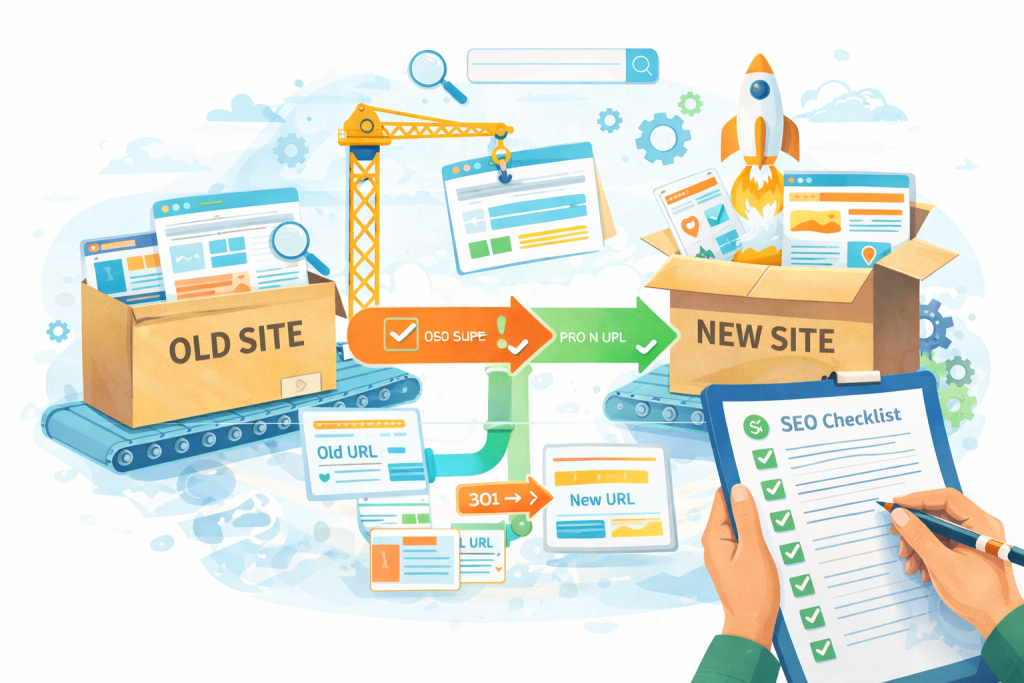
Use this before the site goes live:
- □ Export all current indexable URLs
- □ Benchmark top pages, rankings, and conversions
- □ Mark pages to keep, merge, redirect, or retire
- □ Create and test a full redirect map
- □ Preserve high-value copy and search intent
- □ Review title tags, headings, canonicals, and index settings
- □ Update internal links and navigation
- □ Generate a clean XML sitemap
- □ Verify analytics and Search Console access
- □ Test the site on mobile and desktop
- □ Check forms, thank-you pages, and tracking
- □ Confirm no staging blocks remain on the live site
Step 9: Launch carefully, not casually
Try to launch when your team can actively monitor the site. A Friday night launch with no one checking Search Console, redirects, forms, and crawlability is risky.
Once live:
- test key redirects
- crawl the new site
- check top landing pages manually
- submit the sitemap
- inspect critical URLs
- review conversions and forms
- check indexing signals in Search Console
If the migration includes a domain change, Google’s Change of Address tool may also be relevant after the move and redirects are in place.: Change of Address tool – Search Console Help ↗
Step 10: Monitor the first few weeks after launch
A website migration SEO checklist is not complete at launch. Post-launch monitoring is where you catch the issues that matter.
Watch for:
- 404 pages
- redirect errors
- pages excluded from indexing
- sharp drops in organic landing page traffic
- ranking losses on priority keywords
- sitemap errors
- unexpected canonical issues
- conversion drops on redesigned pages
Google Search Console’s Page indexing report shows the indexing status of URLs Google knows about, while URL Inspection helps you check specific pages individually.: Page indexing report – Search Console Help ↗
Common mistakes during site migrations
1. Redirecting everything to the homepage
This is one of the fastest ways to lose relevance and frustrate users.
2. Cutting content too aggressively
Cleaner design is good. Thin pages are not.
3. Changing URLs without a reason
If a URL works and there is no strong reason to change it, leave it alone.
4. Launching with no benchmark data
Then nobody knows whether the drop was caused by the redesign or was already happening.
5. Forgetting internal links
Even good redirects create friction if your own site still points to old paths.
6. Leaving noindex or blocked settings in place
This happens more often than teams expect.
7. Treating launch day as the finish line
It is the start of the monitoring phase, not the end.
When a migration is worth it
Not every site needs a major rebuild.
A migration or redesign is worth serious consideration when:
- the current site is hard to maintain
- templates block conversion improvements
- the platform limits speed or SEO control
- the information architecture is messy
- mobile usability is weak
- growth plans require a cleaner structure
If the real issue is a handful of weak pages, a full rebuild may be unnecessary. In some cases, improving content, internal linking, speed, and maintenance is safer than changing the whole structure at once.
This is where VVRapid’s Website Design & Development and Digital Strategy Roadmaps can help decide whether you need a redesign, a lighter rebuild, or a more targeted SEO improvement plan.
A practical example
Imagine a small services company redesigns its site and changes:
/services/seo-consulting/to/seo//blog/why-seo-matters/to/insights/seo-benefits/- several location pages are removed entirely
- old internal links still point to the previous structure
The new design looks better, but rankings slip because:
- some redirects are missing
- key local pages disappeared
- title tags were rewritten too broadly
- Search Console shows excluded pages and new 404s
A website migration SEO checklist would have caught most of that before launch.
How VVRapid can help
VVRapid can help plan migrations so your redesign does not accidentally wipe out the search visibility you already earned. That may include URL mapping, redirect planning, page-by-page SEO review, metadata checks, internal link updates, and post-launch monitoring. The aim is simple: launch a better site without losing the rankings and enquiries that matter.
View Search Engine Optimisation or Website Design & Development if you want support before, during, or after a redesign.
FAQ: Website Migration SEO Checklist
What is a website migration SEO checklist?
A SEO migration checklist is a structured list of actions that helps protect rankings and traffic when your site changes URLs, design, platform, or domain.
Can a redesign hurt SEO even if the new site looks better?
Yes. SEO losses usually come from broken redirects, changed content, technical settings, or poor launch sequencing, not from visual changes alone.
Do all URL changes need redirects?
If the old URL had value for users or search engines, usually yes. Redirect it to the closest relevant new page.
How long should I monitor SEO after a migration?
Watch closely for at least several weeks, and keep checking priority pages, indexing, redirects, and conversions as Google processes the changes.
Should I change URLs during a redesign?
Only when there is a clear reason. Unnecessary URL changes add risk.
What should I check first after launch?
Redirects, indexability, sitemap submission, top landing pages, forms, and Search Console coverage.