
Website content maintenance is one of the easiest ways to keep a business website credible without rebuilding the whole site. For many small businesses, the problem is not that the website looks terrible. It is that the content quietly drifts out of date. Team pages change, old offers stay live, service details become vague, contact information no longer matches reality, and trust signals start feeling stale.
Google’s guidance on people-first content also makes it clear that helpful, reliable content should be created for people, not just search engines.
Table of Contents
When that happens, the site may still be online, but it stops doing its job properly. Prospects hesitate. Leads become lower quality. Existing customers get confused. In competitive markets, even small signs of neglect can chip away at trust. That is why website content maintenance matters. It protects credibility, improves clarity, and helps your site stay useful month after month.
What website content maintenance actually includes
Website content maintenance is the ongoing work of reviewing, correcting, improving, and refreshing the live content on your website so it stays accurate, useful, and aligned with the business as it exists today.
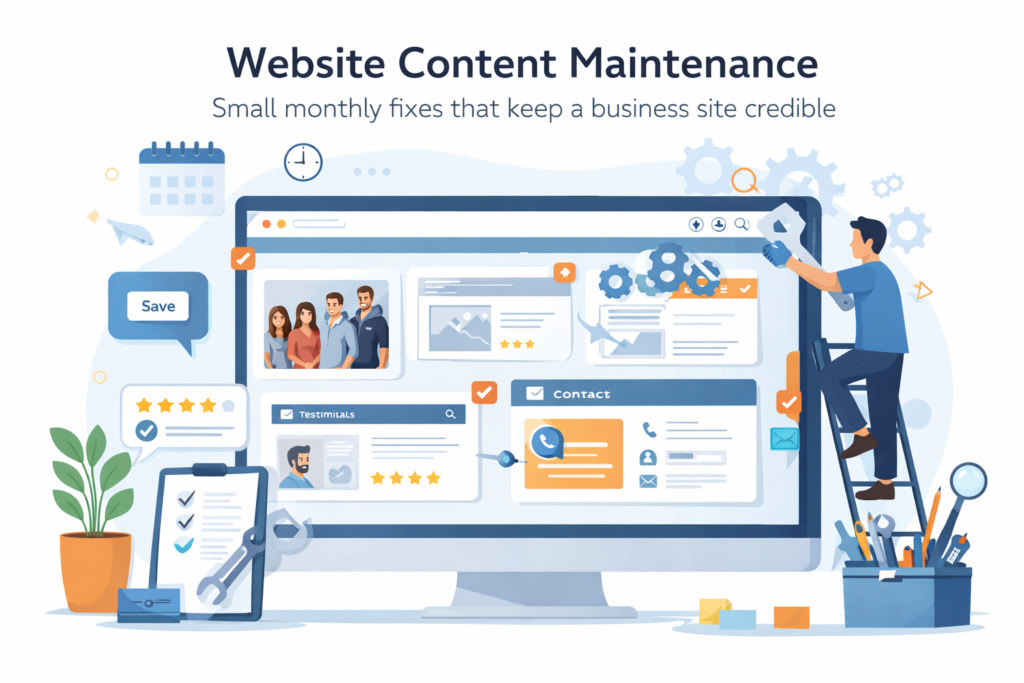
It usually includes:
- updating service descriptions
- correcting pricing references or quote language
- replacing old staff or team details
- refreshing calls to action
- fixing outdated images
- checking forms and contact details
- removing expired promotions
- updating FAQs
- reviewing testimonials and proof points
- tightening wording that no longer reflects the business
This is different from a full redesign. It is also different from technical website maintenance. Technical maintenance keeps the site functioning. Website content maintenance keeps the site believable.
That distinction matters because a business site can be technically healthy while still feeling neglected to a visitor.
Why outdated website content hurts trust faster than many owners expect
Most business owners notice obvious breakages. They do not always notice credibility leaks.
Examples include:
- a 2023 special offer still visible in 2026
- a services page that mentions staff who left months ago
- a footer with an old phone number
- a booking page with outdated timeframes
- a blog recommending an old process you no longer use
- a homepage headline that no longer matches your real offer
None of these issues may break the site. But together, they make it feel less trustworthy.
Google’s guidance on creating helpful, reliable, people-first content focuses on satisfying users with content that is genuinely useful and aligned with real experience. Content that feels neglected or misleading does the opposite.
For a small business, that is not just an SEO issue. It is a buyer confidence issue.
The pages that usually go stale first
Not every page ages at the same speed. In most small business sites, the same weak spots appear again and again.
Homepage
The homepage often keeps an old headline, outdated positioning, or a vague value proposition long after the business has evolved.
Services pages
These pages go stale when service scope changes, new deliverables are added, or old wording no longer reflects how the work is sold.
This is where Website Design & Development and Website Maintenance & Care can connect naturally. Design gives the page structure. Website content maintenance keeps the message accurate.
About page
The About page often gets ignored for years. Team changes, business story changes, capabilities mature, but the page stays frozen.
Contact page
A wrong phone number, old business hours, outdated form routing, or an email that is not monitored can quietly cost leads.
FAQs
FAQ sections often become inaccurate because they are rarely reviewed after launch.
Testimonials and proof
Old testimonials can still be useful, but they lose power if they reference outdated services, old branding, or markets you no longer serve.
Blog and resource content
Blog posts can become outdated in facts, examples, screenshots, pricing references, process descriptions, or recommendations.
Google provides a process for refreshing outdated content in search results when content has changed significantly, which highlights how stale information can persist beyond the page itself.
A practical monthly website content maintenance routine
The best website content maintenance routine is usually simple enough to repeat.
Week 1: review core business pages
Check:
- homepage
- top service pages
- About page
- Contact page
- key landing pages
Look for accuracy first, not perfection.
Week 2: review trust signals
Check:
- testimonials
- client logos
- certifications
- team bios
- process steps
- turnaround claims
- location references
If something no longer reflects the real business, change it.
Week 3: review conversion paths
Check:
- calls to action
- enquiry forms
- booking forms
- quote request wording
- downloadable guides
- thank-you pages
This is also a good place to connect with Search Engine Optimisation, because clearer pages and better aligned calls to action can support both user experience and search performance.
Week 4: review blog and supporting content
Check:
- old statistics
- process references
- screenshots
- internal links
- old offers or dates
- references to retired services
Not every article needs a full rewrite. Many only need a light refresh.
Checklist: website content maintenance tasks to do every month
Use this section as the scannable checklist.
- □ Confirm phone number, email address, and form routing are correct
- □ Review homepage headline and primary call to action
- □ Update service descriptions if scope or wording has changed
- □ Remove expired promotions, dates, and seasonal references
- □ Check team bios, staff names, and role descriptions
- □ Refresh testimonials if older ones no longer reflect current offers
- □ Review FAQs for accuracy
- □ Update trust badges, accreditations, and policy links
- □ Check internal links and replace broken or outdated references
- □ Review blog posts that still attract traffic
- □ Replace weak or old screenshots where relevant
- □ Confirm location references still match target markets
- □ Tighten vague copy that no longer explains the offer clearly
- □ Make sure pricing language still reflects how quoting works
A short monthly review is easier than a major clean-up once the site has drifted for a year.
Common mistakes in website content maintenance
Treating content updates as optional admin
When content updates are always pushed back, the site slowly becomes less credible. The damage is gradual, which is why it gets ignored.
Only updating the homepage
A polished homepage does not help much if the deeper service pages, forms, and FAQs feel old.
Leaving old offers live
Old package names, old pricing references, or outdated timelines can create confusion before a sales conversation even starts.
Forgetting the About page
Prospects often check the About page to judge whether the business feels real, current, and trustworthy.
Ignoring blog posts that still rank
Some older articles continue bringing in traffic long after the business has changed. If those posts are inaccurate, they can attract the wrong audience or create false expectations.
Updating words but not visuals
Website content maintenance includes images, screenshots, proof elements, layout details, and page hierarchy. Sometimes the message has changed, but the page still looks like the old version of the business.
Making changes without a system
If no one owns the review process, the same stale content remains live for months.
How website content maintenance supports conversions, not just credibility
The biggest value of website content maintenance is often trust. But trust is not the only outcome.

It also helps:
- improve lead quality
- reduce repetitive pre-sales questions
- align expectations before contact
- support stronger conversion paths
- make calls to action feel more relevant
- reduce friction on key pages
For example, when a service page clearly explains what is included, who it is for, and what happens next, leads tend to be better aligned. When the page is vague or outdated, enquiries become less qualified.
That is why website content maintenance fits neatly alongside Socials, Blog & Article Writing Services and Digital Strategy Roadmaps. Content strategy gets stronger when the live website stays aligned with the actual business.
A useful way to prioritise content fixes
Not every outdated page deserves the same attention. A practical approach is to sort pages into three groups.
High-priority pages
These affect trust or leads directly:
- homepage
- top service pages
- contact page
- quote request page
- booking page
- About page
Medium-priority pages
These support decision-making:
- FAQs
- process pages
- testimonials pages
- case study pages
- lead magnet pages
Lower-priority pages
These still matter, but can be handled in batches:
- older blog posts with little traffic
- archive pages
- older campaign landing pages
- old media mentions
This makes website content maintenance easier to manage. You are not trying to perfect everything each month. You are protecting the pages that matter most.
Who should own website content maintenance?
For many small businesses, this work falls into a gap.
The developer is not focused on wording.
The founder is too busy.
The marketing person updates only campaign content.
Nobody owns the details.
That is why content drift happens.
In practice, website content maintenance works best when:
- one person owns the review checklist
- monthly checks are scheduled
- changes are tracked
- content, design, and technical support are coordinated
- urgent fixes are separated from planned improvements
This is also where Fractional Digital Team can be a natural internal link, especially for businesses that need steady execution without hiring a full in-house team.
A light South Africa note for service businesses
For South African businesses, credibility issues can show up in very practical ways. Pages may still mention service areas that are no longer actively covered. WhatsApp numbers may have changed. Turnaround promises may no longer fit current demand. Pricing language may still reflect old assumptions. None of these are dramatic problems on their own, but together they can make a business feel inconsistent.
The broader point applies globally. Buyers notice when a site feels current, and they also notice when it feels neglected.
When website content maintenance should be part of a care plan
If your website rarely changes and only acts like a digital brochure, you may get away with a light quarterly review.
But if your site:
- generates leads
- supports sales conversations
- publishes regular content
- updates offers often
- runs campaigns
- serves multiple locations
- evolves its services over time
then website content maintenance should be part of an ongoing website care process.
That is where a structured care plan becomes useful. Instead of reacting only when something looks wrong, you build a repeatable rhythm for checking what visitors actually see.
How VVRapid can help
VVRapid can help treat website content maintenance as part of the wider Website Maintenance & Care process, not as an afterthought once the site is live. That can include small monthly content changes, layout refinements, page clean-ups, and a steadier process for keeping key pages aligned with the business as it actually operates. For businesses that want stronger visibility as well as stronger page quality, related services such as Search Engine Optimisation, Socials, Blog & Article Writing Services, and Website Design & Development can fit naturally around the same goal.
A credible website is rarely the result of one big redesign. More often, it comes from small, consistent improvements that stop the site from quietly falling behind.
Explore the Website Maintenance & Care service or contact VVRapid if you want help keeping your site current, accurate, and easier for prospects to trust.
FAQ
What is website content maintenance?
Website content maintenance is the ongoing work of reviewing and updating live website content so it stays accurate, useful, and aligned with the current business.
How often should a business update website content?
For many small business sites, a monthly review of key pages is a practical starting point. Some sites may only need quarterly checks, while active lead-generation sites often benefit from monthly updates.
Is website content maintenance the same as SEO?
No. SEO includes technical, on-page, and content work aimed at improving visibility. Website content maintenance focuses more on keeping pages current, clear, and credible, though the two often support each other.
Which pages should be reviewed first?
Start with the homepage, key service pages, About page, contact page, and any page directly involved in enquiries or bookings.
Do blog posts need maintenance too?
Yes. Older blog posts can still attract traffic long after they were published. If they contain outdated examples, offers, screenshots, or process advice, they should be refreshed.
Can small content changes really affect trust?
Yes. Outdated details, vague service descriptions, old team information, and expired offers can make a business feel less reliable even when the website still functions perfectly.