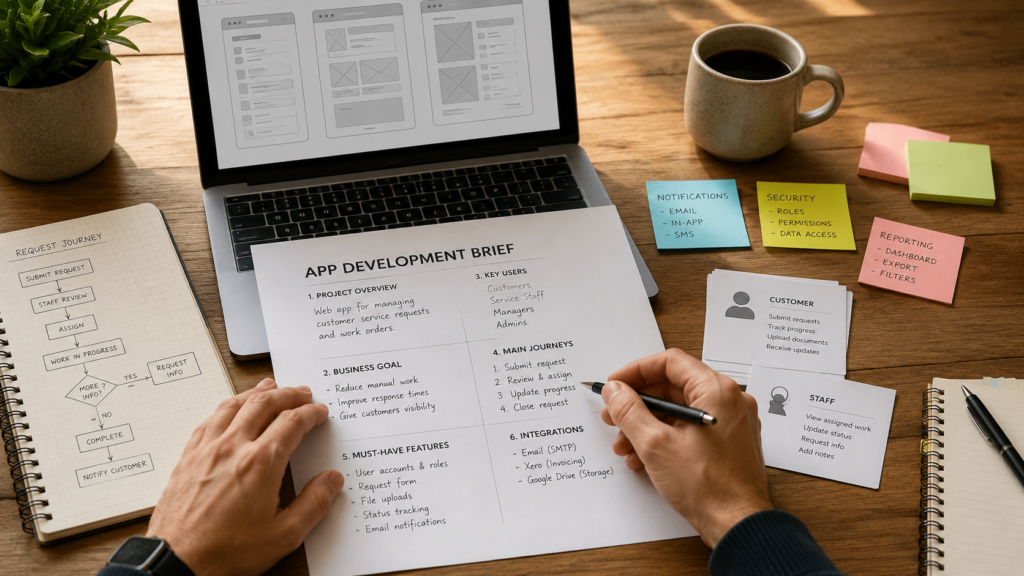
An app development brief turns a web app idea into something a developer can assess, discuss and quote with fewer assumptions. For founders and small business owners, it is one of the simplest ways to get clearer proposals without trying to write a technical specification yourself.
Table of Contents
You do not need to know which programming language, database or hosting architecture should be used. You do need to explain the business problem, the people using the app, the tasks they must complete and the result you expect.
A useful brief gives developers enough context to identify uncertainty. It also helps them distinguish a straightforward feature from one that depends on complex permissions, integrations, data rules or third-party systems.
This guide explains what to include in an app development brief, what to leave for technical discovery and how to prepare a quote request that developers can respond to properly.
What Is an App Development Brief?
An app development brief is a structured summary of the web app you want to create.
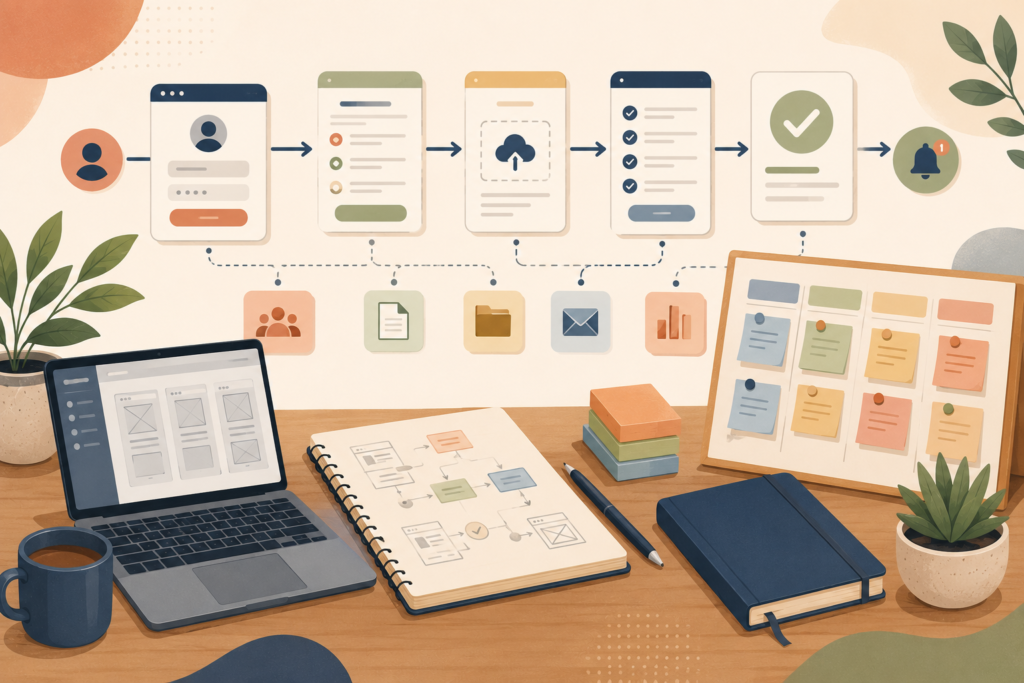
It describes:
- The business problem
- The intended users
- The main user journeys
- The required features
- The information the app must store
- Any systems it must connect to
- The expected launch scope
- Known constraints
- The outcome you want from the quote
Think: describe the work the app must help people complete, not just the screens you imagine.
A brief is not the same as a full app requirements document. A detailed requirements document may contain technical rules, acceptance criteria, data models and specifications for every function. Most founders will not have that level of detail before speaking to a development team.
Your initial software development brief should create enough clarity for a developer to:
- Understand the opportunity
- Identify major technical dependencies
- Ask informed follow-up questions
- Recommend a sensible first phase
- Explain what must be confirmed before a fixed quote is possible
VVRapid’s app design and development service can help turn an early idea into a structured web app scope.
Why Developers Cannot Quote a Vague App Idea Accurately
Requests such as “I need a customer portal” or “I want an app that automates bookings” sound clear at first. In practice, they leave many unanswered questions.
A customer portal might allow users to view documents only. Another might include account management, payments, live reporting, team permissions, messaging and integrations with internal systems.
Those are very different projects.
A developer needs to understand the workflows behind the label. The number of pages is rarely the only important factor. Business rules, user permissions, data handling and integrations can affect the scope much more than the number of visible screens.
For example, “customers can reschedule a booking” may raise questions such as:
- How close to the appointment may they reschedule?
- Which time slots should be available?
- Must a staff member approve the change?
- Should the app update a calendar?
- Does the customer receive an email or SMS?
- Are deposits transferred or refunded?
- What happens when multiple staff members offer the same service?
An effective app development brief does not need to answer every technical question. It should expose the business rules that already exist.
This helps the development team see which areas are clear and which require discovery.
Start the App Development Brief With the Business Problem
Do not begin with a long feature list.
Start with the problem the web app should solve.
A good problem statement explains:
- What happens now
- Who experiences the problem
- Why the current process is inefficient or limiting
- What should improve
For example:
Our service team receives customer requests through email, WhatsApp and phone calls. Staff manually copy the information into spreadsheets, which causes missed updates and inconsistent records. We want a web app where customers can submit requests, view progress and upload supporting documents.
This is more useful than:
We need a portal with a dashboard, forms and notifications.
The first version gives the developer context. The second lists interface components without explaining why they matter.
Government Digital Service guidance recommends understanding users and the full problem they are trying to solve before designing a digital service. That principle applies equally well to small business software.: GOV.UK Service Manual, Understand Users and Their Needs ↗
Define the Business Outcome
Your app development brief should state what success looks like for the business.
Possible outcomes include:
- Reducing manual data entry
- Giving customers faster access to information
- Moving requests out of email threads
- Shortening the time needed to prepare quotes
- Making approval steps easier to track
- Reducing duplicate records
- Allowing a service to support more customers
- Giving managers a clearer operational view
Avoid vague goals such as “improve efficiency” without describing what should become faster, simpler or more reliable.
Where possible, include a measurable starting point.
For example:
Staff currently spend approximately 15 hours per week transferring customer information between emails and spreadsheets. The first version should reduce repeated data entry and give the team one place to manage each request.
This does not promise a particular result. It gives developers a meaningful outcome to design around.
Identify Every Important User Type
Your app project requirements should specify who will use the system.
Do not write “users” as if everyone has the same access and responsibilities.
A service-management web app might have:
- Customers
- Customer team members
- Service staff
- Managers
- Finance administrators
- System administrators
For each role, explain what that person needs to do.
Example user-role description
Customer
- Create an account
- Submit a service request
- Upload documents
- View request progress
- Respond to questions
- Download completed documents
Staff member
- View assigned requests
- Update statuses
- Request missing information
- Add internal notes
- Upload completed work
Manager
- View all requests
- Reassign work
- Monitor turnaround times
- Export reports
- Manage service categories
User roles affect your web app scope because they influence navigation, permissions, notifications and data visibility.
A concise user need statement can help align everyone around the person, their need and the reason it matters. Nielsen Norman Group describes this as a way to communicate user needs clearly across stakeholders.: Nielsen Norman Group, User Need Statements ↗
Describe User Journeys, Not Just Features
An app feature list is useful, but it becomes much more valuable when features are grouped into complete journeys.
A journey describes how someone starts and finishes a task.
For example:
Journey: customer submits a new request
- Customer signs in
- Customer selects a service
- The app displays the relevant form
- Customer enters the required details
- Customer uploads supporting files
- Customer reviews the information
- Customer submits the request
- The app creates a reference number
- Staff receive a notification
- Customer receives confirmation
This gives the development team more context than simply listing “login, forms, uploads and notifications”.
Other journeys might include:
- Staff review a new request
- A manager reassigns work
- A customer updates missing information
- An administrator creates a new service category
- A customer pays an invoice
- A user resets a password
- A manager exports a monthly report
For a first quote request, describe the five to ten journeys that matter most.
Separate Must-Have Features From Later Ideas
One of the most useful parts of an app development brief is a prioritised app feature list.
Use three groups:
Must have for the first release
These features are necessary for the app to solve its main problem.
Useful after launch
These features have value but are not required to test or operate the first version.
Future possibilities
These are ideas that may become relevant after the product has real users and usage data.
This structure prevents every good idea from becoming a launch requirement.
A simple prioritisation approach also helps developers suggest a practical first phase. Nielsen Norman Group outlines several methods for prioritising product and UX work when teams need to rank features, ideas or research needs.: Nielsen Norman Group, Prioritisation Methods ↗
Example
Must have
- Secure account access
- Customer request form
- File uploads
- Staff assignment
- Status updates
- Email notifications
Useful after launch
- In-app messaging
- Customer satisfaction survey
- Advanced filtering
- Branded PDF exports
Future possibilities
- Mobile app
- AI-assisted request categorisation
- Predictive workload reporting
- Multi-language support
This makes the app development quote easier to structure around phases.
Explain the Data the Web App Must Handle
You do not need to design a database. You should explain what information enters, moves through and leaves the system.
Consider:
- Customer contact details
- Company information
- Form submissions
- Uploaded files
- Appointment records
- Payment information
- Status history
- Internal notes
- Messages
- Reports
- Consent records
- Audit activity
Also describe where the information currently lives.
For example:
Customer details are stored in HubSpot, invoices are created in Xero and supporting documents are kept in Google Drive.
This immediately highlights possible integration and migration questions.
Mention whether the app will handle sensitive personal, financial, health or confidential business information. The developer may need to plan additional access controls, logging, encryption, retention rules or compliance work.
Do not assume “secure login” covers every security requirement.
List Integrations and External Services
Integrations are a common source of uncertainty in a web app quote.
Your app development brief should name any systems the app may need to connect to, such as:
- Accounting software
- Customer relationship management platforms
- Payment gateways
- Email marketing tools
- Calendar systems
- Cloud storage
- Mapping services
- Identity providers
- SMS providers
- Internal databases
- Existing WordPress websites
For each integration, describe the desired result.
For example:
When a customer accepts a quote, create or update the contact in the CRM and send the approved amount to the accounting system for invoicing.
Include documentation links when you have them. Also mention whether your business already has an active account and the required subscription level.
Some integrations may be better handled through an existing platform or a focused WordPress extension. VVRapid’s custom plugin development service may be relevant when the required functionality belongs within an existing WordPress environment.
Include Practical Constraints
A useful software development brief should identify known constraints without dictating technical solutions unnecessarily.
Relevant constraints may include:
- A target launch period
- A fixed event or operational deadline
- An existing website or platform
- Data that must be migrated
- Required integrations
- Internal approval processes
- Brand guidelines
- Accessibility needs
- Hosting policies
- Supported browsers or devices
- Staff availability for testing
- Legal or regulatory requirements
Be honest about deadlines.
“Launch as soon as possible” provides little planning value. A clearer statement would be:
We would like the first usable version available before our September intake. We can provide feedback twice per week and need two weeks for staff testing.
When discussing budget, you may provide a range if one has been approved internally. Pricing varies by scope and region, but even an indicative budget helps a developer recommend a realistic approach.
Do not hide a firm budget in the hope of receiving a lower quote. A serious development team needs to determine whether the expected scope and available resources are compatible.
State What You Expect From the Quote
Founders often send project information without saying what kind of response they need.
Your quote request should specify whether you want:
- An indicative cost range
- A fixed quote
- A paid discovery proposal
- A phased estimate
- A technical feasibility assessment
- A recommended first-release scope
- An estimated delivery schedule
- Ongoing support options
A developer may not be able to provide a responsible fixed quote from an early app development brief. Complex web apps often need a discovery phase to confirm workflows, edge cases and technical dependencies.
That is not necessarily avoidance. It can be a sign that the team recognises unresolved scope.

Ask the developer to explain:
- What is included
- What is excluded
- What assumptions were made
- Which items still need investigation
- How changes will be handled
- What you must supply
- How testing and approval work
- What happens after launch
Copy-and-Paste App Development Brief Template
Use this template as the body of your quote request.
1. Business overview
Business name:
Industry:
Website:
What we provide:
Main contact and decision-maker:
2. Project summary
We want to build a web app that:
[Describe the idea in two or three sentences.]
3. Current problem
At present:
[Explain the existing process, tools and difficulties.]
The main problems are:
4. Desired business outcome
The web app should help us:
We will consider the first release successful when:
[Describe a practical outcome.]
5. Intended users
User type 1:
What they need to do:
User type 2:
What they need to do:
User type 3:
What they need to do:
6. Main user journeys
Journey 1:
Starting point:
Steps:
Successful result:
Journey 2:
Starting point:
Steps:
Successful result:
Journey 3:
Starting point:
Steps:
Successful result:
7. First-release features
Must have:
Useful after launch:
Future possibilities:
8. Data and content
The app must store or process:
Existing data is currently stored in:
[Name spreadsheets, databases, platforms or folders.]
9. Integrations
The app may need to connect to:
The intended result of each connection is:
[Explain what information should move between systems.]
10. Access and permissions
Users should be able to see or change:
[Describe important access rules.]
Information that must remain restricted:
[Describe confidential or role-specific information.]
11. Constraints
Preferred launch period:
Existing systems:
Data migration:
Brand or accessibility requirements:
Legal or compliance considerations:
Internal testing availability:
12. Quote requested
Please provide:
- Recommended first-release scope
- Key assumptions
- Included and excluded work
- Indicative schedule
- Cost or proposed discovery process
- Payment structure
- Testing and launch approach
- Post-launch support options
App Development Brief Checklist
Before sending your quote request, check that you have included:
- ☐ A clear business problem
- ☐ The desired outcome
- ☐ All important user types
- ☐ The main user journeys
- ☐ Prioritised first-release features
- ☐ Existing tools and processes
- ☐ Data that must be stored or migrated
- ☐ Required integrations
- ☐ Important permission rules
- ☐ Known deadlines and constraints
- ☐ The type of proposal you expect
- ☐ A contact who can answer follow-up questions
- ☐ Any relevant diagrams, examples or documentation
The app development brief does not need to be perfect. It needs to be specific enough for a developer to identify what is known, what is assumed and what still needs to be explored.
Common Mistakes When Preparing an App Development Brief
Starting with a list of screens
Screens do not explain the business rules, user permissions or data flow behind them. Describe journeys first.
Treating every idea as essential
A crowded first release is harder to quote, test and launch. Separate must-have features from later opportunities.
Forgetting internal users
Many web apps include staff, managers and administrators. Their workflows may be as important as the customer experience.
Using vague feature labels
Words such as “dashboard”, “automation” and “reporting” can describe many levels of complexity. Explain what information appears and what action the user takes.
Hiding existing systems
Developers need to know where data currently lives and which platforms must remain part of the process.
Dictating technology too early
Unless your business has a genuine technical constraint, describe the outcome and let the development team recommend the implementation.
Requesting a fixed quote while the scope is still uncertain
A short discovery phase may be required before a fixed development quote can be prepared responsibly.
How VVRapid Can Help
VVRapid works with founders and small business owners to shape, design and develop practical web applications.
You can arrive with a detailed app development brief, a rough workflow or an early idea. The first step is to clarify users, journeys, features, integrations and the most sensible launch scope.
Where broader planning is required, a digital strategy roadmap can help connect the app project to your wider systems, customer experience and business priorities.
The goal is not to make the project sound bigger. It is to make the next decision clearer.
Frequently Asked Questions
How long should an app development brief be?
A useful brief may be two to five pages, depending on the project. Clarity matters more than length. Include enough detail to explain users, workflows, scope, data and constraints.
Do I need wireframes before asking for a quote?
No. Basic sketches can help, but they are not essential. A developer can often begin with your business problem and user journeys. Wireframes created too early may also lock attention onto screens before the workflow is understood.
Can a developer give me a fixed quote from the brief?
Possibly, if the scope is narrow and well understood. A more complex web app may require paid discovery before a reliable fixed quote can be produced.
Should I include my budget?
Include an approved range when possible. Pricing varies by scope and region, but budget context helps the developer recommend an appropriate first phase rather than preparing a proposal that does not fit.
Is an app development brief a legal contract?
No. The brief supports discussion and quoting. The final agreement should define scope, deliverables, responsibilities, payment terms, ownership, change handling and acceptance.
What happens after I submit the brief?
The developer should review it, ask follow-up questions and identify assumptions or risks. You may then receive an estimate, a discovery proposal or a phased development plan.
A clear app development brief will not remove every question. It will make those questions more useful.
Review VVRapid’s App Design & Development service when you are ready to turn your web app requirements into a practical quote request.