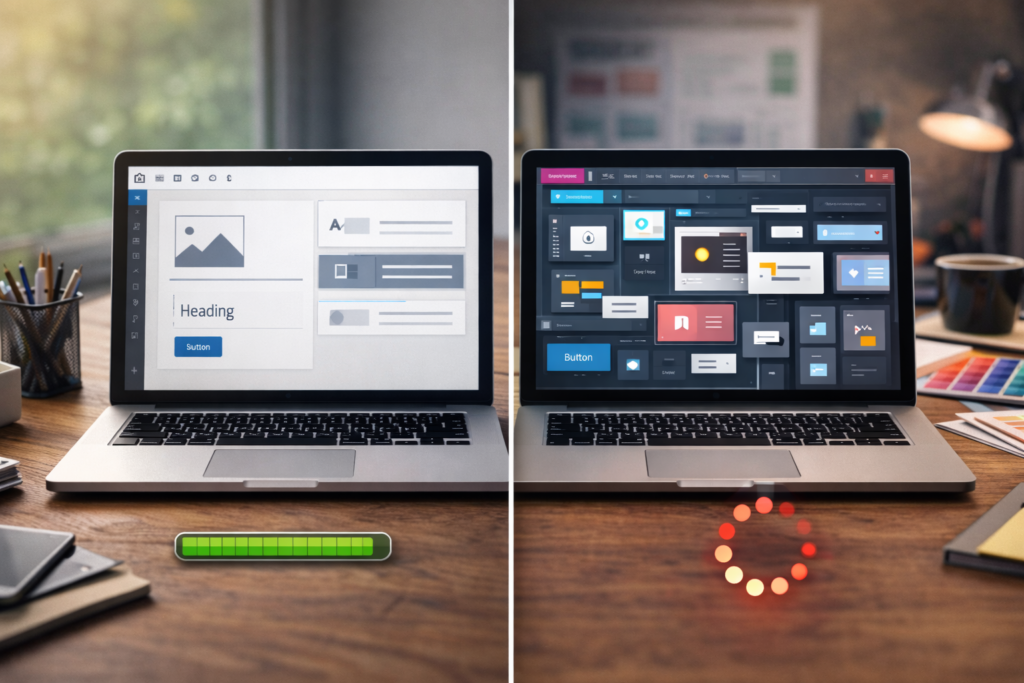
Choosing website features for small business projects can quickly become confusing. Contact forms, online booking, payments, live chat, email marketing, analytics, ecommerce, customer accounts and integrations can all sound useful, but that does not mean every feature belongs in version one of your website.
Table of Contents
A better approach is to start with what customers actually need to do on the website.
For one business, that might be requesting a quote. For another, it could be booking an appointment, buying a product, downloading information, calling a branch or sending a WhatsApp message.
Once that goal is clear, deciding which website features for small business websites need becomes much easier.
If you are already planning a new build, VVRapid’s Website Design & Development service explains the types of websites and functionality that can be built around different business requirements.
Website Features for Small Business: Start With the Customer’s Next Step
The best website features for small business owners are not necessarily the most impressive features.
They are the ones that make it easier for customers to complete an important action.

Before creating your website functionality checklist, ask:
- What should a visitor do after reading the homepage?
- How do customers currently contact us?
- Do they need to book a specific time?
- Do they need to pay immediately?
- Do they need a quote first?
- Are we selling physical or digital products?
- Does the business need customer accounts?
- Do customers need documents or downloads?
- Does the website need to exchange information with another system?
- Which information does the business need to measure?
These questions give you a much better starting point than copying features from another website.
A local electrician, restaurant, consultant, online retailer and subscription software company all have very different website requirements.
Their websites should reflect that.
The Core Features Most Small Business Websites Need
There is a basic layer of website features for small business sites that makes sense for almost everyone.
Responsive design
Your website needs to work properly across phones, tablets and desktop screens.
Responsive design affects far more than appearance. Buttons need to remain easy to tap, forms need to be usable, navigation must work on smaller screens, and important content should not disappear or become awkward.
Clear navigation
Visitors need an obvious route to important services, products, contact information and other key content.
Navigation is technically simple, but it is still an important part of business website functionality.
Contact options
Most service businesses need at least one clear way to make contact.
Depending on your customers, this could include:
- contact form
- email link
- phone link
- appointment booking
- quote request
You do not necessarily need all six.
Use the methods your customers are most likely to use.
Secure connection
A modern business website should use HTTPS.
This protects communication between the visitor’s browser and the website and is particularly important when forms, logins or payments are involved.
Basic analytics
You need some way to understand what happens after launch.
Useful measurements can include:
- website visits
- traffic sources
- popular pages
- enquiries
- purchases
- booking completions
- important button clicks
Analytics should support decisions rather than simply produce dashboards nobody checks.: Google Analytics Help ↗
Contact Forms: Keep the First Conversation Simple
Contact forms are among the most common website features for small business websites, especially service businesses.
But forms are often made unnecessarily complicated.
A first enquiry might only need:
- name
- email or phone number
- service required
- short message
You can gather more detailed information later.
There are exceptions. A construction company might need a project location and approximate scope. A digital agency might need a website URL. A delivery business might need collection and destination information.
The principle is simple.
Ask for information because you genuinely need it, not because the form builder makes another field easy to add.
Also consider what happens after submission.
The visitor should know that the form worked and understand what happens next.
Do You Need Online Booking at Launch?
Online booking is one of the most useful small business website features for businesses that sell time-based services.
Examples include:
- consultants
- therapists
- salons
- coaches
- tutors
- clinics
- repair services
- photographers
- appointment-based professionals
An online booking website can reduce administrative work because customers can choose from available times instead of exchanging multiple emails.
But booking functionality is not essential for every service business.
If every project requires a detailed discussion before a date can be confirmed, a normal enquiry or consultation request may be more appropriate.
Before adding booking, decide:
- What exactly can customers book?
- How long is each appointment?
- Does availability change frequently?
- Do you need deposits?
- Can appointments be rescheduled?
- Do staff calendars need to synchronise?
- Are reminders required?
If those rules are still unclear, it may be better to establish the process first and automate it later.
When Ecommerce Features Are Essential
If customers must purchase directly through the website, ecommerce becomes core business website functionality, not an optional extra.
Typical ecommerce website features include:
- product catalogue
- product pages
- cart
- checkout
- payment processing
- order confirmation
- customer emails
- shipping or delivery rules
- tax configuration
- inventory handling
The exact setup depends heavily on the business.
A shop selling 20 local products has different requirements from a retailer with hundreds of products, international shipping and multiple warehouses.
Avoid adding complex ecommerce features simply because they might be useful one day.
Start with the buying journey customers need now.
Then expand when real purchasing behaviour shows what needs improving.
Payments Without a Full Online Store
Not every business accepting online payments needs full ecommerce.
A service business might need:
- consultation deposits
- invoice payments
- event payments
- course registration fees
- fixed service payments
In those cases, a simpler payment workflow may be enough.
This is why planning website features for small business projects around customer actions is so useful.
“Accept online payments” is a requirement.
“Build a full online shop” is one possible solution, but it is not automatically the right one.
Email Marketing Integration
An email signup can be useful when you have something worth subscribing to.
That could be:
- useful articles
- product updates
- new stock announcements
- event information
- industry insights
- promotions
- downloadable resources
However, adding a newsletter field without any plan to send email creates little value.
Your website integrations should support a real process.
If content and organic visibility are part of the strategy, VVRapid’s Socials, Blog & Article Writing Services can support the content layer that gives visitors a reason to return or subscribe.
Live Chat and WhatsApp: Useful or Distracting?
Chat tools can be excellent website features for small business teams that can respond consistently.
They can also create frustration when they appear to offer instant support but nobody answers.
Before adding live chat, ask:
- Who will monitor it?
- During which hours?
- What response time can customers expect?
- Could WhatsApp serve the same purpose?
- Would a normal form be easier to manage?
A communication feature is only useful when the operational process behind it works.
A floating chat bubble cannot fix an unavailable team.
Website Search
A small five-page service website probably does not need an internal search box.
A larger website might.
Search becomes more useful when visitors need to navigate:
- many products
- documentation
- a large knowledge base
- hundreds of articles
- property listings
- jobs
- directories
- extensive resources
This is a good example of a feature that should be triggered by complexity.
Do not add search because large websites have it.
Add it when browsing without search becomes difficult.
Which Website Integrations Do You Need?
Modern businesses often use multiple platforms behind the scenes.
Potential website integrations include:
- CRM systems
- email marketing platforms
- accounting software
- calendars
- payment providers
- shipping services
- inventory systems
- customer support tools
- automation platforms
- analytics systems
An integration can eliminate repetitive administration and reduce manual data entry.
But integrations can also increase development complexity, testing requirements and maintenance.
Before including one at launch, ask:
- What information needs to move between the systems?
- How often does it need to move?
- What happens if the connection fails?
- Is there an existing supported integration?
- Does the business actually use the receiving platform consistently?
If the answer to the last question is no, integration can probably wait.
For more specialised functionality, VVRapid also provides Custom Plugin Development where standard tools do not fit the required workflow .
Do You Need Customer Accounts or a Client Portal?
Customer login functionality can be valuable when users genuinely need ongoing access to private information.
Examples include:
- documents
- invoices
- account information
- project status
- downloads
- support requests
- private resources
But customer accounts add more complexity than a normal informational website.
Authentication, permissions, password management, privacy, security and account support all need attention.
If customers only need to submit a contact form once, creating an account adds unnecessary friction.
VVRapid already has separate guidance covering client portal features in more depth, so treat a portal as its own project requirement rather than a default website feature.
Accessibility Is Part of Functionality
Accessibility should not be treated as a decorative extra.
A website needs to remain usable for people with different abilities, devices and methods of interaction.
Practical considerations include:
- sufficient colour contrast
- meaningful headings
- descriptive form labels
- keyboard navigation
- visible focus states
- useful image alt text
- understandable links
- readable content
The Web Content Accessibility Guidelines provide a recognised reference point for accessible digital experiences.: W3C Web Content Accessibility Guidelines ↗
Accessibility improves the experience for many users, not only people using assistive technologies.
Analytics and Conversion Tracking
Analytics deserves a place in your website functionality checklist from the beginning.
You do not need to track everything.
Track what helps you answer useful questions.
For a service business:
- Did someone submit an enquiry?
- Which page generated the enquiry?
- Which marketing source brought the visitor?
- Which services receive the most interest?
For ecommerce:
- Which products get viewed?
- What gets added to cart?
- Where do customers abandon checkout?
- Which channels generate sales?
If organic search is an important acquisition channel, your website structure and tracking should also support ongoing SEO work. VVRapid’s Search Engine Optimisation service covers that broader visibility strategy.
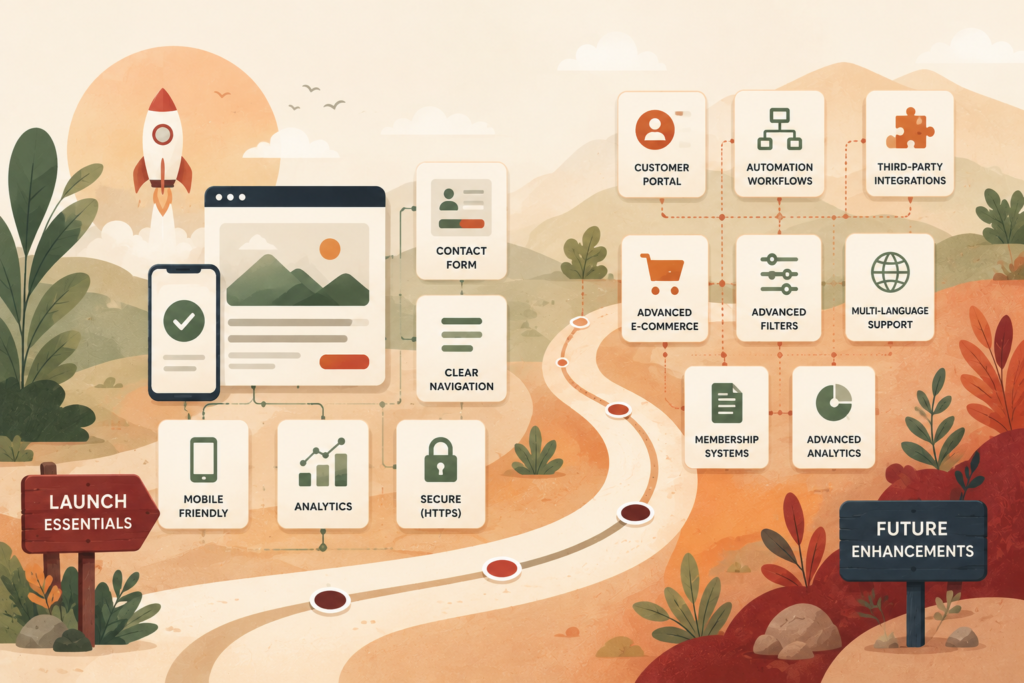
Features That Can Often Wait Until Phase Two
One of the easiest ways to control project complexity is to separate website features for small business launches into “needed now” and “useful later.”
Features that can often wait include:
- advanced calculators
- complex customer dashboards
- loyalty programmes
- sophisticated recommendation systems
- advanced filtering
- multilingual functionality when there is no current audience need
- large resource libraries
- automated quotation systems
- custom CRM connections
- complex membership systems
- interactive tools
This does not mean these features are bad ideas.
It means they should have a measurable business reason.
Launching a simpler website also gives you an opportunity to learn from real visitors before investing in more complicated functionality.
Checklist: Website Features for Small Business Launches
Use this checklist when defining your first build.
Core website
- Responsive layout
- Clear navigation
- Contact information
- HTTPS
- Basic analytics
- Privacy information where required
- Clear calls to action
Lead generation
- Contact form
- Quote request if required
- Phone or WhatsApp link where appropriate
- Conversion tracking
- Email notification workflow
Booking businesses
- Online calendar
- Availability rules
- Confirmation messages
- Cancellation or rescheduling process
- Deposits if required
Ecommerce
- Product catalogue
- Shopping cart
- Checkout
- Payments
- Shipping or delivery setup
- Order emails
- Inventory process where required
Marketing
- Analytics
- Search Console
- Email signup if actively used
- SEO foundations
- Social links where useful
Advanced functionality
- Customer accounts only if required
- CRM integration where it removes real manual work
- Custom functionality where existing tools are insufficient
- Automation only after the underlying process is clear
The best website features for small business launches are the ones connected to a real task, customer need or business process.
Common Mistakes When Choosing Website Features
Adding functionality because competitors have it
You do not know whether your competitor’s feature is useful, profitable or even used.
Build around your customers.
Trying to automate an unclear process
Automation works best when the manual process is already understood.
If your quoting, booking or fulfilment process changes every week, building complex automation around it too early creates more work.
Choosing too many tools
Every plugin, platform and integration introduces another dependency.
More technology can mean more updates, licences, compatibility considerations and possible points of failure.
Forgetting who will manage the feature
Someone needs to respond to chat, update products, manage bookings, monitor forms and maintain integrations.
Functionality without ownership often becomes stale.
Treating every feature as a launch requirement
A website does not need to solve every future business problem on day one.
Prioritise.
Launch.
Learn.
Then expand.
How to Decide What Makes Version One
If you are still deciding which website features for small business launches should include, score each proposed feature against four questions:
Does the customer need it?
Would removing it prevent or seriously inconvenience customers?
Does the business need it?
Is it necessary to fulfil, manage or measure an important process?
Will it be used immediately?
Is the team ready to operate it from launch?
Can it be added later?
Would delaying it create a real problem?
If a feature scores strongly on the first three questions, it probably belongs in version one.
If it is mainly based on “we might use this someday,” put it into a phase-two list.
That keeps your website requirements focused without limiting future growth.
How VVRapid Can Help
VVRapid can help turn a long feature wish list into a practical website scope.
The Website Design & Development service can cover the core site, ecommerce requirements and suitable integrations. Where a project needs functionality that standard WordPress tools cannot handle cleanly, Custom Plugin Development can support more specific requirements.
The aim is not to add as many features as possible.
It is to build the functionality the business and its customers actually need, while leaving room to expand later.
If you are planning a new website, review VVRapid’s Website Design & Development service and use your feature checklist to start a more focused project conversation.
FAQ
What website features for small business websites are essential?
The essential website features for small business websites usually include responsive design, clear navigation, secure HTTPS, contact options, useful calls to action and basic analytics. Booking, ecommerce and integrations depend on the business model.
Does a small business website need online booking?
Only if customers regularly need to reserve appointments, consultations or time slots. Businesses that require a detailed discussion before scheduling may be better served by an enquiry form.
Do I need ecommerce to accept online payments?
Not necessarily. Some businesses only need a straightforward way to collect deposits, invoice payments or fixed service fees. Full ecommerce is more suitable when customers need a catalogue, cart and checkout process.
Should I add live chat to my website?
Add live chat when somebody can manage it reliably. If your team cannot respond consistently, a contact form, phone number or WhatsApp option may create a better customer experience.
What website features can I add later?
Advanced customer portals, calculators, automation, complex filters, membership systems and custom integrations can often be added after launch once there is a clear business case.
External sources used in this article (helpful resources)
- Source: Google Analytics Help ↗
- Source: W3C Web Content Accessibility Guidelines ↗
- Source: Google Search Console ↗