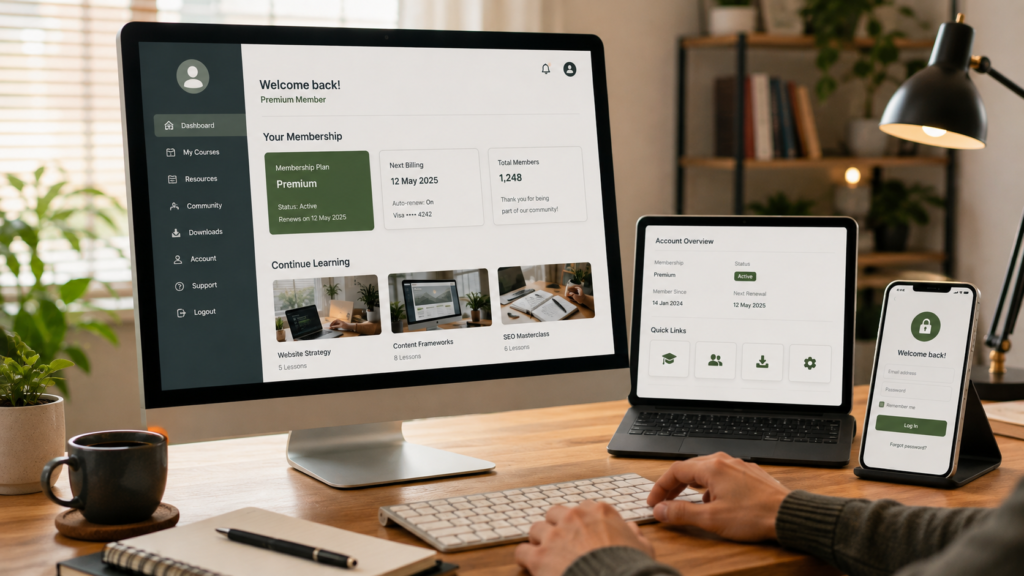
Website maintenance for membership sites needs to protect more than pages, plugins and uptime. When people log in, manage accounts, access protected content or pay recurring subscriptions through your website, maintenance also needs to protect the systems that decide who gets access, what they can see and what happens when their account changes.
Table of Contents
A brochure website can have a problem on one page while the rest of the site continues doing its job. A membership site is different. One broken login process, permission rule, renewal event or transactional email can affect dozens or hundreds of members at once.
That makes website maintenance for membership sites partly about technical upkeep and partly about protecting an ongoing service experience.
Businesses running active membership platforms can use ongoing Website Maintenance & Care to create a more structured process for updates, backups, monitoring and technical support.
Why Website Maintenance for Membership Sites Is Different
A normal business website mainly serves public content.
A membership site needs to understand who the visitor is.
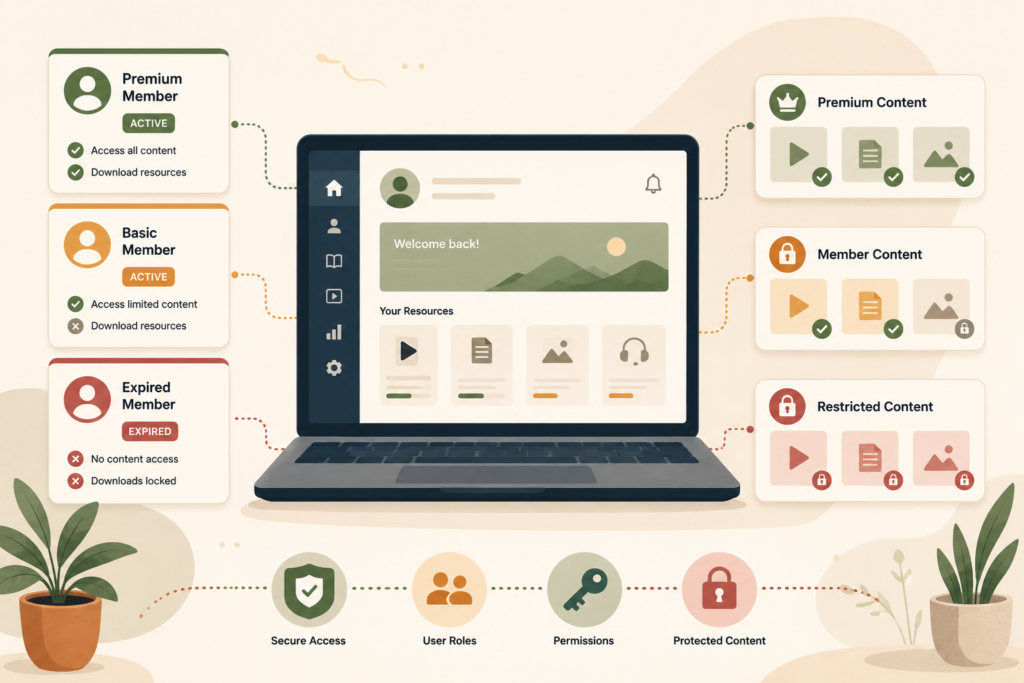
Depending on your setup, the website may need to know:
- whether someone is logged in
- which membership level they have
- whether their subscription is active
- which courses, downloads or resources they can access
- whether payment has succeeded
- whether their account has expired
- what user role or permissions they have
- which emails should be sent after account changes
That is why website maintenance for membership sites needs deeper functional testing than simply opening the homepage and confirming that WordPress is running.
Membership functionality often depends on several plugins and external services working together.
A maintenance process should test the connections between them.
Website Maintenance for Membership Sites Starts With the Member Journey
Before deciding what to monitor, map the important member journeys.
A typical journey might look like:
Visitor joins → account created → payment confirmed → correct membership assigned → welcome email sent → member logs in → protected content becomes available.
Renewal might look like:
Subscription renews → payment succeeds → membership remains active → receipt is sent → access continues.
Cancellation could trigger another sequence.
Understanding those journeys makes membership website maintenance much more useful because you are testing what members actually experience rather than only what administrators see.
Important journeys may include:
- registration
- account activation
- member login
- password reset
- membership upgrade
- membership downgrade
- renewal
- failed payment
- cancellation
- protected content access
- profile editing
- course or resource access
For website maintenance for membership sites, these workflows should be documented before an update causes one of them to behave differently.
Test Member Login and Account Access
Member login testing is one of the simplest recurring checks.
Test using an ordinary member account rather than only your Administrator login.
Confirm that a member can:
- reach the login page
- log in successfully
- log out successfully
- access their account dashboard
- update permitted profile information
- navigate to member-only areas
- see the correct membership information
- reset their password
WordPress includes multiple user roles and capabilities so different users can be allowed to perform different actions. Those permissions can also be extended or changed by plugins.: WordPress Roles and Capabilities ↗
That makes user access testing particularly important after membership plugin, user role or custom-code changes.
An Administrator account may appear to work perfectly because administrators can access almost everything.
Your members do not have those permissions.
Check Roles, Permissions and Protected Content
Permissions are where WordPress membership maintenance becomes more sensitive.
A website may have:
- free members
- paid members
- different subscription levels
- staff accounts
- instructors
- moderators
- administrators
Each group may need different access.
Run protected content testing using representative accounts.
For example:
Free member: Can they see free resources but not premium content?
Paid member: Can they access everything included in their plan?
Expired member: Is restricted content removed when appropriate?
Administrator: Can they still manage the necessary membership settings?
Maintenance should also check for the opposite problem.
It is not only about legitimate members losing access. A permissions mistake could accidentally expose content that should remain restricted.
This is one reason website maintenance for membership sites should include functional testing after changes to membership plugins, user roles, templates or access-control rules.
Treat Subscription Website Maintenance as a Workflow
If members pay recurring fees, their account status may depend on information moving between your website and the payment platform.
That adds another layer to website maintenance for membership sites.
Depending on the setup, payment events may need to:
- activate a membership
- renew access
- mark a payment as failed
- request updated payment details
- pause access
- cancel access
- change membership level
Stripe, for example, uses webhook events to notify connected systems about subscription events, including successful payments, failed payments and changes to subscription status.: Stripe Subscription Webhooks ↗
For subscription website maintenance, do not assume that a payment provider dashboard and the website always remain perfectly synchronised.
Where applicable, test:
- new subscription activation
- successful renewal
- failed renewal handling
- cancelled subscription handling
- membership expiry
- upgrade or downgrade
- payment confirmation
- access removal and restoration
The goal of recurring payment monitoring is not to manually inspect every transaction. It is to make sure the systems handling those changes continue communicating correctly.
Test Transactional Emails
Membership sites send emails that are much more important than newsletters.
These may include:
- account activation
- welcome messages
- password resets
- membership confirmations
- payment receipts
- failed payment notifications
- renewal reminders
- expiry notifications
A broken marketing newsletter is inconvenient.
A broken password reset can stop a paying member from using the service.
WordPress supports password recovery through its login process and normally sends the user the required password-reset email.: WordPress Password Reset Documentation ↗
That makes transactional email testing a useful part of website maintenance for membership sites.
Test important emails after changes to:
- SMTP configuration
- email provider
- membership plugin
- authentication tools
- domain DNS
- hosting
- checkout or subscription settings
Confirm both that the email is triggered and that it arrives.
Membership Site Backups Need to Match How Often Data Changes
A brochure website may only change when somebody edits a page.
A membership site may change every time somebody:
- registers
- updates a profile
- purchases a membership
- renews
- completes content
- changes a subscription
- submits member data
That difference matters when planning membership site backups.
WordPress stores website files and database information separately, and a complete recovery strategy needs to account for both.: WordPress Backup Documentation ↗
For website maintenance for membership sites, ask:
- How often does member data change?
- How often are backups created?
- Are files and database covered?
- Where are backups stored?
- How far back can you restore?
- Has the restore process been tested?
- What member activity could be lost after restoring an older database?
That final question is especially important.
Restoring yesterday’s database on a busy membership site could remove registrations, profile changes or subscription information created since that backup.
Backup frequency should reflect the rate at which important data changes, not simply the number of pages on the site.
Check Scheduled Tasks and Automated Processes
Some membership functionality happens when nobody is looking at the website.
WordPress plugins can use scheduled events for recurring tasks. WordPress itself provides WP-Cron for time-based actions, and plugins can use scheduled hooks for their own automated processes. (developer.wordpress.org)
Scheduled processes may be involved in:
- membership expirations
- renewal reminders
- automated emails
- content releases
- subscription syncing
- cleanup tasks
- data imports
- reporting
That means membership website maintenance may need to include checking whether expected scheduled tasks are running.
A plugin can look perfectly normal in the dashboard while an automated process behind it is delayed or failing.
If a membership platform relies on unusual automation or bespoke workflows, Custom Plugin Development may be relevant when the problem sits in custom functionality rather than routine maintenance.
Test Updates More Carefully on Membership Sites
Updates remain important, but membership plugin maintenance should consider the number of systems connected to each plugin.
Updating a simple gallery plugin is one thing.
Updating the plugin controlling membership levels, payments, recurring subscriptions and restricted content can affect several critical workflows.
For website maintenance for membership sites, higher-risk changes are good candidates for staging where the setup allows it.
After significant updates, test:
- registration
- login
- account dashboard
- permissions
- protected content
- password reset
- payment or subscription workflow where relevant
- transactional emails
VVRapid’s maintenance service includes staging on its more active website care levels, which can help create a safer workflow for significant changes.
Avoid assuming that “the update completed successfully” means every member workflow still behaves correctly.
Watch Performance Inside the Member Area
Public pages are only half of the website.
A membership dashboard may contain:
- account information
- downloads
- videos
- courses
- reports
- personalised content
- billing details
- large query-driven lists
These logged-in areas may behave differently from public pages because caching can be limited or personalised data has to be generated dynamically.
Website maintenance for membership sites should therefore include performance checks from a member’s perspective.
Look for:
- slow account dashboards
- delayed login
- slow protected pages
- heavy database queries
- resource-intensive plugins
- media delivery problems
- server resource limits
- performance degradation as membership grows
Where the infrastructure itself becomes a constraint, LiteSpeed WebServer Hosting can be reviewed separately from routine website maintenance.
Website Maintenance for Membership Sites Checklist
Use this recurring membership website maintenance checklist as a starting point.
Member access
- Test registration
- Test login and logout
- Test password reset
- Review important user roles
- Check membership levels
- Test protected content
- Confirm expired members lose the correct access
Subscription and payment workflows
- Test new membership activation
- Check recurring payment status
- Test failed-payment handling where practical
- Confirm cancellations update access correctly
- Check upgrade and downgrade workflows
- Review payment integration errors
Communication
- Test welcome emails
- Test account emails
- Test password-reset emails
- Check renewal or expiry notifications
- Confirm transactional email delivery
Technical maintenance
- Review WordPress updates
- Review membership plugin updates
- Check theme compatibility
- Review custom-code dependencies
- Check automated scheduled tasks
- Test critical workflows after updates
- Review performance inside the member area
Recovery
- Confirm backups are running
- Confirm database and files are covered
- Review backup retention
- Maintain an appropriate restore process
- Consider how much member data could be lost after a rollback
Common Mistakes With Membership Website Maintenance
Only testing as an Administrator
Administrator access can hide permission problems.
Use real test accounts representing different membership levels.
Treating a membership site like a brochure site
Website maintenance for membership sites needs to test member workflows, not just public pages.
Assuming successful payment means successful access
Payments and access may be handled by separate systems.
Check the complete workflow.
Forgetting password-reset and account emails
Login support is part of the member experience.
Include transactional email testing in maintenance.
Applying major updates directly to production
The more critical the membership plugin, the more carefully updates should be tested.
Using backup frequency designed for a static website
A database containing frequently changing member information needs a recovery strategy that reflects that activity.
How Often Should a Membership Site Be Tested?
There is no single schedule that fits every website maintenance for membership sites setup.
A small private resource library with 30 members has different risk from a platform processing recurring subscriptions every day.
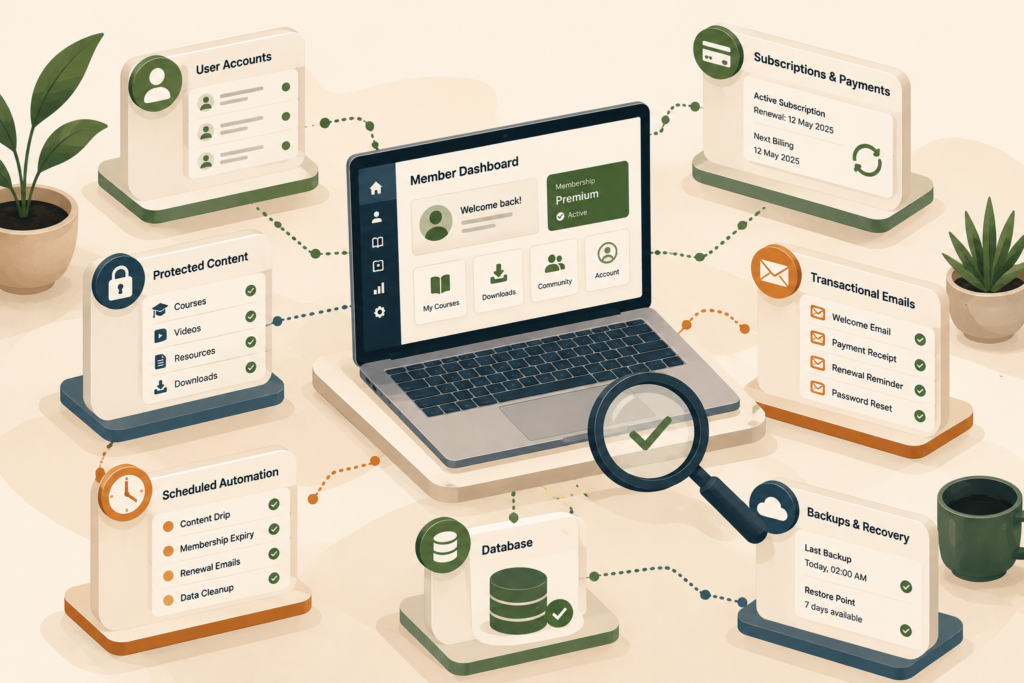
Testing should become more frequent when:
- new members join regularly
- recurring payments are active
- the platform is central to service delivery
- plugins are updated frequently
- member data changes throughout the day
- several integrations control access
- downtime directly affects paying customers
The maintenance schedule should reflect business impact, not just website size.
How VVRapid Can Help
VVRapid’s Website Maintenance & Care provides structured ongoing updates, backups, monitoring and website support.
Membership sites often need more functional checking than low-change brochure websites because users actively log in and depend on the platform.
Where problems involve bespoke membership logic, development or hosting, those areas can be assessed separately rather than forcing everything into routine maintenance.
The aim is to keep the website dependable for the people already using it.
If your membership website is an active part of how you deliver services or manage customers, view the Website Maintenance & Care service to see which level of ongoing support fits its role.
FAQ
What is website maintenance for membership sites?
Website maintenance for membership sites is ongoing technical care that protects both the public website and logged-in member experience. It can include updates, backups, member login testing, permissions, subscription workflows, transactional emails and performance checks.
How is membership website maintenance different from normal maintenance?
Membership website maintenance has more user states to test. Different members can have different permissions, subscriptions and access levels, so a website can appear online while important logged-in functions are broken.
Should membership plugins be updated immediately?
Security and compatibility updates are important, but significant membership plugin maintenance should be approached carefully. Business-critical membership workflows should be tested after meaningful changes, preferably in staging where appropriate.
How often should membership sites be backed up?
There is no universal schedule. Membership site backups should reflect how frequently important member and subscription data changes and how much data the business could reasonably afford to lose during a restore.
Should maintenance include recurring payment testing?
If payment status controls membership access, recurring payment monitoring should form part of the maintenance process. Check that payment events, subscription status and website access remain correctly synchronised.
Why should I test member accounts instead of only Administrator access?
Administrators usually have broader permissions than ordinary members. User access testing with representative member accounts can reveal problems with restricted content, membership levels and account functionality that an Administrator may never see.