Website maintenance onboarding is the process of giving a new maintenance provider enough access, context and technical information to take responsibility for an existing website safely. Done properly, it reduces the risk of broken features, lost access, surprise licence problems and changes being made before anyone understands how the site actually works.
Table of Contents
A provider change can look simple from the outside. Share a WordPress login, explain what needs updating and move on. In practice, a business website may depend on hosting accounts, DNS records, third-party licences, email delivery services, analytics, custom code, backup systems and integrations that are not visible from the WordPress dashboard.
Good website maintenance onboarding therefore starts with discovery rather than updates. The new provider should understand what exists, who owns it and how it fits together before changing production systems.
If your website is becoming harder to manage internally, ongoing Website Maintenance & Care can also provide a clearer structure for updates, monitoring and ongoing technical responsibility.
Why Website Maintenance Onboarding Matters
A website maintenance takeover is different from maintaining a website you built yourself.
The incoming provider inherits decisions made by previous developers, agencies, staff members and hosting companies. Some may be well documented. Others may exist only as a forgotten setting, custom code snippet or licence attached to somebody else’s account.
That is why website maintenance onboarding should answer three basic questions before routine work begins:
- What systems does the website depend on?
- Who controls each system?
- What could break if something changes?
This is especially important for established WordPress websites. Themes, plugins, hosting configurations and integrations can develop dependencies over several years.
WordPress itself recommends having a backup before updates because the update process changes files used by the installation. A handover should therefore establish a known recovery point before major maintenance work begins.: WordPress Documentation ↗
Start Website Maintenance Onboarding With Ownership, Not Passwords
One of the first mistakes in a website support handover is confusing access with ownership.
A provider may be able to log in to something without your business actually controlling the account.
For example, your previous developer might have registered the domain, purchased a premium plugin, created the analytics account or opened the hosting account using their own email address.
That arrangement may have worked perfectly while the relationship was active. It becomes a problem when the business wants to change provider.
Check domain ownership and registrar access
Your domain is one of the first items on the website ownership checklist.
Confirm:
- which registrar manages the domain
- which business email address controls the account
- who can change nameservers and DNS records
- who receives renewal notifications
- whether two-factor authentication is enabled
- whether the business can recover access without the previous provider
ICANN explains that the registrant manages domain settings through the registrar and provides resources for identifying the registrar attached to a domain. It also recommends keeping a record of domain management credentials even when administration is outsourced.: ICANN Registrant Resources ↗
The practical principle is simple: your maintenance company can manage the domain, but the business should retain control of the account wherever possible.
Run a Website Access Audit
A proper website access audit goes further than creating a WordPress Administrator account.
During website maintenance onboarding, list every platform that can affect the website.
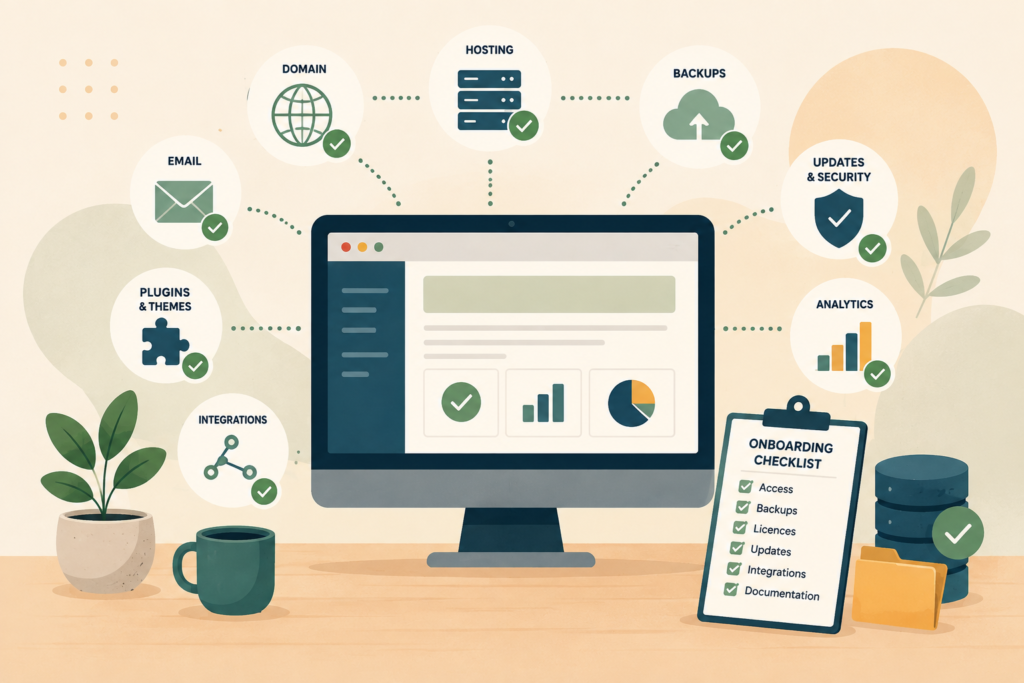
That may include:
- WordPress administrator access
- hosting control panel
- server or SSH access
- SFTP or FTP
- domain registrar
- DNS provider
- CDN or firewall service
- Google Search Console
- Google Analytics
- tag management
- transactional email provider
- SMTP service
- payment gateway
- CRM
- form integrations
- backup platform
- uptime monitoring
- premium theme accounts
- premium plugin licences
The goal is not to give the new provider unlimited access to everything. The goal is to know what exists and grant the level of access needed for their responsibilities.
WordPress provides several user roles with different capabilities, so access can be assigned according to what someone actually needs to manage.
Google Search Console also separates owners and users, with owners able to manage property access and permissions. That makes Search Console ownership worth checking during a website maintenance takeover rather than simply assuming the old agency will always remain available.: Google Search Console Help ↗
Establish a Technical Baseline Before Making Changes
The next stage of website maintenance onboarding is understanding the current condition of the website.
This is where a focused technical website audit becomes useful.
It does not need to become a months-long consulting exercise. The objective is to create a baseline against which future changes can be judged.
Record items such as:
- current WordPress version
- PHP version
- active theme and child theme
- active and inactive plugins
- available plugin and theme updates
- hosting environment
- storage usage
- SSL configuration
- caching setup
- scheduled tasks
- security or firewall tools
- backup schedule
- major integrations
- known errors
- staging environment
- recent uptime or performance issues
This baseline gives the new website maintenance provider context.
If a feature breaks after an update, there is a record of how the site was configured before the change. If performance improves or deteriorates, there is something to compare against.
A more extensive website rebuild is sometimes necessary when technical debt has become too significant for maintenance alone. In that situation, Website Design & Development may be more appropriate than repeatedly patching structural problems.
Create and Verify a Backup Before the First Major Update
A backup should not be treated as a checkbox.
For WordPress maintenance onboarding, the useful question is not simply, “Are backups enabled?”
Ask:
Could the website actually be restored from the available backup?
Before the new provider performs significant updates, confirm:
- when the last full backup ran
- whether files and database are included
- where backups are stored
- how many restore points exist
- whether backups are stored separately from the live server
- who has permission to restore them
- whether the backup can be opened or otherwise verified
- what the recovery process looks like
WordPress documentation specifically recommends backing up the database and WordPress files and verifying that backups are usable before an upgrade.
This makes backup verification a sensible part of website maintenance onboarding, particularly when nobody can confidently explain what the previous maintenance process involved.
Check Themes, Plugins and Licence Ownership
Premium software can create one of the more awkward parts of a website support handover.
A plugin may work today because the previous agency owns the licence.
That does not necessarily mean your business can continue receiving updates after the relationship ends.
During website maintenance onboarding, create a simple licence register containing:
- plugin or theme name
- purpose
- current version
- licence owner
- renewal date if known
- whether updates are available
- whether the licence can be transferred
- whether the business needs its own licence
Pay particular attention to plugins handling important business functions such as forms, ecommerce, memberships, bookings, security, backups and integrations.
If the site depends on bespoke functionality, the new provider should also identify whether any custom plugin has documentation, source control or a known developer.
Where an existing site relies heavily on unique functionality, Custom Plugin Development may be relevant when unsupported code needs to be repaired, extended or replaced.
Look for Hidden Customisations
Not every website change lives inside a neatly labelled plugin.
A previous developer may have added code to:
- a child theme
functions.php- a snippets plugin
- theme template files
- server configuration
.htaccess- custom plugins
- tracking scripts
- header or footer injection tools
- tag management
- scheduled tasks
These customisations are one of the reasons website maintenance onboarding should include discovery before somebody starts removing plugins or replacing themes.
Something that looks unnecessary may quietly be responsible for an important function.
A WordPress handover checklist should therefore include a search for undocumented custom code and a basic explanation of what each important customisation does.
Review Hosting, DNS and Email Responsibilities
Websites do not operate in isolation.
Hosting, DNS and email can overlap in ways that are easy to miss during a provider change.
For example, changing nameservers without understanding the existing DNS zone can disrupt services beyond the website. Email routing, subdomains, verification records and third-party platforms may all rely on DNS.
As part of website maintenance onboarding, document:
- hosting provider
- hosting account owner
- server location
- DNS provider
- nameservers
- important DNS records
- CDN configuration
- SSL management
- email hosting provider
- website email delivery method
- who is responsible for renewals
If hosting performance or server configuration is part of the problem, VVRapid’s LiteSpeed WebServer Hosting can be reviewed separately from the maintenance handover rather than assuming a provider change automatically requires a hosting migration.
Keeping those decisions separate reduces unnecessary moving parts.
Agree on What the New Provider Is Actually Responsible For
Technical access is only half the handover.
The business and provider also need a clear operating boundary.
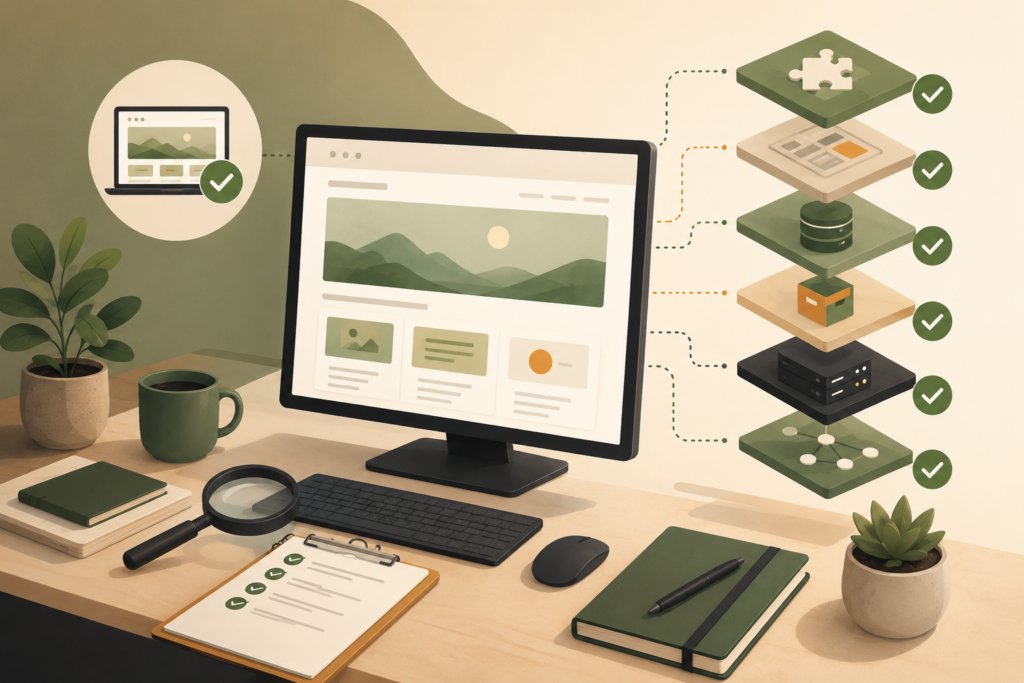
During website maintenance onboarding, agree on questions such as:
- Who approves plugin updates?
- Are updates tested before going live?
- Is a staging site used?
- Who monitors uptime?
- Who responds to security alerts?
- Who renews premium licences?
- Are content edits included?
- Who investigates broken forms?
- Is hosting support part of the agreement?
- Who manages DNS changes?
- Are development requests separate from maintenance?
- What happens when an issue falls outside the agreed scope?
This prevents both parties from assuming the other is handling something.
A good website maintenance provider should be able to explain where maintenance ends and additional development, strategy or infrastructure work begins.
Website Maintenance Onboarding Checklist
Use this checklist before the new provider starts routine work:
- Confirm domain registrar and business ownership
- Confirm hosting account access
- Complete a website access audit
- Create a dedicated WordPress administrator account where appropriate
- Review current WordPress, PHP, theme and plugin versions
- Record active and inactive plugins
- Identify premium plugin and theme licences
- Document custom code and integrations
- Confirm DNS and nameserver configuration
- Confirm how website-generated email is delivered
- Review analytics and Search Console access
- Check backup frequency and retention
- Verify that a usable restore point exists
- Review the staging environment
- Record known website problems
- Establish who approves changes
- Define maintenance responsibilities
- Define escalation procedures
- Remove obsolete access only after the handover is safely completed
A written WordPress handover checklist does not need to be complicated. Even a shared document or spreadsheet is better than relying on memory.
Common Mistakes During a Website Maintenance Takeover
Updating everything immediately
The new provider sees 17 available updates and clicks “update all” before understanding the site.
The better approach is to establish the baseline, verify backups and understand high-risk dependencies first.
Removing the previous provider too early
Do not rush to revoke every old account before confirming the new provider has what they need.
There may still be licences, documentation or technical information to transfer.
Assuming the business owns every account
A login provided by an old agency does not necessarily mean the business controls the underlying service.
Ownership should be checked explicitly during website maintenance onboarding.
Moving hosting at the same time without a reason
Changing maintenance provider does not automatically mean hosting must change.
A simultaneous maintenance takeover, hosting migration and DNS change creates more variables to troubleshoot if something goes wrong.
Ignoring licences and custom code
A website can appear healthy while depending on licences the business does not own or modifications nobody has documented.
Those dependencies need to be found before they become urgent.
What Should the First 30 Days Look Like?
The first month of website maintenance onboarding should usually be calmer than many businesses expect.
The priority is understanding and stabilising the environment.
A sensible sequence is:
First: secure the necessary access and confirm business ownership.
Next: document the current technical setup.
Then: create and verify a recovery point.
After that: prioritise overdue updates and known risks according to impact.
Finally: settle into the agreed ongoing maintenance process.
Not every old website needs to be “cleaned up” in one session. Some technical debt is better documented and addressed gradually.
The important outcome is that the new provider understands what they have inherited and the business understands who is now responsible for what.
How VVRapid Can Help
VVRapid provides ongoing Website Maintenance & Care for businesses that need a clearer approach to website upkeep.
A maintenance takeover can begin by reviewing access, the existing WordPress setup, backups, updates and known technical issues before routine maintenance begins. VVRapid’s maintenance service is positioned around ongoing updates, monitoring, backups and website care.
Where the handover uncovers a hosting, development or structural problem, that work can be assessed separately rather than treating every issue as routine maintenance.
If you are preparing to move an existing site to a new provider, view the Website Maintenance & Care service page to see whether the approach fits your website.
FAQ
What is website maintenance onboarding?
Website maintenance onboarding is the process of transferring the information, access and technical context a new maintenance provider needs to look after an existing website. It normally includes ownership checks, account access, backups, licences, technical documentation and responsibility planning.
What access does a website maintenance provider need?
It depends on the agreed scope. A website maintenance provider may need WordPress administrator access, hosting access and selected third-party platform permissions. Domain, DNS, analytics, Search Console and integration access may also be required for certain responsibilities.
Should I remove my old developer before onboarding the new provider?
Usually, complete the website support handover first. Confirm that the business and incoming provider have the necessary access, documentation and licences before removing obsolete accounts.
Should a new maintenance provider update WordPress immediately?
Not automatically. WordPress maintenance onboarding should first establish the current state of the website and confirm that suitable backups exist. Updates can then be prioritised based on risk and urgency.
Who should own the domain and hosting accounts?
Where practical, the business should retain control of its important accounts and grant providers the access needed to manage them. ICANN specifically advises domain registrants to keep records of their domain management credentials even when management is outsourced.
How long does website maintenance onboarding take?
There is no universal timeframe. A simple brochure website with clear access and documentation may require far less discovery than a large WordPress site with custom integrations, premium plugins, multiple administrators and years of undocumented changes.
External sources used in this article (helpful resources)
- Source: WordPress Documentation ↗
- Source: ICANN Registrant Resources ↗
- Source: Google Search Console Help ↗