Does my business need a new website? It is a common question when a site looks outdated, attracts traffic without generating enquiries, or becomes difficult for staff to manage.
Table of Contents
A disappointing website does not always need to be replaced.
Sometimes, the most sensible solution is a website refresh focused on clearer copy, stronger service pages, better calls to action, improved mobile layouts, or simpler navigation.
In other cases, targeted changes only hide deeper problems. The content management system may be unsupported, the structure may no longer suit the business, or years of quick fixes may have made further development slow and risky.
The real decision is whether your business needs a website redesign or rebuild, or whether a smaller set of page improvements will solve the problem.
The answer should not begin with whether you like the design. It should begin with what is failing, why it is failing, and whether the current website provides a dependable foundation for improvement.
Does My Business Need a New Website or Targeted Improvements?
Start by separating visible problems from structural problems.
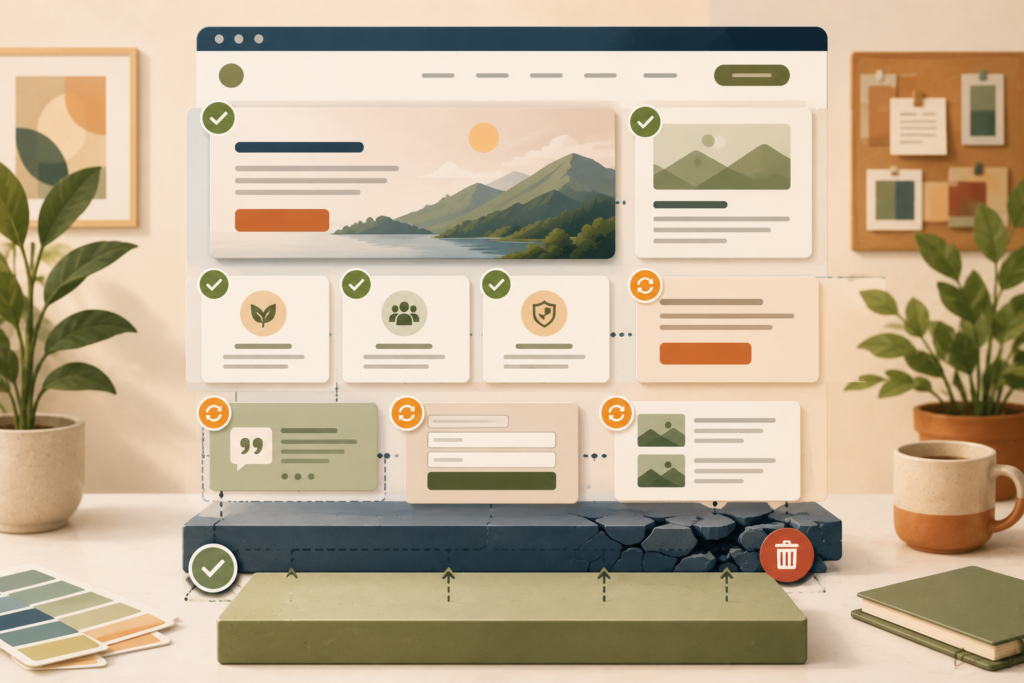
Visible problems are often easier to correct:
- An unclear homepage headline
- Weak service descriptions
- Poor calls to action
- Outdated photographs
- Long enquiry forms
- Missing trust signals
- Confusing page layouts
- Inconsistent buttons
- Thin service pages
- Unhelpful mobile spacing
Structural problems affect the website as a whole:
- An unsupported platform or theme
- A restrictive page builder
- Repeated plugin conflicts
- Poor mobile foundations
- An unsuitable website structure
- Serious performance limitations
- Weak security practices
- Unmanageable content
- Broken integrations
- Custom code nobody can maintain
Better pages can solve many visible problems. A website rebuild is more likely to be appropriate when the foundation prevents reliable improvement.
When business owners ask, “does my business need a new website?”, the answer often depends on whether the problem sits within individual pages or the website’s underlying structure.
The goal is not to choose the largest project. It is to choose the smallest sensible intervention that solves the underlying business problem.
Begin With the Website’s Main Business Problem
Avoid starting with a request such as “make it look more modern”.
A visual website refresh may improve first impressions, but appearance alone may not address the reason the website is underperforming.
Write down the main problem in practical language.
For example:
- Visitors do not understand what we offer
- The website receives traffic but generates few enquiries
- Customers cannot find the right service
- Most visitors leave on mobile
- Staff cannot update the website without help
- The booking system regularly fails
- Our current pages no longer reflect the business
- The website does not support our new services or locations
- Search engines are not finding our important pages
- The website is becoming expensive to maintain
Then identify the evidence behind the concern.
Useful evidence can include:
- Customer feedback
- Form submission data
- Analytics
- Search Console information
- Sales-team observations
- Mobile testing
- Support requests
- Failed transactions
- Website maintenance records
- Page-speed reports
A small business website redesign should respond to a confirmed problem, not only a general feeling that the site is old.
A useful first step is to complete a website conversion audit before deciding whether the entire site needs to be replaced.
When a Website Refresh May Be Enough
A website refresh may be enough when the underlying platform is stable and the main weaknesses involve messaging, layout, content, imagery, or customer journeys.
An outdated business website does not always need to be replaced if its structure and technology remain dependable.
Your homepage does not explain the business clearly
A homepage can look professional while still leaving visitors unsure about:
- What the business does
- Who it serves
- Which problem it solves
- Where it operates
- What the visitor should do next
Improving the headline, supporting copy, service pathways, proof, and calls to action may create a meaningful difference without replacing the full website.
Your service pages are too thin
Many small business websites give each service only a few sentences.
A stronger service page may need:
- A clear description of the service
- The customer problem it addresses
- Who the service is suitable for
- What is included
- A simple explanation of the process
- Frequently asked questions
- Relevant proof
- A clear next step
VVRapid’s guide to service page design for small businesses explains how individual pages can be improved without automatically rebuilding the entire website.
Your website has traffic but weak conversion paths
Traffic without enquiries may point to page-level friction rather than a platform problem.
Possible improvements include:
- Stronger calls to action
- Shorter forms
- Better contact options
- More useful proof
- Clearer pricing context
- Improved page hierarchy
- Better placement of booking or enquiry actions
- Fewer distractions around important decisions
Before starting again, assess whether you can improve the existing website through better content, clearer navigation, and stronger conversion paths.
Only a few priority pages are outdated
Your homepage, main service pages, and contact page may matter far more than low-traffic archive pages.
Updating the highest-value pages first can be a practical approach when:
- The site structure still makes sense
- The theme remains supported
- Mobile behaviour is acceptable
- Forms and integrations work
- Important pages can be edited properly
- The business does not need major new functionality
This is often more cost-effective than committing immediately to a full website redesign or rebuild.
The design is inconsistent but technically sound
Years of small changes can create inconsistent colours, buttons, headings, spacing, and imagery.
A website refresh can bring the site back into alignment by standardising:
- Colours
- Typography
- Buttons
- Forms
- Cards
- Spacing
- Image styles
- Page templates
This may deliver a more professional result without replacing the content management system.
The website is slow because of specific content issues
Performance problems do not automatically justify rebuilding the site.
A targeted improvement may be enough when the main causes are:
- Oversized images
- Unnecessary video backgrounds
- Excessive tracking scripts
- Poor caching
- Unused plugins
- Heavy font files
- A small number of badly configured pages
If the problems are limited to certain templates or assets, you may be able to improve the existing website instead of replacing it.
A website health check can help identify whether the problem is limited to performance, plugins, hosting, or a wider technical issue.
Signs You Need a New Website
The clearest signs you need a new website usually appear when the same technical, content, and usability problems affect most of the site.
These signs should be assessed together rather than treated as isolated issues.
The website no longer reflects the business
Businesses change over time.
You may have:
- Added new services
- Entered new regions
- Changed your ideal customer
- Introduced online sales
- Repositioned the brand
- Combined business units
- Changed the sales process
- Added customer portals or bookings
If the current structure was built for a very different business, adding more pages may make navigation and content increasingly confusing.
A new website structure may be clearer than repeatedly attaching new sections to an outdated framework.
The platform or theme is no longer dependable
A website rebuild may be appropriate when:
- The theme is abandoned
- Important plugins are no longer supported
- The platform cannot receive safe updates
- The website depends on outdated code
- Basic changes regularly break layouts
- The site cannot use current hosting or software versions
- Developers are reluctant to work on the existing setup
A website that appears functional can still carry significant maintenance risk.
Knowing when to rebuild a website depends on whether the current platform can be supported safely for the next several years, not only whether it is online today.
Mobile problems affect the entire website
A few spacing issues can often be repaired.
A broader website redesign or rebuild may be needed when every page is based on desktop-first layouts that collapse badly on smaller screens.
Common signs include:
- Tiny text
- Overlapping elements
- Buttons that are difficult to tap
- Tables that exceed the screen
- Menus that are hard to use
- Forms that require excessive zooming
- Important content hidden on mobile
- Fixed-width layouts
- Slow mobile interactions
When poor mobile behaviour is built into the core templates, repairing every page individually may cost more than creating a stronger responsive foundation.
The navigation no longer supports the content
A website can outgrow its original menu.
You may have added many services, industries, products, locations, articles, or resources without reconsidering how visitors find them.
Warning signs include:
- Very long dropdown menus
- Similar pages in several sections
- Important services hidden under vague labels
- Multiple navigation systems
- Duplicate pages
- Visitors relying on search because the menus are unclear
- Staff disagreeing about where new pages belong
A website rebuild can reorganise the site around current customer needs instead of preserving years of accumulated decisions.
The website cannot support required functionality
Better pages will not solve a technology mismatch.
A rebuild or major redevelopment may be needed when the business requires:
- Reliable online bookings
- Ecommerce
- Customer accounts
- Membership access
- Advanced product filtering
- Complex forms
- CRM integration
- Multiple languages
- Payment automation
- Personalised content
- A customer portal
- Custom business workflows
The website redesign checklist should include whether the current platform can support these features reliably, securely, and without excessive workarounds.
Where the business needs more than a marketing website, VVRapid’s guide to choosing between a website, web app, or progressive web app can help clarify the right technical direction.
Staff cannot manage the content
A business website should not require a developer for every minor text change.
A new build may offer better long-term value when:
- Page editing is confusing
- Content is stored in unusual custom fields
- Staff regularly break layouts
- Reusable sections are unavailable
- Product updates are slow
- Several pages must be edited separately for one change
- Training has not made the system manageable
The replacement should not only look better. It should provide a clearer editing experience and defined content responsibilities.
Maintenance costs keep increasing
Repeated repairs can be a sign that the website is reaching the end of its practical life.
Review the last 12 months of:
- Emergency fixes
- Plugin conflicts
- Developer hours
- Security problems
- Hosting issues
- Form failures
- Layout repairs
- Update-related problems
A website rebuild may be justified when the business keeps paying to preserve an unstable foundation without gaining meaningful improvements.
If the current site is still suitable but needs consistent technical care, VVRapid’s Website Maintenance & Care service may be more appropriate than rebuilding it.
Website Redesign or Rebuild: How to Choose
Choosing between a website redesign or rebuild depends on whether the problem is mainly visual and structural, or whether the underlying technology also needs to be replaced.
Choose a website refresh when:
- The platform is stable
- The theme remains supported
- Mobile behaviour is mostly sound
- Content can be edited easily
- Only selected pages need substantial work
- Forms and integrations are reliable
- The main weaknesses involve messaging, imagery, layout, or calls to action
A website refresh improves selected pages and visual elements without replacing the entire website foundation.
Choose a website redesign when:
- The site needs new layouts
- The information hierarchy is confusing
- Navigation requires major changes
- Mobile templates need redesigning
- Branding is inconsistent
- Customer journeys need to be reworked
- The current content management system is still suitable
You can redesign an existing website without changing the full platform when the technical foundation remains sound.
Choose a website rebuild when:
- The platform is outdated or unsupported
- The theme or page builder severely restricts changes
- Mobile issues are embedded across most templates
- Security and compatibility problems keep returning
- Required integrations cannot be added reliably
- Staff cannot manage the content
- Custom code is undocumented or difficult to maintain
- Most important pages need replacement
A website rebuild replaces much of the technical foundation, templates, or structure.
Website Maintenance, Refresh, Redesign, or Rebuild?
These terms are often used loosely. Separating them can make the decision clearer.
Website maintenance
Website maintenance keeps the existing site stable.
It can include:
- Software updates
- Security checks
- Backups
- Uptime monitoring
- Small content changes
- Performance attention
- Technical fixes
Maintenance is appropriate when the site already meets the business’s needs and mainly requires dependable care.
Website refresh
A website refresh improves selected visual and content elements without changing the full foundation.
It may include:
- New imagery
- Updated colours
- Improved typography
- Revised homepage messaging
- Better service pages
- Stronger calls to action
- Form improvements
- Mobile layout fixes
Website redesign
A website redesign changes the visual experience, page templates, information hierarchy, and customer journeys.
It may include:
- New page layouts
- Revised navigation
- Updated brand application
- Better mobile templates
- Reworked content
- Improved conversion paths
Website rebuild
A website rebuild replaces most or all of the technical foundation.
It may involve:
- A new content management system
- A replacement theme
- New templates
- Recreated functionality
- Content migration
- New integrations
- Revised database structures
- New hosting arrangements
Use a Page-by-Page Website Redesign Checklist
A website redesign checklist helps you decide whether the current site needs maintenance, a website refresh, a broader redesign, or a complete rebuild.
For each important page, ask:
- Does the page have a clear purpose?
- Does it address a specific audience or need?
- Is the main message easy to understand?
- Is the content accurate?
- Does it guide the visitor towards a useful action?
- Does it work properly on mobile?
- Is it easy for staff to update?
- Does it receive useful traffic?
- Does it generate enquiries, sales, or other actions?
- Can it be improved within the current system?
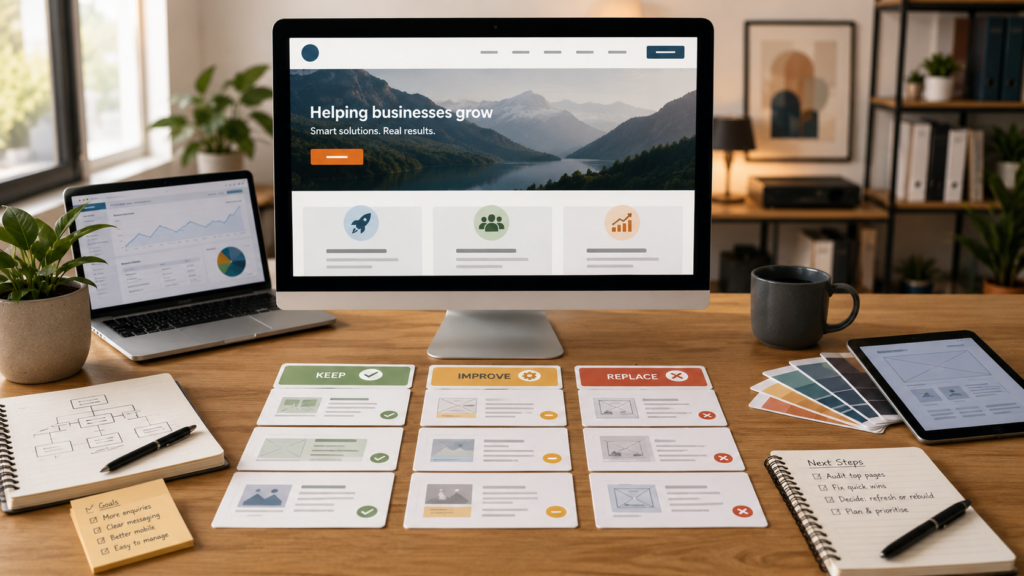
Classify each page as:
- Keep
- Update
- Combine
- Redirect
- Replace
- Remove
A page-level review gives you evidence to answer “does my business need a new website?” rather than making the decision based only on appearance.
You may discover that most of the website remains useful and only five priority pages require serious work.
You may instead find that nearly every page needs a new purpose, structure, template, and URL.
The second situation makes a broader small business website redesign easier to justify.
Check Whether the Current Platform Can Support the Plan
Once you know which pages and journeys require improvement, test whether the existing website can support them.
Ask a developer to evaluate:
- Theme condition
- Plugin quality
- Software compatibility
- Mobile templates
- Editing experience
- Hosting environment
- Database condition
- Security setup
- Page speed
- Forms
- Integrations
- Custom code
- Redirect controls
- Backup and staging options
The result should distinguish between:
- Problems that can be repaired
- Problems that require replacement
- Improvements that are optional
- Risks that could affect future work
A technical review is particularly important when “does my business need a new website?” is being asked because of maintenance, security, or editing problems.
Avoid paying for a full website redesign or rebuild before someone has inspected the technical foundation.
Protect SEO When Redesigning Existing Website Pages
A redesign can improve search performance, but careless URL and content changes can also create avoidable disruption.
Before removing or replacing pages:
- Record the current URLs
- Identify pages receiving organic traffic
- Identify pages with external links
- Map old pages to relevant new destinations
- Preserve valuable content
- Keep important page topics represented
- Update internal links
- Test redirects
- Submit and monitor the new sitemap
- Check indexing after launch
When you redesign an existing website, a visual improvement should not discard useful search visibility without a migration plan.
The same applies to a website rebuild. New technology does not remove the need to protect valuable content and URLs.
VVRapid’s Search Engine Optimisation service can support redirect planning, page optimisation, technical SEO, and post-launch monitoring.
Include Accessibility in the Decision
An existing site may have accessibility problems that can be repaired at page or component level.
Examples include:
- Weak colour contrast
- Missing image alternatives
- Unlabelled forms
- Unclear link wording
- Incorrect heading order
- Keyboard navigation problems
- Inaccessible menus
- Videos without captions
A targeted repair may be suitable when the component system is otherwise sound.
A website rebuild may be more practical when inaccessible behaviour is repeated throughout core templates, navigation, forms, and interactive components.
Accessibility should influence the chosen solution from the beginning rather than being treated as a final plugin.
Compare the Cost of Improvement With the Cost of Delay
The relevant question is not only what the project costs.

Also consider what the current website may be costing the business through:
- Lost enquiries
- Failed forms
- Poor mobile experiences
- Staff administration
- Repeated developer fixes
- Weak search visibility
- Inaccurate information
- Abandoned purchases
- Missed bookings
- Reduced trust
- Slow content publishing
When asking “does my business need a new website?”, compare the cost of rebuilding with the ongoing cost of lost enquiries, staff time, and repeated repairs.
A small page-improvement project may create value quickly when the foundation is stable.
A website rebuild may offer better long-term value when continued repairs consume time without resolving structural problems.
Request separate estimates where possible for:
- Targeted page improvements
- Website refresh
- Broader redesign
- Complete rebuild
- Ongoing maintenance
Compare deliverables, risks, expected lifespan, and internal workload rather than looking only at the initial quote.
Practical Website Redesign Checklist
Use this website redesign checklist to decide whether the current site needs targeted improvements or replacement.
A website refresh may be enough when:
- ☐ The platform and theme are supported
- ☐ Updates can be installed safely
- ☐ Mobile problems are limited
- ☐ The main structure still suits the business
- ☐ Important pages can be edited properly
- ☐ Forms and integrations are reliable
- ☐ Most problems concern copy, imagery, layout, or calls to action
- ☐ Only a few priority pages need substantial changes
- ☐ Staff can manage the website
- ☐ Maintenance costs are predictable
Choose a website refresh when the site remains technically dependable but needs clearer messaging, stronger service pages, and a more consistent design.
A new website may be more appropriate when:
- ☐ The current platform is unsupported
- ☐ The theme or page builder severely restricts changes
- ☐ Mobile problems occur across most templates
- ☐ The structure no longer reflects the business
- ☐ Required integrations cannot be implemented reliably
- ☐ The website has repeated security or compatibility problems
- ☐ Staff cannot update content safely
- ☐ Custom code is undocumented or difficult to maintain
- ☐ Most important pages require replacement
- ☐ Repeated fixes cost more without improving the foundation
These signs you need a new website become more persuasive when several appear together.
Common Mistakes When Deciding Whether to Rebuild
Rebuilding because the design feels old
An older visual style may not be the main business problem.
Check messaging, content, forms, mobile usability, and customer journeys before replacing the full site.
Keeping a weak website because it still loads
A website can remain online while becoming difficult to update, insecure, slow, or unsuitable for the business.
Technical stability and business suitability matter more than simple availability.
Improving every page equally
Not every page has equal commercial value.
Start with pages that receive traffic, explain priority services, support sales, or generate enquiries.
Replacing URLs without a redirect plan
Changing page addresses can break links and disrupt search visibility.
Map old URLs to suitable new destinations before launch.
Copying the old website into a new design
A website rebuild should not automatically preserve weak navigation, duplicate pages, outdated content, and unclear messages.
Review what deserves to be migrated.
Adding unnecessary functionality
A small business website redesign can become overloaded when every idea is included in the first phase.
Prioritise features that solve confirmed customer or business problems.
Ignoring post-launch maintenance
A new website still needs updates, backups, monitoring, content changes, and performance attention.
Plan ownership before launch.
How VVRapid Can Help
VVRapid can review an existing website and recommend whether it should be improved, refreshed, redesigned, or rebuilt.
The first step is to identify the highest-impact problems and assess whether the current platform can support the required improvements.
Where targeted changes are sufficient, the work can focus on the pages, content, and customer journeys that matter most.
Where the foundation is holding the business back, a structured website rebuild can replace it without blindly copying the old website.
VVRapid can also help answer “does my business need a new website?” by reviewing the current pages, platform, functionality, mobile experience, editing process, and future requirements.
Review VVRapid’s Website Design & Development service for help with targeted improvements, redesigns, and complete website rebuilds.
FAQ: Does My Business Need a New Website?
How do I know whether my business needs a new website?
Your business may need a new website when the current platform is unsupported, mobile problems affect most pages, the structure no longer suits the business, or required functionality cannot be added reliably. Targeted improvements may be enough when the technical foundation remains stable.
What are the main signs you need a new website?
The main signs you need a new website include repeated technical problems, outdated software, poor mobile performance, weak navigation, rising maintenance costs, limited editing tools, and functionality that cannot be added reliably.
Can I redesign only my homepage?
Yes. A homepage redesign can be useful when the rest of the website is technically sound and the main problem is unclear positioning or weak visitor pathways. Check that the new homepage still connects logically to the existing service and contact pages.
Is a website refresh the same as a website rebuild?
No. A website refresh improves selected content and visual elements while retaining most of the current website. A website rebuild replaces much of the technical foundation, templates, or content structure.
What should a website redesign checklist include?
A website redesign checklist should review content, page structure, mobile usability, forms, SEO, accessibility, integrations, platform condition, editing experience, maintenance needs, and the performance of priority pages.
Should I rebuild a slow website?
Not automatically. First identify whether the speed problem comes from images, scripts, plugins, hosting, or the underlying theme. A website rebuild is more reasonable when performance limitations are embedded across the entire platform.
Will a website redesign affect SEO?
It can. Changes to URLs, content, internal links, metadata, and page structure may affect search visibility. Prepare a redirect and migration plan before launching the redesigned website.
How often should a business replace its website?
There is no fixed replacement schedule. Review the website when the business changes, customer needs evolve, technology becomes difficult to maintain, or the site no longer supports important commercial goals.
Choose the Smallest Sensible Solution
The answer to “does my business need a new website?” should come from evidence rather than preference.
A website refresh can be the right choice when better copy, clearer layouts, improved forms, and stronger service pages will solve the main problems.
A website redesign or rebuild becomes more appropriate when the structure, platform, mobile foundations, integrations, or editing experience prevent meaningful progress.
Start by identifying what is failing. Review the important pages. Inspect the technical foundation. Protect useful content and search visibility.
Then choose the smallest project that solves the underlying problem without leaving the business trapped in the same limitations.