Website backups and hosting security are two of the least exciting parts of running a business website, until something breaks. Then they become the only things that matter.
Table of Contents
A hacked website, failed plugin update, expired SSL certificate, deleted page, broken checkout, or missing database can quickly turn into lost leads, lost sales, and unnecessary stress. The good news is that small business owners do not need to become security experts. But they do need to know what a good hosting setup should include.
This guide explains what to expect from website backups and hosting security, how backups differ from security, what questions to ask your hosting provider, and where website maintenance fits into the picture.
Think: security reduces the chance of a problem. Backups reduce the damage if one happens.
Website Backups and Hosting Security Are Not the Same Thing
Website backups and hosting security are connected, but they do different jobs.
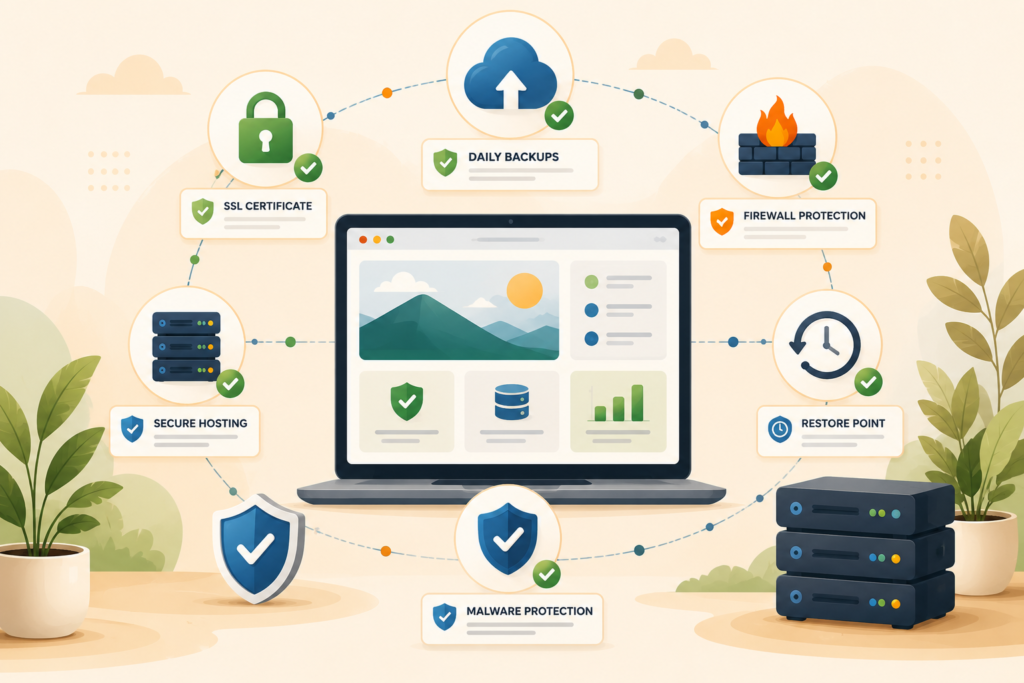
Security is about prevention and protection. It includes SSL, firewall protection, secure server configuration, software updates, malware protection, strong passwords, access control, and monitoring.
Backups are about recovery. They give you a way to restore your website if something goes wrong.
A backup does not stop a hack. A firewall does not replace a backup. An SSL certificate does not protect your site from every threat. A strong password does not save you from a bad plugin update.
You need layers.
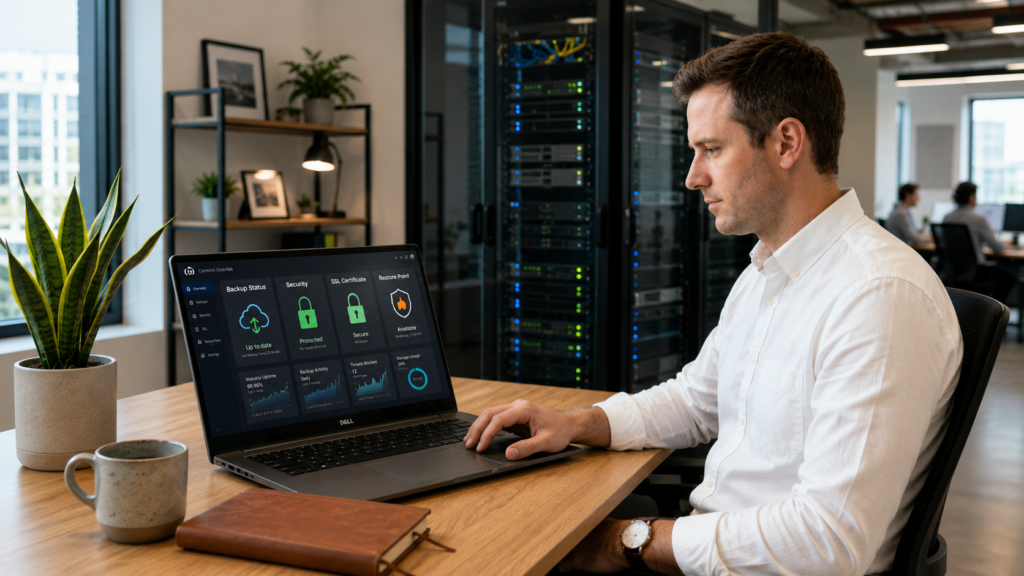
For a small business website, a sensible setup usually includes secure hosting, daily website backups, a working SSL certificate, regular website maintenance, plugin and theme updates, admin access control, and a clear restore process.
That may sound technical, but the decision is simple: your website should be protected before something happens and recoverable after something happens.
Why Small Business Websites Need Better Protection
Many small business owners assume they are too small to be targeted. That is a risky assumption.
Most website attacks are not personal. They are automated. Bots scan the web looking for outdated plugins, weak passwords, vulnerable forms, exposed login pages, old PHP versions, poor hosting security, and misconfigured websites.
Your business does not need to be famous to be affected.
A compromised website can lead to:
- Broken pages
- Spam redirects
- Suspicious pop-ups
- Slow performance
- Search engine warnings
- Lost customer trust
- Blocked email delivery
- Damaged SEO
- Checkout or form issues
- Time-consuming cleanup
The risk is even higher if your website uses WordPress, WooCommerce, booking tools, membership areas, custom forms, payment integrations, or multiple plugins. WordPress itself is widely used and well supported, but any popular platform attracts attention. The practical answer is not panic. It is proper maintenance and a safer hosting foundation.
A good website backups and hosting security plan helps reduce business disruption.
What Good Hosting Security Should Include
Hosting security is not only one feature. It is a group of basic protections that work together.
Here is what small business owners should expect.
SSL certificate
An SSL certificate helps secure the connection between your website and visitors. It is what allows your site to use HTTPS.
For business websites, SSL is now a baseline expectation. Visitors expect the padlock. Browsers expect secure connections. Contact forms, login pages, and checkout pages should not run without it.
VVRapid’s LiteSpeed WebServer Hosting includes SSL certificates as part of its hosting plans.
Firewall protection
Firewall protection helps filter unwanted traffic and block known threats before they reach your site.
This does not make a website invincible, but it adds an important layer. A basic firewall may be enough for a simple brochure website. An enhanced firewall may be more suitable for ecommerce, high-traffic, or lead-heavy websites.
VVRapid’s LiteSpeed hosting plans include firewall features, with basic firewall protection on starter hosting and enhanced firewall options on higher plans.
Secure server environment
A secure hosting environment should support modern PHP and database versions, sensible file permissions, SSL, backups, caching, and server-level protections.
WordPress.org recommends modern PHP and database support as part of its hosting requirements, which is one reason outdated hosting can become a performance and security concern.: WordPress.org Requirements ↗
If your hosting runs old software, security patches and performance improvements may be limited.
Access control
Not everyone needs admin access.
Small business websites often collect old user accounts over time: previous developers, freelancers, staff members, plugin support teams, marketing agencies, and test users. Each account adds potential risk.
A practical WordPress security review should check who has access, what role they have, and whether they still need it.
Malware protection and monitoring
Malware protection helps detect suspicious files, redirects, hidden scripts, and known infection patterns.
Monitoring helps you spot problems sooner. This could include uptime checks, security alerts, server monitoring, or maintenance reports, depending on the hosting and care plan.
The key question is simple: if something goes wrong, how quickly will someone know?
What Daily Website Backups Should Cover
Daily website backups are one of the most useful safety nets a business website can have.
But “we have backups” is not enough. You need to know what is backed up, how often, and how restoration works.
A proper backup setup should consider:
- Website files
- WordPress database
- Media uploads
- Theme files
- Plugin files
- WooCommerce order data
- Form entries if stored locally
- Configuration files
- Recent content changes
- Restore points before major updates
For WordPress, the database is especially important because it stores pages, posts, settings, users, orders, and many plugin records. A file backup without the database may not be enough.
A strong website backups and hosting security process should also include backup testing or at least restore confidence. A backup is only useful if it can be restored.
VVRapid’s LiteSpeed WebServer Hosting includes daily backups across its listed hosting plans.
What a Restore Point Actually Means
A restore point is a saved version of your website from a specific moment.
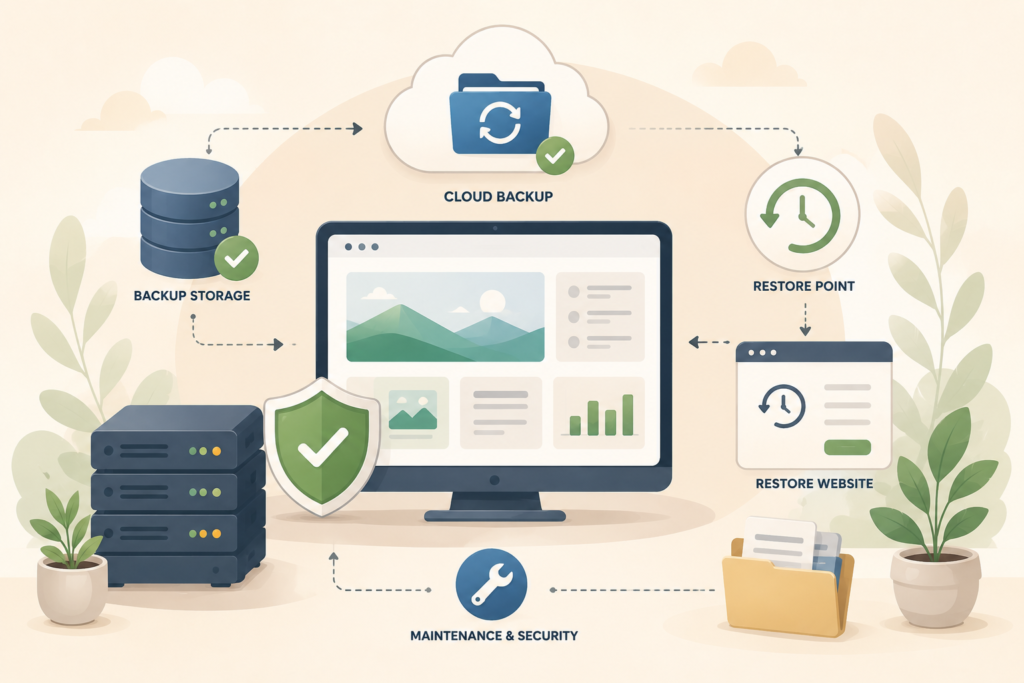
For example, you may want a restore point from before:
- A plugin update
- A theme update
- A WordPress core update
- A new checkout plugin installation
- A landing page redesign
- A hosting migration
- A suspicious security issue
- A developer change
- A custom code deployment
If the change causes problems, a restore point can help roll the site back.
But restore points have limits.
If your site receives orders, bookings, enquiries, or member activity after the restore point, rolling back may remove some newer data. This is especially important for WooCommerce and membership websites. In those cases, restoration needs care. Sometimes you restore files only. Sometimes you restore a database. Sometimes you need a partial recovery.
Small business owners do not need to manage this alone, but they should understand the trade-off.
Backup and Security Checklist for Business Websites
Use this checklist to review your current setup.
- □ Confirm your website has a valid SSL certificate.
- □ Confirm your hosting includes daily website backups.
- □ Ask how long backups are stored.
- □ Ask whether backups include both files and database.
- □ Ask how restores are handled.
- □ Confirm whether a restore point is created before major updates.
- □ Review who has admin access.
- □ Remove old users who no longer need access.
- □ Use strong passwords and two-factor authentication where possible.
- □ Keep WordPress core, plugins, and themes updated.
- □ Delete unused plugins and themes.
- □ Confirm firewall protection is active.
- □ Check whether malware scanning is included.
- □ Make sure contact forms have spam protection.
- □ Review email sending and domain authentication where relevant.
- □ Confirm your hosting provider supports modern PHP and database versions.
- □ Keep a record of domain, DNS, hosting, and admin access details.
- □ Test important website actions after updates.
- □ Plan website maintenance instead of waiting for problems.
This checklist supports website backups and hosting security, but it also helps you have better conversations with your hosting provider or web team.
Common Mistakes With Backups, SSL, and Website Security
Small mistakes can create big headaches later.
Assuming hosting backups are enough
Hosting backups are important, but they are not the whole plan.
You still need website maintenance, updates, access control, security checks, and clear restore procedures. Backups help after something goes wrong. They do not prevent every issue.
Not knowing how to restore the website
Many businesses have backups somewhere, but nobody knows how to restore them.
Ask your provider: “If the site breaks today, who restores it, how long does it take, and what data might be lost?”
That one question reveals a lot.
Letting SSL expire or break
A broken SSL certificate can make visitors nervous and cause browser warnings. It can also affect forms, checkouts, tracking scripts, and integrations.
SSL should be included, installed correctly, and monitored.
Keeping unused plugins
Unused plugins can still create risk if they remain installed. Delete what you do not use.
The same applies to old themes. Keep only what is needed, updated, and actively maintained.
Giving admin access too freely
Admin access should be limited.
A content editor usually does not need full administrator rights. A marketing assistant may not need plugin access. A freelancer should not keep access forever.
Good WordPress security starts with sensible access.
Updating everything without a backup
Updates are important, but they can occasionally break layouts, forms, carts, or integrations.
Before major updates, create a restore point. For more complex websites, test updates on a staging site first.
Confusing website maintenance with hosting
Hosting keeps the server environment available. Website maintenance keeps the actual website healthy.
You usually need both.
VVRapid’s Website Maintenance & Care service is a natural fit for businesses that want updates, checks, and ongoing support alongside secure hosting.
How Hosting Security Supports SEO and Trust
Security issues can affect more than the website owner.
Visitors notice browser warnings. Customers notice broken checkout pages. Search engines can flag compromised websites. Email providers can become suspicious of domains associated with spam or malware.
A safer website protects trust.
From an SEO perspective, hosting security and website reliability support the fundamentals. Your pages need to be accessible, crawlable, fast enough to use, and safe for visitors. Google Search Central explains that hacked content can harm users and website owners, and it provides guidance on identifying and fixing hacked sites.: Google Search Central Hacked Sites ↗
If your business relies on organic traffic, enquiries, bookings, or online sales, website backups and hosting security should be treated as part of your digital operations, not an optional extra.
For technical search health, pair secure hosting with regular SEO checks.: Search Engine Optimisation
Where LiteSpeed Hosting Fits In
LiteSpeed hosting is often discussed for speed, but a good hosting setup should also support security, backups, SSL, and stability.
For small business owners, this matters because performance and protection are connected. A slow, outdated, or overloaded server can create a poor user experience. A poorly maintained website can create security risk. A missing backup can turn a small issue into a long recovery.
VVRapid’s LiteSpeed WebServer Hosting is positioned around faster load times, better security, managed setup, migrations, DNS, SSL, ongoing hosting support, LiteSpeed Cache, daily backups, cPanel, and firewall features.
That combination is useful when your website has become important enough that “cheap and basic” no longer feels safe.
When You Need Website Maintenance as Well as Hosting
A secure server does not automatically maintain your WordPress site.
Website maintenance usually includes tasks such as plugin updates, theme updates, WordPress core updates, backups, uptime checks, security monitoring, broken link checks, small fixes, and performance reviews.
The more your site supports business activity, the more important maintenance becomes.
You likely need website maintenance alongside hosting if your site has:
- WooCommerce
- Booking tools
- Paid ads landing pages
- Membership areas
- Custom plugins
- Complex forms
- Multiple integrations
- Frequent content updates
- High-value leads
- Staff users
- Regular plugin updates
- Organic traffic you rely on
A business website is not a once-off project. It is an operating asset.
For older or heavily customised websites, security should also be reviewed during design or development work.: Website Design & Development
Questions to Ask Before Choosing a Hosting Provider
Before you choose hosting, ask practical questions.
Are daily website backups included?
Confirm frequency, storage duration, and restore process.
Is SSL included?
SSL should not be treated as a premium mystery add-on for a normal business website.
What firewall protection is included?
Ask whether the plan includes basic firewall protection, enhanced firewall options, or additional security layers.
Who handles migration?
A hosting migration can involve files, database, DNS, SSL, email records, and post-migration testing. Ask what is included.
What support is available?
Support matters when something breaks. Ask whether support is email-based, priority-based, or part of a managed hosting relationship.
Is a staging site available?
A staging site helps test updates or changes before they go live. It is especially useful for ecommerce, campaign sites, and active WordPress websites.
What happens if the site is hacked?
Ask what the process is. Will they help identify the issue? Restore from backup? Recommend cleanup? Escalate to maintenance support?
The answers will help you separate basic hosting from real business website hosting.
How VVRapid Can Help
VVRapid can help small businesses review website backups and hosting security without turning it into a technical maze.
For suitable websites, VVRapid’s LiteSpeed WebServer Hosting includes SSL, daily backups, LiteSpeed Cache, cPanel, migration support, and firewall features. VVRapid can also support website maintenance, WordPress updates, performance checks, and SEO improvements where needed.
The aim is simple: keep your website safer, recoverable, and easier to manage.
Start with the LiteSpeed WebServer Hosting service page or contact VVRapid for a practical hosting and security review.
FAQ: Website Backups and Hosting Security
What is the difference between website backups and hosting security?
Website backups and hosting security work together, but they are different. Security helps prevent problems. Backups help restore your website after a problem.
How often should a business website be backed up?
Daily website backups are a sensible baseline for most business websites. Ecommerce, booking, and membership websites may need more careful backup planning because data changes frequently.
Does an SSL certificate mean my website is secure?
No. An SSL certificate secures the connection between visitors and your website, but it does not replace firewall protection, updates, malware protection, strong passwords, or website maintenance.
Can I rely only on my hosting provider for security?
Not completely. Hosting security is important, but your actual website also needs updates, access control, plugin reviews, form protection, and regular maintenance.
What should I do before updating WordPress plugins?
Create a backup or restore point first. For important websites, test major updates on a staging site before applying them to the live site.
What happens if I restore my website from a backup?
Your site is rolled back to an earlier saved version. This can fix broken updates or damage, but it may also remove newer content, orders, bookings, or form entries depending on what is restored.
External sources used in this article (helpful resources)
- Source: WordPress.org Requirements ↗
- Source: Google Search Central Hacked Sites ↗
- Source: WordPress Hardening Guide ↗
- Source: OWASP Password Storage Cheat Sheet ↗