
Understanding web app security basics helps small businesses protect customer data, reduce risk, and launch digital tools with more confidence. Whether you are planning a customer portal, booking app, internal dashboard, or MVP, security should be part of the conversation from the start, not something added after the app is already live.
Table of Contents
Small businesses often think web app security is only a concern for large companies. In reality, any app that handles logins, customer details, payments, private messages, forms, documents, staff records, or business data needs sensible protection.
That does not mean every small business needs enterprise-level complexity. It means the foundations should be clear: secure login, user permissions, data protection, backups, updates, access control, and a plan for ongoing app maintenance.
If you are planning a new app, portal, or internal tool, VVRapid’s App Design & Development can help shape the build around usability, workflow, and security from the beginning.
Web app security basics every small business should understand
The goal of web app security basics is simple: protect the people, data, and systems connected to your app.
A secure web app should help prevent:
- unauthorised account access
- weak or shared passwords
- staff seeing information they do not need
- customer data being exposed
- documents being lost or mishandled
- outdated software creating vulnerabilities
- poor backups making recovery difficult
- unclear admin ownership after launch
Security is not one feature. It is a set of habits, decisions, and technical safeguards.
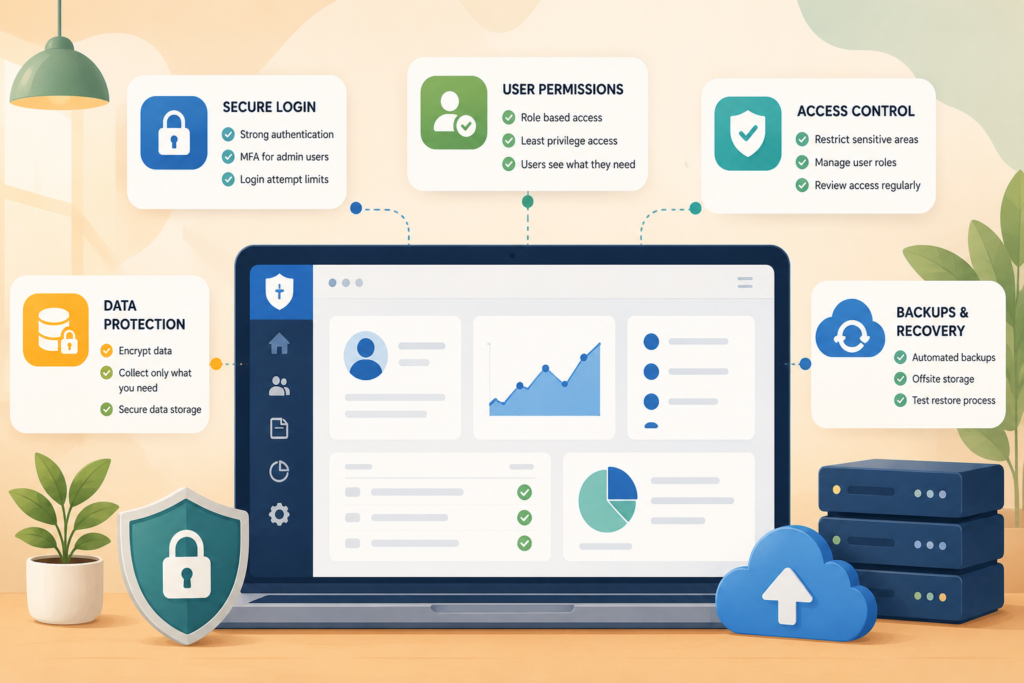
For small businesses, the most important areas are usually:
- authentication
- user permissions
- access control
- data storage
- backups
- hosting
- updates
- monitoring
- support after launch
Good app design and development should make security easier for users, not harder. For example, a confusing login process may lead people to reuse weak passwords, share accounts, or look for shortcuts. A clear, secure flow improves both protection and client experience.
Secure logins and authentication
Login security is one of the first web app security basics to get right. If your app has customer accounts, staff accounts, admin access, or private dashboards, you need a sensible authentication process.
Authentication is how the app checks that a user is who they claim to be. A simple version is an email and password. Stronger versions may include verification codes, magic links, or multi-factor authentication.
Secure login features to consider
A secure login process may include:
- strong password rules
- secure password reset
- email verification
- multi-factor authentication for admin users
- session timeouts for sensitive areas
- login attempt limits
- account lockout after repeated failed attempts
- alerts for suspicious activity
For many small businesses, multi-factor authentication should be considered at least for administrators and staff with access to private customer data. Customers may not always need the same level of friction, but admin users usually should have stronger protection.
A secure customer portal should also make it easy for users to recover access without exposing private information. Password reset links should expire. Sensitive account changes should be confirmed. Admin access should never be shared between staff.
User permissions without overcomplicating access
Not every user should see the same information. That is where user permissions and access control become important.
A customer might need to see their own profile, documents, invoices, booking status, or messages. A staff member may need to manage assigned tasks. A manager may need reports. An administrator may need full system access.
The mistake many businesses make is giving too much access to too many people.
Common user roles in a small business web app
A simple role setup might include:
- customer
- staff member
- manager
- administrator
- external partner
- read-only user
The best setup depends on the app. A booking app, internal workflow app, service portal, or reporting dashboard may each need different permissions.
The principle is simple: users should only access what they need to do their job or complete their task.
This reduces risk. It also makes the app easier to use because people are not distracted by tools, settings, or data that are irrelevant to them.
Keep permissions simple at first
Overcomplicated permissions can create confusion. For a first version, define a few clear roles and expand later if needed.
Ask:
- who needs to view this information?
- who needs to edit it?
- who can delete it?
- who can approve changes?
- who can export data?
- who can invite other users?
- who can change security settings?
These answers help define a safer and cleaner secure web app structure.
Data protection and responsible information handling
Data protection is one of the most important web app security basics for small businesses. If your app collects customer information, you need to understand what you are collecting, why you need it, where it is stored, and who can access it.
This may include:
- names and contact details
- addresses
- booking history
- invoices
- payment references
- uploaded documents
- support messages
- internal notes
- business records
- sensitive customer information
The more sensitive the data, the more carefully it should be handled.
Collect only what you need
A common mistake is collecting extra information “just in case.” This creates more risk. If the data does not support the service, workflow, legal requirement, or customer experience, avoid collecting it.
For example, a booking app may need a name, contact details, service type, appointment time, and location. It may not need date of birth, ID documents, or detailed personal information unless there is a specific reason.
Store data carefully
Data storage should be planned before launch. Consider:
- where the data is stored
- how long it should be kept
- who can access it
- whether documents need restricted access
- whether old records should be archived
- how customer deletion requests will be handled
- how exports and reports are protected
This is especially important for apps that handle private files, contracts, financial records, medical-adjacent information, education records, legal documents, or customer identity details.
If you are unsure how your data flow should work, VVRapid’s Digital Strategy Roadmaps help map the process before development decisions are made.
Backups and recovery planning
Backups are often ignored until something goes wrong. They are a core part of web app security basics because security is not only about preventing attacks. It is also about recovering when problems happen.
A backup plan protects against:
- accidental deletion
- failed updates
- hosting issues
- corrupted files
- human error
- malware incidents
- database problems
- unexpected outages
What a practical backup plan should include
For many small businesses, a backup plan should answer:
- how often is the app backed up?
- are backups automated?
- where are backups stored?
- how long are backups kept?
- who can restore them?
- has a restore process been tested?
- does the backup include files and database records?
- what happens if the live app becomes unavailable?
Backups are only useful if they can be restored. A backup that has never been tested is an assumption, not a recovery plan.
Recovery time matters
Think about how long your business can operate without the app.
If your web app supports bookings, payments, client communication, internal tasks, or document delivery, downtime can quickly affect operations. Your recovery plan should match the importance of the system.
A small content website may tolerate longer downtime. A business-critical customer portal or internal workflow app usually needs a faster recovery process.
Updates, maintenance, and monitoring
A web app is not “done” after launch. Ongoing app maintenance is part of security.
Software changes. Plugins change. Hosting environments change. Browsers change. Security risks change. If the app is ignored after launch, it can become vulnerable over time.
Maintenance tasks to plan for
A sensible maintenance plan may include:
- software updates
- plugin or dependency updates
- security patching
- uptime monitoring
- backup checks
- error monitoring
- performance reviews
- user access reviews
- broken form checks
- spam and bot protection
- database optimisation
- regular testing of key workflows
If your app is connected to WordPress, WooCommerce, forms, customer portals, custom plugins, or integrations, maintenance becomes even more important.
VVRapid’s Website Maintenance & Care is a useful next step for businesses that want ongoing support, updates, and monitoring after launch.
Hosting and server security
Hosting is another important part of web app security basics. Even a well-built app can struggle if it is placed on weak, slow, or poorly managed hosting.
Good hosting supports:
- secure server configuration
- SSL certificates
- reliable uptime
- performance
- backups
- malware protection
- firewall rules
- support availability
- scalable resources
A small business app does not always need complex infrastructure, but it should not be treated like a throwaway website either.
If your web app is business-critical, hosting should be chosen carefully. Speed, reliability, and server security all affect the user experience and long-term risk.
For WordPress and web app projects that need strong performance support, VVRapid’s LiteSpeed WebServer Hosting may be relevant.
Access control for staff, admins, and clients
Access control is where security meets real business behaviour. Even strong technical systems can be weakened by poor habits.
For example:
- one admin account shared by the whole team
- old staff accounts left active
- contractors keeping access after a project ends
- passwords saved in shared documents
- customer accounts manually edited by too many people
- no record of who changed what
- private documents accessible to the wrong user role
These are common problems, especially in small teams where trust is high and processes are informal.
Practical access control rules
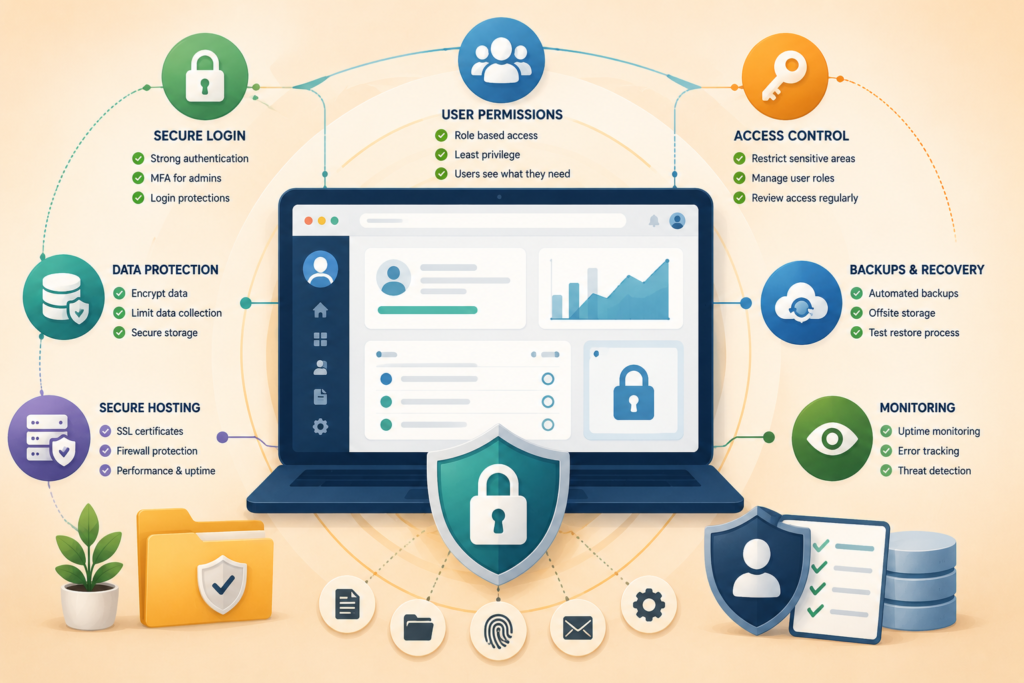
A small business should aim for:
- individual accounts for each staff member
- no shared administrator accounts
- access removed when someone leaves
- limited admin rights
- stronger login protection for high-access users
- clear ownership of user management
- periodic access reviews
- secure storage for credentials
- role-based permissions
Access control should feel manageable. It should not make daily work impossible. But it should reduce unnecessary exposure.
Security checklist before launch
Before launching a new app, portal, or internal dashboard, use this checklist.
Web app security basics checklist
- □ secure login is in place
- □ password reset flow is safe
- □ admin users have stronger protection
- □ user roles are clearly defined
- □ customers can only see their own data
- □ staff permissions are limited to what they need
- □ private documents are protected
- □ sensitive data collection is minimised
- □ SSL certificate is active
- □ backups are automated
- □ restore process has been tested
- □ hosting is reliable and secure
- □ software updates are planned
- □ monitoring is active
- □ old test accounts are removed
- □ error messages do not expose sensitive details
- □ forms include spam protection
- □ integrations are reviewed
- □ launch testing is completed
- □ someone owns maintenance after launch
This checklist helps make web app security basics practical instead of abstract.
Common web app security mistakes small businesses make
Security problems are not always caused by advanced attacks. Many start with everyday oversights.
1. Sharing admin logins
Shared admin accounts make it hard to know who changed what. They also increase risk if one person leaves or a password is exposed.
2. Giving everyone full access
Admin access should be limited. Most staff members do not need full control of users, settings, data exports, plugins, or security configuration.
3. Ignoring updates
Outdated software can create avoidable risk. Updates should be planned and tested, not delayed indefinitely.
4. No backup testing
Having backups is not enough. You need to know they work.
5. Collecting too much data
The less unnecessary data you collect, the less you need to protect.
6. Forgetting mobile users
Many users will access a customer portal, dashboard, or booking app from a phone. Security and usability both matter on mobile.
7. Treating security as a one-off task
Security is ongoing. It needs maintenance, review, and improvement.
8. Not planning for support
Users will forget passwords, lose access, change email addresses, and need help. A secure support process should be planned before launch.
If your app needs custom features, integrations, or secure portal functionality beyond standard tools, VVRapid’s Custom Plugin Development may help shape the right solution.
Trusted resources for security planning
Small business owners do not need to become security engineers, but it helps to know which standards and references exist.
Useful external resources include:
- Source: OWASP Top 10 ↗
- Source: NIST Digital Identity Guidelines ↗
- Source: W3C Web Accessibility Initiative ↗
These resources can help inform better planning, especially when your app includes authentication, user permissions, sensitive data, or customer-facing dashboards.
How VVRapid can help
VVRapid can help plan, design, build, and support secure web apps for small businesses. That may include secure login, user permissions, customer portals, internal dashboards, responsive interfaces, data handling workflows, integrations, backups, maintenance planning, and launch support.
The goal is to build software that supports the way your business works while keeping security, usability, and long-term stability in mind.
You can start with App Design & Development if you are planning a new app, or Website Maintenance & Care if you need help keeping an existing system updated and protected.
FAQ
What are web app security basics?
Web app security basics are the essential safeguards that help protect an app, its users, and its data. They include secure login, user permissions, backups, hosting, updates, access control, and maintenance.
Does a small business web app need strong security?
Yes. Any app that handles customer data, private documents, bookings, payments, messages, or staff access should have sensible security measures in place.
What is the difference between authentication and access control?
Authentication checks who the user is. Access control decides what that user is allowed to see or do inside the app.
How often should web app backups run?
It depends on how often the app changes and how important the data is. Business-critical apps may need frequent automated backups and a tested restore process.
Should every staff member have admin access?
No. Staff should only have the access they need. Administrator access should be limited to trusted users who genuinely need full control.
Is app maintenance part of security?
Yes. Updates, monitoring, backup checks, access reviews, and security patches are all part of keeping a web app secure after launch.
Security does not need to overwhelm your app project. Start with the foundations, plan access carefully, protect the data you collect, and make sure someone owns maintenance after launch. When web app security basics are built into the process early, your small business can launch with more confidence and fewer avoidable risks.