WordPress membership plugin development becomes worth serious consideration when your site needs more than a simple paywall or basic subscriber area. If your business is juggling paid content, gated resources, member directories, course access, renewals, or account-specific workflows, the real question is not whether a plugin exists. It is whether that plugin actually matches how your membership model works.
Table of Contents
A lot of site owners start with an off-the-shelf membership plugin because it feels faster, safer, and cheaper. Sometimes that is exactly the right call. But as the business grows, mixed membership models tend to get messy. Paid tiers overlap with free tiers. Members need different permissions. Content access rules become more nuanced. Payments, renewals, and onboarding start touching other parts of the site. That is usually where WordPress membership plugin development moves from “nice to have” to “this would simplify everything.”
If you run a creator platform, directory, private resource hub, training site, partner portal, or a business with layered member access, this guide will help you decide when off-the-shelf is enough, when custom is smarter, and how to think about scope before investing in development.
What WordPress membership plugin development actually solves
At its core, WordPress membership plugin development is about building access, permissions, and user journeys around your real business model instead of forcing your model to fit a general plugin.
That might include:
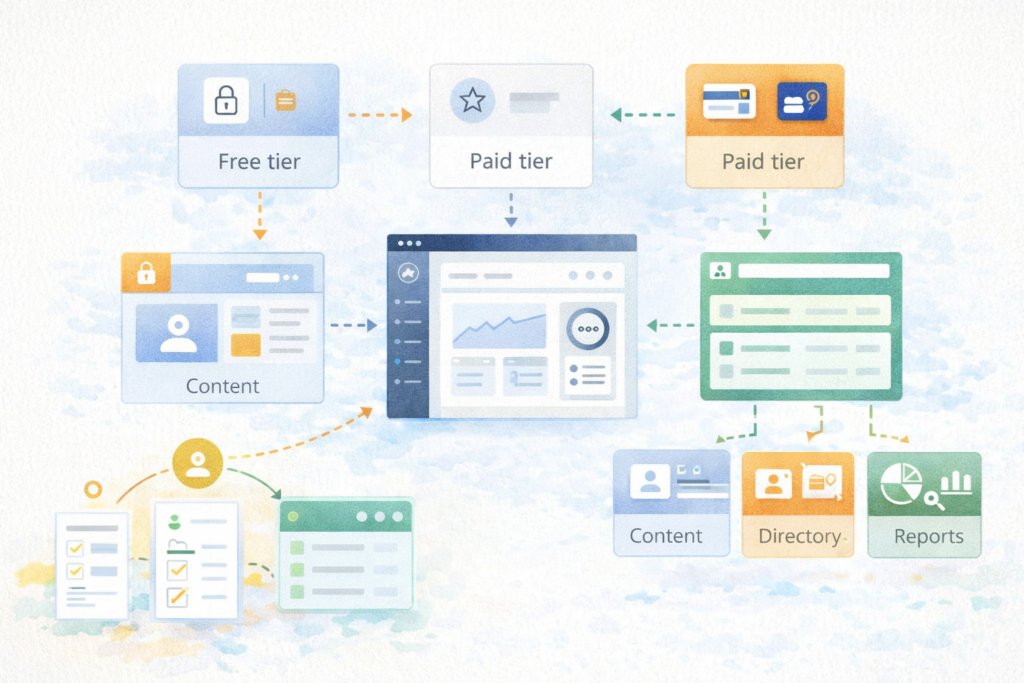
- free and paid tiers on the same site
- course access plus downloadable resources
- member-only directories or dashboards
- role-based content visibility
- staged onboarding journeys
- custom approval flows
- account-specific reporting or benefits
- private communities, portals, or support areas
- integrations with CRMs, email tools, or external apps
WordPress already supports roles and capabilities, and its plugin architecture allows custom extensions and integrations when your access logic gets more specific. That makes WordPress a practical foundation for tailored membership experiences, especially when mixed models start to outgrow generic plugin settings.
Think: the issue is rarely “can this be done?” The issue is “can this be done cleanly, reliably, and without piling workaround on workaround?”
When off-the-shelf membership plugins are enough
To be fair, many sites do not need custom development right away.
An off-the-shelf plugin is often enough when:
- you have one or two simple paid tiers
- access rules are straightforward
- checkout and renewal logic is standard
- the member journey is mostly linear
- you do not need deep integrations
- your team is comfortable working within the plugin’s structure
- reporting requirements are basic
For example, if your site offers a single paid plan with access to private posts and a resource library, an existing membership plugin may do the job perfectly well.
That matters because WordPress membership plugin development should not be the default answer for every membership site. Custom is most valuable when it removes complexity, not when it adds unnecessary build cost.
When WordPress membership plugin development is the better fit
This is where the commercial decision becomes clearer.
WordPress membership plugin development usually makes more sense when your business runs a mixed membership model that is not handled neatly by standard plugins.
That often looks like:
- free, trial, paid, and partner tiers on one site
- different content rules for different member groups
- members moving between plans based on usage or status
- course access linked to subscription state
- private directories with custom fields and approval logic
- different onboarding paths for different member types
- custom dashboards or account areas
- external systems that need to influence access
- admin teams that need cleaner controls than the plugin provides
In those cases, the problem is not just membership. It is workflow.
A generic plugin may still handle part of the stack, but once your business logic becomes layered, WordPress membership plugin development can be the cleaner long-term option. It lets you shape access rules, user states, and member experiences around the way your business actually operates.
The biggest signs you have outgrown an off-the-shelf setup
Here are the warning signs to watch.
1. You are stacking too many plugins
One plugin handles payments. Another handles gated content. Another handles course access. Another changes roles. Another custom snippet fills a gap.
Individually, each tool seems reasonable. Together, they become harder to maintain.
2. Membership rules are hard to explain
If your access model takes five minutes to explain to a developer or teammate, there is a good chance the current setup is too fragmented.
3. Admin management is frustrating
Many businesses hit a point where the front-end member experience is “acceptable,” but the back-end management is slow, confusing, or fragile.
4. Member journeys feel bolted together
If onboarding, login, access changes, renewals, and cancellations all feel disconnected, users notice.
5. Reporting is poor
You may know who paid, but not which members are active, who completed onboarding, what content each plan is using, or where users are dropping off.
Those are the moments when WordPress membership plugin development becomes less about adding features and more about simplifying the business.
What to scope before you build
Good projects start with decisions, not code.
Before investing in WordPress membership plugin development, define these areas clearly.
Membership types
List every member category.
For example:
- free member
- paid subscriber
- premium member
- partner or affiliate
- course student
- directory listing owner
- internal admin or moderator
WordPress roles and capabilities are part of how access control is handled, but custom membership logic often needs additional rules layered on top of those basics.
Access rules
Clarify exactly what each membership type can access.
That may include:
- posts
- pages
- downloads
- videos
- courses
- directories
- account tools
- member dashboards
- private support areas
Do not settle for broad labels like “premium content.” Write out the real rules.
User journey
Map the journey from:
- sign-up
- payment or approval
- onboarding
- account access
- upgrades or downgrades
- renewal
- cancellation or expiry
Mixed membership models often break down when the onboarding and lifecycle logic were never scoped properly.
Payment logic
Even if the article is non-price-led, your build still needs clear payment rules.
Examples:
- recurring vs one-time
- free trial vs no trial
- grace period after failed renewal
- manual approval after purchase
- coupon or partner access
- bundled access across products
Admin workflow
This matters more than many teams expect.
Ask:
- Who can approve or edit members?
- Who can change access levels?
- Who can see billing status?
- Who can export member data?
- Who handles support requests?
Integrations
List every system that affects membership logic.
That could include:
- email marketing tools
- CRMs
- course platforms
- payment gateways
- community tools
- custom apps
- reporting platforms
WordPress’s REST API can support richer custom workflows and data exchange when you need membership actions to connect with other systems.
Checklist: should you customise or not?
Use this as a decision filter.
You may be a strong candidate for WordPress membership plugin development if:
- □ your membership model has more than two straightforward access levels
- □ users move between plans or states often
- □ membership logic touches courses, directories, or private portals
- □ your team needs more control in the admin area
- □ current plugins require too many workarounds
- □ reporting is weak or incomplete
- □ access rules depend on other systems
- □ you want a better user journey from signup to renewal
- □ performance or plugin conflicts are becoming a concern
- □ you want a cleaner long-term setup rather than more patches
If most of those are true, custom development deserves a serious look.
Common mistakes in membership plugin planning
Building around features instead of journeys
Many teams scope a list of features but ignore the member lifecycle. Access is only part of the picture. You also need to think about onboarding, upgrades, failed payments, cancellations, and re-entry.
Copying another membership site too literally
What works for a course platform may not work for a paid directory or a private resource hub. The model matters.
Ignoring admin usability
A membership site can look fine on the front-end while being painful to manage. If the team handling approvals, support, and access changes struggles, the site will eventually struggle too.
Treating roles as the whole solution
WordPress roles and capabilities are useful, but many membership businesses need more detailed logic than default roles alone can provide.
Forgetting plugin quality and security
Membership sites deal with user accounts, permissions, and often payment-adjacent workflows. That is why build quality matters. WordPress’s Plugin Handbook and security guidance both stress best practices around compatibility, permissions, data validation, and secure output.
A practical way to decide: customise the edge cases, not everything
Sometimes the smartest answer is not “replace the whole plugin.”
In some cases, the best route is to keep a solid off-the-shelf membership foundation and customise only the parts that create friction.
Examples:
- custom approval logic
- role-based dashboards
- custom member directories
- better reporting
- access rules tied to external systems
- onboarding flows
- admin tools for support teams
That kind of WordPress membership plugin development can give you the benefits of custom work without rebuilding the entire stack unnecessarily.
This is especially useful for businesses that already have traction and need to improve operations without disrupting everything.
How to think about version one
Do not try to launch the perfect membership platform in one go.
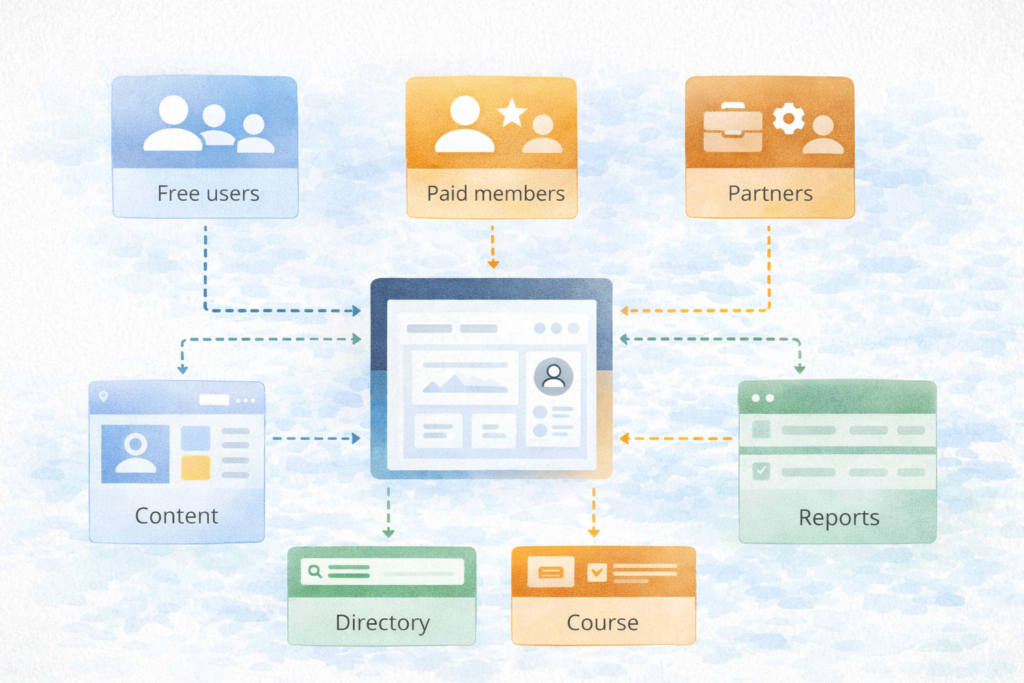
A strong version one usually focuses on:
- core membership types
- core access rules
- onboarding flow
- billing state logic
- admin controls
- one or two essential integrations
Then later phases can add:
- reporting enhancements
- member dashboards
- account-specific tools
- partner logic
- automations
- deeper CRM or app integrations
That approach usually produces a cleaner result and reduces wasted spend.
It also creates good internal link opportunities to Digital Strategy Roadmaps where planning needs to happen before build, and to Website Maintenance & Care where ongoing compatibility and plugin stability matter.
How VVRapid can help
If your site is using a mixed membership model and the current setup feels patched together, VVRapid can help scope and build the custom parts that actually reduce complexity. That may mean a fully custom membership plugin, or it may mean extending your current stack with cleaner access logic, admin tools, dashboards, integrations, and member workflows. This fits directly with VVRapid’s Custom Plugin Development service, which focuses on tailored functionality, integrations, admin tooling, and leaner WordPress solutions.
A practical next step is to review your current membership rules, identify where the friction really is, and decide whether the fix is a better plugin setup or targeted WordPress membership plugin development.
FAQ – WordPress Membership Plugin Development
Is WordPress membership plugin development only for large sites?
No. Smaller sites can benefit too when the membership model is complex enough that generic tools are creating admin or user experience problems.
Can you customise an existing membership plugin instead of starting from scratch?
Yes, often that is the most sensible route. It depends on whether the existing plugin is stable and flexible enough to extend cleanly.
Does every membership site need custom development?
No. Many simple subscription or gated-content sites can run well on existing plugins. Custom is most useful when the access logic, workflows, or integrations become too specific.
What makes mixed membership models difficult?
The difficulty usually comes from overlapping access rules, different member journeys, billing states, approvals, and integrations that all need to stay in sync.
Can WordPress handle role-based access well?
Yes, WordPress supports roles and capabilities, and custom development can build on that foundation when your membership rules need more detailed logic.
If your membership setup is becoming harder to manage than it should be, view the Custom Plugin Development service page or contact VVRapid to explore a cleaner long-term approach.