An app integration strategy helps you decide how your web app should connect with the tools your business already depends on, such as your CRM, payment gateway, booking system, accounting software, email platform, spreadsheets, or internal database.
Table of Contents
For small businesses, this matters because a web app rarely works alone. A customer portal may need to pull in client records. A booking app may need payments and reminders. An internal dashboard may need live data from several systems. Without a clear app integration strategy, the app can look good on launch day but create more admin behind the scenes.
The goal is not to connect everything.
The goal is to connect the right things, in the right order, with enough structure that your app stays useful as the business grows.
App Integration Strategy: What It Actually Means
An app integration strategy is a practical plan for how your web app shares data with other platforms.
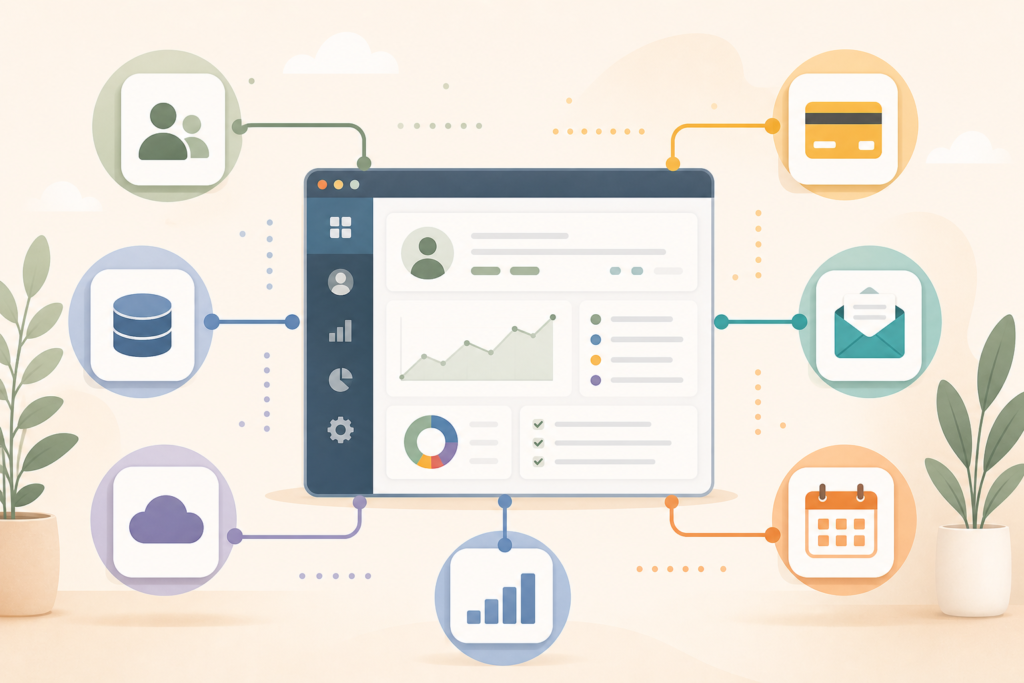
It answers questions like:
- Which tools need to connect?
- What data needs to move between them?
- Which system is the source of truth?
- How often should data sync?
- What happens if a sync fails?
- Who can access the data?
- What should be automated now, and what can wait?
Think of it as the plumbing behind your digital workflow.
Your users may only see a clean dashboard, booking form, client portal, or admin screen. Behind that, the app may be talking to your CRM, payment provider, email tool, stock system, calendar, analytics platform, or document storage.
Good integration planning keeps that flow simple, secure, and maintainable.
For custom web app planning and build support, see App Design & Development.
Why Web App Integrations Matter for Small Businesses
Many small businesses start with separate tools because it is practical.
One tool for leads. One for invoices. One for email. One for bookings. One spreadsheet for “temporary” tracking that somehow becomes business-critical.
That setup can work for a while. Then growth exposes the cracks.
A strong app integration strategy can help reduce:
- Duplicate data entry
- Missed updates
- Manual copy-and-paste work
- Reporting delays
- Customer support confusion
- Payment reconciliation problems
- Staff relying on outdated spreadsheets
- Data living in too many places
For example, if a customer pays through your web app, your team should not need to manually update the CRM, send a confirmation email, adjust the customer status, and add a finance note. Those steps can often be connected through payment integration, CRM integration, email automation, or a simple admin workflow.
This is where web app integrations become more than a technical feature. They become an operational improvement.
Common Tools Your Web App May Need to Connect With
The right integrations depend on your business model, but most small business web app projects fall into a few common groups.
CRM integration
A CRM integration connects your app with customer records, leads, deals, account statuses, or support notes.
This can be useful when:
- New users register through your web app.
- Customer details need to update automatically.
- Sales teams need visibility into app activity.
- Support teams need context before helping a client.
- A customer portal needs to show account-specific information.
The main decision is whether the CRM or the web app should be the source of truth for customer data. This matters because duplicate or conflicting records can become messy fast.
Payment integration
A payment integration lets your web app take payments, confirm payment status, handle subscriptions, or trigger access after successful payment.
This can apply to:
- Booking apps
- Membership portals
- SaaS products
- Digital product platforms
- Service deposits
- Invoice payment workflows
- Paid customer portals
Payment flows need extra care. You are not just designing a checkout screen. You are planning confirmation emails, failed payment handling, refunds, subscription changes, access control, and reconciliation.
Stripe’s developer documentation is a useful reference for understanding payment integration concepts and checkout flows.
Email and notification integrations
Many apps need to send updates.
Examples include:
- Welcome emails
- Booking confirmations
- Password reset emails
- Payment receipts
- Status updates
- Admin alerts
- Task reminders
- Renewal notices
Email looks simple from the outside, but it needs planning. Which emails are transactional? Which are marketing emails? Who controls the templates? What should happen if an email fails?
A good app integration strategy separates essential system notifications from marketing campaigns, so users get the right messages at the right time.
Calendar and booking integrations
If your web app includes scheduling, it may need to connect with calendars, staff availability, payment tools, reminders, or video meeting links.
This is common for consultants, clinics, training providers, beauty businesses, professional services, and local service companies.
For a simple booking flow, one calendar connection may be enough. For a more advanced online booking app, you may need staff roles, service durations, locations, deposits, cancellation rules, and automated reminders.
Accounting and invoicing integrations
Accounting integrations can help reduce admin after a sale, booking, subscription, or project milestone.
They may support:
- Invoice creation
- Payment matching
- Customer records
- Tax details
- Subscription billing
- Financial reporting
- Export-ready transaction records
For South African businesses, this may also mean thinking carefully about VAT handling, local payment preferences, and recordkeeping. Pricing, tax, and compliance requirements vary by region, so confirm the details with your accountant or legal advisor.
File storage and document integrations
Customer portals and internal dashboards often need file uploads or secure document access.
This might include:
- Client documents
- Signed agreements
- Reports
- Invoices
- Training materials
- Project files
- Compliance documents
The integration planning question is simple: should files live inside the app, in external storage, or in a connected document system?
The answer affects security, backup processes, access control, and long-term maintenance.
Map Your App Data Flow Before You Build
Before writing code, map your app data flow.
This does not need to be complicated. A simple diagram can show:
- Where data enters
- Where it is stored
- Which tools receive it
- Which users can view or edit it
- What happens automatically
- What still needs manual review
For example:
A user signs up in your customer portal. Their details create or update a CRM record. A welcome email is sent. An admin receives a notification. If the user pays, the payment provider confirms the transaction, the app unlocks access, and the finance team can see the payment record.
That is app data flow.
When you map it early, you spot gaps before they become expensive. You may realise that two tools are trying to own the same data. You may notice that a staff member needs an approval step. You may find that a manual check is safer than full automation for phase one.
This is why app integration strategy should happen before interface design is finalised.
For early planning support, see Digital Strategy Roadmaps.
What to Check Before Building API Integrations
API integrations can be powerful, but they are not magic. An API is simply a way for software systems to communicate according to defined rules.
Before you commit to an integration, check these points.
Does the tool have a reliable API?
Not every platform has the same quality of API. Some are well-documented and stable. Others are limited, slow, expensive, or only available on higher plans.
Check:
- API availability
- Documentation quality
- Authentication method
- Rate limits
- Webhook support
- Data fields available
- Error responses
- Versioning policy
- Pricing or plan restrictions
Postman’s API documentation resources can be useful for understanding common API concepts and how teams document requests and responses.: Postman API Documentation Guide ↗
What data should move?
Do not sync everything because it is available.
Only sync what the workflow needs.
For example, a CRM integration may only need name, email, phone, company, status, and last activity. Pulling in every field can increase privacy risk, slow the app down, and make future changes harder.
A focused app integration strategy keeps the data model lean.
Should the sync be real-time or scheduled?
Real-time sync sounds attractive, but it is not always necessary.
A payment confirmation may need to be instant. A weekly report may not. A stock update may need frequent syncing, while a marketing segment may only need a daily update.
The more real-time your integration needs to be, the more carefully you should plan reliability, error handling, and monitoring.
What happens when something fails?
Integrations fail sometimes.
A payment provider may be unavailable. A CRM may reject a field. An API key may expire. A user may enter invalid data. A third-party service may change its limits.
Your app should have a plan for failures.
That may include:
- Error logs
- Retry rules
- Admin alerts
- Manual review queues
- Clear user messages
- Fallback workflows
- Support documentation
This is not pessimistic. It is professional.
Security and Data Ownership
A web app integration can expose sensitive information if it is poorly planned.
Security needs to be part of the app integration strategy from the start, especially when your app handles customer data, payments, documents, health information, financial details, or internal business records.
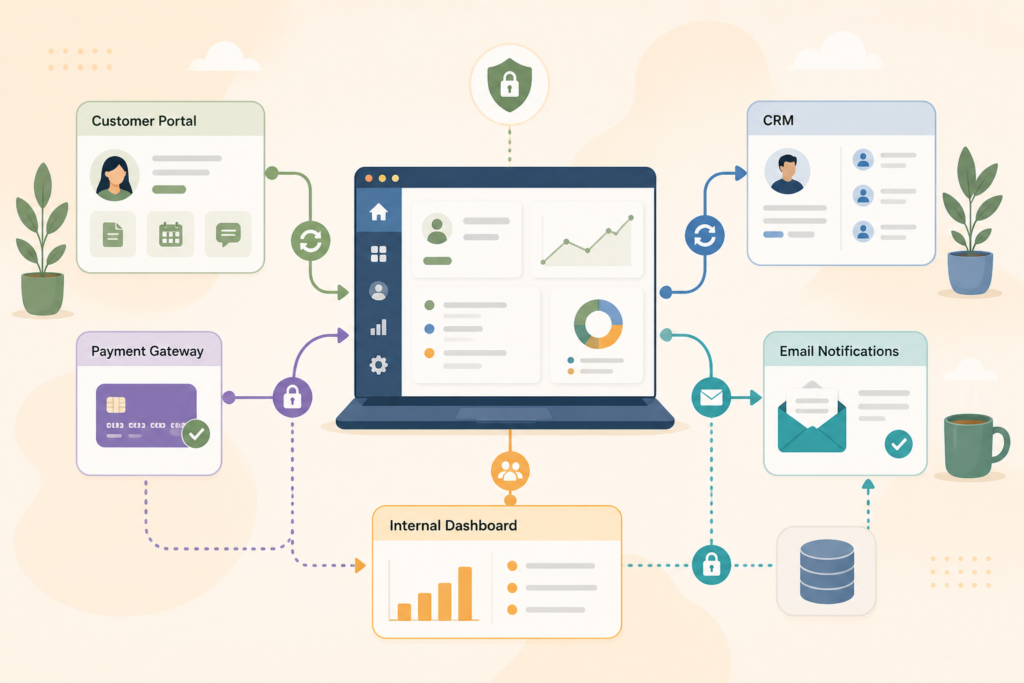
Important questions include:
- Who owns the data?
- Where is it stored?
- Who can access it?
- How is access revoked?
- Are API keys stored securely?
- Are user permissions clear?
- Is sensitive data encrypted where appropriate?
- What happens if a staff member leaves?
- Are logs storing private information unnecessarily?
OWASP’s API Security Top 10 is a useful reference for common API security risks, including broken authentication, broken authorisation, and unsafe API consumption.
For South African businesses, privacy planning should also consider POPIA where personal information is processed. The Information Regulator provides official information about POPIA and related obligations. Information Regulator South Africa POPIA ↗
This does not mean every small web app needs enterprise-level complexity. It means your integration planning should match the sensitivity of the data and the risk of getting it wrong.
App Integration Strategy Checklist
Use this checklist before you approve a web app integration plan.
- □ We know which tools the web app must connect with.
- □ We have separated must-have integrations from nice-to-have integrations.
- □ We know which system is the source of truth for each key data type.
- □ We have mapped the app data flow.
- □ We know which data fields need to sync.
- □ We have checked API access, limits, and documentation.
- □ We know whether each sync should be real-time, scheduled, or manual.
- □ We have planned what happens when an integration fails.
- □ We have considered security, privacy, and data ownership.
- □ We know who will maintain the integration after launch.
- □ We have avoided unnecessary automation in version one.
- □ We have documented the integration logic clearly enough for handover.
A good app integration strategy does not need to be complex. It needs to be clear.
Common Mistakes with Web App Integrations
Mistake 1: Connecting too many tools too early
It is tempting to automate everything in the first version. That can slow the project down and make the app harder to test.
Start with the integrations that directly support the core workflow. Add the rest once the app is being used.
Mistake 2: Not choosing a source of truth
If both the CRM and the web app can edit the same customer record, which version wins?
Without a clear source of truth, business systems integration becomes messy. Teams lose confidence in the data, and manual checking creeps back in.
Mistake 3: Ignoring edge cases
Happy paths are easy to design. Edge cases are where integration planning earns its keep.
What if a payment succeeds but the CRM update fails? What if a user changes their email address? What if a booking is cancelled after payment? What if a third-party tool is down?
These scenarios should be planned before launch.
Mistake 4: Hiding integration errors from admins
A user does not always need to see technical details, but your admin team needs visibility.
An internal dashboard should make important failures easy to spot. Otherwise, staff may only discover problems after a customer complains.
Mistake 5: Forgetting maintenance
APIs change. Business processes change. Staff roles change. Payment rules change. CRM fields change.
Web app integrations need ongoing care, especially if they support important customer or operational workflows.
For post-launch support, see Website Maintenance & Care.
What to Build First
When planning an app integration strategy, keep the first version focused.
For many small businesses, phase one should include:
- User accounts or admin access
- One core workflow
- One or two essential API integrations
- Basic notifications
- Clear error handling
- A simple admin view
- Documentation for the team
Phase two can add deeper automation, advanced reporting, more user roles, extra dashboards, and additional integrations.
This staged approach is useful for MVP development because it helps the business validate the workflow before investing in a larger build. It also reduces the risk of connecting tools around a process that may still change.
If your team needs product, technical, and operational support across phases, see Fractional Digital Team.
FAQ: App Integration Strategy
What is an app integration strategy?
An app integration strategy is a plan for how your web app connects with other business tools, including what data moves, which systems own the data, how errors are handled, and what should be automated.
Which integrations should a small business web app include first?
Start with the integrations that support the core workflow. For many small businesses, that means CRM integration, payment integration, email notifications, calendar sync, or one key internal system.
Are API integrations expensive?
Costs vary by scope, region, API complexity, security requirements, and the number of systems involved. As an illustrative guide only, one simple integration is usually easier to plan and maintain than several complex two-way integrations.
Can a web app connect to spreadsheets?
Yes, in some cases. A web app can connect to spreadsheet-based data, but spreadsheets are not always ideal as a long-term source of truth. As the app grows, a structured database is often safer and easier to manage.
How do I know if an integration is worth building?
An integration is usually worth building if it saves repeated manual work, reduces errors, improves customer experience, protects important data, or gives the team better visibility into operations.
How VVRapid Can Help
VVRapid can help plan and build web apps that connect with the tools your business already uses. That may include customer portals, booking apps, internal dashboards, MVPs, payment flows, CRM integration, API integrations, and admin tools. The focus is on clear workflows, practical phasing, secure foundations, and maintainable systems.
Start with the App Design & Development page, or contact VVRapid to discuss the right first version of your integration plan.