A custom WordPress plugin vs code snippets decision usually comes up when your site needs something specific, but you do not want to waste money, create maintenance headaches, or slow the site down. For many owners managing small business WordPress development, this is one of those choices that seems technical on the surface but has a real impact on budget, flexibility, and long-term upkeep.
Table of Contents
The good news is that there is a practical way to decide. In many cases, WordPress code snippets are enough for small, isolated tweaks. In other cases, a custom WordPress plugin is the safer and cleaner option because it is easier to manage, document, test, and expand over time. If you are unsure when to use code snippets in WordPress and when to build a custom WordPress plugin, the answer usually comes down to scope, risk, and how important the feature is to your business.
If you are adding one tiny change to a stable site, snippets can work well. If you are building reusable business logic, handling integrations, creating admin settings, or replacing several awkward workarounds, a proper plugin is often the better long-term move. That is also the thinking behind practical WordPress plugin development. For businesses that need tailored features without bloated off-the-shelf tools, Custom Plugin Development is the more relevant path.
What this decision really means
When people compare custom WordPress plugin vs code snippets, they are usually comparing two very different ways of adding custom WordPress functionality.
A code snippet is normally a small piece of PHP added through a snippet management tool, a theme functions file, or another controlled location. It is often useful for quick display tweaks, simple conditions, or small edits to existing behaviour. A plugin, by contrast, is a full WordPress extension with its own files, hooks, logic, and activation process.
This matters because structure affects support, debugging, portability, and future changes. A snippet may solve a narrow problem in minutes. A plugin may solve a broader need in a way your team can still understand six months from now.
That is why the real question is not just technical. It is operational. If the feature matters to sales, reporting, customer experience, or staff workflows, it deserves more thought than a quick fix.
When WordPress code snippets are the better choice
The simplest answer to when to use code snippets in WordPress is this: use them when the change is small, contained, and unlikely to grow.
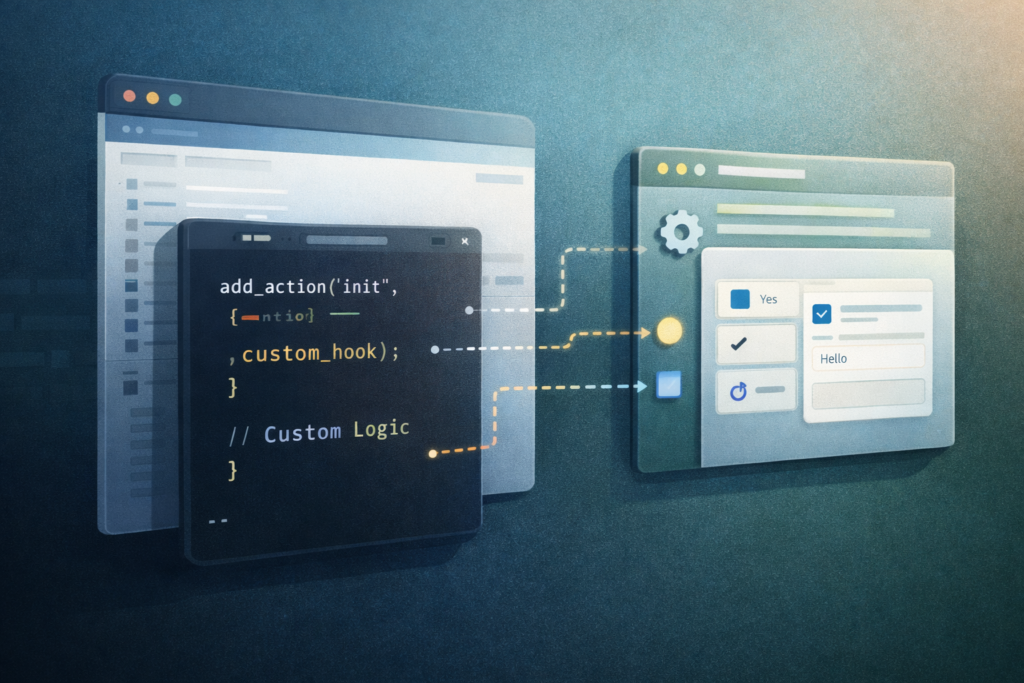
Examples include:
- changing a notice or label
- tweaking a hook output
- hiding a field in one scenario
- adding a conditional redirect
- adjusting a small admin behaviour
- making a minor display change on one site
This works best when the task is narrow and easy to describe. Think: “When X happens, do Y.”
WordPress code snippets are often the right choice when:
- there is no need for a settings page
- the logic affects one area only
- there is little chance the feature will expand
- the code does not need to be reused across multiple websites
- your developer can document it clearly
- the maintenance process is already under control
For many site owners, snippets feel like the fastest answer because they are lightweight. And sometimes that is true. A snippet can be the cleanest solution when you are modifying an existing hook or changing a very specific behaviour without creating an entirely new feature.
Still, speed should not be the only factor. A small snippet is only simple if someone knows where it is, why it was added, and how it should be tested after updates.
When to build a custom WordPress plugin
If you are wondering when to build a custom WordPress plugin, start by asking whether the feature is becoming part of how your business operates.
A custom WordPress plugin is usually the better option when the functionality is important enough to deserve its own home. This often includes:
- custom workflows
- admin tools
- dashboard widgets
- WooCommerce logic
- API connections
- automation rules
- reporting features
- role-based tools
- multi-step processes
- features likely to grow later
This is where structured WordPress plugin development becomes valuable. Instead of scattering logic across snippets, helper tools, and theme files, you create a more maintainable feature with clear ownership.
A plugin is often the smarter choice when you need:
- a settings screen
- role-based permissions
- reusable code
- easier deployment across staging and live environments
- separation from your theme
- future handover to another developer
- integration with external platforms
- cleaner long-term maintenance
In plain terms, if a feature is tied to a real workflow, a core service, or an important user action, burying it in snippets usually creates more risk later.
Custom WordPress plugin vs code snippets: the practical decision framework
The easiest way to handle WordPress snippets vs plugin decisions is to use a simple filter.
Choose code snippets if:
- the change is tiny
- the logic is unlikely to grow
- it affects one narrow area
- it does not need a settings page
- it is low risk
- the snippet is easy to track and document
Choose a custom plugin if:
- the feature supports a real business process
- the code may expand later
- the functionality needs settings or permissions
- the feature connects to outside systems
- several snippets would otherwise pile up
- the feature needs cleaner documentation and testing
- it should continue working independently of the theme
A useful rule is this: once a snippet starts feeling like a feature, treat it like one.
This is really the heart of custom WordPress plugin vs code snippets. The choice is less about code length and more about ownership, visibility, and future support. That is why so many small business WordPress development projects run into trouble after too many quick fixes. The first snippet feels harmless. The tenth one usually tells a different story.
The hidden risks of using snippets for everything
Snippets are popular because they feel fast and inexpensive. The problem starts when “just one snippet” becomes a system.
Here is what usually goes wrong:
- nobody knows which snippet controls what
- changes break after plugin or theme updates
- one freelancer or staff member becomes the only person who understands the setup
- snippets overlap or conflict
- there is no staging or rollback process
- important functionality becomes hard to move or rebuild
This is the less glamorous side of custom WordPress functionality. The feature may work today, but the structure behind it may be too fragile to scale.
For business owners, that often means higher maintenance costs later. What looked like a cheap shortcut can become a cleanup job involving documentation, testing, debugging, and rework. In many cases, the better solution would have been a custom WordPress plugin from the start.
Checklist: how to choose the right path for your site
Use this quick checklist before approving development work.
- Can the requirement be explained clearly in one sentence?
- Is this a one-off tweak or part of a broader workflow?
- Will the feature need settings, permissions, or admin controls?
- Will it connect to a CRM, booking system, payment provider, or other external tool?
- Could the requirement grow in the next 6 to 12 months?
- Would another developer easily find and understand the logic?
- Will this functionality need testing after updates?
- Does it need to work independently of your theme?
- Are you already relying on several workarounds?
- Would a plugin reduce clutter and risk?
If you answer yes to several of those questions, the decision around when to build a custom WordPress plugin becomes much clearer.
Common mistakes
1. Choosing snippets only because they seem cheaper
The cheapest build path is not always the cheapest ownership path.
2. Hiding business-critical logic in the wrong place
If your sales, operations, or reporting depend on it, it should be treated as real custom WordPress functionality, not an afterthought.
3. Mixing theme edits with operational features
Design tweaks can sit closer to the theme. Business logic usually should not.
4. Ignoring future maintenance
This is where many small business WordPress development projects become fragile. A few unmanaged changes can turn into a site nobody wants to touch. That is exactly why ongoing care matters, and Website Maintenance & Care fits naturally here.
5. Skipping staging and testing
Even small changes can affect forms, checkout, permissions, and integrations.
6. Waiting too long to consolidate
If your site already relies on multiple snippets, helper plugins, and manual workarounds, it may be time to clean up the stack properly.
A simple example
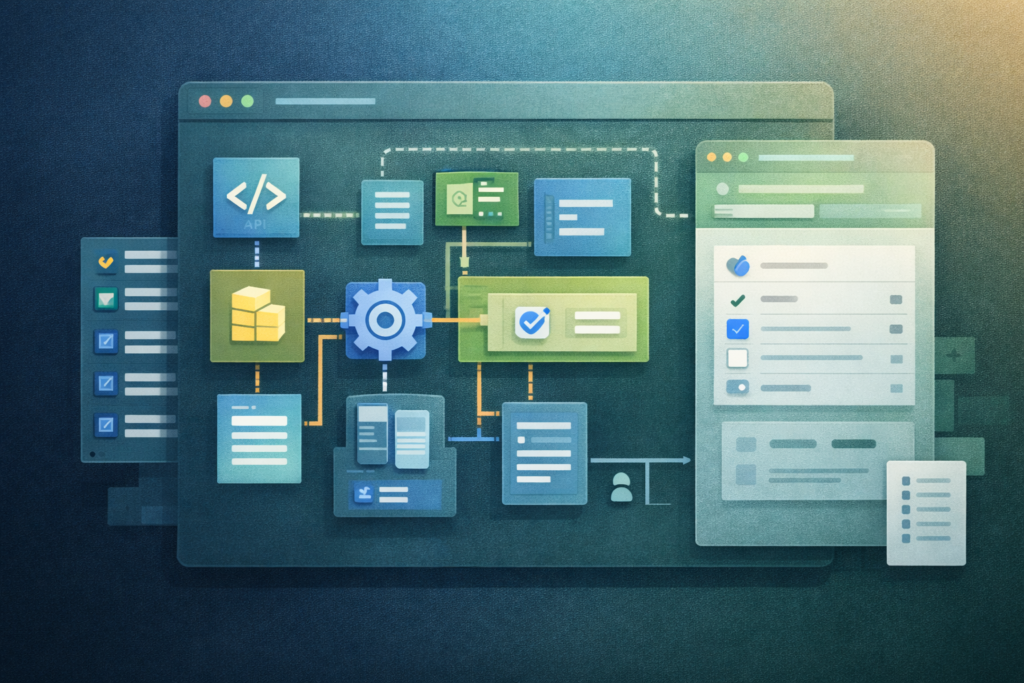
Imagine a business wants to:
- add one custom field to checkout
- send that value to a CRM
- store it for reporting
- show it in the admin order view
- make it editable by managers only
That is no longer a minor snippet job. It is a feature set. It involves permissions, data handling, admin display, integration logic, and future support. In that case, a custom WordPress plugin is usually the better answer.
Now compare that to this requirement:
- change the wording of a WooCommerce notice for logged-in users only
That may be a perfectly sensible use of WordPress code snippets.
This example shows why WordPress snippets vs plugin is not really about complexity alone. It is about how much the feature matters, how long it needs to live, and how safely it can be maintained.
What this means for growth-focused small businesses
Busy owners do not always need the most technical solution. They need the most supportable solution.
That is why small business WordPress development should focus on practical decisions, not just fast ones. When a site is growing, new functionality has to work with design, performance, SEO, maintenance, and the realities of daily operations.
A cleaner site structure and a more intentional approach to WordPress plugin development make growth easier. Instead of stacking fixes, you create a setup that your team can understand and improve over time. This is also where related services such as Website Design & Development and Search Engine Optimisation can support the wider website strategy.
This is especially important if your website is tied closely to enquiries, sales, bookings, internal admin, or customer communications. In those cases, the right approach to custom WordPress functionality can reduce friction and save time far beyond the website itself. If you need ongoing strategic and technical support without hiring full-time, Fractional Digital Team is also a natural supporting service.
How VVRapid can help
VVRapid can help you work through the real custom WordPress plugin vs code snippets decision, based on what the feature needs to do today and how likely it is to grow later. The focus is practical rather than flashy: lean functionality, clean implementation, and business-driven development. Whether you need a small scoped enhancement, better structure for existing custom logic, or full WordPress plugin development, the goal is to build something your team can actually maintain.
FAQ
Is a code snippet always faster than a custom plugin?
Usually, yes for very small changes. But once the requirement grows, the plugin route can be faster overall because it is easier to organise, test, and expand.
Are WordPress code snippets safe?
They can be, when they are small, well-documented, and properly maintained. Problems usually come from poor tracking, rushed edits, or too many snippets doing related jobs.
When should I build a custom WordPress plugin?
Build one when the feature supports a real workflow, needs settings or permissions, connects to other systems, or is likely to grow over time.
Is this mainly relevant for large companies?
Not at all. The custom WordPress plugin vs code snippets decision is often even more important for smaller teams because they have less time to deal with messy maintenance later.
What is the biggest mistake in WordPress snippets vs plugin decisions?
Treating an important feature like a tiny tweak. If the functionality matters to your business, give it the structure it needs.
Final thought
The best custom WordPress plugin vs code snippets choice is not the one with the least code. It is the one that gives you the right balance of speed, clarity, flexibility, and maintenance.
If the job is tiny, keep it tiny.
If the feature matters to how your business runs, give it a proper home.
To explore the right build path for your site, view Custom Plugin Development or get in touch for a practical scope review.
Helpful resources
If you want to understand the technical and maintenance side of this decision in more depth, these resources are worth bookmarking: