Website security maintenance is the ongoing work that keeps your business website safer, cleaner, and less likely to break when customers need it. It covers the practical basics: updates, backups, malware checks, access control, monitoring, and regular review.
Table of Contents
For small business owners, this can feel technical. It does not need to be. You do not have to become a cybersecurity expert to understand what good website security maintenance should include.
The goal is simple: reduce avoidable risk.
A website can look fine on the surface while plugins are outdated, backups are missing, admin accounts are too open, or forms are failing quietly. Small issues can become expensive when nobody is checking them.
This guide explains website security maintenance in plain language, what matters most for small businesses, and when a professional website care plan makes sense.
Website Security Maintenance: What Does It Actually Mean?
Website security maintenance is a routine set of checks and actions that help protect your website from common problems. It is not one plugin, one password change, or one yearly review.
It is a habit.
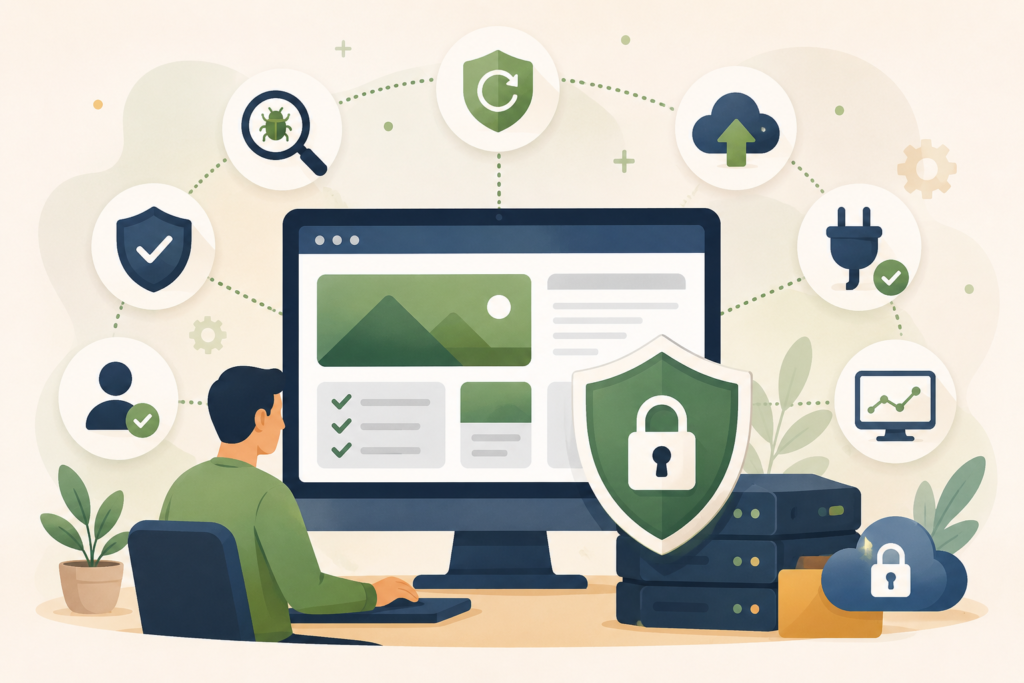
For a WordPress website, website security maintenance usually includes:
- WordPress core updates
- Theme and plugin updates
- Website backups
- Security monitoring
- Malware scans
- User access reviews
- Login protection
- Hosting checks
- Uptime monitoring
- SSL and HTTPS checks
- Form testing
- Recovery planning
VVRapid’s Website Maintenance & Care service includes practical care plan features such as updates, backups, security checks, malware scans, uptime monitoring, and performance checks for business websites.
Good security maintenance is not about panic. It is about keeping your website looked after before problems become visible to visitors.
Why Small Business Website Security Matters
Small business website security is easy to underestimate.
Many owners assume attackers only target banks, large ecommerce stores, or big brands. In reality, smaller sites are often attractive because they may be easier to compromise. Outdated plugins, weak passwords, old themes, unused admin accounts, and poor hosting can all create avoidable risk.
A hacked website can affect more than the website itself. It can cause:
- Lost leads
- Lost sales
- Damaged trust
- Browser warnings
- Spam redirects
- Search visibility issues
- Data exposure
- Cleanup costs
- Downtime during busy periods
Think: a website does not need to be famous to be vulnerable. It only needs to be neglected.
Website security maintenance helps reduce that risk by keeping the moving parts under control.
The Core Parts of Website Security Maintenance
Security can sound complex, but most small businesses should focus on a few high-impact habits first.
1. Safe WordPress Updates
WordPress security maintenance starts with updates.
WordPress core, themes, and plugins change regularly. Updates may fix bugs, improve compatibility, add features, or patch security weaknesses. Ignoring updates for too long increases risk.
But updates should still be handled carefully. A rushed update can break a form, change a layout, affect a checkout, or conflict with another plugin.
A safer update process includes:
- Checking that backups are current
- Updating in a sensible order
- Reviewing plugin compatibility
- Testing key pages after updates
- Using staging for higher-risk sites
- Checking forms, buttons, menus, and checkout flows
For simple brochure websites, updates may be straightforward. For ecommerce sites, membership sites, or custom builds, plugin updates need more caution.
2. Reliable Website Backups
Website backups are your recovery net.
A backup does not stop every problem, but it gives you a way back if an update fails, malware is found, content is deleted, or a site breaks unexpectedly.
WordPress recommends regular backups, especially before upgrades or major changes.: WordPress Backups Handbook ↗
A useful backup setup should answer these questions:
- How often are backups created?
- Are both files and the database included?
- Where are backups stored?
- How long are backups kept?
- Can the backup be restored quickly?
- Are backups created before updates?
- Who handles recovery if something breaks?
For a small brochure site, monthly backups may be enough. For an active business website, daily backups may be more appropriate. For ecommerce, booking, or membership sites, backup frequency matters even more because customer and order data changes often.
3. Website Malware Scans
A website malware scan checks for suspicious code, infected files, redirects, spam injections, or other signs of compromise.
Malware is not always obvious. Sometimes a website still loads normally for you while visitors or search engines see something different. Other times, malware hides inside old plugin files or unused themes.
A regular website malware scan helps catch problems earlier.
Signs that a site may need urgent security review include:
- Strange redirects
- New admin users you do not recognise
- Browser security warnings
- Unexpected popups
- Sudden ranking drops
- Spam pages in search results
- Website files changing without reason
- Hosting provider warnings
- Emails from customers about suspicious behaviour
Malware scans are not a complete security strategy, but they are an important part of website security maintenance.
4. Security Monitoring
Security monitoring helps you spot issues before they cause major disruption.
This can include monitoring login attempts, file changes, suspicious traffic, known vulnerabilities, uptime, malware alerts, and hosting warnings.
For a small business owner, the benefit is not the dashboard itself. The benefit is knowing someone is watching the right signals and can act when something looks wrong.
Security monitoring is especially useful for websites that:
- Generate leads
- Take payments
- Store customer information
- Run paid campaigns
- Receive regular traffic
- Use many plugins
- Have multiple users
- Support bookings or enquiries
The more your business relies on your website, the more security monitoring matters.
5. User Access Control
User access is one of the simplest areas to improve.
Many websites collect old admin accounts over time. Designers, developers, marketers, assistants, temporary staff, and former team members may still have access long after they need it.
A user access review should check:
- Who has administrator access
- Whether each user still needs access
- Whether roles are too broad
- Whether inactive accounts should be removed
- Whether passwords are strong
- Whether two-factor authentication is enabled
- Whether shared logins are being used
Small business website security often improves quickly when access is cleaned up.
6. Website Hardening
Website hardening means reducing easy attack opportunities.
This can include stronger login protection, limiting admin access, disabling unnecessary features, removing unused themes, deleting abandoned plugins, enforcing stronger passwords, and improving server-level security.
Website hardening should be practical. You do not need to turn a simple business site into a fortress that becomes hard to manage. You do need to close obvious gaps.
Common website hardening actions include:
- Remove unused plugins
- Remove unused themes
- Use strong admin passwords
- Enable two-factor authentication
- Keep PHP versions supported
- Use HTTPS
- Limit login attempts
- Review file permissions
- Keep hosting secure
- Disable accounts that are no longer needed
For businesses using WordPress with custom functionality, secure website maintenance may also include reviewing whether custom code or plugins are still safe and supported.
How Backups, Updates, and Monitoring Work Together
Website security maintenance works best when the parts support each other.
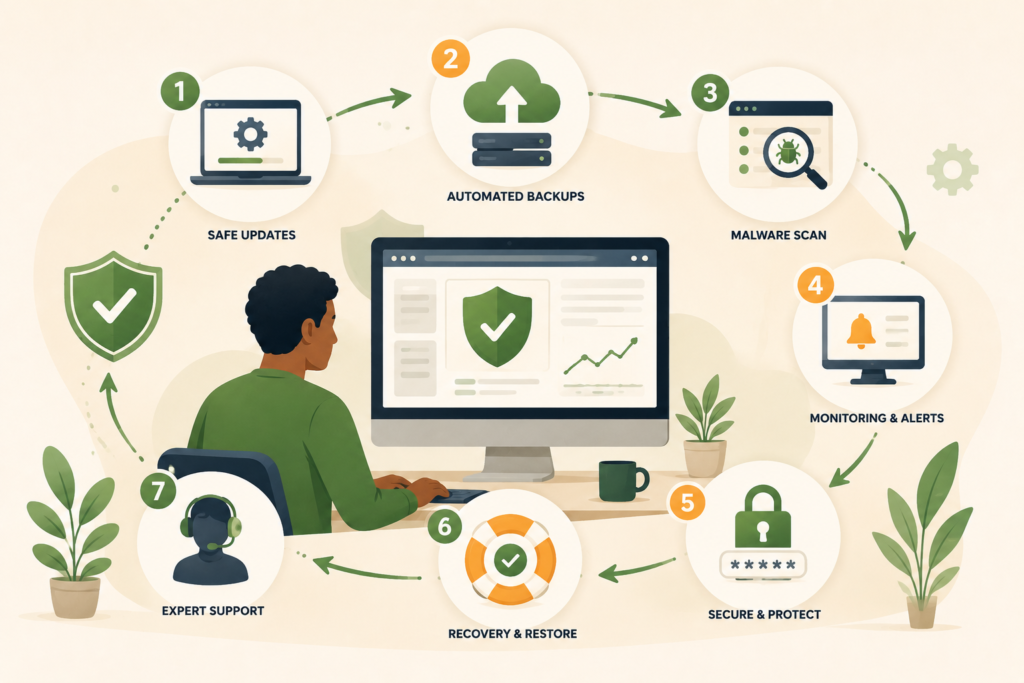
Updates reduce known vulnerabilities. Backups provide recovery options. Malware scans help detect compromise. Security monitoring watches for warning signs. User access reviews reduce unnecessary exposure. Performance and uptime monitoring help catch business-impacting problems early.
None of these tasks is perfect alone.
A backup without updates can leave a site vulnerable. Updates without backups can be risky. Malware scans without recovery planning can leave you stuck. Monitoring without someone responsible for action is just noise.
That is why monthly website care is useful for many small businesses. It creates a routine instead of waiting for problems.
Website Security Maintenance Checklist
Use this checklist monthly, or more often for busy websites.
- □ Confirm WordPress core is updated
- □ Update themes safely
- □ Update plugins safely
- □ Check that backups are running
- □ Confirm backups can be restored
- □ Run a website malware scan
- □ Review admin users
- □ Remove unused accounts
- □ Remove unused plugins
- □ Remove unused themes
- □ Check SSL and HTTPS
- □ Test contact forms
- □ Review security alerts
- □ Check uptime reports
- □ Review hosting warnings
- □ Check page speed basics
- □ Confirm key pages still work
- □ Review ecommerce checkout, if relevant
- □ Document any issues found
- □ Decide what needs professional support
This list helps keep website security maintenance practical. You do not need to do everything manually if your care plan or tools handle part of the process, but you should know what is being covered.
Common Mistakes That Weaken Website Security
Mistake 1: Installing Too Many Plugins
Plugins can be useful, but every plugin adds responsibility. Too many plugins can increase update work, compatibility problems, and security risk.
Keep the plugins you need. Remove the ones you do not.
Mistake 2: Ignoring Updates for Months
Old plugins and themes can become a risk, especially when vulnerabilities become public. Delaying updates for months can make cleanup harder later.
Mistake 3: Updating Without Backups
Updates are important, but they should not happen blindly. A current backup gives you a recovery option if something breaks.
Mistake 4: Keeping Old Admin Accounts
Former suppliers, old team members, and unused administrator accounts should not stay active forever. Access should match current responsibility.
Mistake 5: Assuming Hosting Handles Everything
Hosting is important, but hosting is not the same as website security maintenance. Your host may protect the server, but your website still needs updates, backups, monitoring, and application-level care.
Mistake 6: Only Acting After a Hack
Emergency cleanup is usually more stressful than routine maintenance. A steady website care plan can reduce avoidable risk and help you recover faster if something does go wrong.
When Should You Get Professional Help?
DIY website security maintenance can work for simple, low-risk websites if someone on the team has the time and technical confidence.
Professional support makes more sense when:
- Your website generates enquiries or revenue
- You run paid ads to the site
- You use ecommerce, bookings, or memberships
- You have custom plugins or integrations
- You do not know whether backups are working
- You have had malware or downtime before
- You need faster troubleshooting
- You want monthly reporting and accountability
If your site has custom functionality or plugin issues, VVRapid’s Custom Plugin Development service can help when your current setup needs a cleaner, safer technical solution.
If your site is slow, unstable, or affected by poor hosting, VVRapid’s LiteSpeed WebServer Hosting can support a stronger technical foundation for performance and reliability.
How Much Security Maintenance Is Enough?
The right level of website security maintenance depends on the role your site plays in your business.
A simple brochure website may need basic updates, backups, malware scans, and light monitoring. An active lead-generation website may need weekly updates, daily backups, uptime monitoring, form checks, and regular reporting. An ecommerce or high-traffic site may need staging, deeper monitoring, priority support, and more careful testing.
Ask yourself:
- What happens if the website goes down for a day?
- What happens if forms stop sending leads?
- What happens if a plugin update breaks a key page?
- What happens if malware is detected?
- What happens if customer data is affected?
- Who restores the site?
- Who communicates with the host?
- Who checks that the problem is fixed?
Your answer tells you how serious your maintenance plan needs to be.
How VVRapid Can Help
VVRapid helps small businesses keep websites secure, updated, backed up, monitored, and supported through practical Website Maintenance & Care plans.
The focus is steady protection, not scare tactics.
Depending on your site, care may include updates, malware scans, backups, uptime monitoring, performance checks, staging, small fixes, and support.
If your website is an important part of your business, ongoing care can help reduce avoidable risk and keep your site ready for customers.
View the Website Maintenance & Care service page.
FAQ
What is website security maintenance?
Website security maintenance is the ongoing process of keeping a website updated, backed up, monitored, scanned for malware, and protected from common risks.
Is WordPress security maintenance necessary?
Yes, WordPress security maintenance is important because WordPress websites often rely on themes, plugins, hosting, user accounts, and regular updates. Each part needs care to reduce avoidable risk.
How often should I run a website malware scan?
A small business website should usually run a website malware scan at least monthly. Active business, ecommerce, or high-traffic websites may need more frequent scanning and monitoring.
Do website backups protect against hacks?
Website backups do not prevent hacks, but they help with recovery. Backups should be combined with updates, security monitoring, malware scans, user access control, and website hardening.
What is website hardening?
Website hardening means reducing common security weaknesses. This can include stronger passwords, two-factor authentication, limited login attempts, removing unused plugins, and improving access control.
Can VVRapid help with secure website maintenance?
Yes. VVRapid’s Website Maintenance & Care plans support small business websites with updates, backups, security checks, malware scans, monitoring, performance care, and ongoing support.