
Website maintenance after launch is what turns a new website from “live” into reliable. The first 90 days are when you check that forms work, pages load properly, search engines can find the site, backups are running, and visitors are getting the experience you planned.
Table of Contents
Launching a website feels like the finish line. It is not. It is the handover point between build mode and care mode.
A new website is fresh, but it is also untested in the real world. Real visitors behave differently from project teams. Devices vary. Browsers vary. Forms can fail. Redirects can be missed. Analytics may not record correctly. A plugin update may affect layout. A slow page may only become obvious after launch traffic arrives.
That is why website maintenance after launch matters. It helps you catch issues early, protect the investment you just made, and turn the site into a stable business asset.
If your site was recently built or redesigned, this 90-day guide will help you understand what to check, when to check it, and when to move into a monthly website care plan.
Website Maintenance After Launch: Why the First 90 Days Matter
The first 90 days after a new website goes live are a learning period.
You are no longer checking the site in a controlled development environment. You are seeing how it performs with real visitors, real enquiries, real search engine crawlers, real devices, and real business pressure.
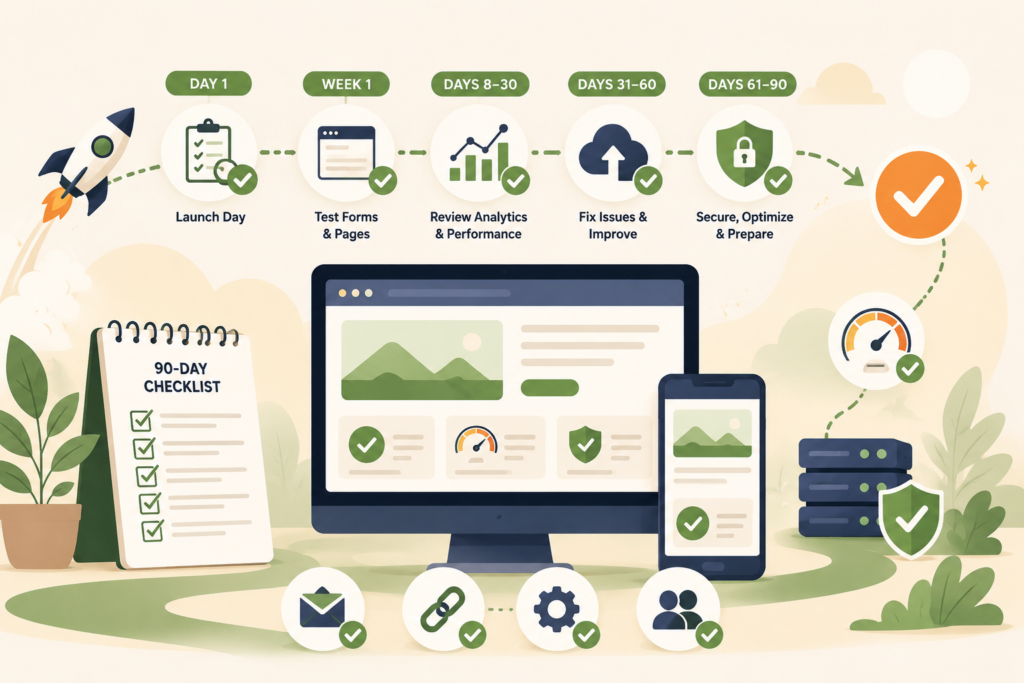
Website maintenance after launch helps answer practical questions:
- Are contact forms sending correctly?
- Are customers finding the right pages?
- Are redirects working?
- Is Google indexing the site?
- Are backups running?
- Is the site fast enough?
- Are key pages displaying correctly on mobile?
- Are plugin updates safe?
- Are analytics and conversion events tracking properly?
- Is the website supporting enquiries, bookings, or sales?
This is also where new website maintenance becomes part of normal business operations. The site should not sit untouched until something breaks.
If VVRapid helped build or improve your website, the next step is making sure the website stays healthy after launch, you can visit the Website Maintenance & Care service.
The First Week: Check the Essentials
The first week is about confirming that the website is live, visible, usable, and connected to the right systems.
This is not the time for big redesign decisions. It is the time for careful checking.
Test All Forms
Forms are often the first thing to check after launch.
Test:
- Contact forms
- Quote forms
- Booking forms
- Newsletter forms
- Lead magnet forms
- Checkout forms, if relevant
- Support request forms
Submit test entries from desktop and mobile. Confirm the message arrives in the right inbox. Check the subject line, sender details, spam folder, and any automated reply.
A beautiful website with a broken form is a silent lead leak.
Check Key Pages on Mobile
Most small business websites receive a meaningful share of traffic from mobile devices. That makes mobile testing part of website maintenance after launch, not an optional design review.
Check:
- Homepage
- Main service pages
- Contact page
- About page
- Blog or resource pages
- Booking or checkout pages
- Thank-you pages
- Menus and buttons
Look for text that is too small, buttons that are hard to tap, images that crop badly, and sections that feel too long.
Confirm Analytics and Tracking
Analytics should be working from day one.
Check that your analytics tool is recording visits. Confirm any important conversion events, such as form submissions, calls, purchases, downloads, or bookings.
For businesses running ads, this is critical. If tracking is wrong, campaign decisions become guesswork.
Check Search Engine Visibility
A common launch mistake is leaving a “discourage search engines” setting enabled, blocking important pages, or forgetting to submit an updated sitemap.
Your post launch website checklist should include:
- Confirm the site is indexable
- Submit or update the sitemap
- Check robots.txt
- Review meta titles and descriptions
- Check canonical URLs
- Search for the brand name
- Check whether important pages are appearing
Google’s Search Central documentation explains how search engines discover and understand pages, which is why indexing and crawlability checks matter after launch.: Google Search Central SEO Starter Guide ↗
Confirm Backups Are Running
Website backups should be active immediately after launch.
Check:
- Backup frequency
- Backup storage location
- Whether files and database are included
- Whether a restore option is available
- Whether a backup runs before updates
WordPress recommends keeping reliable backups, especially before upgrades or major changes.: WordPress Backups Handbook ↗
Days 8 to 30: Move From Launch Checks to Website Care
After the first week, the website should be stable enough for deeper review.
This stage of website maintenance after launch focuses on performance, user behaviour, technical issues, and small improvements.
Run Website Performance Checks
Website performance checks help you understand whether the new site loads well enough for real users.
Review:
- Page loading speed
- Image sizes
- Caching
- Mobile performance
- Hosting response time
- Large scripts
- Heavy plugins
- Core Web Vitals indicators
Google’s PageSpeed Insights can help identify performance issues on key pages.: Google PageSpeed Insights ↗
Do not obsess over a perfect score. Focus on whether the website loads quickly enough, feels responsive, and supports conversions.
Review User Behaviour
The first month gives you early clues.
Look at:
- Which pages people visit
- Where visitors leave
- Which pages get no traffic
- Whether forms are being used
- Which devices visitors use
- Which countries or regions visit the site
- Whether visitors reach important service pages
This is especially useful for small businesses in South Africa, the UAE, the UK, Europe, Australia, or New Zealand that serve multiple regions. Early analytics can show whether the website is attracting the right audience.
Fix Small Content Issues
Even carefully reviewed websites can have small errors after launch.
Look for:
- Outdated contact details
- Missing team information
- Incorrect service descriptions
- Broken internal links
- Spelling issues
- Awkward headings
- Missing FAQs
- Thin pages
- Old images
- Inconsistent calls to action
Website care after launch is partly technical and partly editorial. The goal is to make the site clearer and easier to use.
Check Security Basics
Security should not wait until month three.
Review:
- Admin users
- Password strength
- Two-factor authentication
- Plugin updates
- Theme updates
- SSL and HTTPS
- Malware scan results
- Hosting warnings
CISA provides cybersecurity guidance for small and medium-sized businesses, including practical steps for reducing risk.: CISA Small and Medium Business Resources ↗
If your website runs on WordPress, WordPress maintenance after launch should include updates, backups, malware scanning, and user access review.
Days 31 to 60: Improve, Test, and Tighten
By the second month, you should have enough real-world feedback to make better decisions.
This stage is not about rebuilding the site. It is about improving what is already there.
Review Enquiry Quality
Are the right people contacting you?
If enquiries are too vague, your website may need clearer service pages, better qualification copy, stronger FAQs, or more specific calls to action.
Review:
- Form messages
- Phone enquiries
- Email enquiries
- Common questions
- Misunderstandings
- Wrong-fit leads
Small content changes can reduce friction and improve lead quality.
Check Redirects and Broken Links
If the launch involved a redesign or migration, redirects matter.
Broken links can frustrate visitors and create avoidable SEO issues. Use a crawling tool or link checker to identify:
- 404 pages
- Broken internal links
- Broken external links
- Redirect chains
- Old URLs that still receive traffic
This is an important part of a post launch website checklist because old pages often still appear in emails, bookmarks, search results, and social posts.
Review Plugins and Features
After 30 to 60 days, you may know which plugins are useful and which are not.
Ask:
- Is every plugin still needed?
- Are any plugins slowing the site?
- Are any plugins duplicating features?
- Are any plugins abandoned or poorly supported?
- Are updates causing issues?
- Are there custom features that need documentation?
Too many plugins can increase maintenance work. New website maintenance should keep the site lean.
Recheck Conversion Paths
Walk through the website like a first-time visitor.
Can someone quickly understand:
- What you do?
- Who you help?
- Where you operate?
- What makes your service relevant?
- How to contact you?
- What happens next?
Test your main conversion paths from homepage to service page to contact form. Check mobile again. Small friction points can reduce enquiries.
Days 61 to 90: Prepare for Ongoing Monthly Website Care
By the third month, the launch period should become a normal maintenance routine.
This is where website maintenance after launch shifts into monthly website care.
Review SEO Foundations
Your SEO foundations should be checked again once the site has had time to settle.
Review:
- Meta titles
- Meta descriptions
- Main headings
- Internal links
- Sitemap submission
- Indexed pages
- Search Console issues
- Duplicate or thin content
- Service page clarity
- Blog opportunities
If organic visibility matters, VVRapid’s Search Engine Optimisation service can help connect technical checks with a practical growth plan.
Build a Content Maintenance Routine
A website does not stay useful if the content goes stale.
Plan how often you will review:
- Service pages
- Pricing or package details
- FAQs
- Staff or team information
- Testimonials, if used
- Case studies, if used
- Blog posts
- Contact details
- Legal pages
- Location information
For businesses that publish regularly, VVRapid’s Socials, Blog & Article Writing Services can support ongoing content that stays aligned with SEO and buyer questions.
Decide Your Website Support Process
By day 90, everyone should know how website support will work.
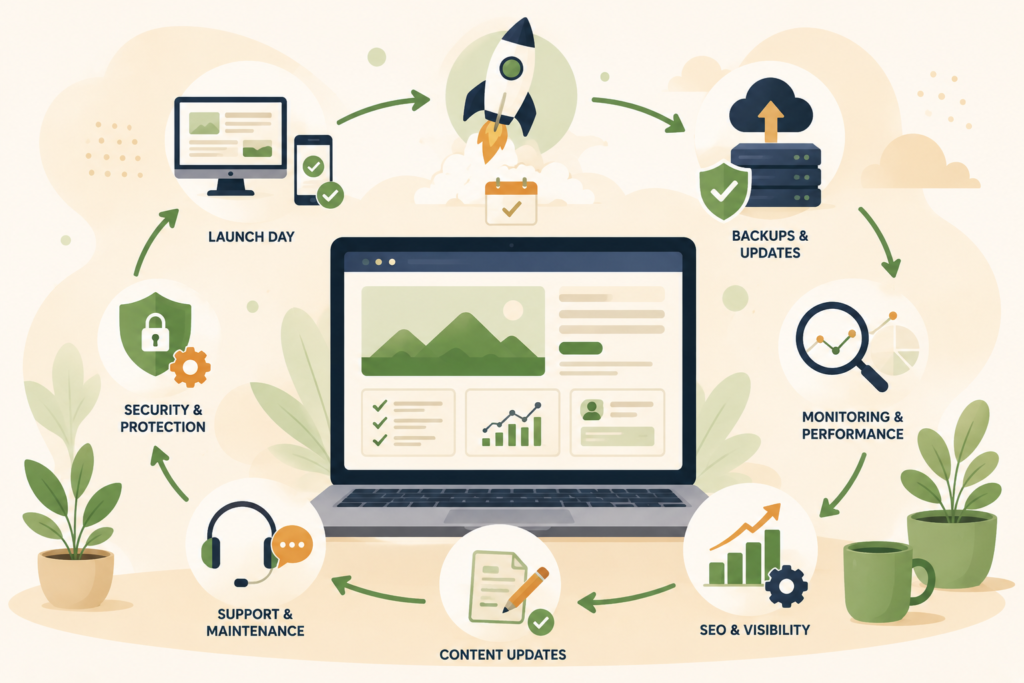
Clarify:
- Who checks the site monthly?
- Who updates plugins?
- Who receives alerts?
- Who handles backups?
- Who restores the website if needed?
- Who fixes forms?
- Who updates content?
- Who approves larger changes?
- What response time is needed?
This prevents the common “I thought someone else was handling it” problem.
Move Into a Care Plan
If the site matters to your business, a care plan is usually more reliable than occasional emergency fixes.
VVRapid’s Website Maintenance & Care service supports small businesses with website updates, backups, security checks, monitoring, performance care, staging, reports, and practical support.
Website care after launch should feel steady and manageable. Not reactive. Not chaotic.
90-Day Post Launch Website Checklist
Use this checklist to guide the first three months.
First week:
- □ Test all forms
- □ Check mobile layouts
- □ Confirm analytics
- □ Confirm conversion tracking
- □ Submit sitemap
- □ Check indexing settings
- □ Test key buttons and menus
- □ Confirm backups are active
- □ Check SSL and HTTPS
- □ Review contact details
Days 8 to 30:
- □ Run website performance checks
- □ Review early analytics
- □ Fix small content issues
- □ Check security basics
- □ Review admin users
- □ Test key service pages
- □ Check email deliverability from forms
- □ Confirm backup restore process
- □ Check uptime monitoring
Days 31 to 60:
- □ Review enquiry quality
- □ Fix broken links
- □ Check redirects
- □ Review plugin setup
- □ Remove unused tools
- □ Retest conversion paths
- □ Review mobile experience
- □ Check page speed again
Days 61 to 90:
- □ Review SEO foundations
- □ Check Search Console issues
- □ Plan content updates
- □ Assign website support roles
- □ Set a monthly maintenance schedule
- □ Review care plan needs
- □ Document recurring tasks
- □ Decide what needs professional help
Common Mistakes After a New Website Goes Live
Mistake 1: Thinking Launch Means Finished
A website launch is a milestone, not an ending. Website maintenance after launch keeps the site useful once real visitors arrive.
Mistake 2: Not Testing Forms Properly
Forms should be tested from different devices and email addresses. A broken contact form can cost leads quietly for weeks.
Mistake 3: Forgetting About Backups
Backups should be confirmed, not assumed. You need to know where they are stored and who can restore them.
Mistake 4: Ignoring Performance
A new site can still be slow. Large images, scripts, plugins, and hosting issues can affect load times.
Mistake 5: Skipping SEO Checks
A redesign can affect URLs, titles, internal links, and indexing. SEO checks should be part of WordPress maintenance after launch.
Mistake 6: Letting Content Go Stale
Your services, team, pricing, offers, and FAQs may change. Website upkeep includes keeping content accurate.
Mistake 7: Having No Support Owner
Someone must be responsible for website support. Without ownership, small issues tend to sit unresolved.
How VVRapid Can Help
VVRapid helps small businesses move from launch to long-term website care.
That can include website maintenance, backups, monitoring, security checks, performance checks, SEO support, hosting, and content updates.
The aim is simple: keep your website stable, useful, and aligned with how your business actually works.
If your new site is live and you want a practical support routine, start with the Website Maintenance & Care service page.
View Website Maintenance & Care or Request a Website Maintenance & Care Quote.
FAQ
What is website maintenance after launch?
Website maintenance after launch is the routine checking and support done after a new website goes live. It includes form testing, backups, updates, performance checks, security review, indexing checks, and content fixes.
How long should post launch website checks continue?
The first 90 days are the most important, but website care after launch should continue monthly. Websites need ongoing updates, backups, monitoring, content review, and technical support.
What should I check in the first week after launch?
Check forms, mobile layouts, analytics, conversion tracking, backups, SSL, sitemap submission, indexing settings, key buttons, menus, and contact details.
Is WordPress maintenance after launch different from normal maintenance?
WordPress maintenance after launch is more focused on launch-related issues such as redirects, indexing, form testing, tracking, plugin behaviour, and early performance. After 90 days, it usually becomes a monthly care routine.
Do I need a website care plan after launch?
A website care plan is useful if your website supports leads, sales, bookings, customer service, or credibility. It helps keep updates, backups, monitoring, and support consistent.
When should I review SEO after launching a website?
Review SEO in the first week for indexing and sitemap issues, then again around days 60 to 90 for metadata, internal links, Search Console issues, content gaps, and page performance.