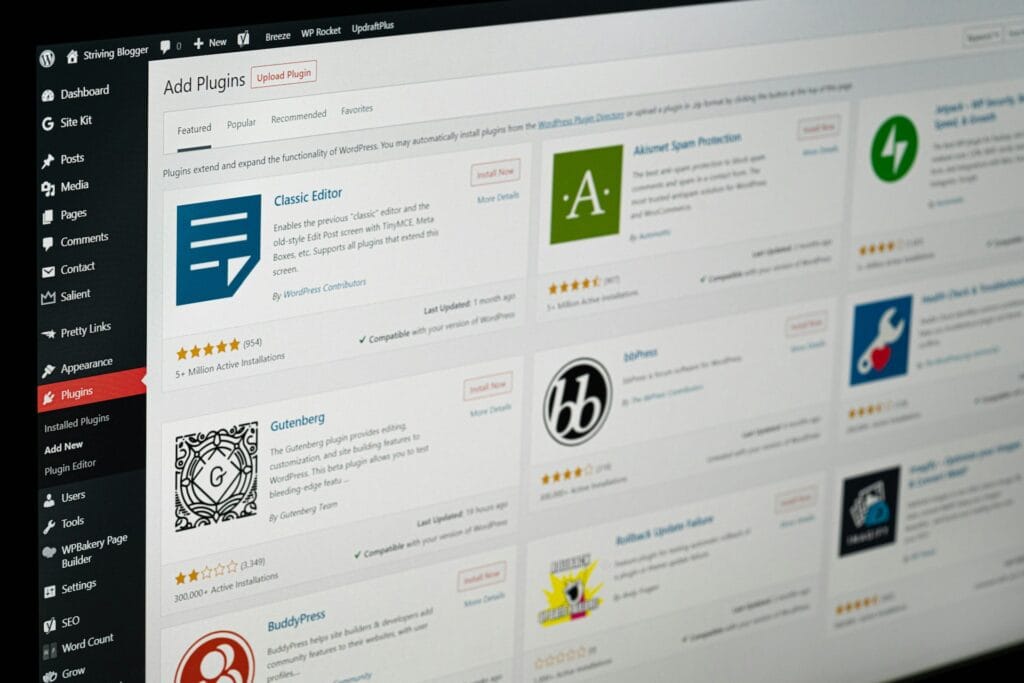
A WordPress workflow plugin can help your team stop repeating the same admin tasks inside WordPress, especially when approvals, form entries, content updates, customer requests, orders, bookings, or internal notifications are starting to slow everyone down.
Table of Contents
At first, manual admin feels manageable. Someone checks the form inbox. Someone copies information into a spreadsheet. Someone updates a customer record. Someone sends the follow-up email. It works because the team is small and everyone knows what to do.
Then the business grows.
More leads come in. More orders need checking. More content needs approval. More customer details need updating. Suddenly your website is not just a website. It is part of your operations. That is when a WordPress workflow plugin becomes worth considering.
What Is a WordPress Workflow Plugin?
A WordPress workflow plugin is a custom or configured plugin that helps move tasks, data, approvals, and notifications through your business process inside WordPress.
It can automate simple actions, such as sending an email when a form is submitted. It can also support more structured workflows, such as assigning a request to a team member, updating a status, logging an action, and showing managers what still needs attention.
A good WordPress workflow plugin does not just “add automation”. It gives your team a clearer way to work.

Common examples include:
- Lead review and assignment
- Quote request handling
- Content approval workflows
- Customer onboarding steps
- Booking admin checks
- WooCommerce order review processes
- Internal task notifications
- Custom dashboard views
- Form submission routing
- Membership or account approval flows
For growing businesses, this type of WordPress admin automation can reduce delays and make daily work easier to manage.
When Your Team Starts Needing Custom Admin Automation
A WordPress workflow plugin usually becomes useful when your current process depends too heavily on memory, inboxes, spreadsheets, or one person knowing what happens next.
You may need one if:
- staff keep asking, “Has this been done yet?”
- customer requests are getting missed
- form submissions need manual sorting
- approvals happen through email chains
- order checks require several admin screens
- team members are copying data between tools
- managers cannot see what is pending
- staff need different admin views based on role
- your current plugins do part of the job, but not the full workflow
Think: if a task happens every week and follows a predictable pattern, it may be a workflow.
A WordPress workflow plugin can help turn that repeated pattern into a cleaner process.
Practical Examples of WordPress Workflow Automation
A workflow does not need to be complex to be valuable. Often, the best custom admin tools are focused and simple.
Lead review workflow
A service business might receive enquiries from several forms. Instead of sending every enquiry to one inbox, a WordPress workflow plugin could:
- tag the enquiry by service type
- assign it to the right person
- mark it as new, contacted, quoted, or closed
- send a notification to the assigned team member
- show pending leads in a simple admin dashboard
This is useful when CRM integration is not the first priority, or when WordPress needs to act as a lightweight operational hub.
Content approval workflow
A business with writers, editors, and managers may need a better editorial process. A WordPress workflow plugin could:
- restrict who can publish
- send a review notification
- show draft status clearly
- log approval history
- notify the author when changes are needed
This can support blog content, landing pages, product descriptions, or internal documentation.
Booking admin workflow
A booking system may handle the customer-facing part well, but the admin process may still be messy. A custom workflow could:
- flag bookings that need manual review
- assign bookings to team members
- show preparation tasks
- trigger internal reminders
- record completion notes
This is helpful for service businesses, training providers, consultants, clinics, and teams that have more than a simple “book and pay” process.
WooCommerce order review workflow
For e-commerce stores, not every order is straightforward. Some orders may need fraud checks, stock checks, delivery confirmation, or custom fulfilment rules.
A WordPress workflow plugin can create a clearer internal process for orders that need attention.
It might:
- flag high-value orders
- add custom order statuses
- notify the warehouse or admin team
- require staff notes before fulfilment
- generate a simple internal report
Internal support or request workflow
A business may use WordPress for internal staff requests, customer support forms, or partner submissions. A workflow plugin can make sure every request has a status, owner, and next step.
That is where custom WordPress development can be more useful than stacking multiple generic plugins together.
WordPress Workflow Plugin vs Generic Automation Tools
There are many automation tools available. Some connect apps quickly. Some are excellent for simple triggers. But they are not always the best fit for admin workflows that live inside WordPress.
A WordPress workflow plugin may be better when:
- staff already work inside WordPress every day
- the workflow depends on WordPress users, roles, posts, orders, or form data
- you need custom admin screens
- you want fewer moving parts
- you need stronger control over permissions
- the workflow is specific to your business
- generic automation tools become hard to monitor
Generic automation platforms may still be useful when the process mainly connects external apps. For example, sending a new lead from WordPress to a CRM may not always require a custom build.
But if your team needs to review, approve, assign, update, and report on work inside WordPress, a WordPress workflow plugin may be a cleaner fit.
For technical reference, the WordPress Plugin Handbook explains the plugin development structure, and the WordPress Roles and Capabilities documentation is useful when planning permissions.
WordPress Plugin Handbook ↗
WordPress Roles and Capabilities ↗
What to Map Before Building a WordPress Workflow Plugin
Before development starts, map the real workflow. Do not start with screens or features.
Start with the process.
1) Trigger
What starts the workflow?
Examples:
- a form submission
- a new order
- a booking request
- a draft post
- a customer account change
- a staff action
- a payment status update
A clear trigger helps define what the WordPress workflow plugin should do first.
2) Statuses
Most workflows need statuses.
For example:
- new
- assigned
- waiting for customer
- in review
- approved
- completed
- rejected
- archived
Statuses give your team shared language. They also make reporting easier.
3) Roles and permissions
Who can view, edit, approve, assign, or delete items?
This matters for secure WordPress development. A team member may need to process requests without seeing sensitive settings. A manager may need reporting access without editing plugin configuration.
4) Notifications
Notifications should help, not annoy people.
Decide:
- who gets notified
- when they get notified
- what the message should include
- whether reminders are needed
- what happens if nobody responds
5) Admin screens
A WordPress workflow plugin can include custom admin screens, dashboard widgets, filters, columns, or status views.
Keep these simple. The best admin tools show the right information at the right time.
6) Error handling
Every workflow needs a fallback.
Ask:
- what happens if an email fails
- what happens if data is incomplete
- can a team member manually retry an action
- should errors be logged
- who should be alerted
This is especially important when the workflow connects with payment systems, CRMs, booking platforms, or external APIs.
WordPress Workflow Plugin Checklist
Use this checklist before approving a custom build:
- □ define the business problem in one sentence
- □ list the people involved in the workflow
- □ identify the trigger that starts the workflow
- □ define every status
- □ decide who can view, edit, approve, and complete tasks
- □ map the notification rules
- □ list the data fields required
- □ confirm what should be logged
- □ decide what reports or dashboard views are needed
- □ identify external tools involved
- □ document edge cases
- □ plan testing with real examples
- □ include training notes for staff
- □ decide who owns the workflow after launch
- □ schedule post-launch monitoring
If the workflow affects leads, orders, bookings, payments, or customer communication, treat it as an operational system, not a quick website tweak.
Common Mistakes With Custom Admin Automation
A WordPress workflow plugin can save time, but only if it is planned well.
Automating a messy process too early
If the current process is unclear, automation will not fix it. It may just make the confusion faster.
Map the workflow first. Simplify it. Then build.
Creating too many statuses
Statuses are useful, but too many can slow the team down. If staff do not understand the difference between “pending review”, “awaiting review”, and “in review”, the workflow is too complicated.
Ignoring staff permissions
Admin automation should not give every user full access. Plan user roles carefully, especially when customer data, payments, or internal notes are involved.
Overbuilding the first version
The first version of a WordPress workflow plugin should focus on the most valuable workflow. Add extras later once the team has used it.
Forgetting mobile or tablet use
Some staff may review requests or bookings away from a desk. If that matters, the admin experience should be considered during planning.
No reporting view
A workflow without visibility can still create bottlenecks. Managers often need a simple view of pending tasks, overdue items, and completed work.
Skipping maintenance
Even a well-built WordPress workflow plugin needs care. WordPress updates, plugin updates, API changes, and team process changes can all affect how the workflow performs.
For ongoing care, Website Maintenance & Care can support monitoring, updates, and stability after launch.
How a WordPress Workflow Plugin Supports Growth
Small teams often rely on informal communication. That works until the workload increases.
A WordPress workflow plugin helps growth by making repeated admin work more visible, consistent, and easier to hand over.
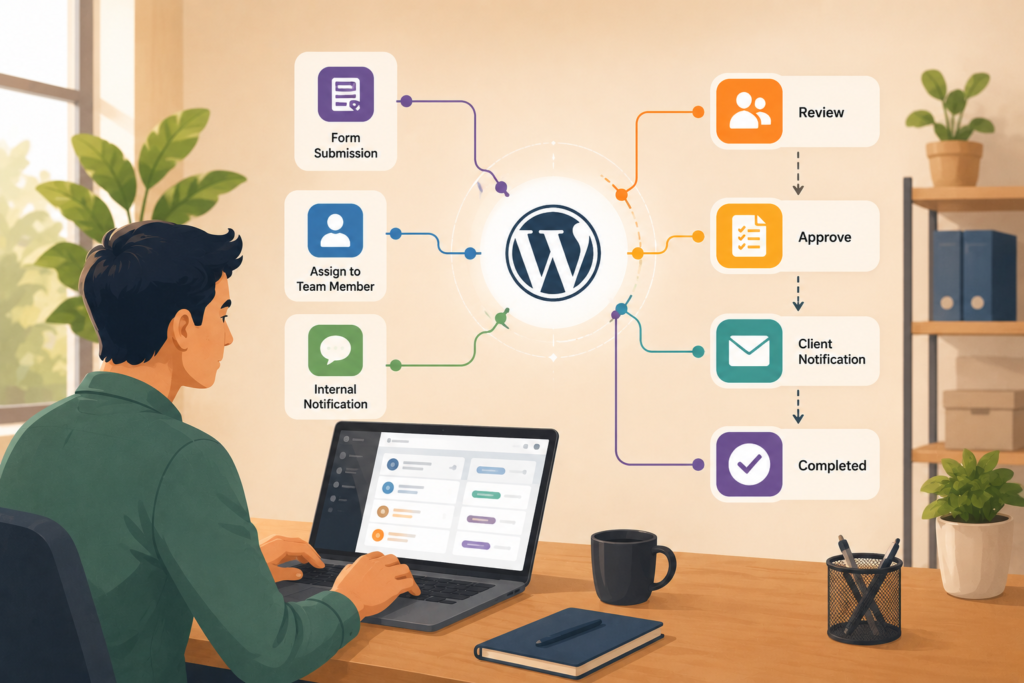
It can help with:
- fewer missed requests
- clearer team ownership
- faster response times
- better admin visibility
- cleaner customer communication
- reduced copy and paste work
- better use of WordPress as an operations tool
- less reliance on one team member’s memory
This is not just about saving a few minutes. It is about reducing friction.
When the workflow is tied to website performance, lead generation, or customer experience, it may also connect with broader Search Engine Optimisation and website improvement work.
FAQ
What is a WordPress workflow plugin?
A WordPress workflow plugin is a plugin that helps manage tasks, approvals, notifications, statuses, and admin actions inside WordPress.
When should I build a custom workflow plugin?
Build a custom workflow plugin when your team has repeated admin tasks that generic plugins or manual processes do not handle well.
Can a WordPress workflow plugin connect to other business tools?
Yes. A WordPress workflow plugin can connect to CRMs, payment platforms, booking systems, email tools, or internal systems when API access or webhook support is available.
Is custom admin automation only for large businesses?
No. Small businesses can benefit when repeated admin tasks waste time, create errors, or slow down customer response.
Will a workflow plugin slow down my website?
It should not if it is built carefully. Performance depends on clean code, sensible database use, proper loading, and testing.
How VVRapid can help
VVRapid builds practical WordPress tools that support real business workflows. That may include custom admin screens, approval flows, role-based dashboards, notifications, CRM handoffs, booking workflows, or WooCommerce admin improvements. The aim is simple: make WordPress easier for your team to use, without adding unnecessary plugin bloat.
If your team needs a WordPress workflow plugin, view Custom Plugin Development or contact VVRapid to discuss the admin process you want to improve.