If you are planning a customer login area, knowing which client portal features matter first can save time, budget, and a lot of rework. Many small businesses do not need a giant custom system on day one. They need a practical portal that helps customers log in, find what they need, complete basic tasks, and trust the experience.
Table of Contents
A good portal should reduce admin, improve visibility, and make repeat interactions easier for both your team and your clients. Think: fewer email chains, fewer “Can you resend that?” requests, and fewer manual updates. That is usually where the real value starts. For businesses serving clients across regions, including South Africa and international markets, this kind of self-service can also make support more consistent across time zones.
What is a client portal?
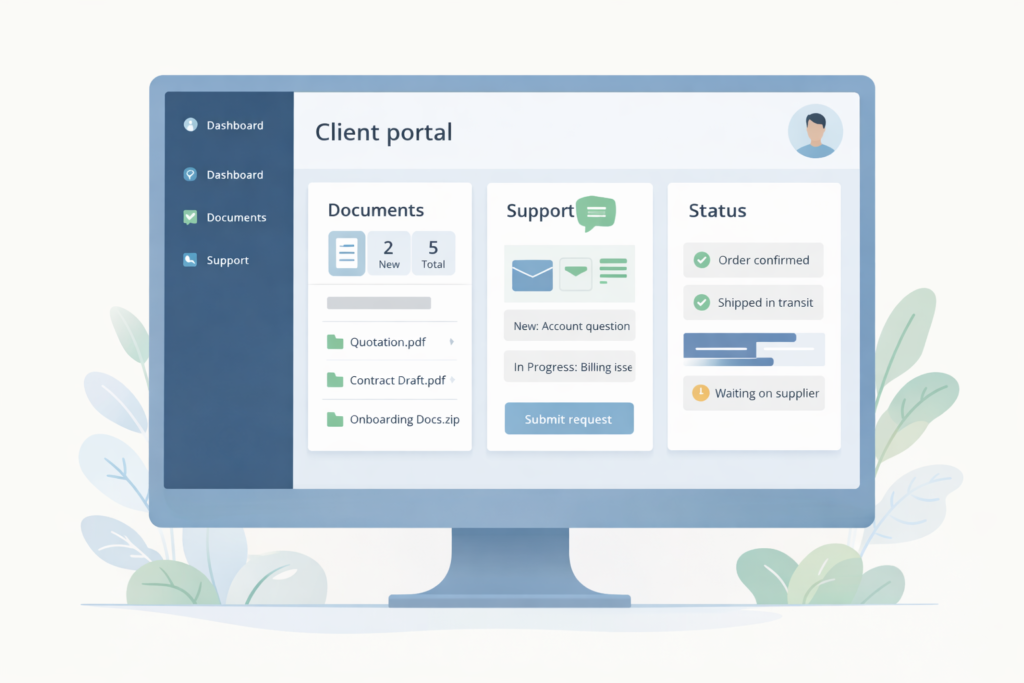
A client portal is a secure area where customers can sign in and access information or actions related to their account. Depending on the business, that could include documents, invoices, order history, bookings, repair updates, support requests, project progress, or account settings. VVRapid’s app service page positions customer portals as secure, user-friendly apps where customers can log in, view their data, and manage their account from any device.
The important part is not the label. Whether you call it a customer dashboard, account area, member portal, or service portal, the goal is the same. Give the right person access to the right information and actions without creating confusion or security gaps. OWASP notes that access control and authorization determine what authenticated users are allowed to do, and errors here can expose data or functions to the wrong people.
Client portal features to prioritise first
When small businesses plan client portal features, the safest approach is to separate essentials from nice-to-haves. A strong version one is focused, clear, and genuinely useful.
1. Secure login and account access
Start with reliable authentication. Users need a simple sign-in flow, password reset, and account recovery path that does not create friction. For portals handling sensitive client or business data, stronger authentication matters. CISA says MFA adds an extra verification step beyond passwords, and NIST describes MFA as an important security enhancement because passwords alone are not enough for sensitive assets.
For most small business portals, that means:
- secure login
- password reset
- optional or required MFA
- session controls
- basic alerting for suspicious sign-ins
2. A simple dashboard
After login, users should immediately understand what to do next. A dashboard should surface the few actions or updates that matter most:
- latest invoice or balance
- project or job status
- upcoming booking
- document ready for review
- recent support update
This is where good UX pays off. A portal should reduce effort, not add another layer of hunting around. VVRapid’s app service page emphasises clean flows, responsive layouts, and intuitive UX, which is exactly what a client-facing dashboard needs.
3. Document and file access
For many businesses, one of the most valuable client portal features is secure access to files. That might include quotations, signed forms, reports, warranties, repair notes, onboarding documents, or project assets.
This seems basic, but it solves a real problem. Clients often lose attachments, search old emails, or request the same file more than once. A portal creates a single source of truth. The catch is permissions. OWASP recommends denying access by default and enforcing ownership rules so users only see records that belong to them.
4. Status tracking
Status updates are one of the best self-service wins. Instead of asking your team to manually answer “What is happening with my order?” or “Has my repair been approved?” the portal can show:
- current stage
- last updated date
- next action
- who is responsible
- expected turnaround window, where appropriate
This works especially well for service businesses, agencies, repair businesses, logistics workflows, B2B fulfilment, and custom production environments.
5. Support or request submission
Clients should be able to submit a request without bouncing between inboxes and forms. This can be simple in version one:
- new support request
- message or comment thread
- attach a file or photo
- see request history
Not every portal needs full live chat. In many cases, a clear request flow with status visibility does more for customer experience than a flashy feature set.
6. Billing, invoices, and payment visibility
If billing is part of the customer relationship, make it easy to view financial information safely. Useful client portal features here might include:
- invoice history
- payment status
- downloadable statements
- stored billing details
- links to pay outstanding amounts
This reduces admin for both sides. It also shortens the path from question to resolution.
7. Mobile-friendly responsive design
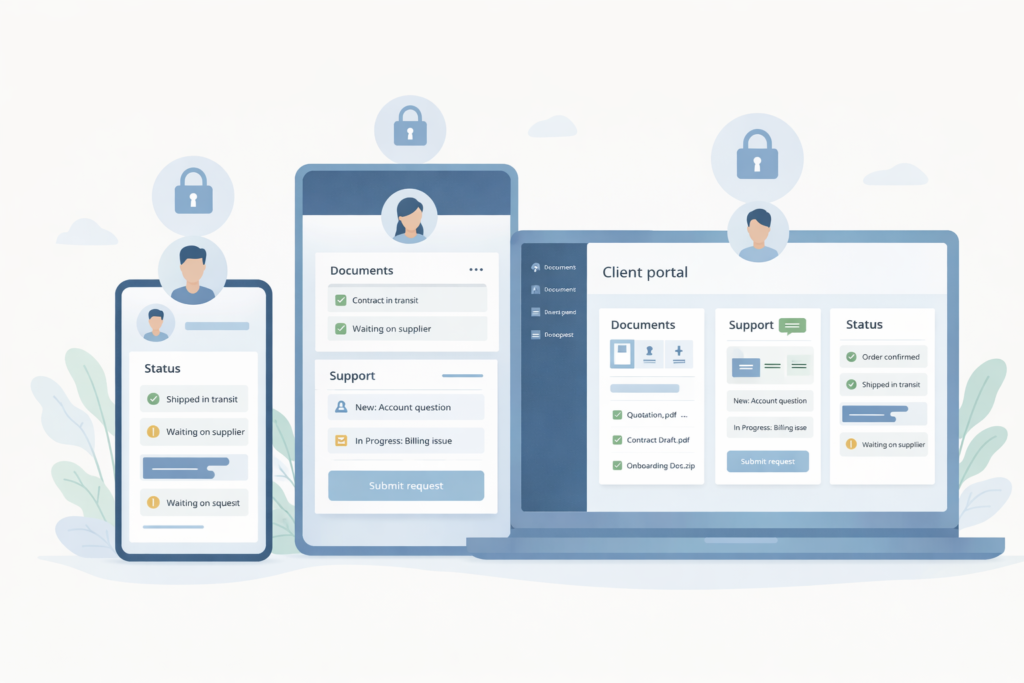
Small business owners and customers do not always sit at desks. They check updates on phones, confirm bookings between meetings, and review documents while travelling. VVRapid highlights responsive layouts across desktop, tablet, and mobile in its app offering, and that is essential for any portal expected to see regular use.
A responsive portal is not a luxury. It is a baseline requirement.
Which client portal features can wait?
This is where many projects go off track. Businesses often try to launch with every idea anyone has mentioned in a meeting.
Features that can often wait until later include:
- advanced analytics dashboards
- deep workflow automation
- complex role hierarchies
- multi-language support if usage is still limited
- highly customised notification rules
- full native mobile apps
- broad third-party integrations that are not yet critical
That does not mean these ideas are bad. It means they should earn their place after the core portal is being used and validated. Existing VVRapid category content already covers MVP thinking and launch planning, so this article should stay focused on practical feature prioritisation inside a portal context.
A practical checklist for version one
Use this checklist when deciding which client portal features belong in your first release:
- □ The portal solves at least one repeat problem your team handles manually
- □ Users can log in and recover access easily
- □ Each user only sees their own data or approved account data
- □ The dashboard shows the next action clearly
- □ Files, invoices, updates, or requests are easy to find
- □ The portal works properly on mobile
- □ Admins can manage content or records without developer help for every small edit
- □ Notifications are useful, not noisy
- □ Basic reporting exists for your internal team
- □ Security decisions are built in from the start, not added later
If you cannot explain why a feature belongs in version one, it probably belongs in version two.
Security, permissions, and trust
Security is not just an IT concern. It shapes user trust. If a portal exposes the wrong file, the wrong invoice, or the wrong customer record, the business problem is immediate.
OWASP’s Top 10 continues to highlight broken access control as a serious web application risk, and its guidance recommends deny-by-default access, reusable server-side controls, record ownership enforcement, and logging access control failures. CISA and NIST also emphasise stronger authentication practices, especially for sensitive systems and data.
For a client portal, that usually means:
- role-based permissions
- record ownership checks
- secure admin actions
- MFA where appropriate
- audit logs for sensitive changes
- careful handling of uploads and downloads
- tested access rules on the server side, not only in the interface
A hidden button is not security. If the server still allows the action, the risk remains. OWASP explicitly warns that access control must be enforced in trusted server-side code rather than relying on client-side checks.
Common mistakes when planning client portal features
Building for internal assumptions instead of customer behaviour
Businesses often design portals based on internal processes rather than what clients actually want to do. The result is a portal that makes sense to staff but feels awkward to users.
Adding too many features too early
More screens do not automatically create more value. A bloated portal is harder to use, harder to test, and more expensive to maintain.
Ignoring permissions until late in the project
This is one of the costliest mistakes. Permissions shape data structure, workflow, admin controls, and testing. If you leave them until later, rework follows.
Making the dashboard too clever
A dashboard should show what matters now. It should not feel like a cockpit full of charts no one uses.
Treating mobile as a later phase
If customers will use the portal on phones, mobile design should be part of the first release, not a cleanup task.
Forgetting content and support flows
Even the best-built portal disappoints if documents are missing, labels are unclear, or support requests disappear into a black hole.
How to scope a client portal without wasting budget
A smart way to scope client portal features is to start with user journeys, not screens.
Ask:
- Who is using the portal?
- What are the top three tasks they need to complete?
- What information must they see?
- What should they never see?
- What must your team manage behind the scenes?
From there, define a lean version one. For example:
Client tasks
- log in
- view account information
- download documents
- track status
- send a request
Admin tasks
- upload files
- update status
- respond to requests
- manage access
That is often enough for a useful first release. Once people use it, the next priorities become clearer.
Businesses comparing a client portal with a broader app build can explore VVRapid’s App Design & Development service. If the portal also needs to fit into a bigger digital plan, a Digital Strategy Roadmap can help prioritise the next steps.
When a custom client portal makes sense
A custom portal usually makes sense when:
- your workflow is specific to your business
- clients need access to business-specific records
- off-the-shelf tools force awkward workarounds
- you need your portal to reflect your brand and service model
- you want the portal to connect with other systems over time
VVRapid’s app page describes projects such as customer portals, booking apps, and SaaS or MVP products built around clean UX, security, and scalability. That makes a custom route relevant when your portal needs to do more than a generic plugin or account page can handle.
For businesses that need the portal to sit alongside a broader website experience, VVRapid’s Website Design & Development service is a relevant next link. If the goal is a lighter integration, Custom Plugin Development may be the better fit.
FAQ: Client Portal Features
What are the most important client portal features for a small business?
Usually secure login, a simple dashboard, file access, status tracking, request submission, and mobile-friendly design. The best first set depends on the repeat tasks clients already ask about most often.
Do all client portals need payment features?
No. Payment tools are useful when billing is part of the customer journey, but many portals create value through updates, documents, support, or account management alone.
Is MFA necessary for a client portal?
Not every portal needs mandatory MFA for every user, but stronger authentication is recommended when sensitive personal, financial, or business data is involved. CISA and NIST both describe MFA as an important security measure beyond passwords alone.
Can a client portal start small?
Yes. In fact, it usually should. A focused version one is easier to launch, test, secure, and improve.
What is the difference between a client portal and a full web app?
A client portal is often one type of web app focused on secure account access and self-service. A full web app may include broader workflows, multiple user types, deeper automation, and more complex business logic.
How VVRapid can help
VVRapid builds secure, user-friendly apps with a strong focus on clean flows, responsive layouts, and practical business use cases such as customer portals and booking systems. If you are trying to decide which client portal features belong in version one, the useful starting point is not “everything we might want someday.” It is a clear, scoped first release that customers will actually use. Relevant service pages include App Design & Development, Website Maintenance & Care, and Fractional Digital Team.
If you are weighing up the next step, view the App Design & Development page or contact VVRapid for a practical discussion around portal scope, UX, and rollout.