Custom WordPress plugin cost factors are not really about the plugin label alone. They are about what the plugin needs to do, how many systems it touches, how safely it needs to run, and how much flexibility the business expects later. That is why custom WordPress plugin cost factors can vary so much from one project to the next, even when two plugin ideas sound similar at first.
Table of Contents
For business owners, this matters because plugin cost is often judged too early. A request that starts as “we just need one plugin” can actually involve admin settings, API connections, permissions, data handling, testing, and support. VVRapid’s Custom Plugin Development service reflects that range clearly, from simple functionality and admin settings through to automation, integrations, and back-office tools tailored to a business workflow.
The useful question is not “How much does a plugin cost?” It is “What actually changes the scope?” Once you understand the real custom WordPress plugin cost factors, it becomes much easier to estimate realistically, avoid under-scoping, and decide whether a leaner build or a more structured solution makes sense.
What custom WordPress plugin cost factors really mean
When people talk about plugin cost, they often picture one file, one feature, and one development task. Real projects are rarely that neat. The real custom WordPress plugin cost factors usually sit around the feature, not just inside it.

A plugin’s scope is shaped by things like:
- core functionality
- admin settings
- user roles and permissions
- third-party integrations
- data storage and reporting
- edge cases
- testing requirements
- future expansion
- support expectations
That is why custom plugin project scope matters more than the word “plugin.” In many cases, the biggest custom WordPress plugin cost factors are the surrounding decisions, not the feature title itself.
A simple plugin that changes one workflow inside WordPress may be relatively straightforward. A plugin that connects your website to a CRM, stores custom records, includes role-based access, and needs a usable admin interface is a completely different level of work.
Core functionality is one of the biggest custom WordPress plugin cost factors
The first and biggest scope driver is what the plugin actually does.
A plugin that performs one contained action is very different from one that:
- runs multi-step logic
- validates user input
- creates custom workflows
- handles exceptions
- supports several user actions at once
This is the centre of most WordPress plugin development cost discussions. Small changes stay smaller because the logic is narrow. Cost rises when the feature needs to behave reliably across many situations. In practice, core logic is one of the most important custom WordPress plugin cost factors because it affects how much planning, coding, debugging, and testing the project needs.
Think about the difference between:
- adding a simple custom field
- building a rules-based workflow around that field
- syncing it with another platform
- surfacing it in reporting
- controlling who can view or edit it
That is not feature creep. That is scope.
Admin settings and usability are often overlooked custom WordPress plugin cost factors
A lot of plugin projects sound small until someone says, “We also want to manage this ourselves.”
That one sentence can change the build substantially.
A plugin with no settings may be simple. A plugin with a clean admin page, toggles, validation, user permissions, help text, defaults, and safer controls usually takes more planning and development. This is one of the most overlooked custom WordPress plugin cost factors because business owners often budget for the feature itself, but not for the usability around it.
VVRapid’s service page specifically positions even its entry-level plugin work around core functionality, clean code, and simple admin settings. That shows how quickly usability becomes part of the real scope.
This is also where custom WordPress plugin pricing often starts to move upward. If your team needs a plugin that is safe and easy to use, the build usually needs more than hidden background logic.
Third-party integrations are major custom WordPress plugin cost factors
Integrations are one of the clearest scope multipliers.
VVRapid highlights third-party API integrations as a core plugin use case, including connections to CRMs, payment providers, booking systems, and internal tools.
That matters because integration work often includes:
- API authentication
- field mapping
- error handling
- retries or fallback logic
- data transformation
- webhook support
- version compatibility
- security checks
This is where API integration plugin cost can shift fast. A plugin that talks to one stable external service is already more complex than an internal-only tool. A plugin that depends on multiple services or business-critical syncing usually needs much more careful scoping. For many businesses, integrations are among the most expensive custom WordPress plugin cost factors because they create dependencies outside WordPress itself.
Naturally, this is also where VVRapid can assist with Custom Plugin Development.
Custom WordPress plugin cost factors for e-commerce and business workflows
Some plugin projects become more expensive not because they are unusual, but because they sit close to revenue or operations. That is why e-commerce and workflow-heavy builds often raise the most obvious custom WordPress plugin cost factors.
Examples include:
- checkout customisation
- pricing logic
- order workflows
- booking systems
- membership access
- reporting dashboards
- internal approval steps
- inventory or CRM sync
VVRapid’s Custom Plugin Development page leans heavily into WooCommerce add-ons, business process automation, API integrations, and custom admin tools. That tells you a lot about where custom WordPress plugin cost factors tend to rise in real-world plugin work. These are not decorative features. They affect how a business runs day to day.
This is where WooCommerce custom plugin cost often climbs. E-commerce logic usually touches customers, payments, products, shipping, discounts, notifications, and admin handling. The more of those areas your plugin touches, the more testing and planning the project needs.
Data handling and reporting also change custom WordPress plugin cost factors
Many plugins need more than a button or setting. They need data.
That can include:
- saving custom fields
- creating custom post types
- storing log entries
- recording transaction states
- syncing external data
- generating reports
- filtering records inside the admin area
The more a plugin depends on structured data, the more the build usually shifts from “simple feature” to “small application inside WordPress.” That makes data design one of the more serious custom WordPress plugin cost factors.
This is where custom admin plugin scope can grow quietly. The plugin may begin as a helper tool, but once it stores business data and gives staff ways to search, edit, review, or export that data, the project has a much larger footprint.
Permissions, security, and risk level are custom WordPress plugin cost factors too
Not all plugins carry the same risk.
If the feature affects:
- payments
- customer data
- user permissions
- private reports
- lead handling
- order processing
- account access
then the build needs stronger safeguards.
That means WordPress plugin security considerations are part of scope, not an optional extra. High-risk functionality usually needs more careful development and testing because the cost of getting it wrong is much higher. In other words, risk level is one of the most important custom WordPress plugin cost factors even when the visible feature looks fairly simple.
Performance and scalability are long-term custom WordPress plugin cost factors
A plugin that works fine for a small site may not be enough for a growing one.
Performance questions often include:
- how often the logic runs
- whether it adds front-end assets
- how many database queries it triggers
- whether it processes large data sets
- whether it depends on background jobs
- how it behaves as traffic or orders increase
These are not always the first things a business owner asks about, but they are still real custom WordPress plugin cost factors. A plugin built for today only may be cheaper at launch, but more expensive to improve later.
This is why Website Maintenance & Care and Website Design & Development can both support the wider conversation. Plugin scope is not only about launch. It is also about how the feature behaves over time.
For some businesses, plugin maintenance costs are just as important as the initial build. A cheaper plugin that becomes harder to support later is not always the lower-cost option overall.
Testing and QA are hidden custom WordPress plugin cost factors
Testing is one of the most underestimated parts of plugin work.
A plugin usually needs to be tested against:
- its own requirements
- different user roles
- different devices or browsers if front-end elements are involved
- theme compatibility
- existing plugin interactions
- update scenarios
- edge cases and invalid inputs
The closer the feature is to business-critical activity, the more important this becomes. A plugin that touches checkout, memberships, bookings, or reporting needs much stronger QA than a purely cosmetic tool. That is why testing is one of the hidden custom WordPress plugin cost factors that often gets missed in early conversations.
This is also why a proper plugin scope checklist is so useful before development begins.
Checklist: what actually changes plugin scope
Use this checklist before approving a plugin build:
- Does the plugin solve one task or several connected tasks?
- Will it need an admin settings screen?
- Does it need role-based access or permission rules?
- Will it connect to a CRM, payment tool, booking system, or API?
- Will it save custom records or reports?
- Does it affect checkout, orders, leads, memberships, or bookings?
- Does it need clean handover documentation?
- Will another team member need to manage it later?
- Does it need to scale with more traffic, orders, or users?
- Will it need ongoing support after launch?
If you answer yes to several of these, your project is moving beyond a basic plugin build. It also means more custom WordPress plugin cost factors are in play than you may have assumed at the start.
Common mistakes that increase scope and cost
1. Starting with a vague brief
A plugin request like “we need custom functionality” is too broad to estimate properly.
2. Treating integrations as small add-ons
Integrations are often full scope drivers, not side notes.
3. Forgetting admin usability
A plugin that only developers can safely operate may create extra friction for the business.
4. Ignoring long-term support
This is where plugin maintenance costs start to matter. A smaller build today can become a more expensive one later if maintenance was never considered.
5. Mixing several ideas into one estimate
A cleaner brief usually produces a cleaner budget.
6. Skipping discovery
This is exactly where Digital Strategy Roadmaps can help. Sometimes the fastest way to reduce cost is to clarify what actually needs building before development starts.
A simple example of custom WordPress plugin cost factors in real life
Imagine a business asks for “a plugin that helps our team manage enquiries.”
At first, that sounds modest.
Then the real requirements appear:
- capture enquiry source
- assign internal ownership
- sync to a CRM
- send follow-up reminders
- show status in the WordPress admin
- restrict visibility by team role
- track conversion outcomes
- export monthly reports
That is no longer a small plugin request. It is a workflow system.
This is a good example of how custom WordPress plugin cost factors actually work. The feature itself may still be right for WordPress, but the scope is shaped by workflow complexity, data handling, integrations, permissions, and reporting. These are the real custom WordPress plugin cost factors behind the estimate.
How to estimate more realistically
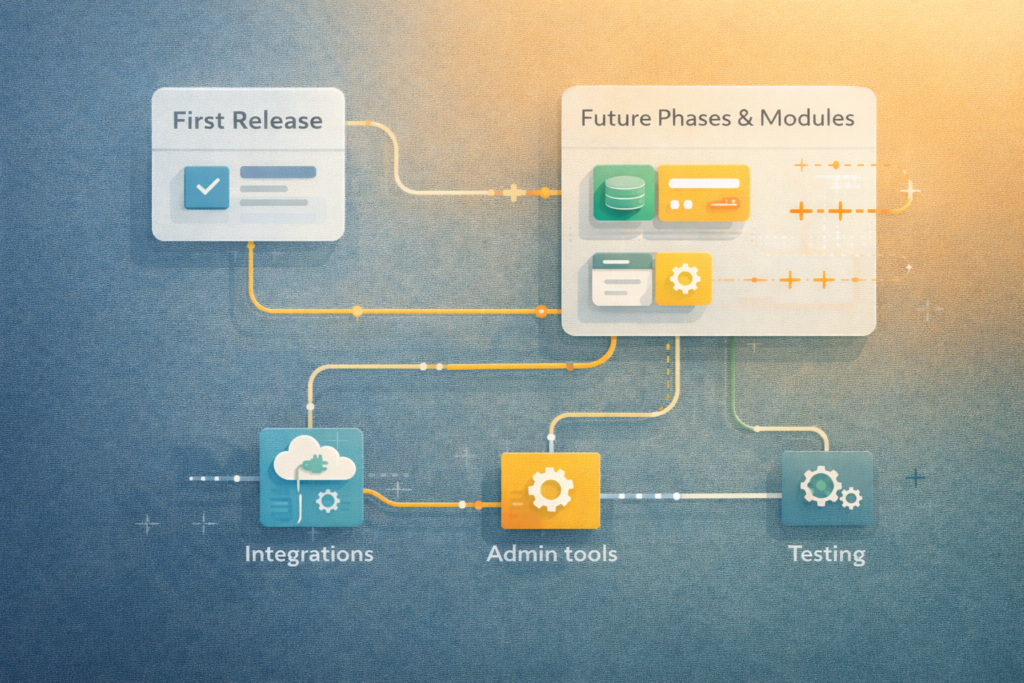
A more realistic estimate usually starts with these questions:
- What is the exact business problem?
- What is the simplest useful version?
- What systems does the plugin need to connect to?
- Who will use it?
- What needs to happen in the admin area?
- What must happen automatically?
- What could wait until phase two?
This approach is especially helpful for small business plugin budgeting because it separates must-haves from later improvements.
In many cases, the best path is not to cut quality. It is to reduce unnecessary scope in version one. That helps control custom WordPress plugin cost factors without pretending the project is smaller than it really is.
That is also why App Design & Development can be a relevant internal link for some readers. Occasionally, a requested plugin is actually drifting toward a broader product or operational tool, and that changes the architecture discussion entirely.
How VVRapid can help
VVRapid can help scope plugin work more realistically before build decisions turn into rework. The goal is not to inflate projects. It is to separate simple requests from complex ones, identify the real cost drivers, and recommend a leaner version where appropriate. That may mean a focused custom plugin, a staged rollout, or a clearer roadmap before development starts.
This matters because the biggest custom WordPress plugin cost factors are often not obvious in the first conversation. VVRapid’s service page shows that range clearly, from straightforward plugin functionality and admin settings to automation, integrations, and back-office tools.
FAQ
Why do custom plugin estimates vary so much?
Because the plugin idea is only one part of scope. Integrations, admin controls, data handling, testing, and future flexibility all change the build.
Is a simple plugin always cheap?
Not always. Some “simple” requests carry hidden complexity once permissions, reporting, or integrations are added.
What increases plugin cost the fastest?
Third-party integrations, workflow logic, admin usability, business-critical data handling, and thorough testing are common cost drivers.
Can I reduce custom WordPress plugin pricing without cutting corners?
Usually, yes. The best way is to narrow version one, separate must-haves from later phases, and define scope more clearly.
When should a plugin project be phased?
When the core need is clear but not every feature is essential for launch.
Final thought
The biggest custom WordPress plugin cost factors are usually not flashy features. They are the practical details around complexity, usability, integrations, data, testing, and maintenance.
That is why better scoping usually saves more money than aggressive trimming.
If you want a clearer view of your own custom WordPress plugin cost factors, start with Custom Plugin Development or contact VVRapid for a practical review.