A custom WordPress integration helps your website work properly with the business tools you already depend on, such as CRMs, payment platforms, booking systems, stock software, reporting dashboards, and internal admin tools. If your team is copying data by hand, dealing with missed notifications, or relying on awkward plugin chains, a custom WordPress integration can often give you a cleaner, safer, and more reliable setup.
Table of Contents
Most small businesses do not start with a full integration plan. They add tools as they grow. A form plugin here. A booking tool there. Maybe a CRM, an email platform, a payment gateway, and a spreadsheet that quietly becomes a critical process. Over time, the website becomes part of operations, not just marketing. That is when a custom WordPress integration starts to matter.
A good integration is not about connecting everything just because you can. It is about moving the right data, at the right moment, in the right format, with clear rules and sensible backup handling.
What a Custom WordPress Integration Actually Means
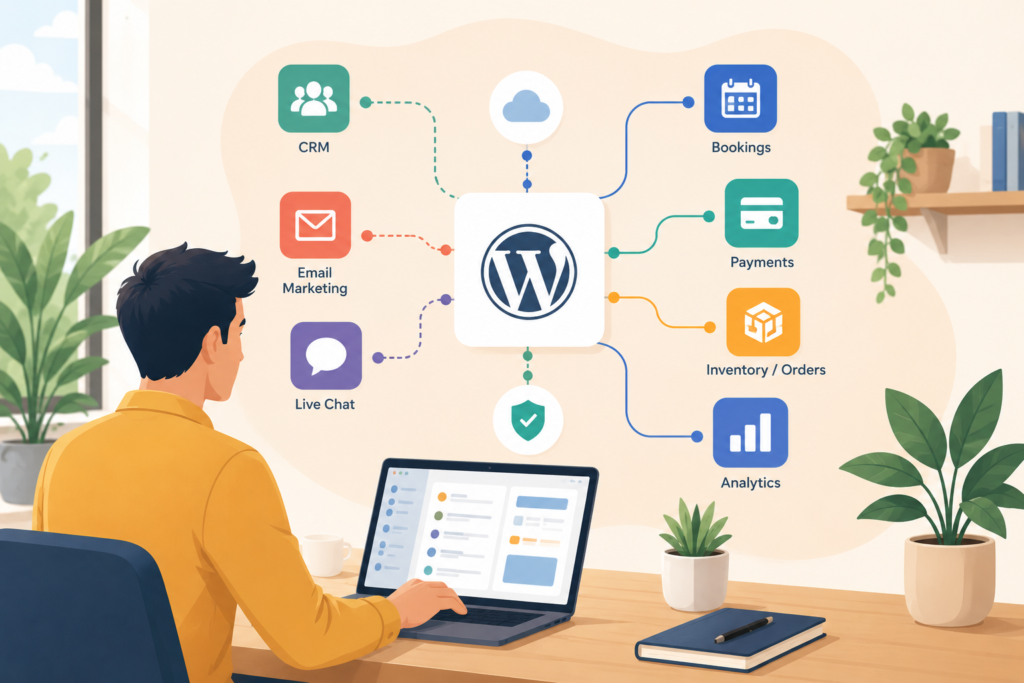
A custom WordPress integration is a tailored connection between your WordPress website and another business tool or system.
That can include:
- sending form leads into a CRM
- pushing WooCommerce orders into fulfilment software
- syncing bookings with a scheduling tool
- checking stock or pricing from another system
- sending payment or subscription events to internal records
- passing website activity into dashboards or reporting tools
- creating admin actions for staff inside WordPress
Sometimes this is done through an API. Sometimes it uses webhooks. Sometimes it involves a custom plugin, middleware, or a carefully managed connection between multiple services.
The key point is this: a custom WordPress integration is built around your workflow, not around the limitations of a generic plugin.
When a Custom WordPress Integration Makes Sense
Not every website needs one. But the signs are usually obvious.
You may need a custom WordPress integration if:
- staff are entering the same data into more than one system
- leads are getting lost between your website and your CRM
- payments, bookings, or order updates are not syncing reliably
- you are using several plugins just to hold one process together
- errors only show up after a customer complains
- reporting takes manual exports and spreadsheet cleanup
- your team needs approval flows or exceptions handled properly
- you need stronger security or role control around data transfers
Think: when a process becomes operationally important, “good enough” connections stop being good enough.
This is especially common for service businesses, e-commerce operations, and growing teams where the website is tied to sales, support, or fulfilment.
Common Business Tools You Might Connect
A custom WordPress integration can connect WordPress to a wide range of tools.
CRM integration for WordPress
Many businesses want website enquiries to go directly into a CRM with correct fields, source tracking, tags, and ownership.
Examples include:
- HubSpot
- Zoho CRM
- Salesforce
- Pipedrive
A CRM integration for WordPress becomes particularly valuable when your team needs lead routing, lifecycle stages, or sales follow-up to happen consistently.
Payment gateway integration
A payment gateway integration can go beyond a simple checkout. You may need to:
- send payment confirmation into another system
- handle subscription status changes
- trigger order workflows
- store reference IDs
- reconcile events properly
For South African businesses, this can be relevant when local payment handling or internal accounting processes need cleaner syncing.
Booking system integration
Booking system integration often becomes necessary when your business has more than one service type, different staff availability rules, or follow-up actions after the booking is made.
That could include:
- consultation forms
- service scheduling
- appointment preparation emails
- room or resource allocation
- reporting on completed bookings
Reporting and operations
Sometimes the value of a custom WordPress integration is not customer-facing at all.
It may be about:
- stock updates
- internal dashboards
- support tickets
- project records
- member data
- invoice requests
- document workflows
This is where website integration services can save time quietly, every day.
How to Plan a Custom WordPress Integration Safely
A custom WordPress integration works best when it is scoped properly before development starts.
1) Map the workflow first
Start with the real business process, not the software labels.
Ask:
- what triggers the action
- what data is created or updated
- where it needs to go
- who needs to see it
- what should happen next
- what happens if the receiving system fails
This step often exposes unnecessary complexity. Sometimes one integration removes three manual steps.
2) Decide where the logic should live
Not all logic belongs inside WordPress.
Depending on the process, the right setup could be:
- a custom plugin development approach inside WordPress
- a middleware layer
- a webhook-based connection
- a server-to-server process
- a mix of the above
If the website is the natural trigger point, a custom WordPress integration often makes sense. If the process is broader, a more distributed architecture may be better.
3) Define the exact data fields
This sounds obvious, but it is where many builds go wrong.
Be clear about:
- required fields
- optional fields
- field formats
- validation rules
- duplicates
- status updates
- timestamps
- user IDs
- ownership or assignment rules
If your CRM says “phone number” and your website stores “contact number” in different formats, the integration needs rules, not assumptions.
4) Handle security properly
A custom WordPress integration should never treat security as an afterthought.
Key areas include:
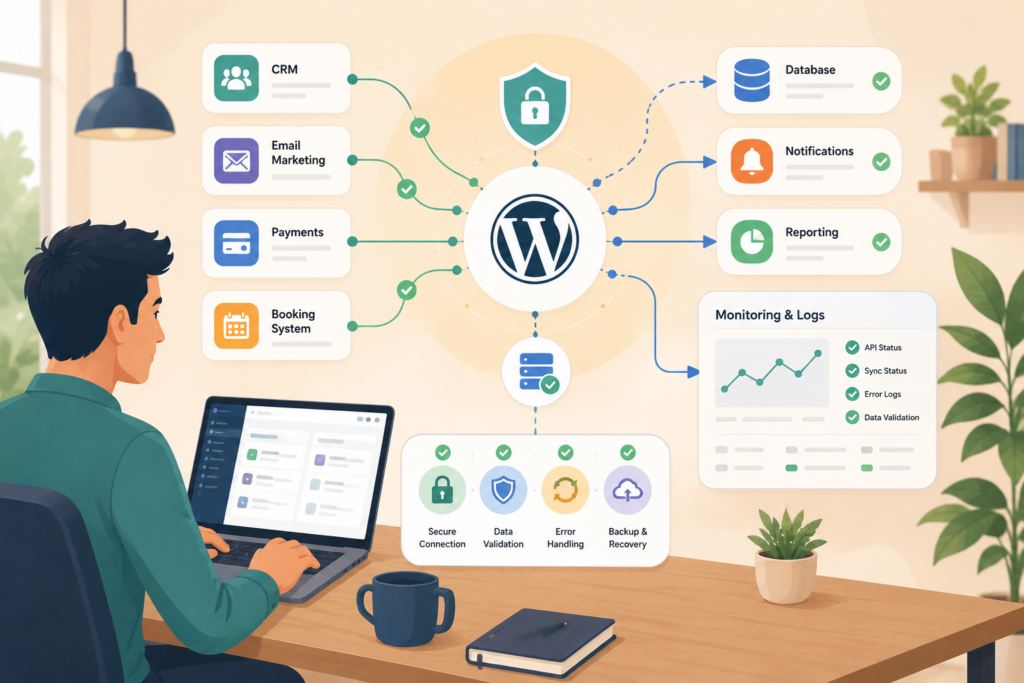
- secure authentication
- API keys and token storage
- role and permission controls
- data sanitisation
- validation
- logging
- rate limits
- error handling
- least-privilege access
For reference, the WordPress REST API handbook is useful for implementation principles, and OWASP is useful for API security thinking.
WordPress REST API Handbook ↗
OWASP API Security Project ↗
5) Plan for failure, not just success
Every custom WordPress integration needs a failure plan.
Ask:
- what happens if the target API is down
- should the action retry automatically
- who gets notified
- what should be logged
- can staff re-send the record manually
- will the customer see an error
- how do you prevent duplicate submissions
This is what separates a reliable integration from a fragile hack.
Build vs Plugin vs Middleware: Which Route Is Best?
A custom WordPress integration is not always the first step.
Here is a practical way to think about it.
Use an off-the-shelf plugin when:
- the need is simple
- the plugin is reputable and actively maintained
- the mapping is straightforward
- the process is not business-critical
- failure risk is low
Use middleware or automation tools when:
- the systems already have stable connectors
- the workflow is cross-platform
- the logic is light
- the team wants quick deployment
- budget is limited
Use a custom WordPress integration when:
- the workflow is specific to your business
- generic plugins create overlap or bloat
- you need reliable field mapping and business rules
- the process is critical
- security and logging matter
- the user experience needs to stay smooth
- you want a cleaner long-term setup
If you are unsure which route is right, a short planning session often saves a lot of rework later. This is where Digital Strategy Roadmaps can support clearer technical decisions before development begins.
Custom WordPress Integration Checklist
Use this checklist before you approve a project:
- □ define the business outcome clearly
- □ map the current workflow step by step
- □ identify the trigger point
- □ list every system involved
- □ document the exact fields to be sent or received
- □ clarify validation and duplicate rules
- □ choose API, webhook, plugin, or middleware approach
- □ define user roles and permissions
- □ plan logging and notifications
- □ decide what happens on failure
- □ confirm testing scenarios
- □ include post-launch monitoring
- □ assign an internal owner for the process
- □ document how staff will use it
If your site is already becoming harder to manage, Website Maintenance & Care is also relevant, because integrations need monitoring after launch, not just on launch day.
Common Mistakes With Website Integration Services
Even a sensible custom WordPress integration can struggle if the planning is weak.
Here are common mistakes:
Building around tools, not workflows
Businesses often say, “We need WordPress to connect to X.” The better question is, “What should actually happen from start to finish?”
Ignoring exceptions
What if a record is incomplete? What if a booking is rescheduled? What if payment succeeds but the next system does not update?
Overloading WordPress
Not every process should run inside the website. Some logic is better handled externally.
Trusting default plugin behaviour
Generic connectors can be useful, but they may not handle your field rules, status logic, or edge cases properly.
Skipping proper testing
A custom WordPress integration should be tested with real scenarios, not just ideal ones.
No post-launch monitoring
Integrations can break when APIs change, plugins update, or business processes evolve.
Poor documentation
If one team member leaves and nobody knows how the integration works, that is a business risk.
This is why Custom Plugin Development should be scoped as a business tool, not just a coding task.
FAQ
What is a custom WordPress integration?
A WordPress custom integration is a tailored connection between your WordPress website and another system, such as a CRM, booking platform, payment tool, or internal database.
When should I choose a custom WordPress integration instead of a plugin?
Choose a custom integration when your process is specific, the data mapping is important, the workflow is business-critical, or generic plugins create conflicts or limitations.
Can a custom WordPress integration improve team efficiency?
Choose a custom WordPress integration when your process is specific, the data mapping is important, the workflow is business-critical, or generic plugins create conflicts or limitations.
Can a custom integration improve team efficiency?
Yes. A custom WordPress integration can reduce manual admin, improve data accuracy, and make follow-up actions more consistent.
Is a WordPress API integration always the best approach?
Not always. A WordPress API integration is common, but some situations are better handled with webhooks, middleware, or a mixed approach.
How long does a custom WordPress integration take?
It depends on scope, systems involved, business rules, and testing needs. A simple connection may be relatively quick. A more complex workflow with reporting, approvals, or failure handling will take longer.
How VVRapid can help
VVRapid helps businesses plan and build practical integrations that fit the way their teams actually work. That may mean a focused custom plugin, a safer CRM connection, a cleaner booking flow, or a better operational setup behind the scenes. The goal is not to add complexity. It is to make your website more useful, more stable, and easier to manage over time.
If you are weighing up a custom WordPress integration, you can view the relevant service here: Custom Plugin Development or contact VVRapid for a calm, practical discussion about the workflow you want to improve.