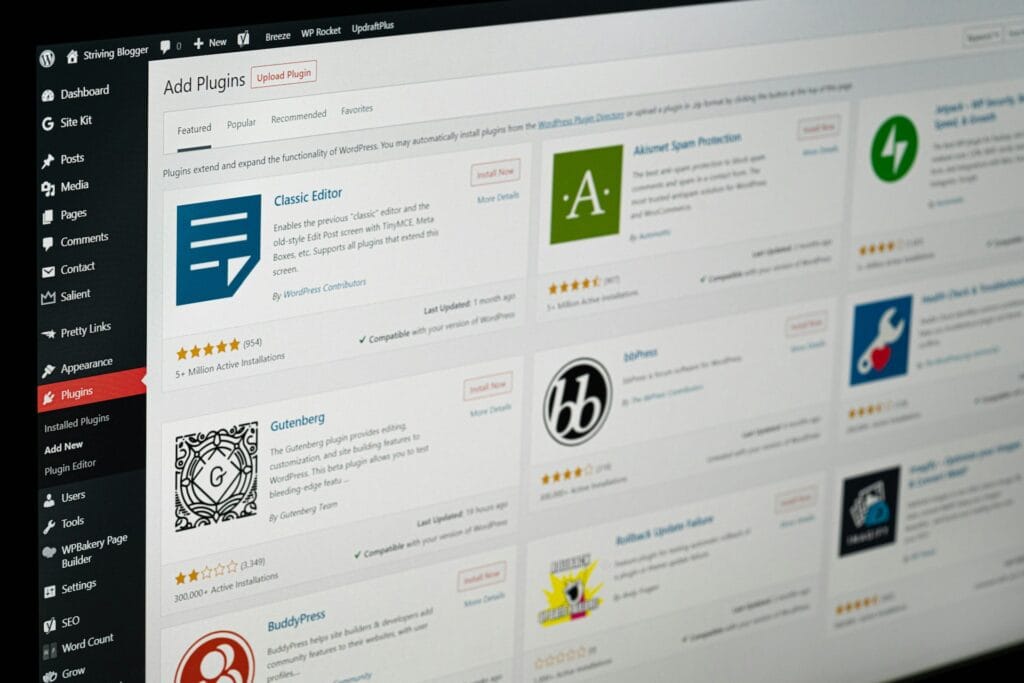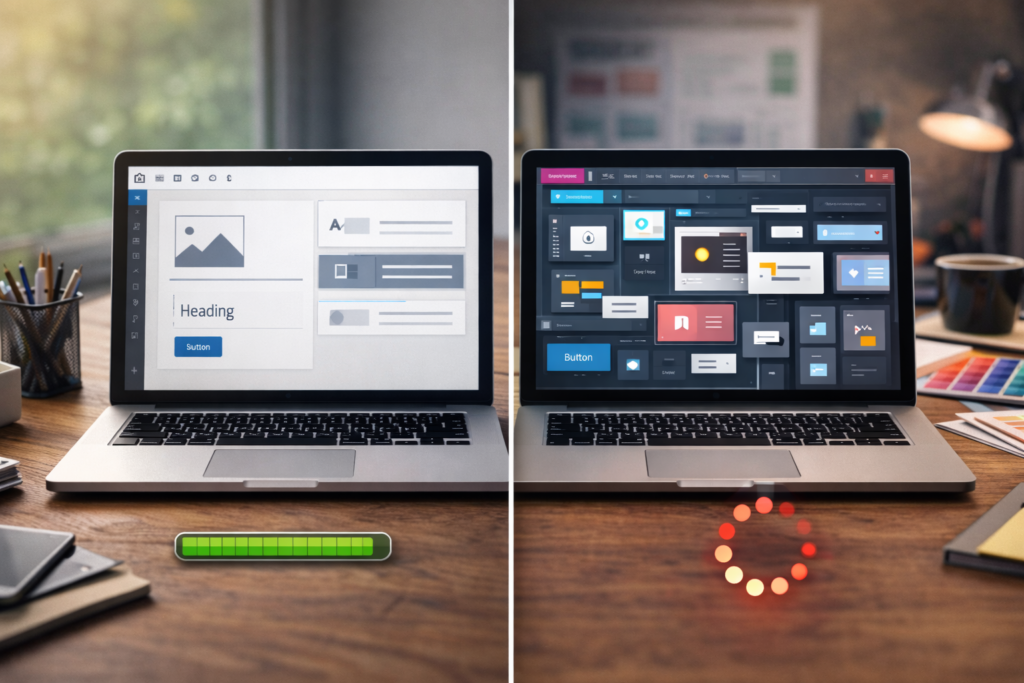
The WordPress Plugin vs SaaS decision usually appears after a business has already collected several useful tools. Your website handles enquiries, one SaaS platform handles bookings, another handles forms, another generates documents, another stores customer information, and staff quietly move data between all of them.
Table of Contents
None of those tools may be bad.
The problem is that each solves its own piece of the puzzle. Eventually, the business starts paying not only for software subscriptions, but also for the friction between them.
That is when the WordPress Plugin vs SaaS question becomes worth asking.
Should you keep using a separate software platform, or would that particular feature work better as part of your WordPress website?
This is not an argument that custom development is automatically better. SaaS products can be excellent, and for many jobs they are exactly what a small business should use.
The aim is to work out where the functionality belongs.
WordPress Plugin vs SaaS: what are you really comparing?
A SaaS product is software you access as a service, usually through a browser or app. You subscribe to the product and use the functionality the provider makes available.
A custom WordPress plugin takes a different approach. It adds specific website functionality to the WordPress environment your business already controls.
In practical terms, a WordPress Plugin vs SaaS decision might look like this:
You need customers to complete a detailed quotation process.
SaaS route:
Customers leave your website or interact with an embedded third-party tool. Their information is processed in that platform, and your team works from its dashboard.
Custom WordPress route:
The quotation logic becomes part of your website. It can use your existing products, customer accounts, pricing rules, content and WordPress data.
Neither approach is automatically correct.
The decision depends on how specialised the feature is and how closely it connects to the rest of your business.
If your choice is instead between buying an existing WordPress plugin and commissioning one, read VVRapid’s Build or Buy WordPress Plugins guide.
When SaaS is clearly the better choice
Before considering WordPress custom development, acknowledge what SaaS is very good at.
A mature SaaS platform has usually spent years solving a specific problem for thousands of customers.
That scale can give you features that would make little financial sense to reproduce yourself.
SaaS makes sense when the requirement is standard
Accounting is an obvious example.
Most small businesses do not need their accounting system recreated inside WordPress.

The same often applies to:
- payroll
- email marketing platforms
- project management
- video conferencing
- enterprise CRM platforms
- cloud file storage
- team communication
- specialist accounting systems
- sophisticated analytics platforms
In these situations, the WordPress Plugin vs SaaS decision should usually favour SaaS.
You are buying an established capability rather than commissioning custom business software that duplicates something already solved well.
SaaS makes sense when you need a lot of functionality immediately
Suppose a SaaS platform includes 30 features and you genuinely need 20 of them.
Rebuilding those capabilities as custom website functionality may be difficult to justify.
The subscription is buying you a mature product, updates, infrastructure and an existing feature set.
SaaS makes sense when the process is not unique to your business
If thousands of businesses perform essentially the same task in the same way, there is often little reason to reinvent it.
Custom development becomes more interesting when the way your business performs the task is important.
When WordPress Plugin vs SaaS starts favouring WordPress
The decision changes when the feature is closely tied to your website, customer journey or internal business rules.
This is where businesses often discover they are paying for an entire platform to obtain one relatively narrow capability.
You might need:
- a specialised quotation calculator
- an application workflow
- a customer onboarding process
- a product configurator
- a document generator
- customer-specific pricing
- a private customer area
- an eligibility checker
- an internal approval process
- a specialised ordering workflow
- a small operational dashboard
If most of the process already begins and ends in WordPress, moving customers and staff into another system may create more complexity than it removes.
That is where a custom WordPress plugin can become a credible SaaS alternative.
VVRapid’s Custom Plugin Development service focuses on functionality, integrations, workflows and business-specific features that extend an existing WordPress site.
1. The customer journey keeps leaving your website
Imagine someone discovers your business through Google.
They visit your website.
They read about the service.
They decide to proceed.
Then suddenly they are sent somewhere else.
Different branding. Different interface. Different login. Different URL.
Sometimes that is completely acceptable. Customers are accustomed to recognised payment providers, booking platforms and other specialist tools.
But it becomes worth reviewing when the external platform interrupts a process that could naturally continue inside your website.
In a WordPress Plugin vs SaaS comparison, ask:
Does moving the customer into the SaaS product improve their experience, or is it simply how the software happens to work?
Those are not the same thing.
Custom website functionality can sometimes keep quoting, applications, account actions, configuration or onboarding within one coherent customer experience.
2. You are paying for 50 features to use three
This is one of the more interesting business software costs.
A SaaS product may be reasonably priced and still be poor value for your particular use case.
Perhaps your business only uses:
- one calculator
- one workflow
- one form
- one report
- one automation
- one customer portal feature
Yet the software subscription includes campaign tools, CRM features, templates, analytics, integrations and admin functions you never touch.
At that point, the WordPress Plugin vs SaaS question is not simply about monthly cost versus development cost.
It is about fit.
You are effectively renting a large toolbox because you need one unusually shaped screwdriver.
That does not mean building will automatically cost less. Pricing varies by scope and region, and custom software still requires maintenance.
But the comparison deserves to be made.
3. Your staff are constantly moving between systems
Software is meant to remove work.
Sometimes it creates a new category of work called “keeping all the software in sync.”
A customer submits information through the website.
An employee opens the SaaS dashboard.
They copy something into WordPress.
Then they update the CRM.
Then they download a document.
Then they upload it somewhere else.
Each individual step seems small.
Together, they create a fragmented workflow.
When evaluating WordPress Plugin vs SaaS, count the handoffs rather than just the licence fees.
How many systems does a team member touch to complete one customer request?
How many logins are involved?
Where is information copied manually?
Which system contains the definitive version of the data?
This is where custom business software does not necessarily mean building a giant new application. Sometimes a focused piece of website functionality removes two or three unnecessary handoffs.
If the larger problem is moving information between existing systems, VVRapid’s Custom WordPress Integration guide covers that problem in more depth.
4. Your business process is becoming more specialised
Generic software works best for generic processes.
That is usually a strength.
The problem appears when your competitive advantage or operating model depends on rules that the SaaS provider cannot reasonably design for every customer.
Perhaps pricing depends on an unusual combination of factors.
Perhaps orders need to follow different workflows depending on customer type.
Maybe customers need different information based on previous purchases.
Perhaps an application has several eligibility stages.
Your SaaS product may offer settings for 80 percent of the process while your staff manually handle the final 20 percent.
That final 20 percent can become very expensive when it occurs hundreds of times.
In this situation, WordPress Plugin vs SaaS becomes a question of whether your software should adapt to the business, rather than requiring the business to adapt to the software.
5. The same data already exists in WordPress
Data duplication is another reason to examine where a feature lives.
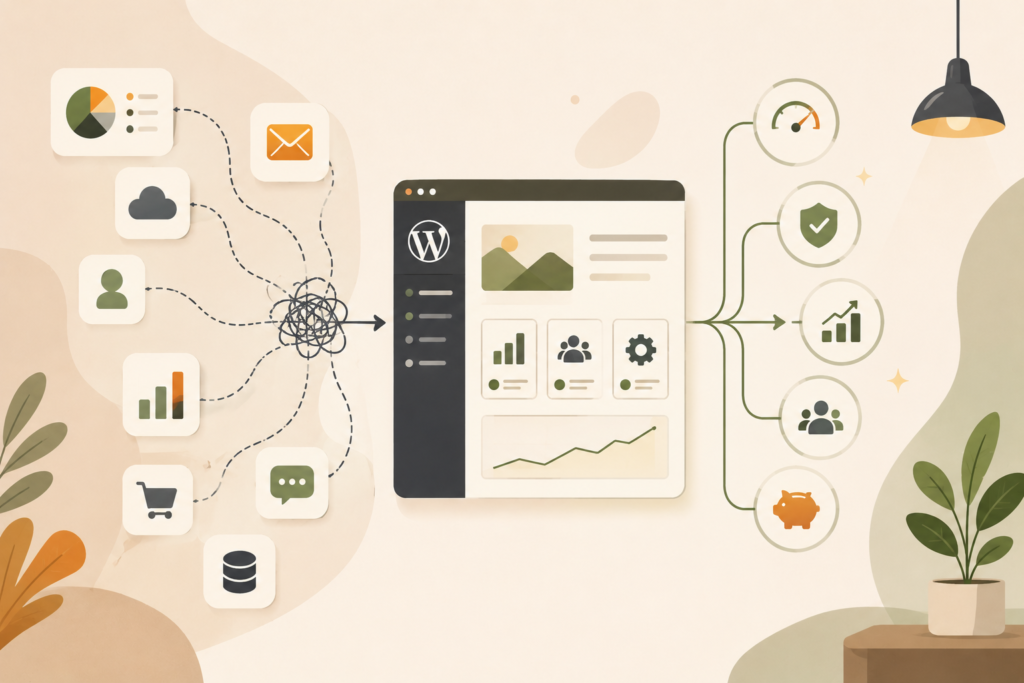
Imagine your WordPress site already knows:
- who the customer is
- what they purchased
- their membership level
- their account history
- which products they selected
- which form they completed
- their location
- their user role
Then an external SaaS tool asks the customer or your staff to provide the same information again.
That may be unavoidable.
But sometimes it exists simply because the two platforms operate separately.
With the right WordPress Plugin vs SaaS architecture, WordPress custom development can use information already available to the website instead of continuously exporting, importing or duplicating it.
This can make a customer journey feel much more deliberate.
6. Your SaaS subscription has become business-critical
There is an important difference between “we use this tool” and “our business cannot operate without this tool.”
When a SaaS platform becomes business-critical, review the dependency carefully.
Ask:
- What happens if the product changes direction?
- What happens if a feature is removed?
- What happens if the pricing structure changes?
- Can you export your data?
- What happens if an integration changes?
- Can another system replace it?
- How disruptive would migration be?
This does not mean SaaS is unsafe.
Your business probably depends on multiple external providers already.
The point is that a WordPress Plugin vs SaaS decision should include dependency and control, not just features.
With custom functionality, you gain more control over the roadmap, but you also accept responsibility for maintaining that functionality.
There is no zero-maintenance option.
7. The feature has become part of what makes your business different
This is perhaps the strongest reason to examine a SaaS alternative.
Imagine two companies sell the same service.
One requires customers to email for a quote, wait for a spreadsheet calculation and then exchange several documents.
The other gives customers a guided process that calculates requirements, collects the right information, produces the next step and sends everything to the right person.
The underlying service may be similar.
The digital experience is not.
When website functionality becomes part of how you sell, deliver or differentiate the service, investing in a better fit can make more sense than continuing to bolt generic platforms together.
This is where WordPress Plugin vs SaaS becomes a strategic decision rather than a software-shopping decision.
Do not compare SaaS fees with development cost alone
One of the biggest mistakes in a build vs buy software discussion is comparing a monthly subscription directly with a development quotation.
The two numbers do not represent the same things.
A more useful comparison includes:
SaaS costs
Consider:
- monthly or annual software subscriptions
- per-user fees
- usage charges
- premium integrations
- staff training
- manual data movement
- duplicate systems
- process workarounds
- migration costs if you leave
Custom functionality costs
Consider:
- initial development
- specification and planning
- testing
- ongoing maintenance
- future WordPress compatibility
- feature changes
- hosting requirements
- security updates
- developer support
A custom WordPress plugin is not “pay once and forget forever.”
Software needs care.
The advantage is not the disappearance of all future costs. The potential advantage is having software shaped around a process that matters enough to justify that investment.
What about using both?
The WordPress Plugin vs SaaS question does not always require choosing one side.
Often the strongest solution is a hybrid.
Your business may keep specialist SaaS platforms for the jobs they perform well while WordPress handles the customer-facing experience and business-specific logic.
For example:
- keep your CRM but build a better lead qualification process in WordPress
- keep your accounting platform but create customer-specific ordering logic on the website
- keep your email platform but manage application logic inside WordPress
- keep a booking provider but customise what happens before and after the booking
- keep a payment provider but build your own quotation or configuration process
The website and the SaaS tool can work together.
If several systems and digital priorities are involved, a Digital Strategy Roadmap can help determine which functionality should live where before development starts.
WordPress Plugin vs SaaS checklist for business owners
Before adding another software subscription or commissioning custom WordPress development, ask:
- ☐ What exact business problem are we solving?
- ☐ Is this a standard problem or something specific to our business?
- ☐ Does the process begin or end on our website?
- ☐ Does the SaaS platform improve the customer journey?
- ☐ How many SaaS features would we actually use?
- ☐ Are staff copying information between systems?
- ☐ Does WordPress already hold the data the feature needs?
- ☐ How often is the feature used?
- ☐ What does the existing process cost in staff time?
- ☐ What happens if the SaaS provider changes pricing or functionality?
- ☐ Can our data be exported easily?
- ☐ Would custom website functionality remove meaningful friction?
- ☐ Who will maintain a custom solution?
- ☐ Could an existing WordPress plugin solve the problem instead?
- ☐ Could a hybrid approach give us the best result?
The purpose of this WordPress Plugin vs SaaS checklist is not to push every answer towards custom development.
It is to make the decision deliberate.
Common mistakes when comparing WordPress Plugin vs SaaS
Assuming every subscription is bad
Recurring software costs are not automatically wasteful.
If a platform reliably saves your team time and does its job well, the subscription may be excellent value.
Building something simply because you can
A custom feature should have a business reason.
“We could build this ourselves” is not enough.
Forgetting maintenance
Custom WordPress development gives you greater control, but somebody still needs to maintain the software.
WordPress, browsers, hosting environments, APIs and connected platforms change.
Recreating mature SaaS products
Building your own basic quotation workflow may be sensible.
Building your own full accounting platform because you dislike a subscription probably is not.
The scope matters enormously.
Ignoring the cost of manual work
Businesses often analyse software subscriptions down to the last pound, euro, dollar, dirham or rand while treating staff time as free.
It is not.
If software saves a low monthly fee but creates hours of manual administration, compare the whole process.
Solving the wrong problem
Sometimes the issue is not SaaS at all.
It might be a poor website journey, unclear internal process, bad integration or unsuitable existing WordPress setup.
Find the bottleneck before choosing the technology.
When a separate web app makes more sense
There is a third possibility.
Some functionality becomes too large, interactive or independent to belong comfortably inside a WordPress website.
You may be building a genuine software product rather than a website feature.
Examples could include complex multi-user platforms, large operational systems or applications with extensive independent workflows.
In that case, the WordPress Plugin vs SaaS comparison may need a third column: a dedicated web application.
VVRapid’s App Design & Development service covers projects where the software itself becomes the product or platform rather than an extension of the website.
How VVRapid can help
VVRapid approaches WordPress Plugin vs SaaS decisions from the business requirement first.
If an existing SaaS tool solves the problem properly, replacing it with custom code may achieve very little.
If your team is paying for a large platform to handle one specialised workflow, or constantly working around its limitations, custom functionality may be worth investigating.
VVRapid can build focused WordPress plugins, integrations, workflow tools, WooCommerce extensions and custom admin functionality around the way your business actually operates.
View the Custom Plugin Development service if there is a feature you would rather make part of your website.
FAQ: WordPress Plugin vs SaaS
Is a custom WordPress plugin cheaper than SaaS?
Not automatically. SaaS is often cheaper initially because development costs are shared across many customers. Custom functionality can make financial sense when a specialised process is important enough that recurring subscriptions, manual work or software limitations create significant ongoing costs.
What is the main difference between WordPress Plugin vs SaaS?
The main difference is where the software lives and who controls it. SaaS functionality is provided through an external platform, while a custom WordPress plugin adds functionality directly to your WordPress environment.
Should I replace all my SaaS tools with WordPress?
No. Many specialist SaaS platforms solve common business problems extremely well. WordPress Plugin vs SaaS is most worth examining when a feature is closely tied to your website, customers, business rules or existing WordPress data.
Can WordPress connect to SaaS platforms instead?
Yes. A custom WordPress plugin can integrate with external services where suitable APIs or integration methods are available. This lets WordPress handle business-specific website functionality while the SaaS platform continues doing the specialist work it is good at.
When should I consider custom WordPress development?
Consider custom WordPress development when an important workflow does not fit existing tools, staff repeatedly work around software limitations, customers face unnecessary steps, or a business-specific feature would work better inside your website.
What if I am not sure whether I need a plugin, SaaS product or app?
Start by documenting the process and the problem rather than choosing technology. Identify the users, required steps, information involved, frequency, integrations and desired outcome. From there, comparing SaaS, custom WordPress functionality and a dedicated app becomes much easier.
Final thought
Software subscriptions are easy to add.
One useful tool becomes four. Four become nine. Eventually, nobody quite remembers why every platform exists, but removing any of them feels risky.
The better question is not whether SaaS is good or custom development is better.
Ask where each piece of functionality makes the most sense.
For standard business functions, established SaaS products are often difficult to beat.
For specialised workflows that sit directly between your website, customers, data and internal processes, the WordPress Plugin vs SaaS calculation can look very different.
Build only when the fit is valuable enough to justify it.
External sources used in this article (helpful resources)
- Source: WordPress Plugin Directory ↗
- Source: WordPress REST API Handbook ↗