
SEO reporting for small businesses should not feel like a confusing PDF that you file away. It should tell you, in plain language, what is working, what is slipping, and what to do next.
Table of Contents
Why most reports do not help (and what a useful report looks like)
A lot of “SEO reports” are either:
- a list of rankings with no context
- a wall of graphs with no decisions attached
- a highlight reel that avoids the awkward bits
The problem is not the data. It is the lack of a decision layer.
A useful monthly report does three jobs:
- Explains outcomes: what changed and how it affected traffic or leads.
- Diagnoses causes: why it changed, as best as the tools can show.
- Recommends actions: the next 1 to 3 moves that are most likely to improve results.
If you only take one idea from this post, take this: SEO reporting for small businesses is less about “tracking everything” and more about choosing the few signals that reliably point to the next best fix.
The tool stack (keep it simple)

You can do a strong month-end review with:
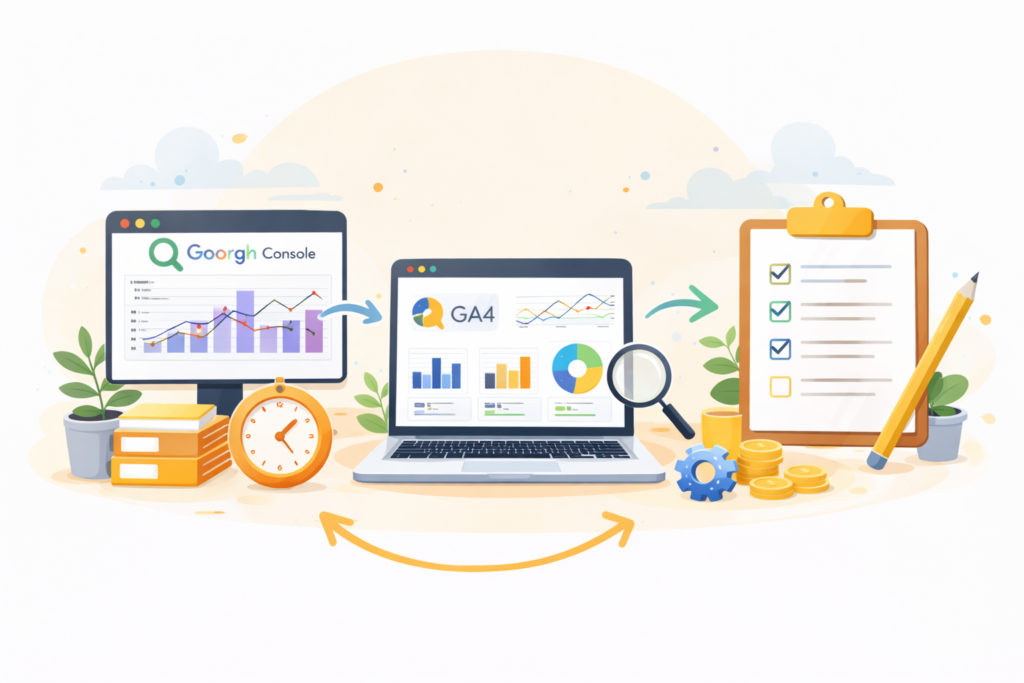
- Google Search Console to understand search queries, clicks, impressions, CTR, and average position.
- GA4 to understand what visitors do after they land, and which actions matter (key events).
- Optional: Looker Studio if you want one dashboard that blends both.
If you are using WordPress, Shopify, or a brochure-style site, the “reporting principles” are the same. The labels just change.
Think: you do not need 30 metrics. You need 5 that trigger decisions.
SEO reporting for small businesses: the 5 metrics that matter monthly
Below are five metrics that balance “SEO performance” and “business outcome.” They also work whether your conversions are calls, WhatsApp messages, contact forms, bookings, or purchases.
1) Organic clicks (Search Console)
Clicks tell you whether search is sending more people to your site. In the Search Console Performance report, you can view clicks, impressions, CTR, and position.
Monthly question: Did clicks rise, fall, or stay flat?
Decision it drives:
- If clicks are down, you inspect queries and pages to see what slipped.
- If clicks are up, you check if the traffic is relevant and converting.
2) Impressions (Search Console)
Impressions indicate visibility. If impressions rise but clicks do not, it can be a CTR problem.
Monthly question: Is Google showing your pages more often?
Decision it drives:
- Rising impressions often means you are being considered for more queries.
- Falling impressions can mean seasonal demand, stronger competitors, or indexing issues.
3) CTR (Search Console)
CTR is clicks divided by impressions.
Monthly question: Are searchers choosing you when they see you?
Decision it drives:
- Low CTR with decent position usually points to titles, meta descriptions, or mismatch with intent.
- CTR improvements are often a fast win for service businesses.
4) Leads or sales from organic (GA4)
This is where many reports fall apart. If GA4 is not tracking the actions that matter, you cannot connect SEO to outcomes.
In GA4, “key events” are actions that matter to your business, and GA4 can report on them.
Monthly question: Did organic traffic generate more enquiries, calls, bookings, or sales?
Decision it drives:
- If traffic rises but leads do not, you likely have an offer, page clarity, or trust problem.
- If leads rise, you double down on the pages and topics that drove them.
5) Top landing pages from organic (GA4 + Search Console)
This is the bridge metric. You want to know which pages attracted visitors, and whether those visitors took meaningful actions.
Monthly question: Which pages pulled in organic visitors, and did those pages convert?
Decision it drives:
- Promote the pages that bring qualified visits.
- Fix or rebuild the pages that attract traffic but do not convert.
If you want help aligning this end-to-end, VVRapid’s SEO service is positioned around improving structure, content, and performance so you attract the right visitors.
The 30-minute monthly routine (do this every month)
This is the actual workflow. Put it on your calendar for the first week of every month.
Minutes 1 to 5: pick the comparison window
Choose one:
- Month vs previous month (good for catching sudden changes)
- Month vs same month last year (good for seasonality)
- Last 28 days vs previous 28 days (simple and consistent)
If you are in South Africa and your business is seasonal (tourism, schooling cycles, summer trades), year-over-year comparisons can prevent panic.
Minutes 6 to 15: Search Console quick scan
- Open Performance report.
- Set the date range and compare.
- Note:
- Total clicks change
- Total impressions change
- CTR change
- Average position change
Then do two filters:
- Top queries: Which queries dropped most in clicks?
- Top pages: Which pages dropped most in clicks?
You are looking for the “movers,” not the full list.
Minutes 16 to 24: GA4 conversion check
- Go to Reports and find your key events (conversions).
- Filter to Organic Search traffic.
- Compare the same date range.
If you do not have clean tracking yet, it is worth fixing first. Even a basic setup (form submit, click-to-call, WhatsApp click) changes the quality of SEO reporting for small businesses overnight.
If you also want the site to load fast and stay stable while you iterate, pair SEO with ongoing upkeep via Website Maintenance & Care.
Minutes 25 to 30: write the “next actions” summary
This final step is what turns reporting into growth.
Write:
- What happened: clicks up 12 percent, leads flat.
- Why it likely happened: traffic increased on blog pages, but service pages did not gain.
- What we do next: improve internal links to the service page, tighten the offer section, add proof points, and test a clearer CTA.
That is SEO reporting for small businesses done properly: outcomes, causes, actions.
A simple monthly report template you can copy into a doc
Use this structure as a one-page summary.
1) Executive summary (5 lines)
- Organic clicks: up/down, by how much
- Organic leads/sales: up/down, by how much
- Biggest win: page or query
- Biggest loss: page or query
- Next 1 to 3 actions
2) What changed (Search Console)
- Top 5 queries by click change
- Top 5 pages by click change
- CTR notes: pages with high impressions and low CTR
3) What it meant for the business (GA4)
- Organic key events total
- Best landing pages for key events
- Worst high-traffic landing pages (traffic without outcomes)
4) Decisions and owners
- Action 1: owner, due date
- Action 2: owner, due date
- Action 3: owner, due date
This is where SEO reporting for small businesses becomes a management tool, not a marketing document.
What to do when clicks drop: a calm troubleshooting path
A clicks drop does not always mean “your SEO is broken.” It means you need to isolate the cause.
Step 1: confirm the drop is real
- Check if the date range is comparable.
- Look for tracking changes, site migrations, or indexing issues.
Step 2: identify whether it is queries or pages
- If a few key queries fell, you may have been outranked.
- If a few key pages fell, the page may need improvement or it may be cannibalised by another page.
Step 3: match the fix to the cause
Common causes and fixes:
- CTR fell but position stable: rewrite title and meta description, align with intent.
- Position fell for one page: improve that page’s depth, structure, and internal links.
- Impressions fell across the site: check technical health and indexing.
VVRapid’s SEO offering explicitly includes technical foundations (crawl issues, site structure, performance), which is often the quiet cause behind visibility drops.
Checklist: your monthly SEO reporting for small businesses review
Use this checklist exactly as-is.
- ☐ Date range set and compared month-on-month (or year-on-year)
- ☐ Search Console: clicks, impressions, CTR, position noted
- ☐ Search Console: top queries by click change reviewed
- ☐ Search Console: top pages by click change reviewed
- ☐ Pages with high impressions and low CTR flagged
- ☐ GA4: organic leads or key events reviewed
- ☐ GA4: top landing pages for organic conversions identified
- ☐ One “quick win” picked (CTR, internal links, page clarity)
- ☐ One “foundation” task picked (technical, content depth, page structure)
- ☐ Next 1 to 3 actions written with owners and dates
If you want to turn those actions into content consistently, Socials, Blogs & Article Writing can support the content side of the plan.
Common mistakes that make SEO reporting pointless
Mistake 1: tracking rankings only
Rankings matter, but they are not the business outcome. Track clicks and leads first, then use position as a diagnostic.
Mistake 2: mixing branded and non-branded without separating
If your brand name drives most clicks, you can miss the real story. Split:
- branded queries (your business name)
- non-branded queries (your services, locations, problems)
Mistake 3: celebrating traffic that does not match intent
A blog post can spike traffic without producing leads. That is not failure, it is a signal to:
- improve internal links to service pages
- add a next step CTA
- expand the content to answer buyer questions
Mistake 4: changing five things at once
If you rewrite titles, restructure a page, and change conversion tracking in the same week, you will not know what worked.
Mistake 5: reporting without decisions
If your report does not end with 1 to 3 actions, it is not a report. It is a data export.
This is why SEO reporting for small businesses should be treated like a monthly management routine, not a marketing deliverable.
FAQ
How often should SEO reporting for small businesses be done?
Monthly is the sweet spot. Weekly is noisy for most small sites, and quarterly is too slow to catch problems early.
What if I do not have GA4 conversions set up?
Start with the simplest “key events” that match your business: form submits, click-to-call, WhatsApp click, booking confirmation. GA4 supports reporting on key events.
Can I use Looker Studio for this?
Yes, if you want a single dashboard. Looker Studio can connect to Search Console, and Google also documents using Search Console and Analytics together with Looker Studio.
Why do Search Console and GA4 numbers not match?
They measure different things. Search Console measures performance in Google Search results, while GA4 measures on-site behaviour. Use them together for a fuller view.
What is a realistic goal for a month?
Aim for progress, not perfection. For many service businesses, a realistic month is: fix one visibility issue, improve one converting page, and publish or refresh one strong piece of content.
How VVRapid can help
If you want SEO reporting for small businesses that ends in clear actions, VVRapid can help you connect the dots between visibility, content, technical foundations, and conversions. The Search Engine Optimisation service focuses on improving structure, content, and performance to attract the right visitors, not just more visitors. For a broader plan that ties SEO into your wider marketing and site priorities, Digital Strategy Roadmaps can map the next 90 days of work.
A subtle next step
If your current report feels busy but not useful, try the 30-minute routine above for the next two months. If you want a clean setup and a decision-focused monthly summary, view VVRapid’s SEO service page and see whether the approach fits your business: Request a Search Engine Optimisation Quote