A website maintenance SLA helps a small business understand what support they are actually paying for, how quickly issues should be handled, and what falls outside the agreement. Without a clear website maintenance SLA, it is easy to assume your provider will fix every issue immediately, only to discover response times, scope, and support limits were never properly defined.
Table of Contents
Most small business owners do not need pages of legal language. They need clarity. If your website brings in leads, supports customers, or backs up day-to-day operations, a support agreement should tell you what happens when something breaks, who responds, how fast they respond, and what kind of work is included.
That is where a practical website maintenance SLA becomes useful. It sets expectations before the stressful moment, not during it.
What is a website maintenance SLA?
A website maintenance SLA is a service level agreement tied to ongoing website support. In simple terms, it explains the standard of service you should expect from your maintenance provider.
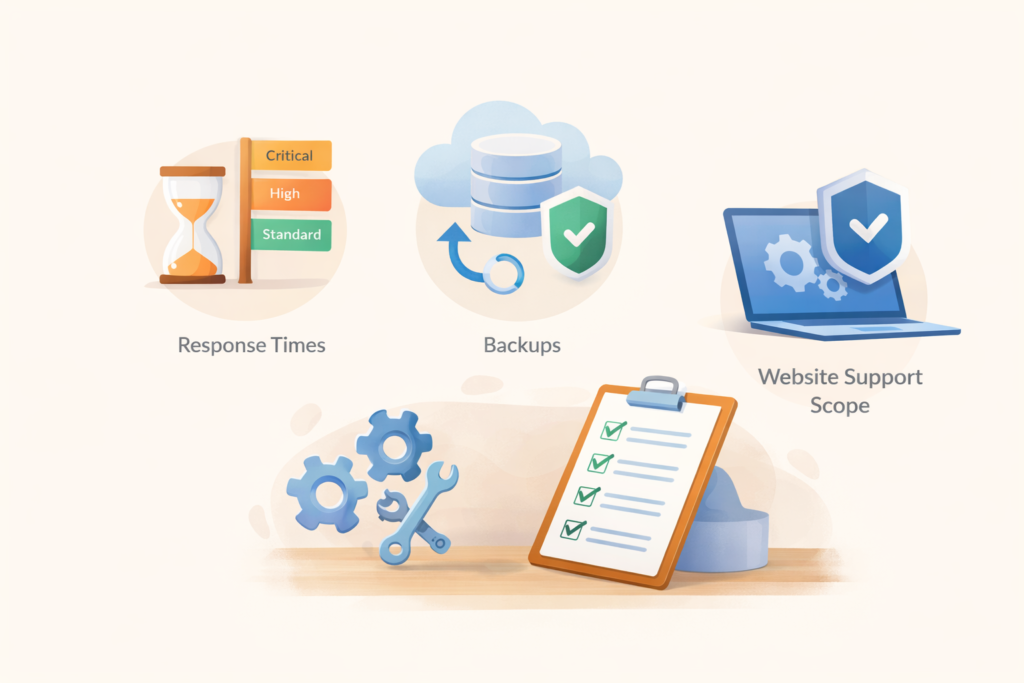
That usually includes:
- response times
- issue severity levels
- support channels
- covered maintenance tasks
- exclusions and extra-billable work
- backup or recovery expectations
- reporting and communication standards
Think: a maintenance plan tells you what is included, while an SLA explains how the support should be delivered.
For small businesses, this matters because “maintenance” can mean very different things from one provider to another. One provider may include monitoring, staged testing, and rollback support. Another may only apply routine updates and reply when they can.
Why a website maintenance SLA matters for small businesses
A lot of website issues are not dramatic. They are slow, annoying, and expensive in quiet ways.
A broken contact form can mean missed enquiries. A plugin conflict can damage trust. A slow response to downtime can affect paid traffic, sales, and staff time. When there is no clear website maintenance SLA, owners often discover too late that they were buying vague reassurance rather than a defined support service.
A useful agreement helps you answer questions like:
- How quickly will someone acknowledge an issue?
- Is there a difference between a minor bug and a revenue-impacting outage?
- Are updates tested before being pushed live?
- Is emergency restoration included?
- Are content edits part of the agreement or separate?
- What happens if the issue comes from hosting, a third-party tool, or custom code?
These are not enterprise-only questions. They are practical small business questions.
What should be included in a website maintenance SLA
1. Clear response times
Response time is one of the most important parts of a website maintenance SLA.
This does not always mean the issue will be fixed within that same period. It usually means the provider will acknowledge the problem, classify it, and begin the next step within a stated window.
A sensible SLA should explain:
- standard business-hours response times
- urgent issue response times
- whether weekends or public holidays are covered
- what counts as an emergency
- whether priority support is limited to certain plans
For example, a provider may respond to a critical outage within a few hours, while a cosmetic issue may sit in the normal queue. That is reasonable, as long as it is clearly stated.
2. Severity levels
Not every issue deserves the same urgency. A website maintenance SLA should group problems by severity.
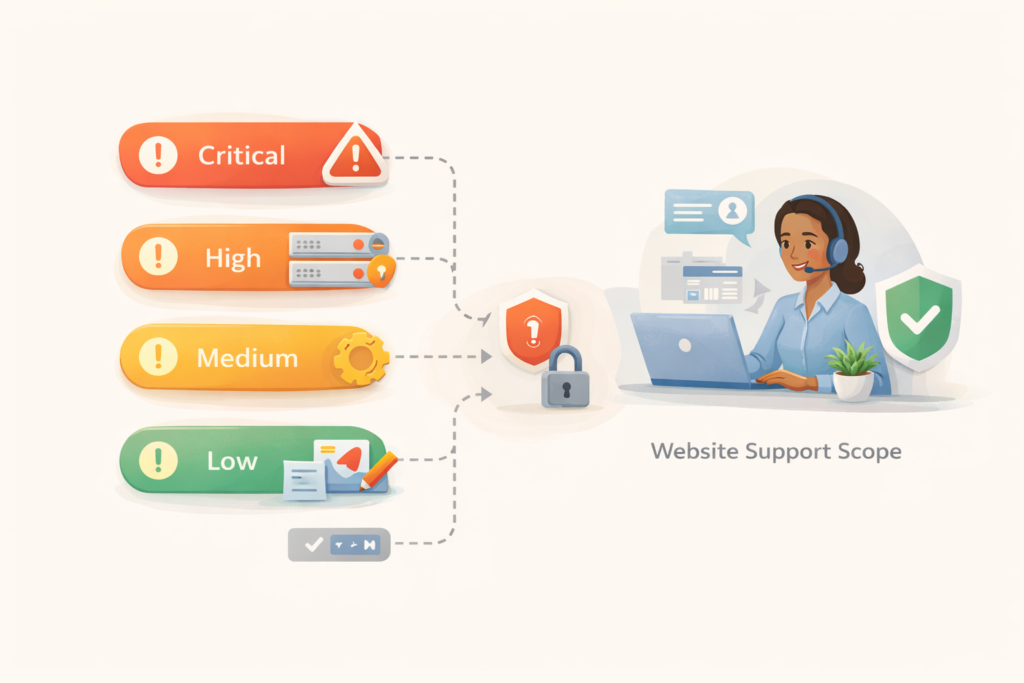
A practical version might look like this:
- Critical: site down, checkout broken, lead forms failing, security incident
- High: major page function broken, login access issue, key integration failure
- Medium: layout issue, plugin warning, partial feature problem
- Low: text edits, image swaps, small styling fixes
This protects both sides. You know what gets fast attention, and the support team can prioritise properly.
3. Scope of included work
This is where many support agreements become fuzzy.
Your website maintenance SLA should explain what is actually included in routine support, such as:
- WordPress core, theme, and plugin updates
- backup scheduling and restore points
- uptime or performance monitoring
- malware scans or basic hardening
- minor content changes
- troubleshooting after standard updates
- reporting or monthly summaries
On VVRapid’s service page, the maintenance plans already distinguish between update frequency, backups, support level, reports, and included change time. That is helpful, but an SLA-focused article like this goes one step further by showing owners how to evaluate the support agreement behind those plan features.
4. What is excluded
This part deserves more attention than it usually gets.
A strong website maintenance SLA should also say what is not included, for example:
- full redesign work
- new landing pages
- custom feature development
- third-party software subscription issues
- advanced SEO work
- copywriting projects
- major hosting/server reconfiguration
- emergency work caused by ignored recommendations
Exclusions are not a bad sign. Hidden exclusions are.
5. Backup and recovery expectations
Backups are often mentioned in sales copy, but the SLA should clarify:
- how often backups run
- where they are stored
- whether they are off-site
- when manual backups happen
- whether restore support is included
- whether recovery time depends on the issue
If your site matters commercially, backup language should be specific enough that you know what “we have backups” actually means.
6. Communication and escalation
A website maintenance SLA should not leave you guessing about how support works.
Look for:
- the support channel, such as email or ticketing
- who can submit requests
- whether phone or priority escalation exists
- what information you should provide when reporting an issue
- how status updates will be shared
This is especially useful for small teams where several people may notice a problem, but only one person should raise requests.
Checklist: what to review before signing a support agreement
Use this checklist before committing to a website maintenance SLA:
- □ Is there a written response-time promise?
- □ Are critical issues defined clearly?
- □ Does the agreement explain what is included each month?
- □ Does it state what is excluded or quoted separately?
- □ Are backups and restore expectations explained?
- □ Is there a named support channel?
- □ Does it mention update testing or staging where relevant?
- □ Are reporting and communication standards clear?
- □ Does the plan suit your site type, not just your budget?
- □ Is priority support reserved for higher plans, and is that acceptable for your business?
If you cannot answer most of those questions in under five minutes, the agreement probably needs more clarity.
How to tell what level of SLA your business actually needs
Not every site needs the same support agreement.
A lighter SLA may be enough if:
- your website is mostly informational
- content changes are rare
- you do not rely on forms or ecommerce daily
- downtime is inconvenient but not immediately costly
A stronger SLA is worth it if:
- your website generates leads every week
- you run paid campaigns to landing pages
- customers rely on forms, bookings, or checkout
- multiple plugins or integrations create more risk
- downtime directly affects revenue or credibility
This is where maintenance decisions should become operational, not emotional. Do not buy the biggest plan because it sounds safer. Buy the support level that matches business impact.
Common mistakes small businesses make with website maintenance SLAs
Assuming response time means fix time
A provider may promise a quick acknowledgement, not full resolution within that same period. Read the wording carefully.
Treating all issues as urgent
If every ticket is marked critical, the SLA stops being useful. Severity only works when categories are realistic.
Ignoring exclusions
Many frustrations come from work that was never included in the first place. Custom development, redesigns, and complex third-party issues often sit outside routine care.
Buying on price alone
A cheaper plan can be fine for a simple brochure site. It can be expensive for a lead-generation site if response times are too loose.
Not checking support channels
If urgent issues can only be raised through a low-priority email inbox, that matters.
Forgetting hosting and website care are different
A website maintenance SLA may cover the site application itself, while hosting issues, DNS, email delivery, or server-level incidents may follow different support boundaries.
What a good support agreement sounds like in plain English
A useful website maintenance SLA should feel clear enough that a non-technical owner can explain it back to someone else.
For example:
“We monitor your site, apply routine updates, maintain backups, and handle defined support requests. Critical website issues receive faster response than minor edits. Small monthly changes are included up to the agreed time allowance. Work outside scope is flagged before extra billing. Backup restoration and troubleshooting are available within the limits of the plan.”
That is much better than broad wording like “full support” or “complete maintenance”.
How VVRapid can help
VVRapid’s Website Maintenance & Care service already separates support tiers by update frequency, backups, monitoring, reports, staging, and support level, which gives a useful starting point for small businesses comparing options. If you want ongoing help rather than one-off fixes, it makes sense to review not just the plan features but the practical support expectations behind them.
For site owners who want clearer day-to-day coverage, VVRapid can help define what is routine, what is urgent, and what should be handled separately through a broader digital support relationship. See Website Maintenance & Care, LiteSpeed WebServer Hosting, or Fractional Digital Team for related support options.
FAQ: website maintenance SLA
What does SLA mean in website maintenance?
It means service level agreement. It sets expectations for response times, support scope, communication, and how different issues are prioritised.
Does a website maintenance SLA guarantee my site will never go down?
No. A website maintenance SLA defines support standards and response expectations. It does not remove all technical risk.
Is a website maintenance SLA only for large companies?
No. Small businesses benefit from it too, especially if the website generates leads, bookings, or sales.
Does every maintenance plan include emergency support?
No. Small businesses benefit from it too, especially if the website generates leads, bookings, or sales.
Does every maintenance plan include emergency support?
Not necessarily. Some plans include faster support for urgent issues, while others only cover routine maintenance and standard response windows.
Should hosting be included in the same agreement?
Sometimes, but not always. Website care and hosting are related, yet they are often separate services with different responsibilities.
A clear website maintenance SLA will not make every issue painless, but it does make support more predictable. That alone can save time, stress, and unnecessary cost. If your current agreement feels vague, review the scope, response expectations, and exclusions before the next urgent issue forces the conversation.