
A website launch checklist helps you catch the small issues that can quietly damage trust, enquiries, rankings, and conversions after your new site goes live.
Table of Contents
Launching a website is exciting, but it is also the point where design, content, SEO, performance, forms, hosting, analytics, and security all have to work together. One broken contact form or missing redirect can turn a strong build into a frustrating first impression.
Think: launch day is not just about pressing publish. It is about making sure the website is ready for real people, real devices, real search engines, and real business goals.
Whether you are launching a brand-new small business website or replacing an older site, this guide gives you a practical website launch checklist you can use before going live.
Why a website launch checklist matters
A website can look finished before it is actually ready.
The design may be approved. The homepage may look polished. The service pages may be written. But behind the scenes, there can still be hidden problems.
Common examples include:
- Contact forms that do not send correctly
- Mobile layouts that break on smaller screens
- Missing title tags and meta descriptions
- Slow image-heavy pages
- Old URLs that do not redirect
- Buttons that lead nowhere
- Analytics that are not installed
- Cookie notices or privacy pages that are missing
- Placeholder content left on internal pages
A proper website launch checklist reduces the chance of these issues reaching your customers.
For small business owners, this matters because your website often has one job: help the right visitor take the next step. That might be an enquiry, booking, quote request, phone call, purchase, or consultation.
A calm pre-launch website testing process helps protect that outcome.
Website launch checklist: the core areas to test
A useful website launch checklist should cover more than design.
It should include content, user experience, mobile testing, speed, SEO, tracking, security, forms, redirects, and post-launch monitoring.
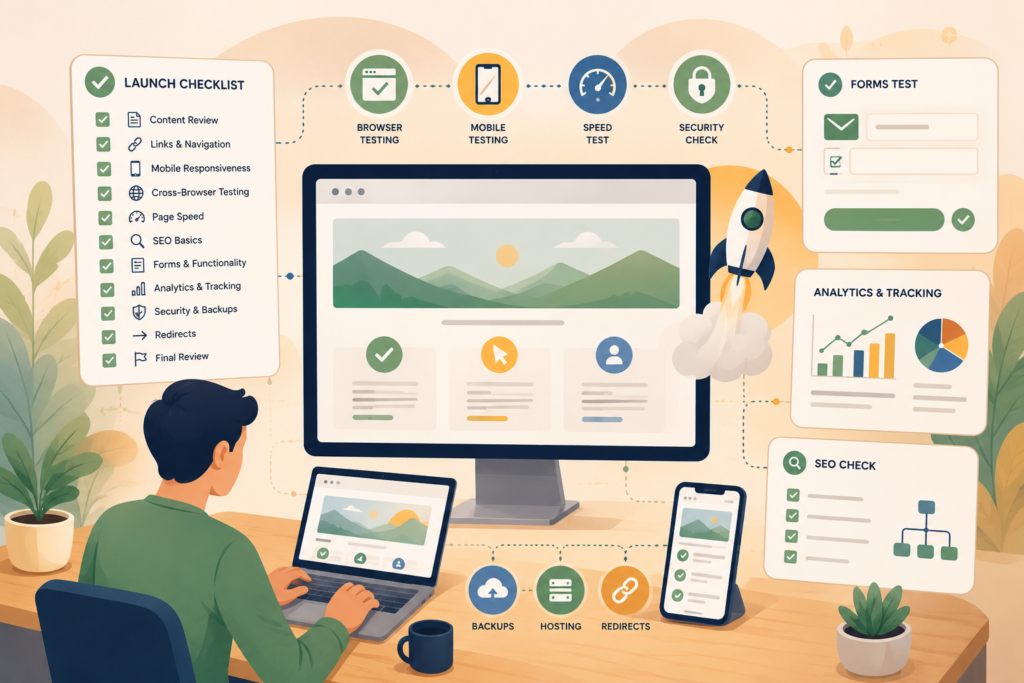
Here is the simple framework:
- Content and spelling
- Navigation and links
- Mobile and responsive layout
- Browser compatibility
- Website speed and Core Web Vitals
- SEO basics
- Forms and conversion paths
- Analytics and tracking
- Legal and trust elements
- Security, backups, and hosting
- Redirects and launch settings
- Post-launch checks
This is where a website QA checklist becomes useful. It gives you a shared reference point so the owner, designer, developer, copywriter, and SEO team are not relying on memory.
If your current build still feels unclear, VVRapid’s website design and development service can help you plan, build, and launch a site that is easier to use.
Check your content before launch
Start with the visible content.
This is the part customers will judge first. A website may be technically strong, but if the content is vague, outdated, or inconsistent, visitors may hesitate.
Before launch, check:
- Homepage headline
- Service page copy
- Product descriptions
- About page
- Contact details
- Location details
- Opening hours
- Pricing notes, if shown
- Calls to action
- Team names and roles
- Footer content
- Privacy policy and terms pages
Also check for leftover filler text. It is surprisingly common for staging websites to launch with placeholder copy, old captions, demo buttons, or test headings.
For a small business website launch, clarity matters more than cleverness. Every page should answer three questions quickly:
- What do you offer?
- Who is it for?
- What should the visitor do next?
Your website launch checklist should include a manual page-by-page read-through. Do not rely only on spellcheck. Read key pages aloud, especially the homepage, service pages, and contact page.
Test navigation, buttons, and internal links
Navigation problems are easy to miss because the team building the site already knows where everything is.
New visitors do not.
Check the main menu, mobile menu, footer links, buttons, icons, logo link, sidebar links, and in-page anchor links. Click everything.
Your website launch checklist should confirm that:
- The logo links back to the homepage
- Main menu items go to the correct pages
- Dropdowns are easy to use
- Footer links are accurate
- Call-to-action buttons point to the right destination
- Social media links open correctly
- Email and phone links work on mobile
- PDFs or downloads open properly
- No links lead to staging URLs
- No links return 404 errors
This is also a good time to check whether the navigation matches your customer journey.
For example, a service business may need clear links to Services, About, Case Studies, Contact, and FAQs. An ecommerce business may need category links, delivery information, returns, account access, and support.
Do not make people hunt!
Run mobile website testing properly
Mobile testing should never be an afterthought.
Many small business owners approve websites on a laptop, but their customers may visit from a phone while commuting, comparing quotes, or standing in a shop. Mobile website testing helps you spot layout and usability issues before visitors do.
Check your website on more than one screen size where possible. At minimum, test a modern iPhone size, an Android size, a tablet view, and a desktop view.
Look for:
- Text that is too small
- Buttons that are hard to tap
- Menus that cover the screen
- Forms that are awkward to complete
- Images that crop important details
- Popups that block the page
- Sections that stack in the wrong order
- Phone and email links that do not work
- Slow-loading pages on mobile data
A good website launch checklist includes real device testing, not only browser resizing.
If your audience includes South African customers, mobile performance deserves extra attention. Many people browse on mobile connections, and a heavy page can make the experience feel broken even when the design looks good.
Check browser compatibility
Your website may behave differently across browsers.
Before going live, test the core pages in Chrome, Safari, Firefox, and Microsoft Edge. You do not need to test every possible browser version, but you should check the main ones your customers are likely to use.
Focus on:
- Homepage
- Main service pages
- Contact page
- Booking or checkout pages
- Blog or resource pages
- Login areas, if any
Your website launch checklist should confirm that layouts, menus, forms, animations, buttons, and images work consistently.
Small visual differences are normal. Broken functionality is not.
Test forms, enquiries, bookings, and payments
This is one of the most important parts of any website launch checklist.
If the website is meant to generate leads, the forms must work. If it accepts bookings or payments, the process must be tested from start to finish.
Test every form on the site:
- Contact form
- Quote request form
- Newsletter signup
- Booking form
- Support form
- Download form
- Account registration form
- Checkout form
Submit real test entries. Confirm that the notification email arrives. Check that the message is readable. Confirm that the customer receives the right confirmation, if applicable.
Also test from a mobile device.
For payment flows, use the correct test mode or low-risk testing process for your payment provider. Confirm that taxes, delivery, confirmation emails, and order statuses behave as expected.
A form that looks fine but fails silently can cost real leads.
After launch, ongoing website maintenance and care helps keep forms, plugins, backups, and key features working properly.
Review basic SEO before publishing
SEO should not wait until after launch.
Your technical SEO checklist does not need to be complicated, but it should cover the basics Google and users rely on to understand your pages. Google’s SEO Starter Guide recommends clear, useful content and practical improvements that help search engines discover and understand your site.
Before launch, check:
- Each important page has a unique SEO title
- Each important page has a useful meta description
- H1 headings are clear and unique
- URLs are short, readable, and final
- Images have descriptive ALT text
- Internal links connect related pages
- Pages are not accidentally set to noindex
- XML sitemap is ready
- Robots.txt is not blocking important pages
- Schema or structured data is added where relevant
- Local business details are accurate, if applicable
For a WordPress launch checklist, this often includes checking Rank Math, Yoast, or another SEO plugin before publishing.
Also check whether old URLs need redirects. This is critical during redesigns. If a page URL changes and no redirect is added, visitors and search engines may hit a dead end.
A focused search engine optimisation review before launch can reduce technical issues and give new pages a cleaner start in search.
Test website speed and Core Web Vitals
Speed affects user experience, especially on mobile.
Google describes Core Web Vitals as metrics that measure real-world user experience for loading performance, interactivity, and visual stability. In plain English, they help show whether your website loads quickly, responds smoothly, and avoids annoying layout shifts.
Your website launch checklist should include a website speed test for key pages, not just the homepage.
Test:
- Homepage
- Main service page
- Product or category page
- Contact page
- Blog template
- Checkout or booking page, if relevant
Common speed issues include oversized images, too many plugins, heavy scripts, poor hosting, unoptimised fonts, unused code, and large video backgrounds.
Before launch, check that images are compressed, caching is configured, unnecessary plugins are removed, and the hosting environment is suitable for the website.
Do not chase perfect scores at the expense of usability. Instead, aim for a fast, stable, reliable experience for real visitors.
Reliable LiteSpeed WebServer hosting can support faster loading, better caching, and a smoother launch experience.
Confirm analytics, tracking, and conversion measurement
A new website should launch with measurement in place.
You do not need to track everything. You do need to know whether people are finding the site and taking useful actions.
Before launch, confirm:
- Google Analytics or another analytics tool is installed
- Google Search Console is connected
- Contact form conversions are tracked
- Phone clicks are tracked, where relevant
- Thank-you pages work correctly
- Paid ad pixels are installed, if needed
- Cookie consent is configured, if required
- Internal team traffic can be filtered, where practical
This part of the website launch checklist helps you make better decisions after launch.
Without tracking, you are guessing.
With tracking, you can see which pages attract visitors, which calls to action work, where users drop off, and what needs improvement.
Check trust, legal, and credibility signals
Trust is part of conversion.
Before launch, review the elements that help visitors feel safe enough to contact you, buy from you, or book a service.
Check for:
- Clear business name
- Real contact details
- Service areas or location information
- Privacy policy
- Terms and conditions, where needed
- Refund or returns policy, if relevant
- Security certificate
- Team or founder information
- Proof points
- Reviews or testimonials, if available
- Professional email address
- Consistent branding
For South African businesses, also check whether your privacy and data handling information is appropriate for your business context. Legal requirements vary by region and industry, so get proper legal advice when needed.
A website launch checklist should not treat these pages as admin clutter. They help customers feel that the business is real, reachable, and accountable.
Security, backups, and hosting checks
Before launch, confirm that the website is safe and recoverable.
This does not need to be complicated, but it does need to be done.
Check:
- SSL certificate is active
- Admin passwords are strong
- Unused accounts are removed
- User roles are correct
- Backups are configured
- Backup restore process is known
- Plugins and themes are updated
- Security plugin or firewall is configured
- Staging access is closed or protected
- Default demo content is removed
For WordPress websites, plugin and theme updates should be handled carefully. Do not update everything blindly minutes before launch unless you are ready to test again.
Security is not a once-off launch task. It is part of ongoing website care.
Final pre-launch checklist
Use this condensed website launch checklist before you publish.
- □ Read all key pages for accuracy and clarity
- □ Remove placeholder text, demo images, and test content
- □ Click every menu item, button, and footer link
- □ Test contact forms and confirmation emails
- □ Test bookings, payments, downloads, or logins
- □ Check mobile layouts on real devices
- □ Test the site in major browsers
- □ Compress and review images
- □ Run a website speed test on key pages
- □ Add SEO titles and meta descriptions
- □ Check H1s, URLs, ALT text, and internal links
- □ Confirm sitemap and robots settings
- □ Add redirects for changed URLs
- □ Confirm analytics and Search Console
- □ Check cookie consent and privacy pages
- □ Confirm SSL, backups, and security settings
- □ Remove staging restrictions before launch
- □ Submit sitemap after launch
- □ Monitor forms, traffic, and errors after launch
This final website launch checklist should be saved and reused. It becomes faster every time.
Common mistakes to avoid
A launch can go wrong in quiet ways.
Here are the mistakes small businesses should watch for.
Launching without testing forms
This is the big one. A contact form that does not send can make a business think demand is weak when the real issue is technical.
Only checking the homepage
Visitors do not always enter through the homepage. Service pages, blog posts, location pages, and product pages need testing too.
Forgetting redirects
During a redesign, old URLs may change. Without redirects, existing links, search results, and bookmarks can lead to 404 pages.
Ignoring mobile experience
A desktop-approved design can still be frustrating on mobile. Always test on real devices.
Leaving SEO until later
SEO basics are easier to set before launch than to repair afterwards.
Not checking speed
Large images and heavy scripts can make a new website feel slow from day one.
Forgetting post-launch monitoring
The first few days after launch matter. Watch forms, traffic, indexing, broken links, and user feedback closely.
What to do after the website goes live
Your website launch checklist does not end when the site is published.
After launch, monitor the website for at least the first few days. Check that forms still work, analytics is recording data, important pages are indexed, and no unexpected errors appear.
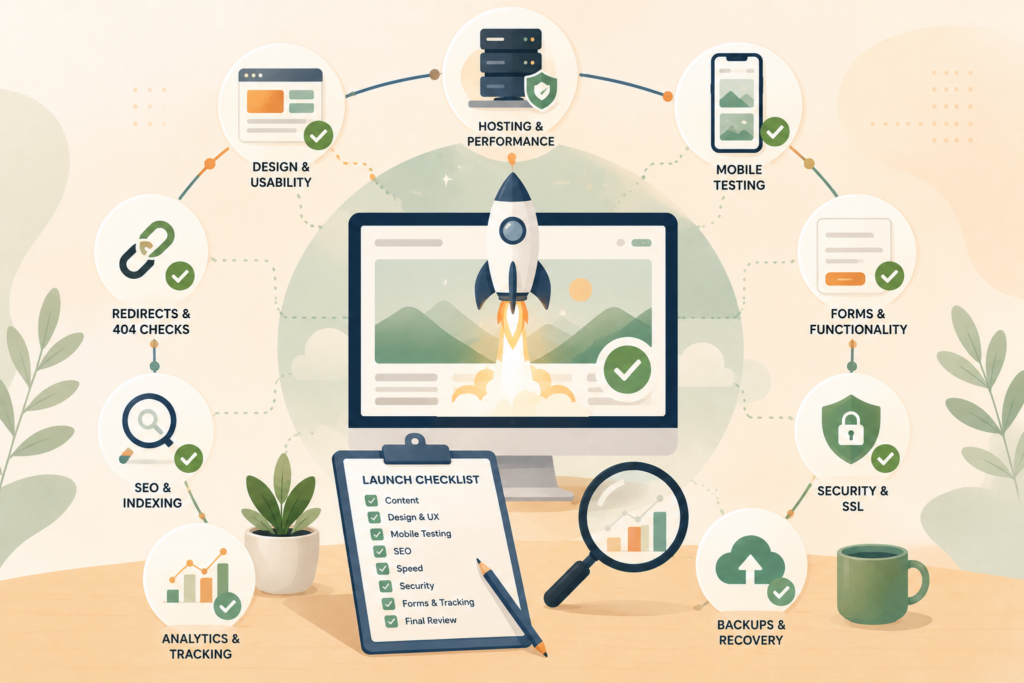
Post-launch tasks include:
- Submit your sitemap in Google Search Console
- Test all forms again on the live domain
- Check redirects
- Monitor 404 errors
- Review mobile speed
- Check analytics data
- Ask a few real users to browse the site
- Fix small issues quickly
- Save lessons for the next launch
A small business website launch is not just a technical moment. It is the start of measuring, learning, and improving.
How VVRapid can help
VVRapid helps small businesses plan, build, improve, and maintain websites with a practical focus on clarity, speed, usability, and growth.
That can include website design and development, pre-launch website testing, SEO setup, hosting support, website maintenance, and digital strategy.
The goal is not to make launch more complicated.
It is to make the important parts less likely to be missed.
If your website launch is part of a bigger growth plan, a digital strategy roadmap can help connect the site to content, SEO, automation, and future improvements.
FAQ: website launch checklist
What is a website launch checklist?
A website launch checklist is a structured list of checks to complete before publishing a new or redesigned website. It usually covers content, links, mobile testing, forms, SEO, speed, analytics, security, hosting, and post-launch monitoring.
When should I start pre-launch website testing?
Start pre-launch website testing once the main pages, design, forms, and functionality are close to final. Do not leave testing until the last hour before launch because fixes may affect layouts, SEO settings, redirects, or user flows.
Is a WordPress launch checklist different?
A WordPress launch checklist includes the same core checks, but it should also cover plugins, themes, backups, user roles, permalink settings, SEO plugin settings, caching, security, and updates.
How long does website QA take?
It depends on the size and complexity of the site. A small brochure website may only need a focused QA pass, while an ecommerce, booking, membership, or custom website needs deeper testing across more user journeys.
Should SEO be checked before or after launch?
Both. Basic SEO should be checked before launch, including titles, meta descriptions, headings, URLs, ALT text, indexing settings, redirects, and sitemap setup. After launch, monitor indexing, traffic, search queries, and technical issues.
Final thought
A website launch checklist will not make a weak website strong on its own.
But it can protect good work from avoidable mistakes.
Before you publish, slow down enough to test the details. Your visitors may never notice the checklist, and that is the point. They should simply find a website that loads, works, explains clearly, and makes the next step easy.
To plan or review a launch, visit VVRapid’s website design and development service page or contact VVRapid for practical support.