
Contact form best practices for small business usually start with one uncomfortable truth: most forms are built for the business, not the visitor. The result is predictable. People hesitate, abandon, or send low-quality messages that waste your time.
Table of Contents
Contact form best practices for small business: should you use fewer fields or more fields?
This is the right question. Fewer fields typically increases completion rates. More fields can filter out poor enquiries. The best answer is not “always fewer” or “always more”.
The best answer is: fewer required fields, smarter qualifiers, and progressive qualification after submit.
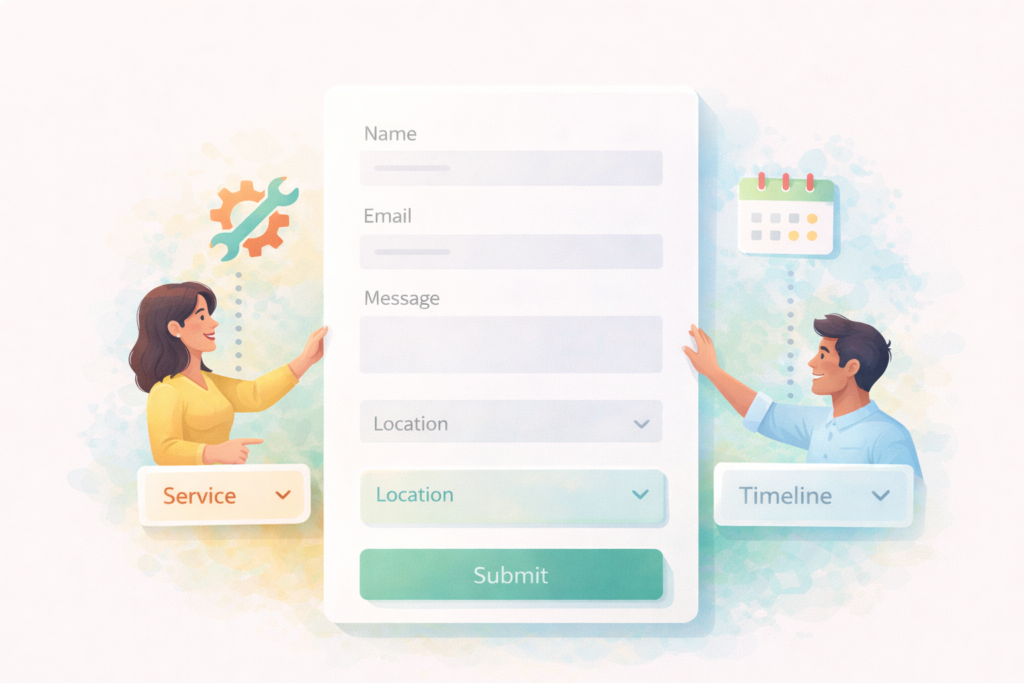
If you want contact form best practices for small business that improve both conversion and lead quality, design the form around how people actually behave:
- Most visitors are on mobile.
- Most visitors are in a hurry.
- The visitor does not want homework.
- You do want enough information to route and qualify.
A form that balances those realities can raise enquiry volume without flooding you with junk.
The real job of a contact form
A contact form has three jobs, in this order:
- Make it easy for a legitimate person to contact you.
- Capture enough context to respond effectively.
- Protect your time by reducing spam and poor-fit leads.
Good contact form best practices for small business design the form to do all three, without turning it into an interrogation.
When fewer fields wins (and why)
Fewer required fields generally wins when:
- Most of your traffic is mobile (common for service businesses).
- You rely on fast responses (call backs, WhatsApp, short consults).
- Your offers are easy to explain in conversation.
- You are trying to increase top-of-funnel enquiries.
Why it works:
- Each extra required field adds friction.
- On mobile, friction is amplified.
- People abandon when they feel uncertain or judged.
A short form also helps you capture “I need help now” enquiries, which are often strong commercial intent leads.
When more fields helps (filtering, routing, and lead quality)
More fields can be valuable when:
- You get many time-wasters and it is genuinely hurting your operations.
- You offer multiple services and need to route enquiries quickly.
- You have hard eligibility constraints (location, minimum spend, timeline).
- Your sales process requires specific details upfront.
But here is the key: most small businesses do not need “more fields”. They need better fields.
That is why the best contact form best practices for small business use:
- 2 to 3 high-signal qualifiers
- plus one strong message field prompt
- plus a second step after submission if you want deeper filtering
Contact form best practices for small business: the best compromise
The best structure: short form + smart qualifiers
A reliable baseline structure is:
- 3 required fields
- Name
- Email or Phone (choose one primary, offer the other as optional)
- Message
- 2 optional or required qualifiers (only if you need them)
- Service needed
- Location or area
- Timeline
- Budget range (use carefully)
That is the practical “middle path” for contact form best practices for small business: high completion rates, but still enough to filter.
Why qualifiers beat long forms
Qualifiers work because they:
- filter poor fits early
- reduce email back-and-forth
- help you respond faster
- feel easy when they are dropdowns
What does not work as well:
- long forms with many text fields
- forced “how did you hear about us” questions
- mandatory address fields for services that do not need them
The 5 fields that do the most filtering
If you want lead quality without a 12-field form, these are the most useful fields for many service businesses. Consider these core contact form best practices for small business options.
1) Service needed (dropdown)
Example choices:
- Website redesign
- New website
- SEO help
- Maintenance
- Other
This routes leads and reduces irrelevant enquiries.
2) Location / service area (dropdown or short text)
If you serve specific areas, location is a clean filter.
Tip: if you work across regions, use a short prompt:
“City or area” rather than a full address.
3) Timeline (dropdown)
Use simple options:
- ASAP
- 1 to 2 weeks
- 1 month
- 2 to 3 months
- Flexible
Timeline filters urgency and expectations.
4) Budget range (dropdown, optional if sensitive)
Budget can filter time-wasters, but it can also reduce good enquiries if it feels confrontational. If you add it:
- keep it optional, or
- explain why you ask it (“helps us propose the right approach”)
Also keep ranges broad. Avoid making people feel judged.
5) Preferred contact method
Let people pick:
- Phone call
This can increase response speed and reduce ghosting.
The single message field that does heavy lifting
A strong message prompt is one of the most underrated contact form best practices for small business.
Instead of “Message”, try a prompt like:
- “What do you need help with, and what does success look like?”
- “Share a few details, including your timeline and any must-haves.”
- “What are you trying to achieve, and what is getting in the way?”
This one field often filters better than five separate fields because it encourages thoughtful, self-qualifying leads.
Progressive qualification: filter harder without losing good leads
If you want stronger filtering, do not cram everything into the first form. Use a second step.
How progressive qualification works
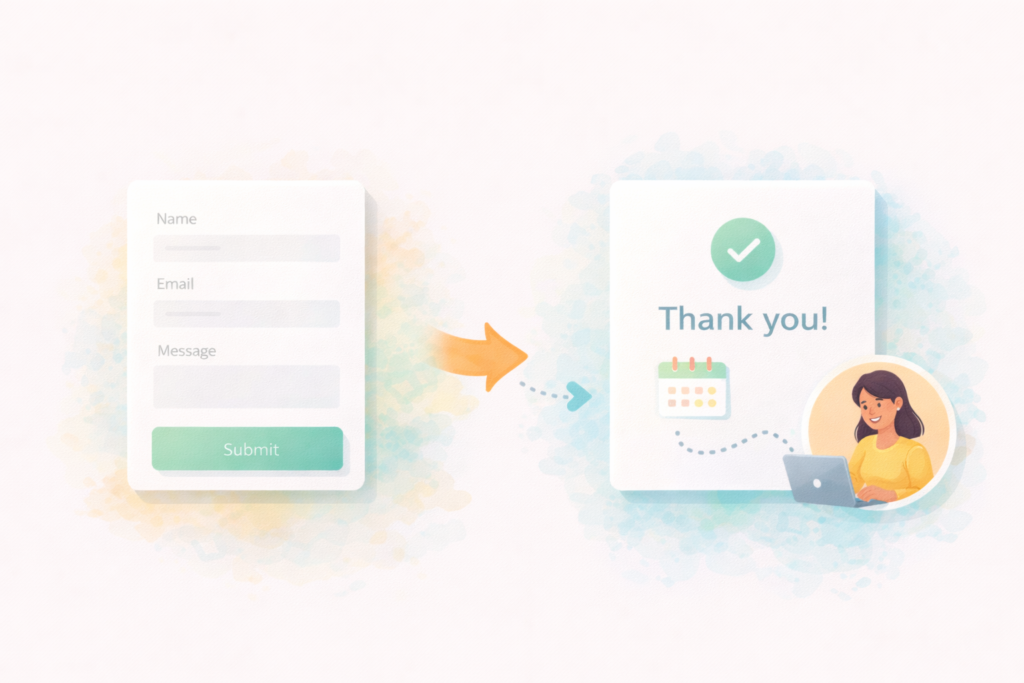
Step 1: Keep the contact form simple and fast.
Step 2: After submission, send people to a “next step” page.
Examples:
- “Book a 15-minute call”
- “Answer 3 quick questions so we can quote accurately”
- “Share your website link and goals”
- “Upload a brief” (only if needed)
This is one of the most effective contact form best practices for small business because:
- motivated leads will continue
- casual browsers will stop
- you still capture the contact details either way
What to put on the thank-you page
Include:
- confirmation that the message was sent
- expected response time
- the optional next step (booking link or short qualifier form)
- alternative contact methods (WhatsApp, phone)
Spam prevention without wrecking conversions
Spam protection is part of contact form best practices for small business, but it must not punish real people.
Good options:
- Honeypot fields (hidden to humans, visible to bots)
- Rate limiting
- Basic IP and content filtering
- Modern CAPTCHA that is not overly intrusive
Avoid:
- aggressive CAPTCHAs that block mobile users
- forcing account creation
- requiring too many steps before submit
Also important: make sure emails actually deliver. Many “spam problems” are really email deliverability problems where form notifications never arrive.
Mobile-first rules that matter
If you implement only one category of contact form best practices for small business, make it mobile.
Mobile must-haves
- Fields are large, readable, and easy to tap
- Labels are clear and always visible (not only placeholders)
- Autofill works for name, email, phone
- Error messages are specific (“Please enter a valid email”)
- The submit button is obvious and not buried
Mobile friction killers
- Long dropdown lists
- Multi-step forms with no progress feedback
- Tiny checkboxes and radio buttons
- Keyboard types that do not match (numeric keyboard for phone)
Where to place your contact form
Location is a silent conversion lever.
Recommended placements:
- Contact page (obvious)
- Service pages (best for high-intent enquiries)
- A short CTA section on the homepage (optional)
- Pricing page (if you have one)
If your site is being rebuilt, ensure the enquiry flow is planned alongside the page structure so visitors always have a next step.: Website Design & Development
Contact form best practices for small business: tracking what actually matters
If you are not tracking, you are guessing.
At minimum, track:
- form submissions as a conversion event (GA4)
- clicks on phone and WhatsApp links
- booking completions (if you use bookings)
Google’s GA4 help centre covers event tracking concepts and setup.: Google Analytics Help (GA4) ↗
Also consider a simple internal system for lead quality:
- Tag each enquiry as “good fit” or “poor fit”
- Review patterns monthly
This tells you whether your filters are working.
Checklist section: contact form best practices for small business
Use this checklist before publishing changes.
Form structure
- □ 3 required fields max (Name, Email/Phone, Message)
- □ Add 1 to 3 qualifiers only if needed (service, location, timeline, budget)
- □ Preferred contact method included (optional but helpful)
- □ Message prompt encourages useful detail
Lead quality filtering
- □ At least one routing field (service needed) if you offer multiple services
- □ Location field included if you only serve certain areas
- □ Timeline field included if scheduling matters
- □ Budget range optional, with a friendly explanation if used
UX and accessibility
- □ Labels are always visible and clear
- □ Autofill enabled where possible
- □ Mobile tap targets are comfortable
- □ Error messages are specific and helpful
Spam and deliverability
- □ Honeypot or equivalent spam prevention enabled
- □ Form notifications tested end-to-end
- □ Confirm emails land in the right inbox
- □ A backup contact method is visible (phone, WhatsApp, email)
Tracking
- □ GA4 event for form submission
- □ Call click and WhatsApp click tracking
- □ Thank-you page view tracked (optional but useful)
Common mistakes
1) Making every field required
This is the fastest way to reduce submissions. Good contact form best practices for small business keep required fields minimal.
2) Using the form to replace a conversation
A form is not a discovery call. If you need deeper qualification, use progressive steps after submission.
3) Asking low-signal questions
“How did you hear about us?” as required rarely improves lead quality. Ask service, location, and timeline first.
4) Poor mobile experience
If your form is annoying on a phone, it is losing leads. Test on a real device.
5) Breaking email delivery
Forms can “work” and still fail if notification emails go to spam or the wrong inbox. Test delivery, not just submission.
6) No tracking
If you do not track submissions and clicks, you cannot improve intelligently.
Practical templates you can copy
Here are three simple templates that fit different needs.
Template A: Maximum conversion (general services)
Required:
- Name
- Message
Optional:
- Preferred contact method
Best when you want more enquiries and you qualify via follow-up.
Template B: Balanced conversion + filtering (recommended for most)
Required:
- Name
- Phone (or email)
- Service needed
- Message
Optional:
- Timeline
- Location
This is a strong default for contact form best practices for small business.
Template C: High filtering (only if time-wasters are a real issue)
Required:
- Name
- Email or phone
- Service needed
- Location
- Timeline
- Message
Optional:
- Budget range
If you use this, keep the design clean and ensure it still feels fast on mobile.
How VVRapid can help
If your enquiry flow is not performing, VVRapid can help you apply contact form best practices for small business in a way that suits your services and sales process. That includes form UX, spam control, tracking setup, and ensuring service pages guide visitors to the right next step. If you want the whole site conversion path improved, we can align homepage, service pages, and contact flow so leads do not fall through cracks.
Next step: view VVRapid’s Website Design & Development service page, or contact the team for a quick review of your contact form and enquiry path.
FAQ
Do fewer fields always mean more enquiries?
Often yes, but not always. The best contact form best practices for small business use fewer required fields and smarter qualifiers to balance volume and quality.
Will more fields filter out poor enquiries?
They can, but they can also filter out good enquiries, especially on mobile. Use 2 to 3 high-signal qualifiers rather than a long form.
Should I include a budget field?
Only if it genuinely helps you qualify. Keep it optional or explain why you ask it. Use broad ranges and avoid making it feel like a test.
What is the best contact method to offer?
Offer what your customers prefer. Many service businesses see strong results with WhatsApp plus phone and email options.
How do I stop spam without losing real leads?
Use behind-the-scenes measures like honeypots and rate limiting, and avoid overly aggressive CAPTCHA. Also test email deliverability.