
A booking app for small business use should do more than let customers pick a time slot. It should make booking simpler for customers, easier to manage for staff, and more reliable for the business behind it. When the workflow is clear, bookings feel effortless. When it is messy, the admin load grows fast.
Table of Contents
Many small businesses do not need a huge custom system on day one. They need a practical booking app for small business needs that handles the core journey well: service selection, availability, confirmation, reminders, and basic admin control. Get those right first, and the app starts creating value almost immediately.
What is a booking app for small business?
A booking app for small business use is a digital system that lets customers book appointments, services, consultations, classes, or other time-based slots online. On the business side, it helps manage calendars, staff availability, booking rules, reminders, and sometimes payments.
This can work across a wide range of business types, including:
- salons and wellness businesses
- consultants and agencies
- repair and maintenance services
- coaching and training providers
- clinics and professional practices
- equipment hire businesses
- service-led retailers
The label matters less than the function. Whether you call it a scheduling app, appointment system, service booking platform, or online booking portal, the real goal is the same. Reduce friction for customers and reduce manual admin for your team.
When a booking app makes sense
Some businesses can get by with a contact form, WhatsApp, phone calls, or an off-the-shelf tool for a while. Others hit operational pain quickly.
A booking app for small business needs becomes more valuable when:
- customers regularly ask about available times
- bookings involve more than one service option
- staff or locations each have separate calendars
- rescheduling happens often
- no-shows are becoming expensive
- payments or deposits are tied to booking
- staff spend too much time updating customers manually
- the booking process needs to fit your brand and workflow better
Think about the real cost of a weak booking process. It is rarely just inconvenience. It often shows up as slower responses, missed enquiries, scheduling errors, duplicate effort, and lost bookings.
The essential features to prioritise first
When planning a booking app for small business use, the smartest approach is to separate the essentials from the nice-to-haves. A strong version one should feel focused, simple, and dependable.
1. Clear service selection
Customers need to understand what they are booking before they choose a slot.
That means:
- clear service names
- realistic time estimates
- simple descriptions
- pricing where relevant
- obvious next steps
If users are confused at the start, they will hesitate or leave.
2. Reliable availability
This is one of the most important parts of any booking app for small business project. If the app shows the wrong availability, trust drops immediately.
Availability should reflect:
- staff working hours
- location-specific schedules
- public holidays or blackout dates
- buffers between appointments
- maximum capacity, where relevant
- service duration rules
A smooth-looking booking interface means very little if the availability logic behind it is weak.
3. Fast booking flow
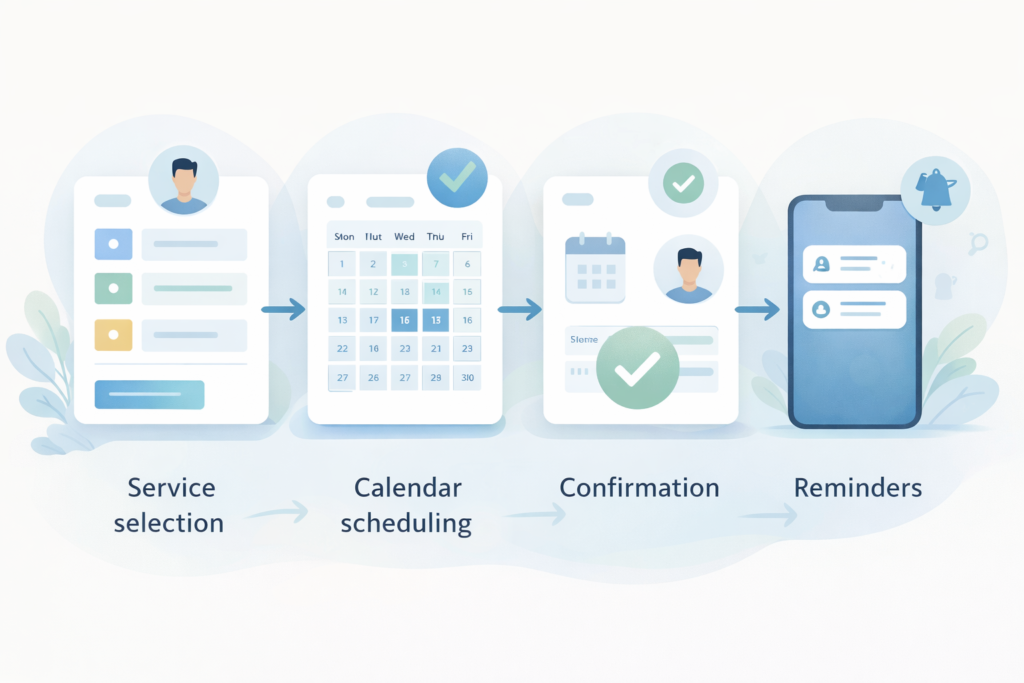
The booking journey should not feel heavy. For most businesses, a simple booking flow works best:
- Choose service
- Pick date and time
- Enter details
- Confirm booking
- Receive confirmation
That is enough for many version one releases. If the process becomes too long or too complicated, drop-off rises.
4. Confirmation and reminders
A booking app for small business should not stop working after the booking is made. Good confirmation and reminder logic helps customers feel informed and helps the business reduce no-shows.
Useful touchpoints often include:
- instant confirmation
- reminder the day before
- reminder a few hours before
- update if the time changes
- cancellation or rescheduling confirmation
This is one of the easiest ways to reduce repetitive admin.
5. Rescheduling and cancellation controls
Many businesses underestimate how important this is. Customers want flexibility. Businesses need rules.
A good system should handle:
- when customers can cancel
- when they can reschedule
- whether staff approval is needed
- what happens to deposits
- how availability updates after a change
Without clear logic here, the chaos just moves from email and phone calls into software.
6. Mobile-friendly design
A lot of customers book on their phones. That makes mobile usability a core requirement, not a later improvement.
A mobile-friendly booking app for small business needs should:
- load quickly
- show available slots clearly
- keep forms short
- avoid tiny tap targets
- make confirmation easy to review
Busy customers are often booking between meetings, during commutes, or while handling other tasks. The experience has to respect that.
7. Admin visibility and control
It is common to focus heavily on the customer journey and forget the team using the system every day.
Your business side usually needs to:
- view all bookings
- manage availability
- block off time
- assign staff or locations
- handle exceptions
- update cancelled or moved bookings
- review customer history
A booking app that works for customers but frustrates staff is not finished.
A practical booking workflow that works
A good booking app for small business setup should support both sides of the workflow.
Customer workflow
- select a service
- choose a staff member or location if needed
- pick an available date and time
- add contact details
- pay or confirm if required
- receive confirmation
- get reminders
- cancel or reschedule within policy
Business workflow
- manage calendars
- control service rules
- receive booking alerts
- assign staff
- track changes
- manage no-shows or cancellations
- report on demand and usage
That is the real test. Not simply whether a booking can be made, but whether the system helps the business run more smoothly after the booking happens.
Custom booking app vs off-the-shelf tool
This is often where decision-making gets stuck.
An off-the-shelf tool may be enough when:
- the booking process is simple
- you have one location
- you offer a small number of services
- team roles are limited
- branding is less important
- you want something live quickly
A custom booking app may make more sense when:
- the booking rules are specific to your business
- different services need different workflows
- you need branded customer experiences
- the system needs to connect to other processes
- customer, staff, and admin roles differ
- a generic plugin creates too many workarounds
Businesses comparing a scheduling flow with a broader app build can explore [INTERNAL LINK: App Design & Development. If the booking system needs to fit into a wider rollout plan, Digital Strategy Roadmaps can help sequence priorities.
The checklist for version one
Use this checklist before finalising your booking app for small business scope:
- □ customers can understand what they are booking
- □ availability is accurate
- □ booking takes only a few steps
- □ confirmation is instant
- □ reminders are automated
- □ rescheduling rules are clear
- □ cancellations are handled consistently
- □ the mobile flow is smooth
- □ staff can manage schedules without confusion
- □ admins can update availability easily
- □ payments are clear if included
- □ basic reporting exists
If a feature does not improve clarity, speed, or control, it may not belong in version one.
Common mistakes when planning a booking app for small business
Building for edge cases first
Many teams start with unusual scenarios instead of the main booking path. Start with the most common journey first and make that work extremely well.
Overcomplicating service choices
Too many categories, unclear naming, or too many conditions at the start can cause users to abandon the process before they even reach availability.
Forgetting the admin side
Customer UX matters, but so does internal usability. Staff need to manage schedules quickly and confidently.
Weak cancellation and rescheduling rules
This creates confusion for both customers and staff. Policies and workflows should be clear before the build goes too far.
Treating payments as a later add-on
If deposits or prepayment affect how the booking flow works, that should be planned early.
Ignoring mobile behaviour
A desktop booking experience that looks polished can still fail badly on a phone. That matters if a large share of your traffic is mobile.
No thought given to no-shows
A booking app for small business should help reduce attendance issues through reminders, confirmations, and clear policies.
Red flags before you build
Some signs usually point to scope trouble.
“We want something simple” but the workflow is not simple
That usually means the business process needs more mapping before design starts.
Nobody agrees on the booking process
If the team cannot clearly explain how booking should work, the project will become harder to scope and build.
Every stakeholder wants their own special exception
That can turn a useful system into a bloated one very quickly.
There is no clear cancellation or refund policy
Software cannot fix policy gaps on its own.
Availability depends on too many manual decisions
That does not mean the app should not be built. It means workflow planning matters before development begins.
If the booking system needs to sit alongside a broader website experience, Website Design & Development is a relevant next link. If a lighter integration is the better fit, Custom Plugin Development may be the more relevant next step.
How to scope the first release without wasting budget
A useful first release is not the biggest possible release. It is the smallest version that solves the real problem well.
Start with these questions:
- What exactly is the customer booking?
- What affects time, price, or availability?
- Who needs access inside the business?
- What happens after confirmation?
- What changes are allowed after booking?
- Does payment happen before, during, or after the service?
Then build version one around the core path.
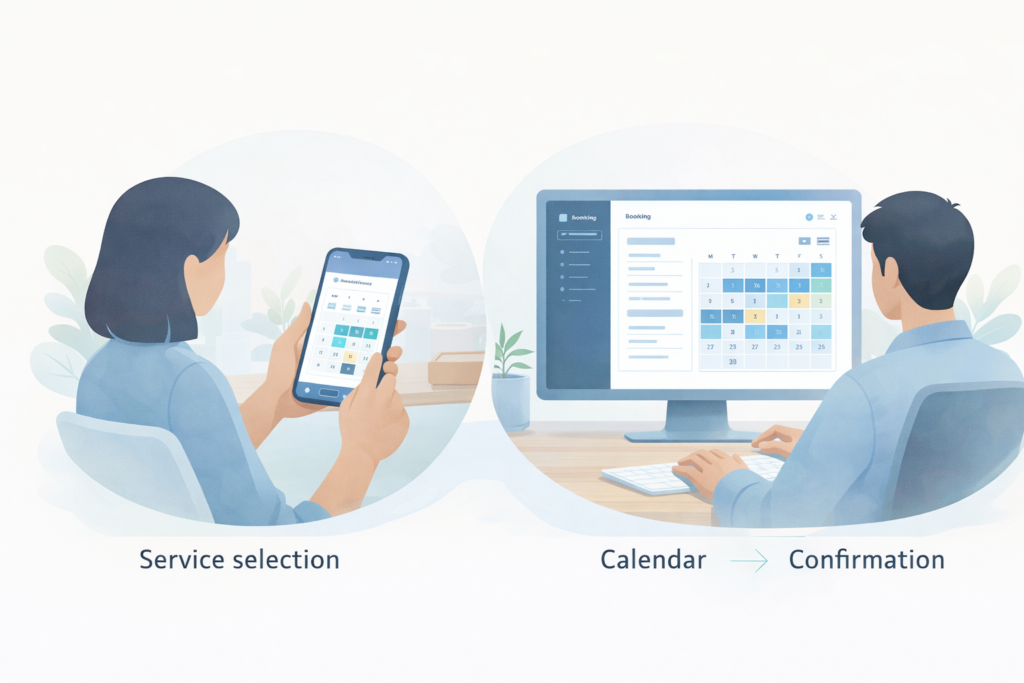
Example version one scope
- service selection
- live calendar availability
- booking form
- confirmation email
- reminder flow
- admin dashboard
- cancellation rules
- rescheduling rules
- optional deposit handling
That is often enough to launch, learn from real usage, and improve from there.
FAQ: Booking App for Small Business
What are the most important features in a booking app for small business?
Usually service selection, reliable availability, a short booking flow, confirmations, reminders, rescheduling, mobile usability, and admin control.
Does every small business need a custom booking app?
No. Some businesses can use an off-the-shelf tool very effectively. A custom build makes more sense when the workflow is more specific, branded, or connected to other systems.
Should customers be able to reschedule themselves?
In many cases, yes. Self-service rescheduling can reduce admin, as long as the rules are clearly defined.
Is mobile design really that important?
Yes. A large share of booking activity happens on phones, so weak mobile UX can reduce completion rates quickly.
Can a booking app be part of a bigger system?
Yes. It can sit inside a website, customer portal, or broader app environment depending on the business model.
How VVRapid can help
VVRapid builds app experiences around clear flows, practical business use cases, and responsive design. For businesses planning a booking journey, the goal is not to overload version one with every possible feature. It is to create a booking experience that customers can use easily and teams can manage confidently.
Relevant support pages include App Design & Development, Website Maintenance & Care, and Fractional Digital Team .
If you are weighing up the next step, view the relevant service page or contact VVRapid for a practical conversation around workflow, UX, and rollout priorities.