Website uptime monitoring for small business is one of the simplest ways to protect leads, trust, and day-to-day sales. If your website goes down, loads inconsistently, or fails at the wrong moment, potential customers may leave before you even know there is a problem. Cloudflare notes that downtime can hurt conversions and search visibility, and Google’s Search Console documentation also highlights site availability issues as something website owners should watch.
Table of Contents
For many small businesses, the real issue is not a dramatic all-day outage. It is the smaller, quieter failures. A form stops sending. A page times out on mobile. A plugin conflict breaks checkout for some visitors. A homepage loads, but key pages return errors. That is why website uptime monitoring for small business should be treated as part of routine website care, not a nice-to-have.
What website uptime monitoring for small business actually means
Website uptime monitoring for small business means checking whether your website is available and usable, then alerting you when something goes wrong. At the basic level, that means knowing if your site is up or down. At a more useful level, it also means tracking response issues, errors, and signs that visitors or search engines are hitting problems before they become expensive. Cloudflare defines uptime as the period when an application or service is operating as expected.
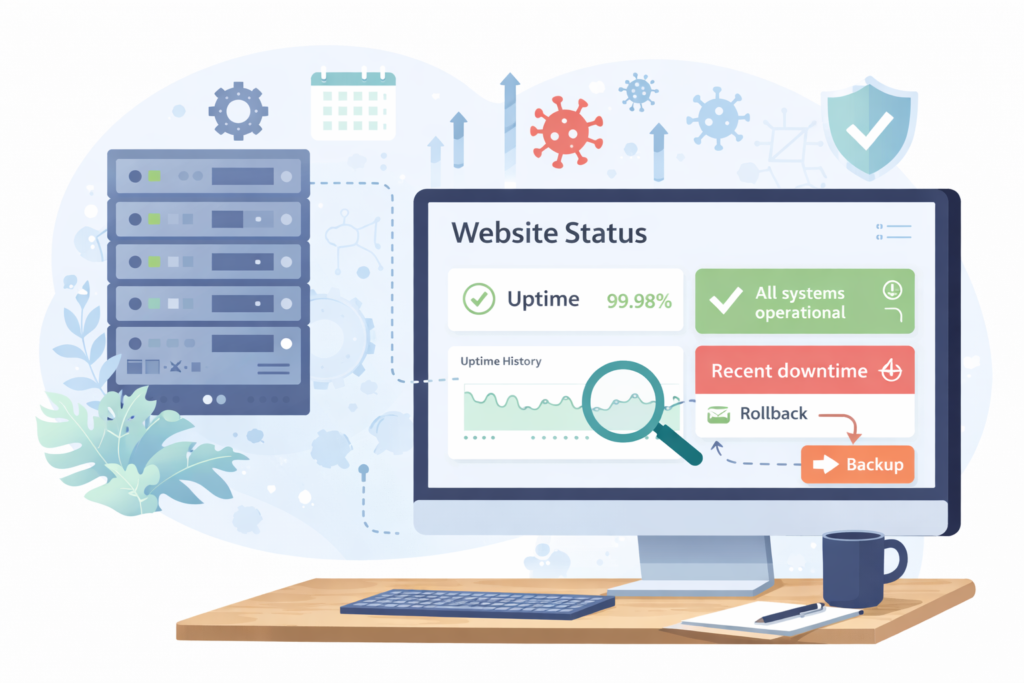
For a small business owner, this matters because your website is often doing several jobs at once:
- generating enquiries
- collecting leads
- handling bookings
- answering common sales questions
- supporting SEO visibility
- building trust before someone contacts you
If the site is unavailable, slow, or broken, those jobs stop.
Think: your website does not need to be completely offline to lose you business. Partial failure is still failure.
Why small outages matter more than many owners think
A short outage can be easy to miss internally. You may open the site once, see it load, and assume everything is fine. Meanwhile:
- a contact form may be failing
- a service page may return a 500 error
- mobile users may see a broken layout
- a checkout page may time out
- search engine crawlers may hit availability issues
Google’s documentation specifically advises site owners to check whether Googlebot is encountering availability issues, and the Crawl Stats report can surface server response and availability patterns over time.
That is the business case for website uptime monitoring for small business. It shortens the gap between “something broke” and “someone noticed.”
What to track first if your site actually needs to support leads
Not every small business needs enterprise observability. But most do need a simple, reliable set of signals.
1. Uptime status
This is the core measure. Is the website reachable or not?
At minimum, you want alerts if your homepage or another key page becomes unavailable. This is the baseline for website uptime monitoring for small business.
2. Response time
A website can be technically “up” while still feeling broken to users. Slow response time often shows up before a full outage. Cloudflare’s learning resources note that performance and availability are closely linked to user experience.
Track response time for your most important pages, not just the homepage.
3. Key page website availability monitoring
Do not monitor only one URL. A better setup checks pages such as:
- homepage
- main service page
- contact page
- booking page
- checkout page
- lead form thank-you page
For many businesses, one broken revenue page matters more than the homepage being down for two minutes.
4. Form and conversion path health
This is where many businesses get caught. The site looks normal, but form submissions stop arriving. Website uptime monitoring for small business should include periodic testing of:
- contact forms
- booking requests
- payment or checkout flow
- email notifications
- call-to-action buttons
5. SSL and security warnings
An expired certificate or mixed-content problem can trigger browser warnings that scare visitors off fast. Security and uptime are closely related in practice, especially for live business sites.
6. Hosting and server health signals
Good hosting can reduce avoidable downtime, especially if it includes stronger infrastructure, backups, and better security handling. Your VVRapid hosting and maintenance pages already position reliability, daily backups, staging, firewall protection, and support as important foundations for business websites.
7. Search visibility warning signs
If important pages stop being available, SEO can suffer. Google’s Search Console guidance ties crawl issues and availability issues directly to discoverability and troubleshooting. That does not mean every short outage causes a ranking drop, but recurring instability is still a risk worth taking seriously.
That is one reason to connect this topic naturally with Search Engine Optimisation, especially if search visibility matters for your lead flow.
A practical monitoring setup for a small business website
A workable setup does not need to be complicated.
Basic setup
Suitable for brochure sites or low-change websites.
- monitor homepage every 5 minutes
- monitor contact page every 5 minutes
- set email alerts for website downtime monitoring
- manually test forms weekly
- review hosting and backup status monthly
Better setup
Suitable for active lead-gen websites.
- monitor homepage, service page, contact page, and one conversion page
- receive email and mobile alerts
- track response time trends
- check SSL status
- test forms weekly
- review plugin, theme, and core updates inside a maintenance routine
Strong setup
Suitable for revenue-critical or campaign-driven sites.
- monitor multiple locations
- track key transaction or form steps
- connect website uptime alerts with maintenance workflow
- review server logs and crawl issues
- test updates on staging before pushing live
- keep recovery and rollback procedures ready
That last part matters because uptime monitoring is most useful when it is tied to action. If an update causes a problem, a clear rollback process can help restore stability faster. For a deeper look at that workflow, read Website maintenance updates: how to avoid breaking your site (staging + rollback workflow)
Checklist: website uptime monitoring for small business
Use this as the scannable checklist.
- □ Monitor more than one page, not just the homepage
- □ Track uptime and response time
- □ Set alerts to go to a real person
- □ Check forms and booking flows weekly
- □ Review SSL status and expiry
- □ Keep backups current and restorable
- □ Test updates before pushing major changes live
- □ Review crawl issues in Google Search Console
- □ Confirm your host can support reliability and recovery
- □ Document who responds when an alert comes in
A simple system that gets used is better than a complex one nobody checks.
What a good alert process looks like
Website uptime monitoring for small business only works if somebody knows what to do next.
A practical alert process usually looks like this:
Step 1: confirm the issue
Check whether the outage is site-wide or page-specific.
Step 2: identify what changed
Was there a recent plugin update, hosting issue, DNS change, content edit, or traffic spike?
Step 3: protect the lead path
Test the contact form, booking function, checkout, and core pages first.
Step 4: restore fast
If an update caused the issue, rollback or restore from backup if needed.
Step 5: review root cause
Do not stop at “the site is back.” Fix the reason it failed.
This is where Website Maintenance & Care fits naturally. Monitoring helps you spot the problem, while maintenance reduces the chance of the same issue happening again.
Common mistakes in website uptime monitoring for small business
Monitoring only the homepage
A homepage can load while deeper pages fail. That creates false confidence.
Treating uptime as a hosting-only issue
Hosting matters, but so do updates, plugin conflicts, theme issues, forms, expired SSL certificates, and custom functionality.
No alert ownership
If alerts go to an inbox nobody watches, monitoring has little value.
Ignoring slow degradation
A site may stay “up” while becoming frustratingly slow. Visitors still leave. Search engines can still struggle if the site becomes unstable or error-prone.
Not testing forms
This is one of the most common silent failures on small business websites.
No staging or rollback plan
Monitoring tells you when something is wrong. It does not fix bad release habits. Your archive already smartly covers staging and rollback for update safety, so this draft should link to that concept rather than duplicate it.
Chasing perfect uptime language instead of practical reliability
Some providers market impressive uptime targets or SLAs. For example, Cloudflare’s Business SLA references a 100% uptime commitment for that service tier, but small businesses should focus less on headline numbers and more on whether their real website setup is monitored, supported, recoverable, and tested.
How small business website uptime monitoring supports SEO, trust, and conversions
Website uptime monitoring for small business is not just technical housekeeping.
It supports:
SEO
Google recommends site owners investigate availability issues and crawl problems. Repeated instability can affect how reliably search engines access important pages.
Lead generation
If forms, landing pages, or call-to-action paths break, ad spend and organic traffic can be wasted.
Trust
Visitors expect business websites to work. If a website feels unreliable, trust drops quickly.
Operations
Monitoring reduces guesswork. Instead of waiting for a customer complaint, you get an earlier signal.
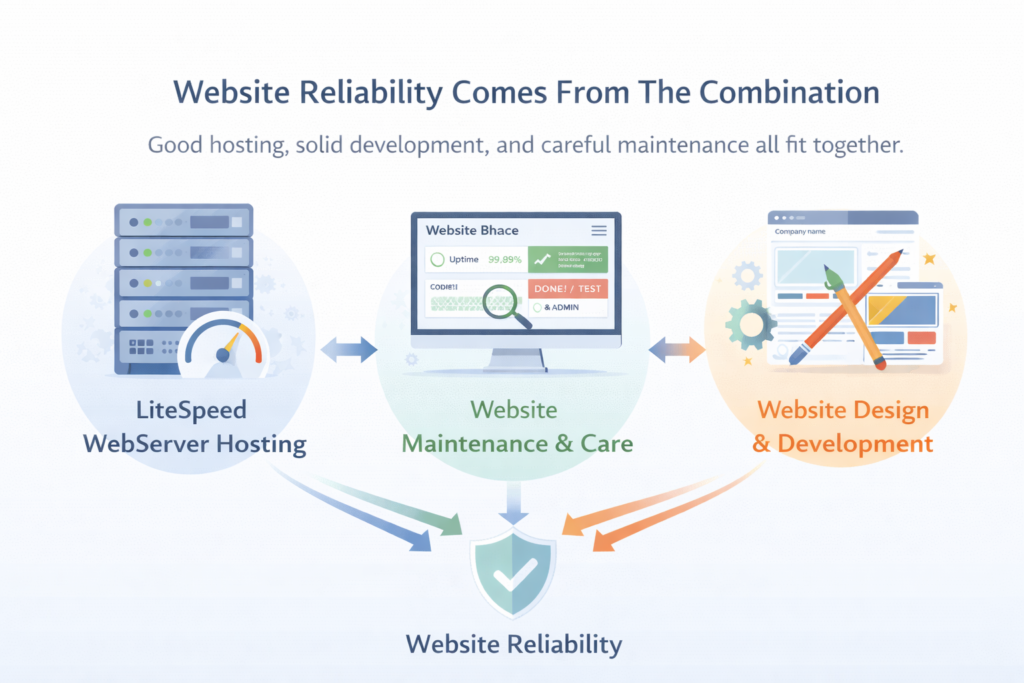
This also connects well with LiteSpeed WebServer Hosting and Website Design & Development, because website reliability is rarely the result of one isolated fix. It usually comes from the combination of sound hosting, stable development, careful updates, and ongoing maintenance.
When a small business should handle this in-house
In-house can be fine when:
- the site is simple
- there are few plugins or integrations
- someone actually checks alerts
- forms and key actions are tested regularly
- you have a clean backup and restore routine
When ongoing support is the better option
Support is often the better fit when:
- the website generates regular leads or sales
- downtime affects bookings or revenue
- the business runs paid traffic
- multiple plugins or custom features increase risk
- nobody on the team wants to troubleshoot website issues
- updates, security, backups, and performance all need to stay coordinated
That is why many businesses look for a care plan instead of just a monitoring tool. A tool can tell you there is a problem. A care plan helps prevent, diagnose, and fix it.
How VVRapid can help
VVRapid can help businesses treat uptime as part of the wider Website Maintenance & Care picture rather than as a standalone dashboard. That may include regular updates, backups, security checks, uptime and performance awareness, small content changes, and a more reliable workflow for keeping the site stable over time. For businesses that need stronger infrastructure behind the scenes, LiteSpeed WebServer Hosting, Website Design & Development, and Search Engine Optimisation can also support the wider reliability of the site.
If your site matters to leads or sales, the goal is not just “is it online right now?” The goal is knowing the important parts work consistently, and having a clear response plan when they do not.
Explore the Website Maintenance & Care service or contact VVRapid if you want help keeping a business website stable, monitored, and easier to trust.
FAQ: Website Uptime Monitoring for Small Business
What is website uptime monitoring for small business?
It is the process of checking whether your website and key pages are available, then sending alerts when something goes wrong.
How often should a small business monitor website uptime?
For most small business sites, checking every 5 minutes is a practical starting point. Critical sites may need broader checks across key pages and user flows.
Is uptime monitoring the same as website maintenance?
No. Monitoring tells you when there is a problem. Maintenance helps prevent problems and fix them properly.
Can downtime affect SEO?
It can. Google advises site owners to investigate availability and crawling issues, especially if search engine access is being disrupted.
Should I only monitor the homepage?
No. Important service, contact, booking, and checkout pages should also be monitored.
Does better hosting improve uptime?
Often, yes. Better hosting can improve reliability, security, backup options, and recovery readiness, though it still needs proper maintenance around it.